Trading Toolbar Templates

Viewing 4 posts - 1 through 4 (of 4 total)

  • Author
    Posts
  • #227317 quote
    bearbull
    Participant
    Average

    I am obviously doing something fundamentally wrong here………using PRT 12

    I have set up some trading templates using the spanner that sit in the top right hand side of the chart window.

    I have named them and set the trade size etc etc, using the spanner. When I select the particular button for the template the name changes but the quantity size of the trade remains the same no matter what the name is?

    And so I have to manually change the quantity for the trade size – which is a pain especially when scalping? This was not an issue with PRT 11 from which I have just upgraded from.

    Any ideas what i need to check please?.

    Mike

    #227333 quote
    PeterSt
    Participant
    Master

    not an issue with PRT 11 from which I have just upgraded from.

    Hi Mike – If all is right you can always use V11 (for the coming year or so). Assumed nobody knows a work around (or how to do it), meanwhile I think you should report this at PRT’s (via Help – Technical Report).

    #227338 quote
    GraHal
    Participant
    Master

    Mike
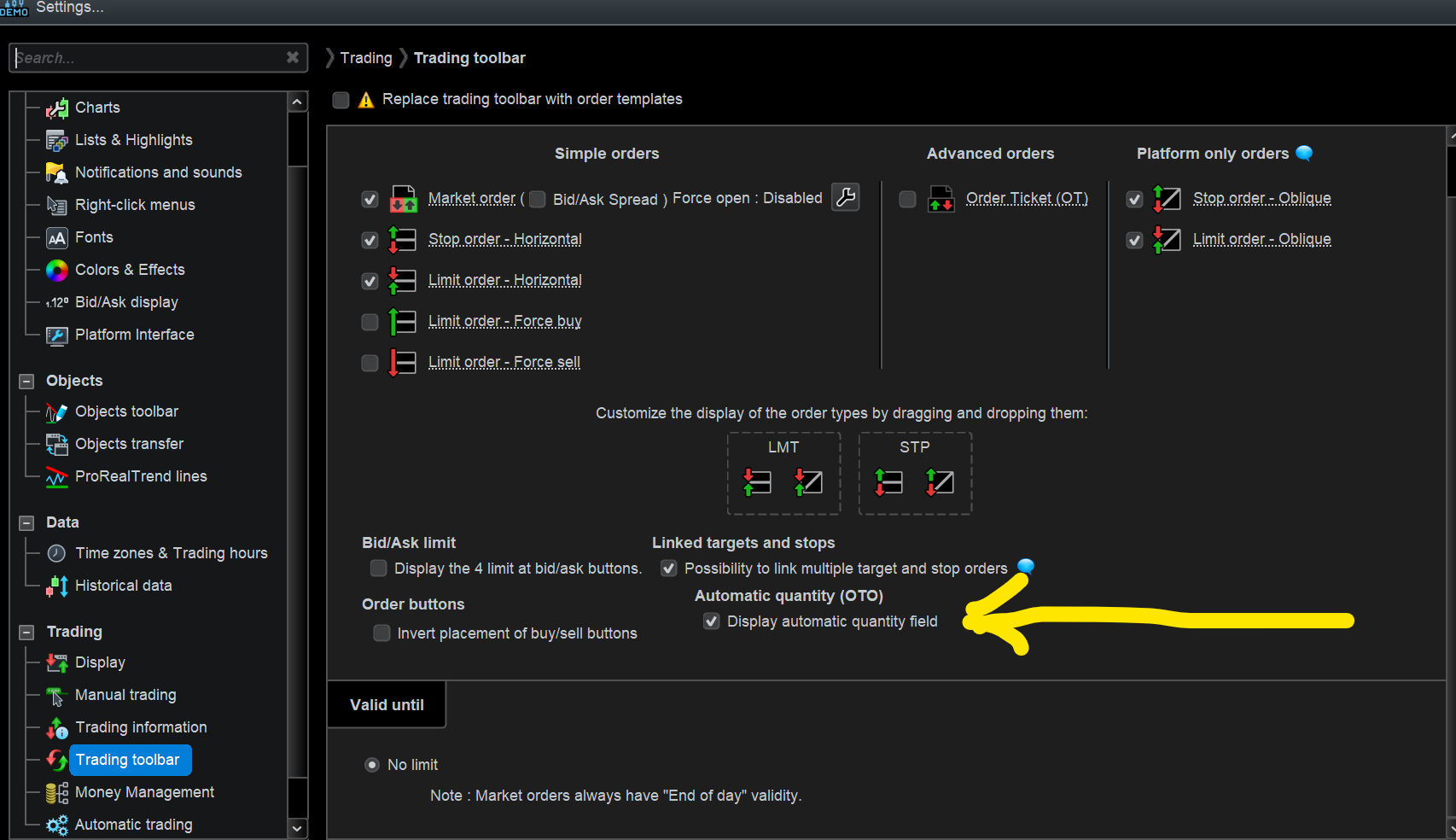
    Have you got attached ticked at yellow arrowhead?

    May make no difference?

    Screenshot-2024-02-02-164529.png Screenshot-2024-02-02-164529.png
    #227350 quote
    bearbull
    Participant
    Average

    Thanks guys for help.

    GraHal I do have that option checked, but no difference.

    PeterSt I have reported and will revert back to V11.

    GraHal thanked this post
Viewing 4 posts - 1 through 4 (of 4 total)

  • You must be logged in to reply to this topic.

Trading Toolbar Templates


Platform Support: Charts, Data & Broker Setup

New Reply
Author
author-avatar
bearbull @bearbull Participant
Summary

This topic contains 3 replies,
has 3 voices, and was last updated by bearbull

2 years ago.

Topic Details
Forum: Platform Support: Charts, Data & Broker Setup
Language: English
Started: 02/02/2024
Status: Active
Attachments: 1 files
Logo Logo
Loading...