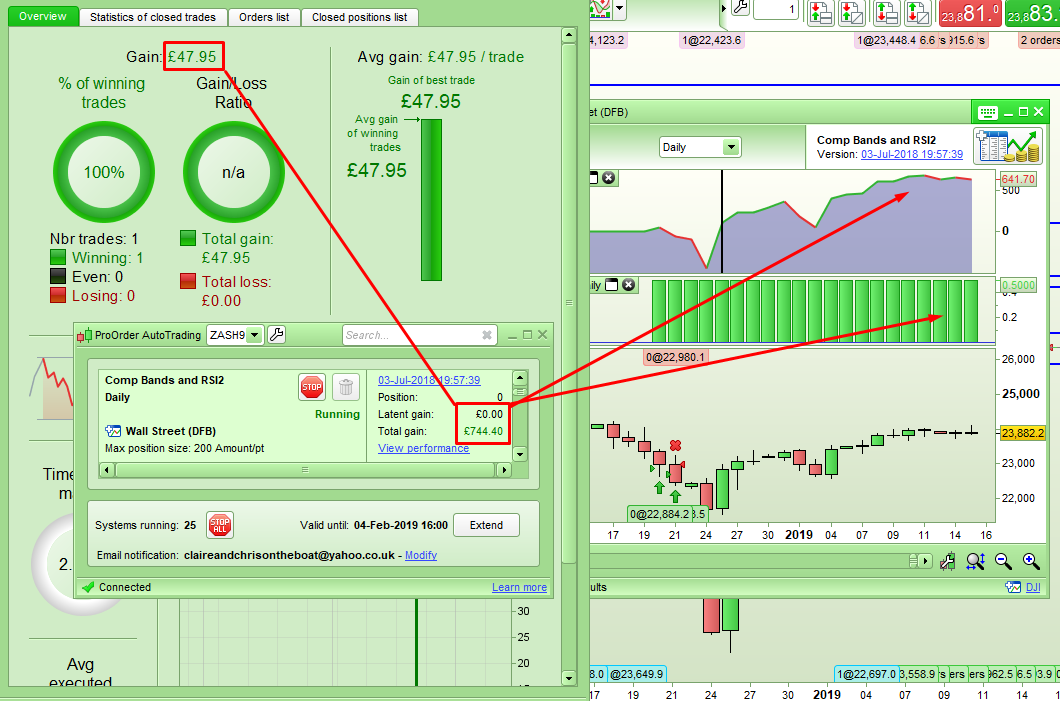
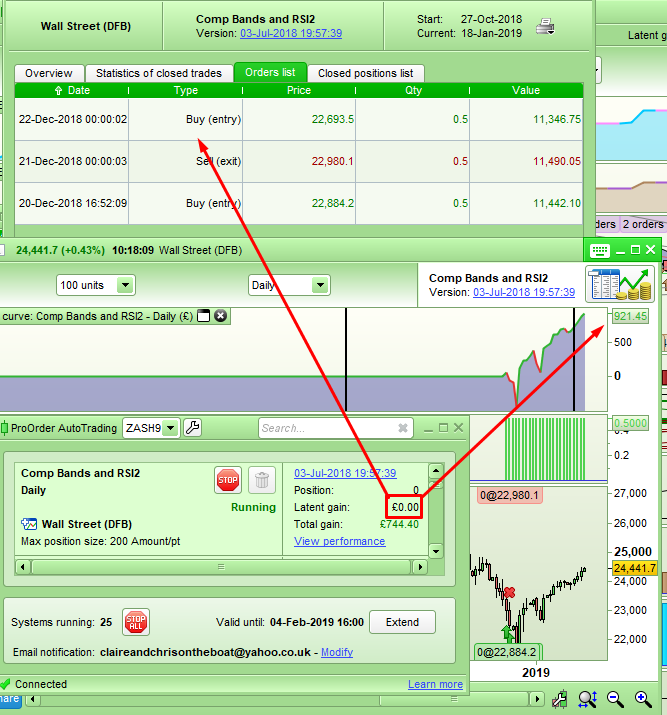
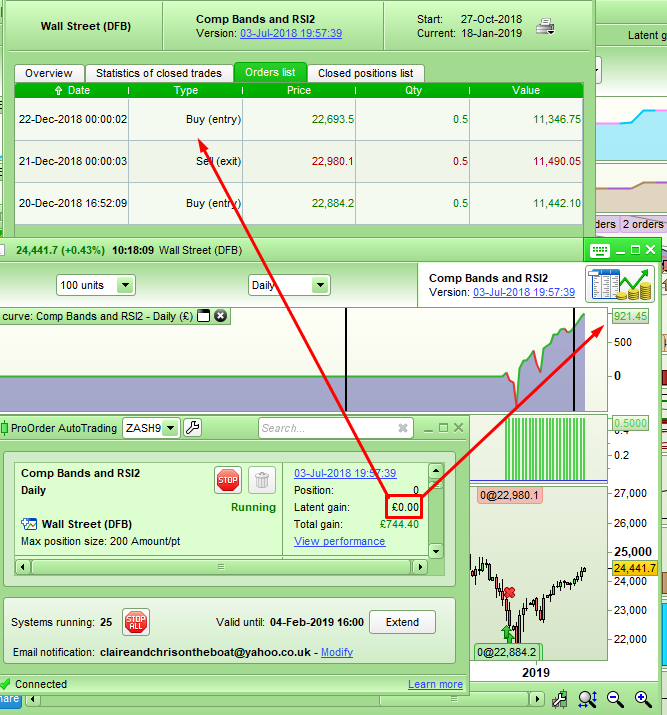
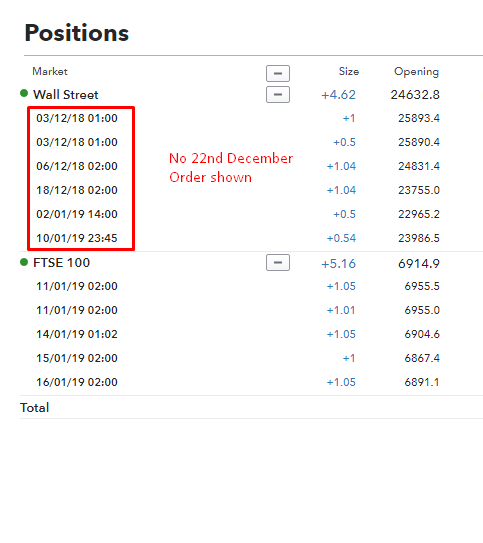
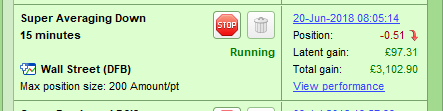
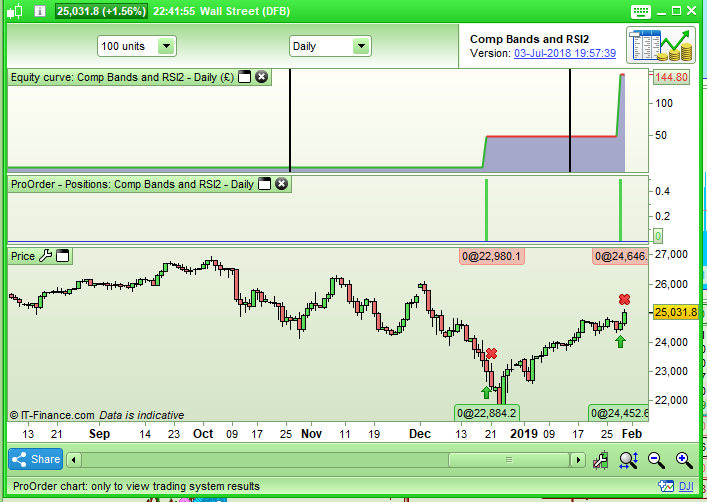
I just noticed that one of my strategies on DEMO had not closed a position when it should have so I manually closed the positions. I then started checking my other strategies and immediately spotted that one of them was showing a good profit in the ProOrder AutoTrading window but then when a detailed report is shown it has only a tiny profit. No trade is shown as open in the ProOrder AutoTrading window but the detailed report clearly shows a trade open. No trade is shown on the DJI chart for this phantom position.
It seems that trades are being orphaned but not shown. Once again any meaningful forward testing has been put on hold and I have to check each and everyone of my demo strategies now!
[attachment file=88687]
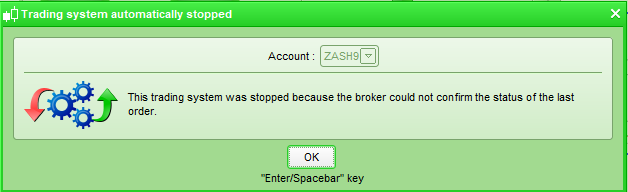
The first strategy that I stopped due to it having a position that should have closed and that didn’t has stopped itself now following me restarting it and thrown up the following error:
[attachment file=88690]
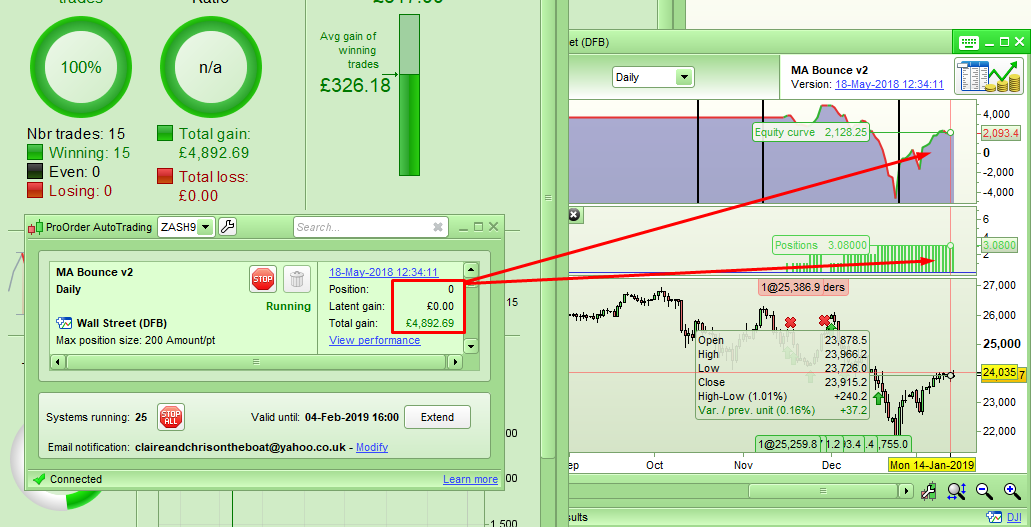
….and another one that is showing no position open in the ProOrder AutoTrading window and yet a position is open in the detailed report. Stopping the strategy does not close the position and it is not shown on the DJI chart.
[attachment file=88693]
I had a reply from IG saying that PRT will fix the issue and close my ghost trades. I’m still waiting for that to happen though. I’ll update if and when anything happens!
one of them was showing a good profit in the ProOrder AutoTrading window but then when a detailed report is shown it has only a tiny profit
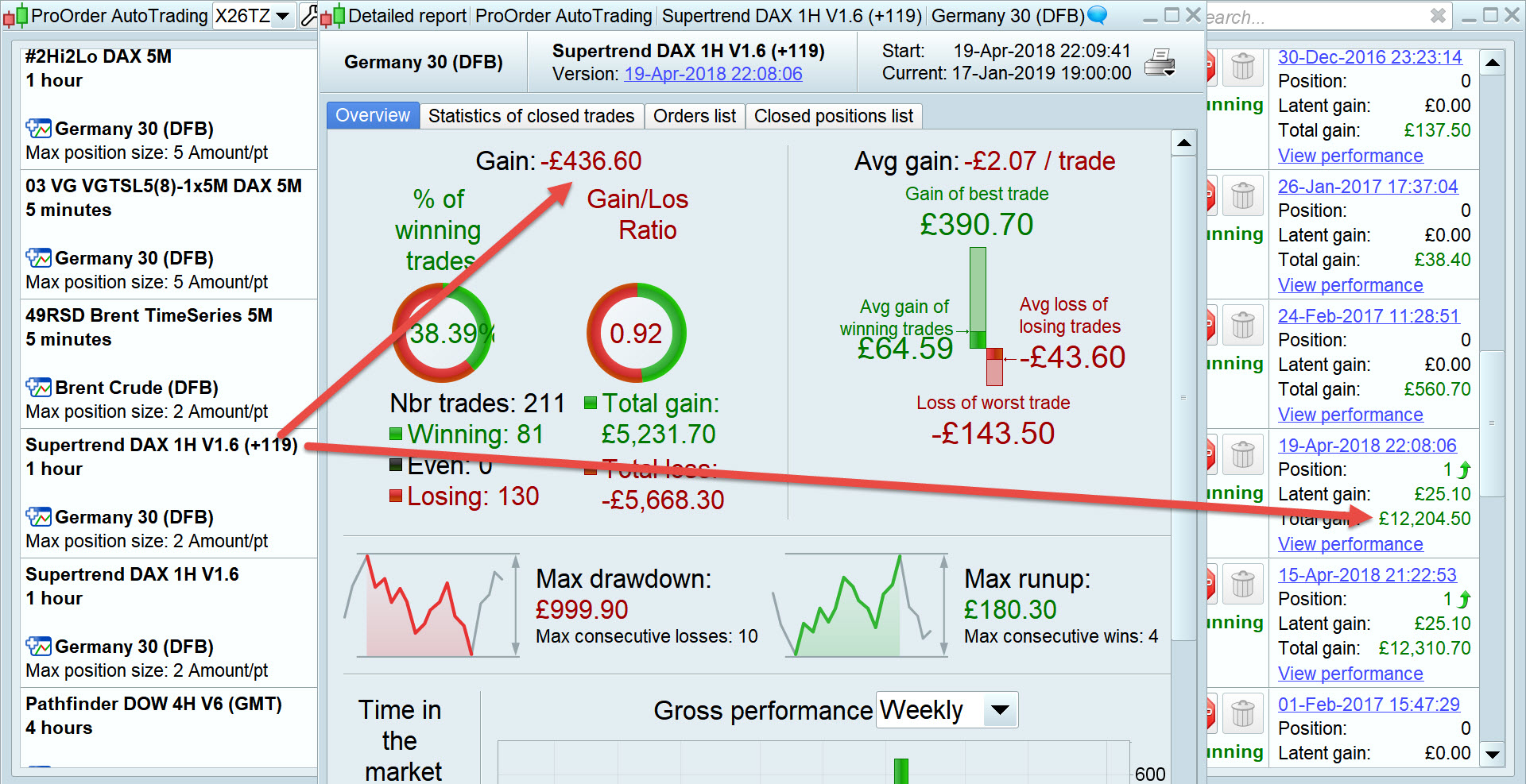
Same here, well £12.3k Profit vs £449 Loss!
See attached
Same here, well £12.3k Profit vs £449 Loss!
At least yours is showing a latent gain. Mine are showing no positions as open so no latent gain when in reality an orphaned trade is open but I have absolutely no way to close it. I’ve just checked and this has not been remedied by PRT yet today.
I have absolutely no way to close it
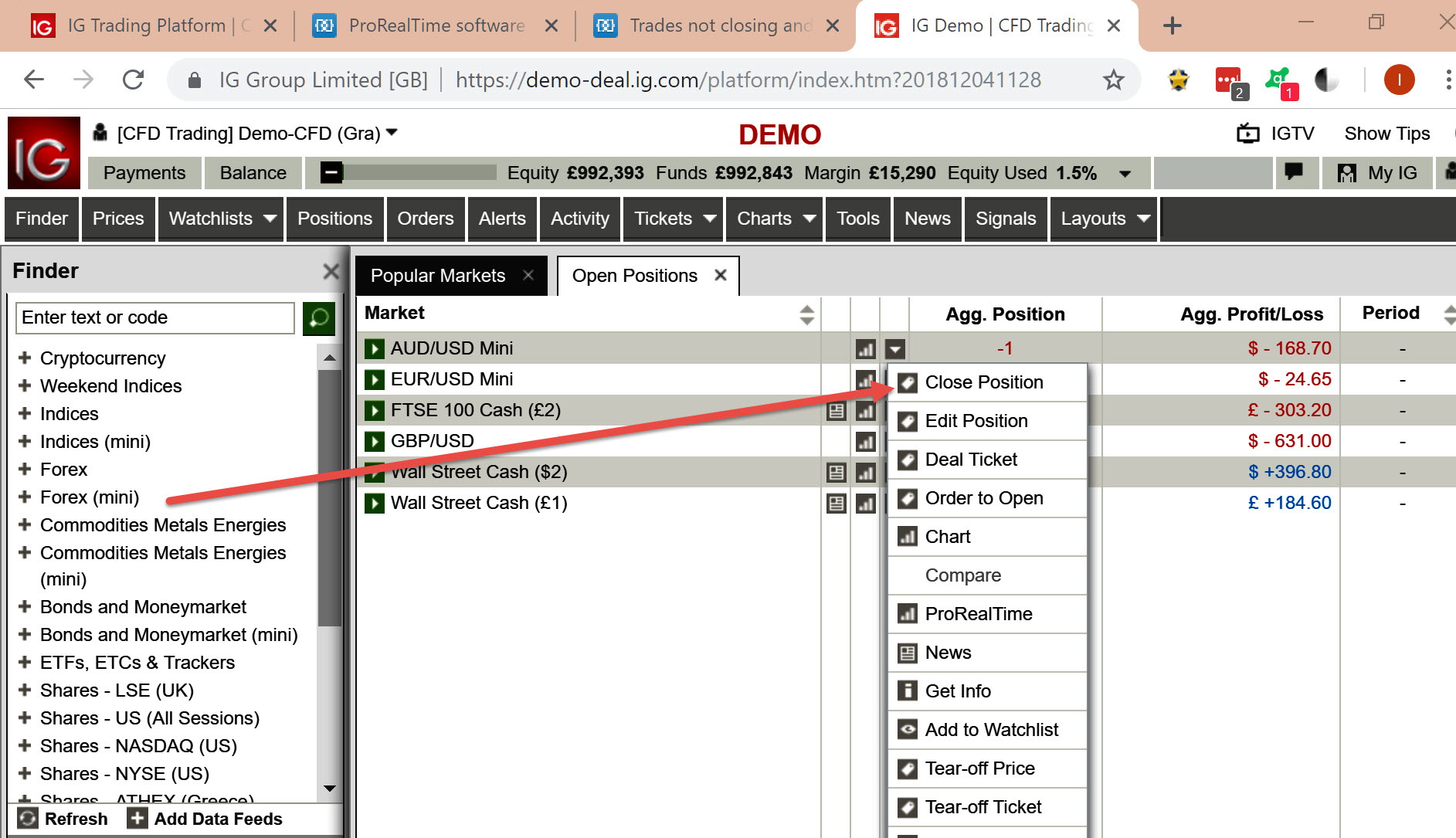
Can you not close it via the IG OLD Platform as attached?
I’ve had to do above a time or two with orphaned trades.
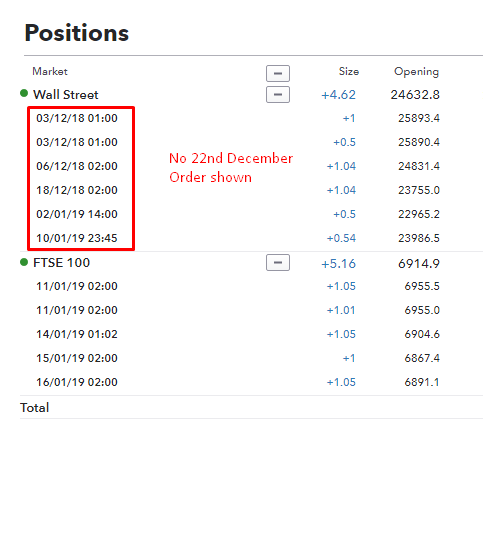
Nice idea GraHal but it seems that the trade is not open in IG.
[attachment file=89036]
[attachment file=89037]
Nice idea GraHal but it seems that the trade is not open in IG.
[attachment file=89041]
[attachment file=89042]
Did you check the OLD IG Platform (it is still available) as that is where my screenshot was from.
Can’t see it being any different, but worth a quick check?
PRT managed to close out four trades that I was unable to close today that were orphaned by a strategy on my demo platform but tonight I noticed that the same strategy was now showing a short position as open when it is a long only strategy!
[attachment file=89510]
When I look at the performance chart for this strategy no position is shown as open.
I’m still waiting for PRT to sort out two other ghost trades that are long on two other strategies but only shown in the performance window and no where else.
I sent reports as requested for those two once again today as requested by IG.
Forward testing is once again pointless for me…. 🙁
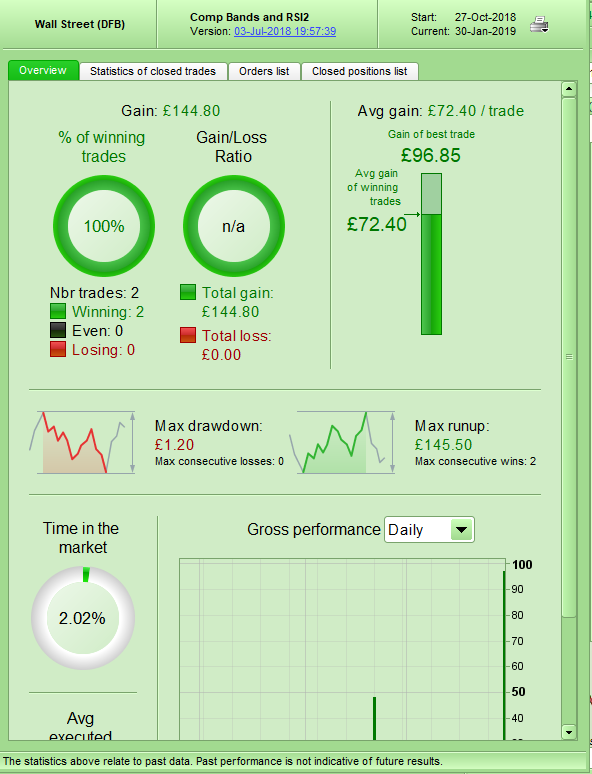
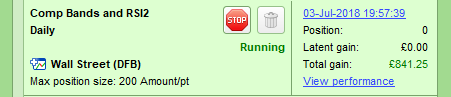
So now one of my remaining two strategies that have had ghost trades open that don’t show up anywhere but in the performance report equity curve and that can’t be closed down in any way has shut down its ghost trade. Unfortunately it has left the total in the ProOrderAutotrading window as completely meaningless. £841.25 total gain apparently when the performance report says £144.80 out of two trades. I really really hope that when V11 arrives the live testing demo results are accurate compared to this mess.
The other strategy still has a ghost trade open.
[attachment file=90102]
[attachment file=90103]
[attachment file=90104]
£841.25 total gain apparently when the performance report says £144.80 out of two trades. I really really hope that when V11 arrives the live testing demo results are accurate compared to this mess.
For same reasons as above I have to keep subtracting £40,600 off my total funds showing in IG!
I have still not had a reply back from PRT after sending in my Technical Reports on this Issue on 5 Oct 18 … very very poor!
Technical Report – Joint Log
I wouldn’t mind if there was some easy way for me to manually correct when I spot errors, but the only way (restart the System afresh from today) results in loss of all Performance History on the erroneous Systems. showing erroneous stats