TIMEFRAME – resultat glissant avec bougies heikin ashi MTF?

Viewing 11 posts - 1 through 11 (of 11 total)

  • Author
    Posts
  • #163980 quote
    Jerome888
    Participant
    Average

    Bonjour,

    TIMEFRAME met en place une fenêtre d’analyse glissante ou fixe ? Exemple il est 10h05, TIMEFRAME(hourly) va prendre en compte la fenêtre 09h05-10h05 (j’ espère pas) ou alors 10h-10h05 (j’ espère) ?

    Ce simple bout de code ne donne pas le bon résultat Heiken Ashi de l’UT supérieure

    TIMEFRAME(daily)
    XClose = (open+close+low+high)/4
    XOpen = (XOpen[1] + Xclose[1]) / 2
    
    TIMEFRAME(default)
    .....Afficher XClose/XOpen

    Merci

    #163981 quote
    Jerome888
    Participant
    Average

    Ah je crois que le code est lu au close du TF default

    #163982 quote
    Jerome888
    Participant
    Average

    non…même problème

    #163991 quote
    fifi743
    Participant
    Master

    bonjour,

    lecture en continu

    timeframe(daily)

    une seul lecture

    timeframe(daily,updateonclose)

    lecture a la fermeture de la bougie

    #164003 quote
    Jerome888
    Participant
    Average
    Merci.
    Pourtant le code écrit ne fonctionne pas (je ne vois pas en temps réel le changement haiken ashi de l’UT supérieure)
    J’ai l’impression que le calcul de heiken ashi n’est pas correct. Ca fait trois heures que je cherche sans trouver…
    #164005 quote
    fifi743
    Participant
    Master

    le code est

    if barindex>1 then
    
    haClose = (Open + High + Low+ Close) / 4
    haOpen = (haOpen[1] +haClose[1])/2
    haHigh = Max(High, haOpen)
    haLow = Min(Low,haOpen)
    endif
    #164016 quote
    Jerome888
    Participant
    Average

    Merci fifi.

    Je viens de reprendre ton code et voici le résultat.


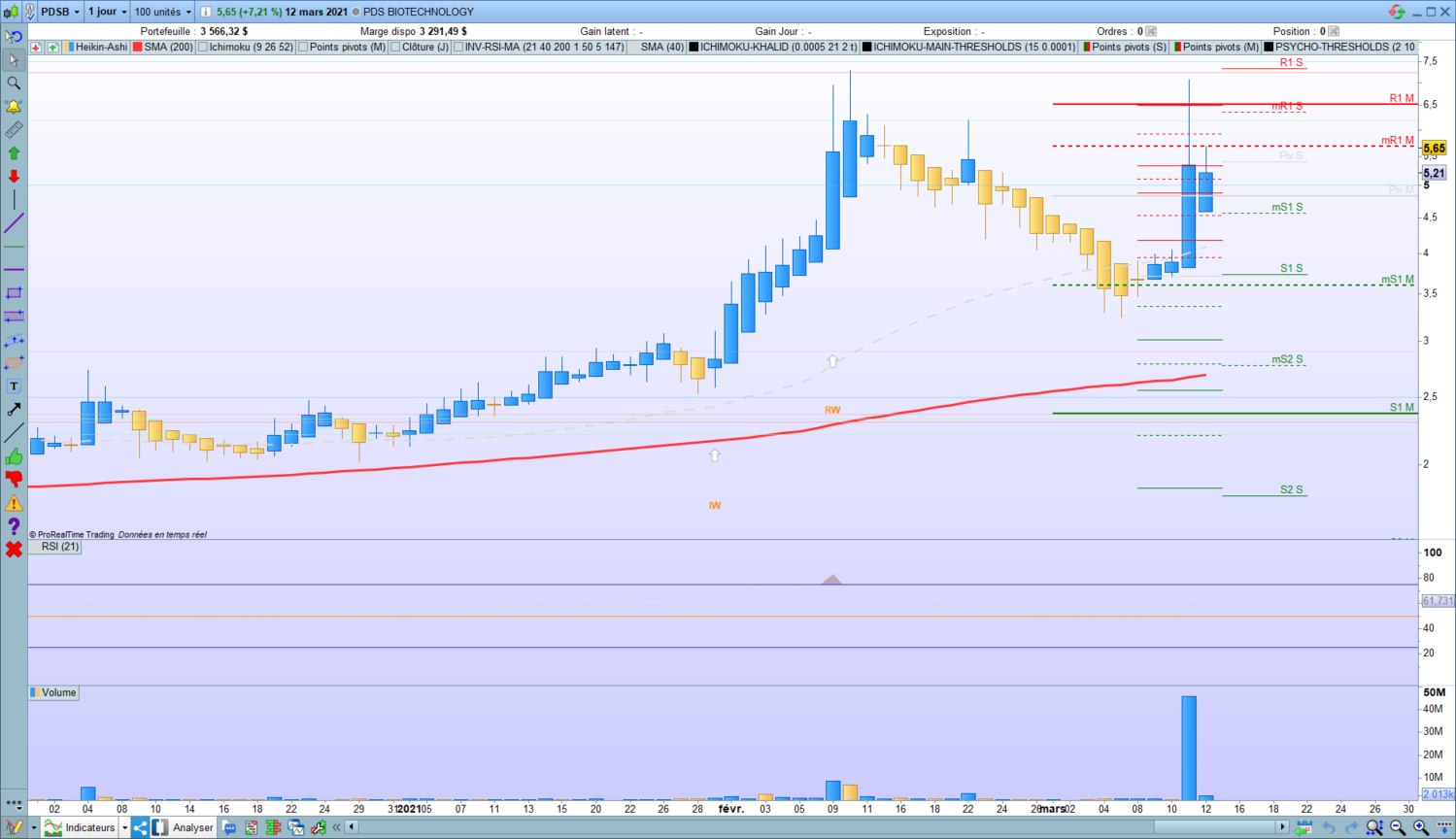
    Ci-joint l’action dont je veux lire la dernière bougie HA 1 jour depuis le 15 min. Le résultat doit donc être HAClose = 5,21 et Ouverture 1 jour 4,59

    J’execute le code suivant en 15 minutes

    TIMEFRAME(daily)
    if barindex>1 then
     xClose = (Open + High + Low + Close) / 4
     xOpen = (xOpen[1] +xClose[1])/2
    endif
    
    TIMEFRAME(15 minutes)
    return xOpen, xClose coloured(255,0,0)

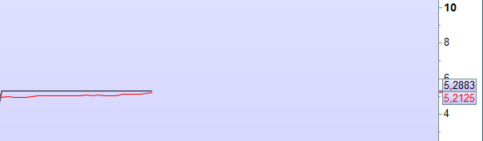
    qui me donne le résultat 5,2125 pour la cloture finale ce qui est correct

    mais 5,2883 pour l’ouverture (à la place de 4,59)…

    Je ne comprend pas

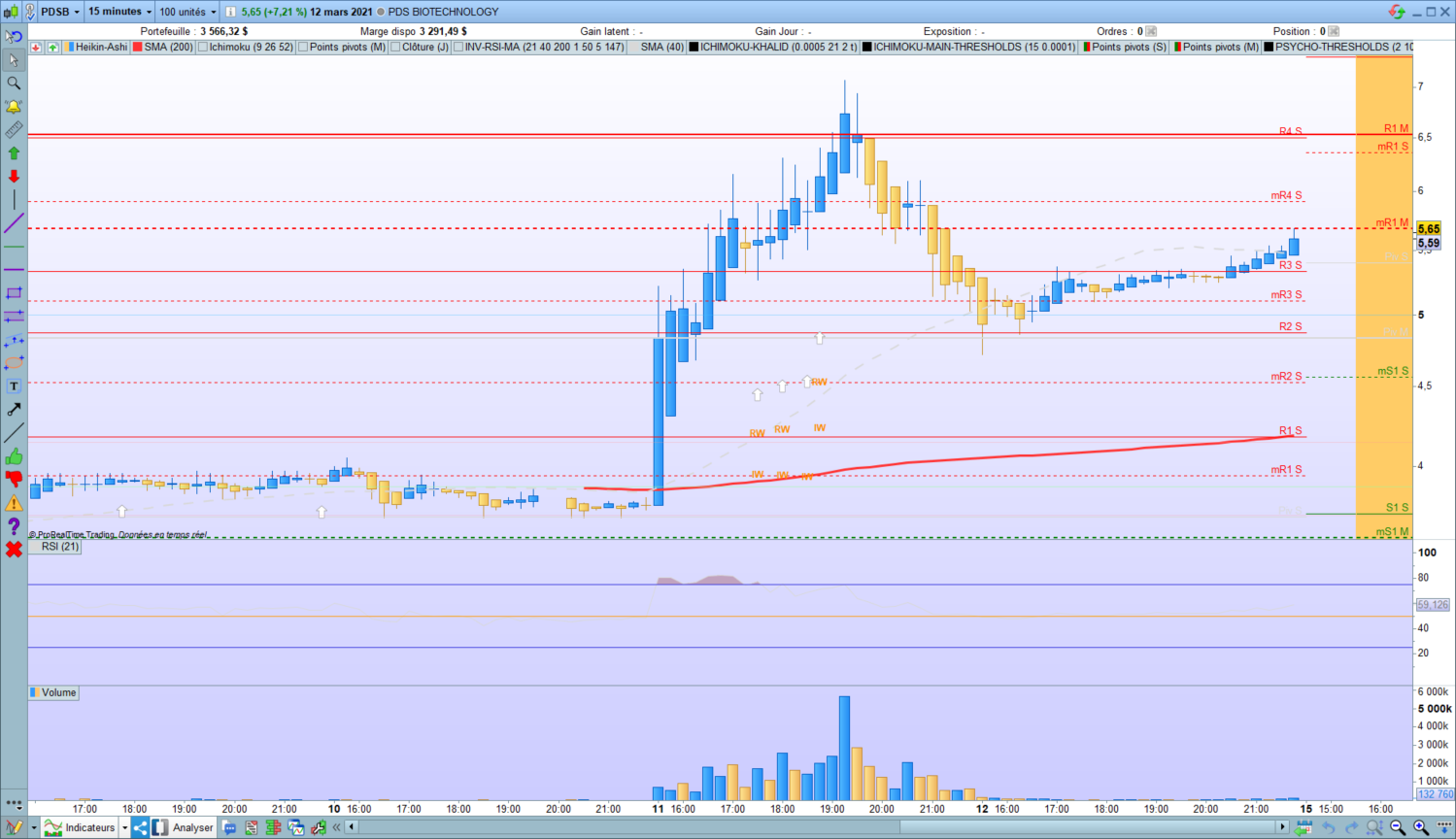
    1Jour.png 1Jour.png 15min.png 15min.png resultat.png resultat.png
    #164020 quote
    fifi743
    Participant
    Master

    en daily c’est ok,mais pas en TF inferieur

    #164021 quote
    Jerome888
    Participant
    Average

    C’est ça.

    #164036 quote
    Jerome888
    Participant
    Average

    Du coup je ne vois pas ce qu’apporte (de juste) l’instruction TIMEFRAME dans ce cas

    #164185 quote
    Jerome888
    Participant
    Average

    Problème résolu :

    //init
    if barindex = 1 then
    xOpen = open
    endif
    
    
    timeframe(daily)
    dayOPEN = open
    dayhigh = high
    daylow = low
    
    
    timeframe(default)
    IF dayOPEN <> dayOPEN[1] THEN //calculate daily HA open
    xOpen =( xOpen[1]+xClose[1])/2
    ENDIF
    
    
    xClose=(dayOpen+close+dayhigh+daylow)/4
    
    
    RETURN xOpen AS "xOPEN", xClose as "xClose"
    Nicolas thanked this post
Viewing 11 posts - 1 through 11 (of 11 total)
  • You must be logged in to reply to this topic.

TIMEFRAME – resultat glissant avec bougies heikin ashi MTF?


ProBuilder : Indicateurs & Outils Personnalisés

New Reply
Author
author-avatar
Jerome888 @jerome888 Participant
Summary

This topic contains 10 replies,
has 2 voices, and was last updated by Jerome888
4 years, 12 months ago.

Topic Details
Forum: ProBuilder : Indicateurs & Outils Personnalisés
Language: French
Started: 03/13/2021
Status: Active
Attachments: 3 files
Logo Logo
Loading...