Tick counter and current line price

Viewing 10 posts - 1 through 10 (of 10 total)

  • Author
    Posts
  • #204581 quote
    gianpre
    Participant
    New

    Hello alll,

    is it possible draw a horizontal line that moves at current price?

    Furthermore can I make a function that calculates ticks remaining af the last bar (tick counter) could anyone help me?

    Thanks a lot and regards
    #204584 quote
    JC_Bywan
    Moderator
    Master

    Hello,

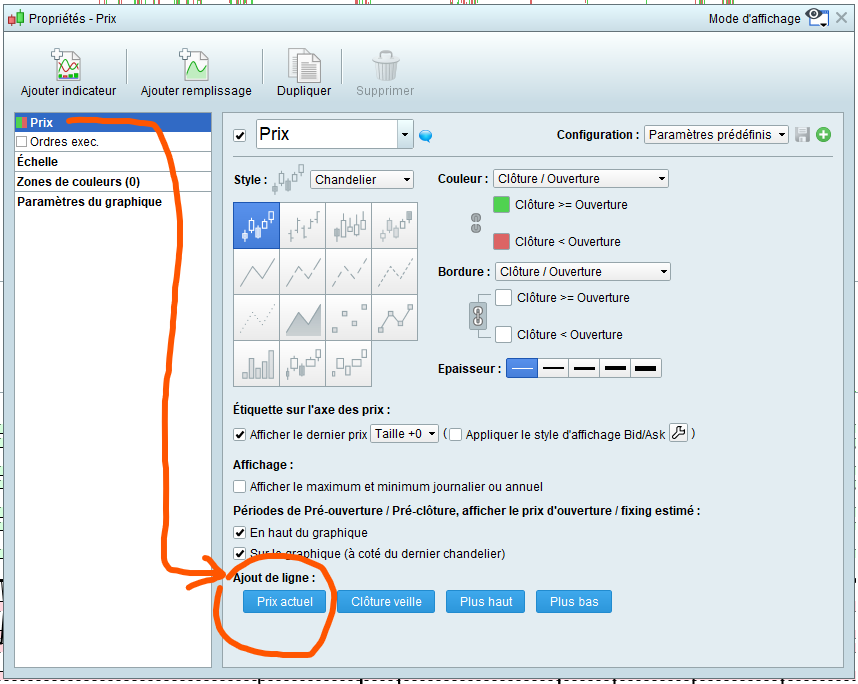
    (1/2) … Assuming your platform is in French, click on “prix” in top left corner of price window, then click on “configurer”, a window opens, if in the left part “prix” is selected, then, in the right part you might have to scroll down or widen the window to see appearing at the bottom “Ajout de ligne” with 4 buttons to choose from, the first one being “prix actuel” (see attached image). It will move with current price.

    #204586 quote
    JC_Bywan
    Moderator
    Master

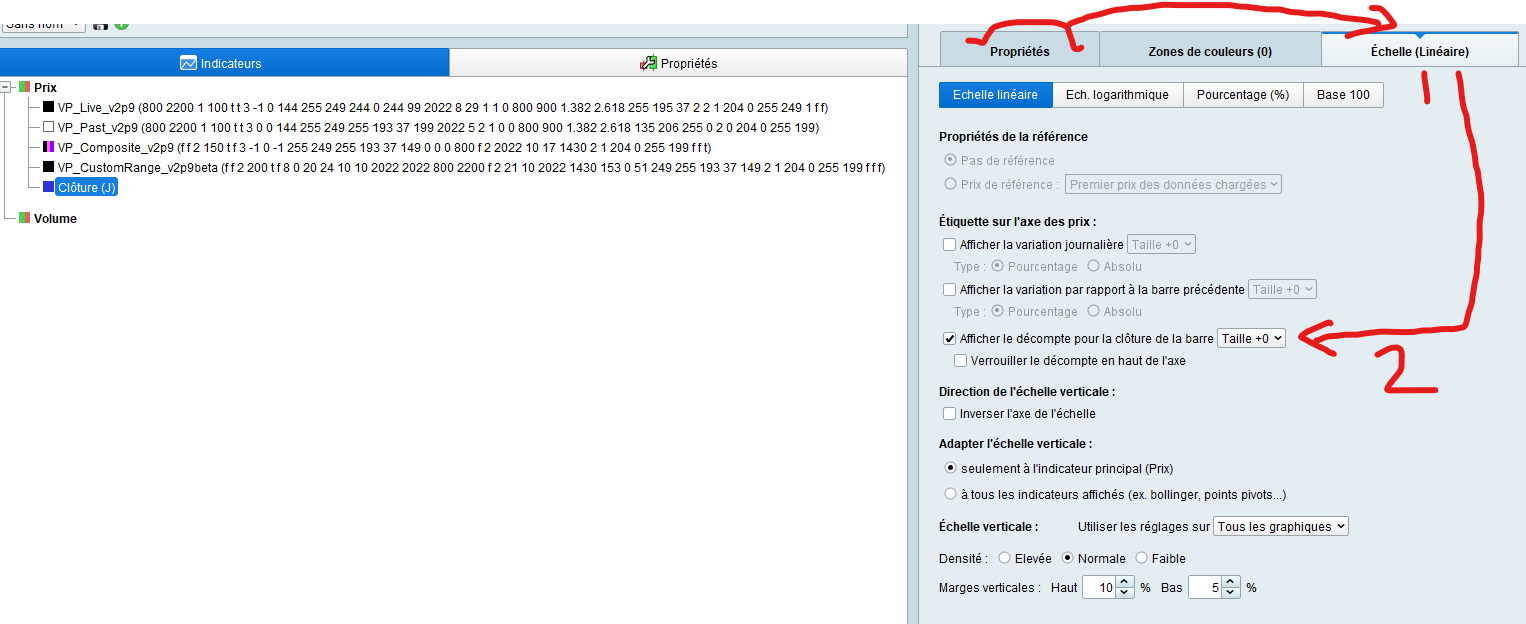
    (2/2) … Now, for the counter, it will count remaining time if chart is in classic timeframe, or remaining ticks if chart is in (x) ticks timeframe.

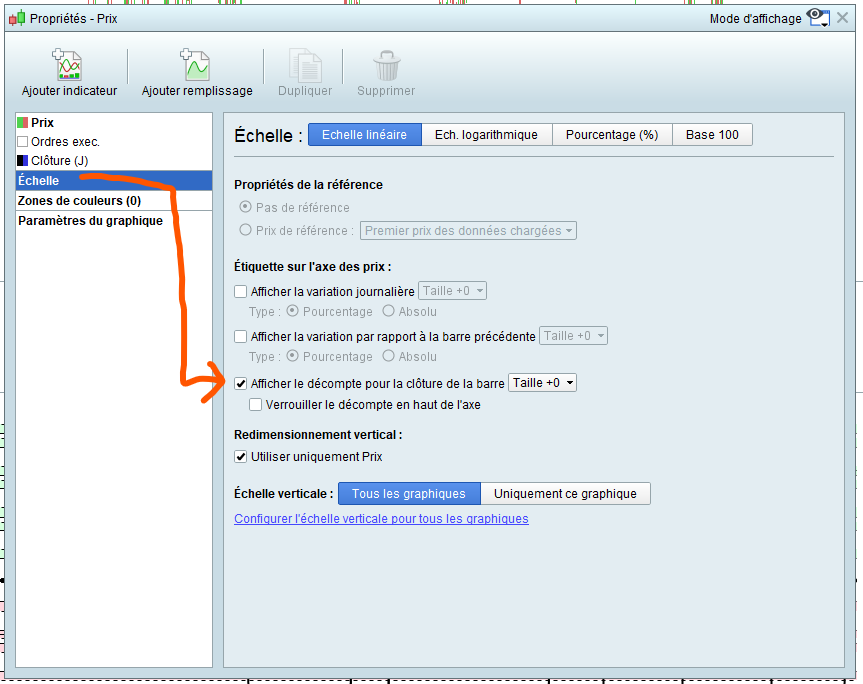
    From same price properties window as above (click on « price » then « configurer »), you need to select « échelle » this time, and on the right side, select box « afficher le décompte pour la clôture de la barre » (see attached image).

    Yossua thanked this post
    #204597 quote
    gianpre
    Participant
    New

    Hi Bywan and thanks,

    I meant another thing sorry, I’d like to know if is possible create a code for this function, tick counter and current price line.

    Thanks in advance

    #204607 quote
    PeterSt
    Participant
    Master

    Hello gianpre,

    Yes, this can be coded yourself.

    I guess you should tell for either function why you want to code this yourself. If you don’t explain that in the context of the standard functionality not sufficing, you will get the same answer JC_Bywan gave you because it does not need to be coded and maybe nobody is going to invest the time required making a code for something which already exists (I hope this comes across as logic).

    Anyway, the answer is Yes (via Indicator code).

    #204614 quote
    Nicolas
    Keymaster
    Master

    Rough idea for the ticks counter:

    defparam drawonlastbaronly=true
    
    if opentimestamp<>$lastopen[0] then 
    $lastopen[0]=opentimestamp
    $count[0]=0
    endif
    if close<>$close[0] then 
    $close[0]=close
    $count[0]=$count[0]+1
    drawtext($count[0],-20,-20) anchor(topright)
    drawhline(close)
    endif
    
    return  
    
    #204641 quote
    gianpre
    Participant
    New

    Hi Nicolas sorry for my explanation and many many thanks for the answer.

    Best regards

    #204642 quote
    PeterSt
    Participant
    Master

    @Nicolas, great stuff. But it does not work well (yet). I quickly tried to make it work but there is more to it.

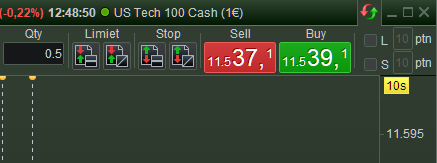
    In your sample code the counter counts per price change (as captured by the indicator code). This will be solvable by the seconds constant, but in the end it will fail because nothing will show when the price does not move. That, I think, will leave the standard solution as the only reliable solution (for gianpre, see below the “10s” in the top-right corner).

    #214326 quote
    Yossua
    Participant
    New

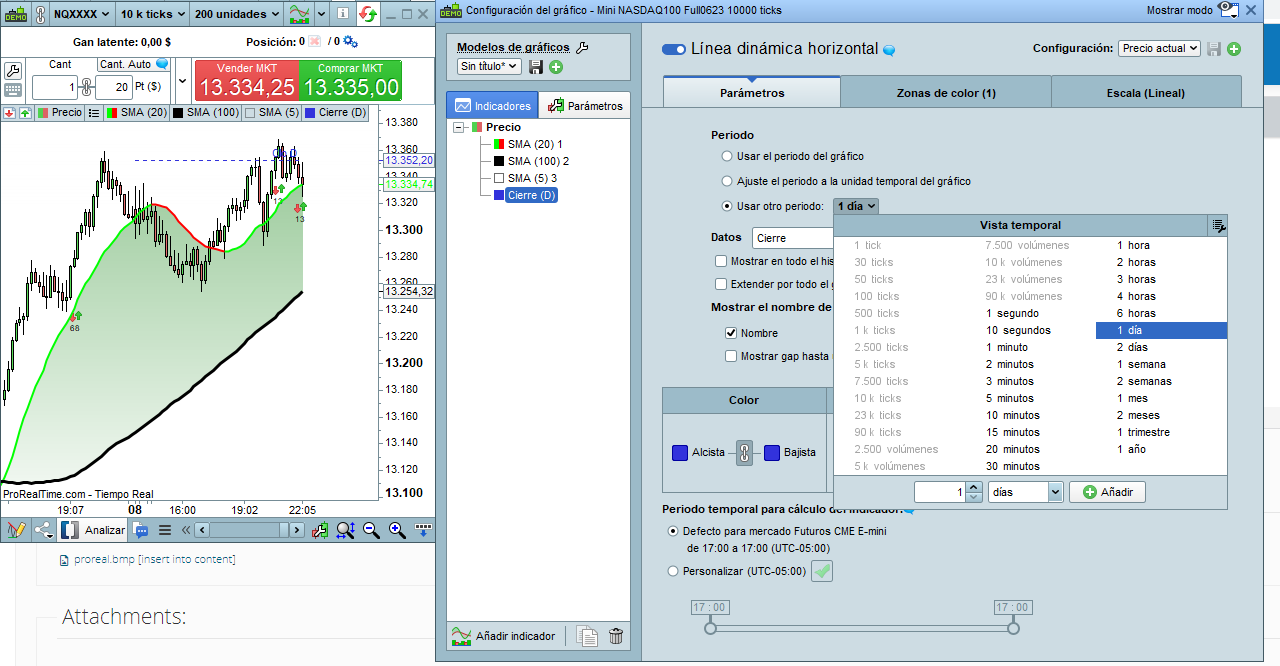
    Buenas JC_Bywan actualmente la plataforma no me permite ver cuánto queda para finalizar las barras en Ticks, aparece como desactivado, sabes porqué puede ser?


    Gracias!

    #214364 quote
    JC_Bywan
    Moderator
    Master

    Hello @Yossua,

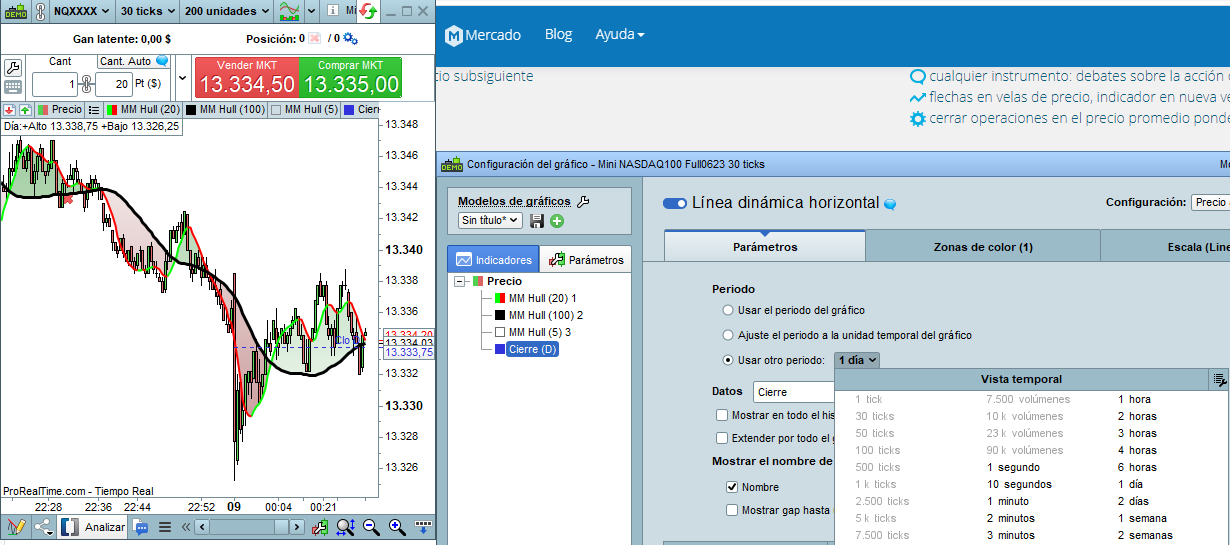
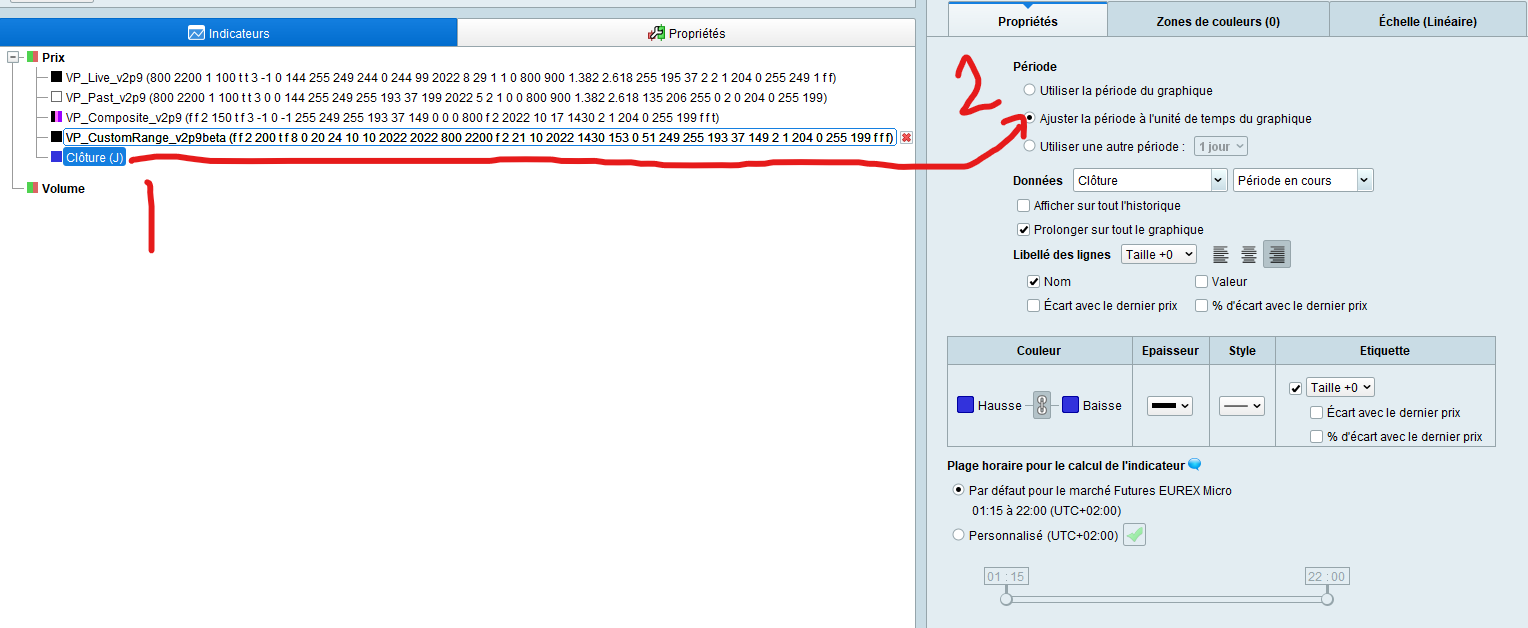
    If you want to see the horizontal line moving with bar close in (x) ticks in this PRTv12 version, instead of using “usar otro periodo” you can use the menu choice just above in your screen capture: “Ajuste el periodo a la unidad temporal del grafico” (and to see full line you can also tick option “extender por todo el grafico”), as in attachment 1 (French version but same menu location).

    If you want to see the countdown to the end of the bar in the right margin, you can right-click in right margin, then last choice for zone configuration, or another path is directly from same window as your screen capture and clicking on third tab for “scale”, then tick box for countdown as in attachment 2.

    Yossua thanked this post
Viewing 10 posts - 1 through 10 (of 10 total)
  • You must be logged in to reply to this topic.

Tick counter and current line price


ProBuilder: Indicators & Custom Tools

New Reply
Author
author-avatar
gianpre @gianpre Participant
Summary

This topic contains 9 replies,
has 5 voices, and was last updated by JC_Bywan

2 years, 9 months ago.

Topic Details
Forum: ProBuilder: Indicators & Custom Tools
Language: English
Started: 11/21/2022
Status: Active
Attachments: 7 files
Logo Logo
Loading...