So in the latest release the thousand separator was removed (from everywhere). A strange act in itself, if you ask me.
How do I go about now with exports to Excel and do something useful in there ? I can’t find a way readily.
Select column , find ‘space’ (hit spacebar) and replace with ‘nothing’??
As I recall there is a remove null also in excel.
If indeed above is what you are asking about?? 🙂
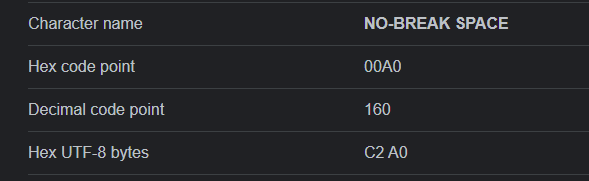
Thank you, GraHal. But that would be too simple. What’s in there (this example) = €5 606,45. That space is a Breaking Space (like <BR>) and it smells like V13 will be all the way in HTML. 😉
This is not workable of course. It’s probably possible, but only for you.
I never use the Excel-export stuff, and out of all now I need it.
From your screenshots … are you maybe overcomplicating it?
Link any help?
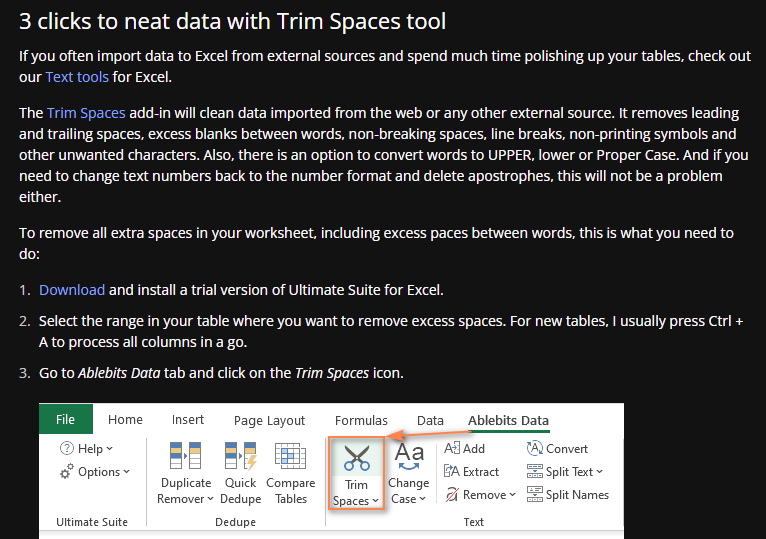
https://www.ablebits.com/office-addins-blog/trim-spaces-between-words/
No, not over-complicating things. Defending against stupid PRT changes. 🙁
Btw, I mentioned non-braking-spaces as <BR> and although related, I should have said  . So this is not a simple replace at all. But it theoretically it can be done with the part from your link you see in the 1st attachment. Theoretically, because the download link in there for ablebits inside that Ultimate Suite with a size of 25MB, goes by 10 bits per second or so, thus waiting.
But it can’t be the idea that everybody is going to need this …
Thank you, as always !
That Ablebits thing is a commercial tool, not free. It will expire after a while. Also, formally not compatible with Excel 2022. But it would not help either (you will grasp that when observing the below).
I am massively wasting my time on this.
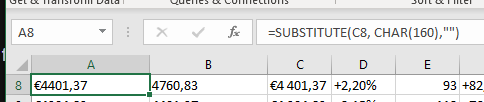
The two-stage rocket you see below, still is not in the format Excel can work with (=SUM etc.). Now probably with the comma separator.
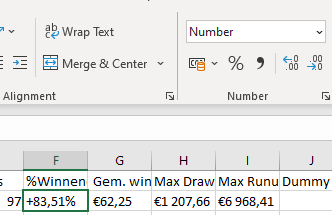
It’s an endless pile of sh*t. 3rd attachment shows a to Number converted column, but which again can’t be dealt with because it, well, is not exported to Excel to work with. It’s just a stupid unintelligent export which just as well could have been exported to pdf.
ProRealTime, you make a mess of it all !
Hello Peter,
Following your request, please note that with have corrected this thousand’s separator issue.
We apologize for the inconvenience.
Regards
Victor from ProRealTime
Hello Victor,
As always : thank you.
I take it that this doesn’t come through to our ProRealTime versions yet ? It does not show in any of my accounts (not PRT-IB and not PRT-IG) – Just (re)started.
Best regards !
Peter
It usually takes a few days for the software version to be deployed in other B2B versions, please be patient.