The multi timeframe screener doesn’t work?

Viewing 4 posts - 1 through 4 (of 4 total)
  • Author
    Posts
  • #257543 quote
    thomas2004chthomas2004ch
    Participant
    Senior

    Hi,


    Here is my screener:

    // sample screener code
    cPrice = close > 5
    
    
    MyEMA1 = ExponentialAverage[5](close)
    MyEMA2 = ExponentialAverage[10](close)
    MyEMA3 = ExponentialAverage[20](close)
    
    MyMACDLine = MACDline[12,26,9](close)
    
    TIMEFRAME(monthly)
    MonthlyCondition = (close[2] > MyEMA1[2]) and (close[1] > MyEMA1[1]) and (close[0] > MyEMA1[0]) and (close > open)
    
    TIMEFRAME(weekly)
    SlopeEMA1 = LinearRegressionSlope[10](MyEMA1)
    SlopeEMA2 = LinearRegressionSlope[10](MyEMA2)
    SlopeEMA3 = LinearRegressionSlope[10](MyEMA3)
    
    WeeklyConditions = SlopeEMA1 and SlopeEMA2 and SlopeEMA3
    
    TIMEFRAME(daily)
    DailyConditions = MyMACDLine crosses over 0
    
    ///////////////////////////////////////////
    conditions = cPrice and MonthlyCondition and WeeklyConditions and DailyConditions
    //conditions = cPrice and cVol and DailyConditions and WeeklyConditions
    //////////////////////////////////////////
    TIMEFRAME(default)
    SCREENER[conditions](close as "close")


    But it doesn’t seem to work. Only the daily condition is filled. But the weekly and monthly not.


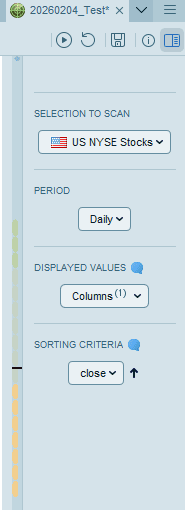
    Attached is the “selection to scan”.

    selection-to-scan.png selection-to-scan.png
    #257551 quote
    Iván GonzálezIván González
    Moderator
    Legend

    At first glance, I see several errors. For example, the slopeEMA is not a binary number. Perhaps you meant slopeEMA > 0.

    On the other hand, I don’t know if it was your intention or not, but the right thing to do is to define each indicator in its own timeframe.

    #257553 quote
    NicolasNicolas
    Keymaster
    Legend

    Indeed, in your code, the indicators are declared in the timeframe you launch the screener on because they are not inside a TIMEFRAME declaration.

    To be clear: for each timeframe you want to use an indicator value, add this indicator value into a variable and change its variable name if you are using the same indicator in other timeframe.

    #257651 quote
    thomas2004chthomas2004ch
    Participant
    Senior

    you are right. Many thanks.

Viewing 4 posts - 1 through 4 (of 4 total)

  • You must be logged in to reply to this topic.

ProRealAI ProRealAI New

Stuck on this ProBuilder code?

Describe what this topic is trying to build, in plain English, and ProRealAI writes the ProRealTime™ indicator, screener or system for you.

Available in 7 languages
Try ProRealAI

The multi timeframe screener doesn’t work?


Platform Support: Charts, Data & Broker Setup

New Reply
Author
Summary

This topic contains 3 replies,
has 3 voices, and was last updated by thomas2004chthomas2004ch
7 months, 3 weeks ago.

Topic Details
Forum: Platform Support: Charts, Data & Broker Setup
Language: English
Started: 02/04/2026
Status: Active
Attachments: 1 files
ProRealCode ProRealCode
Loading...