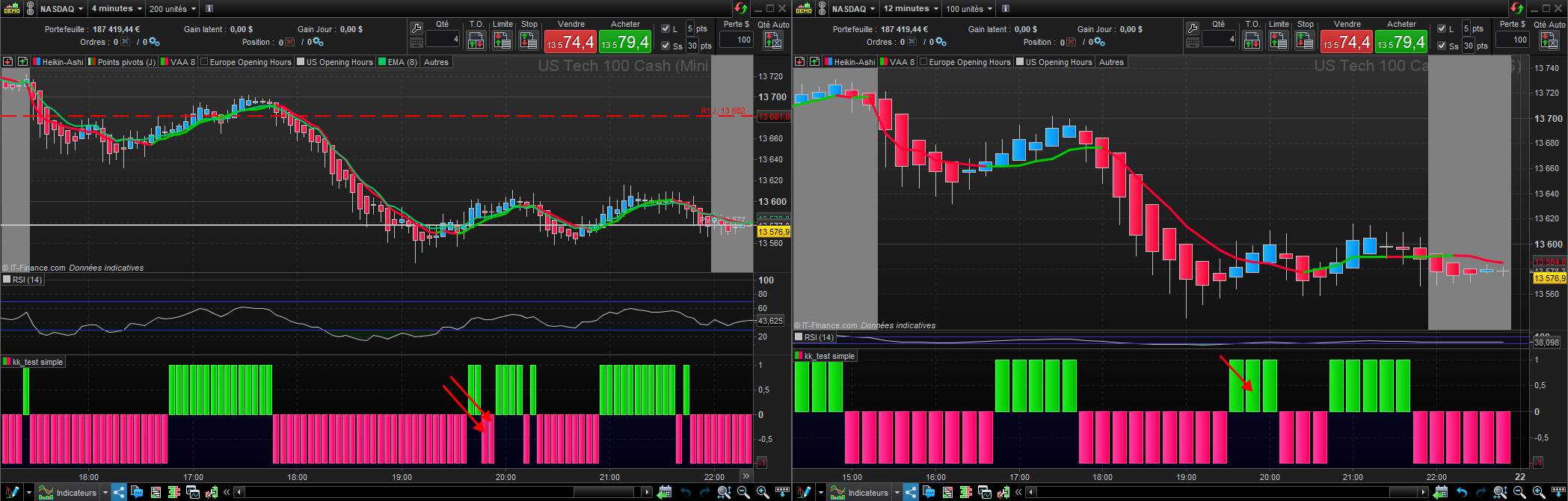
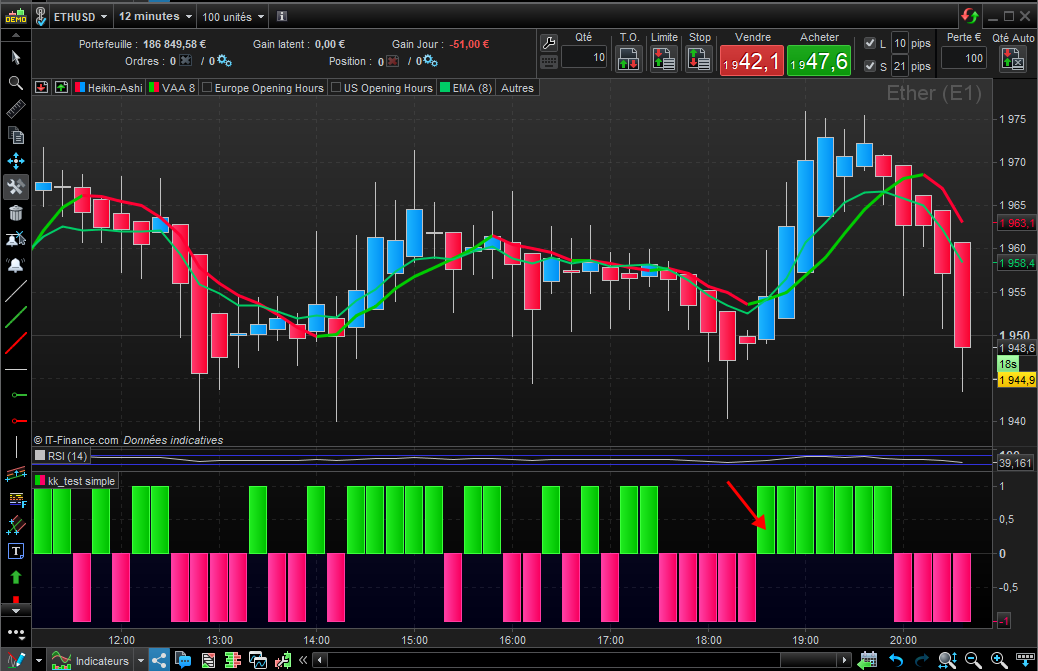
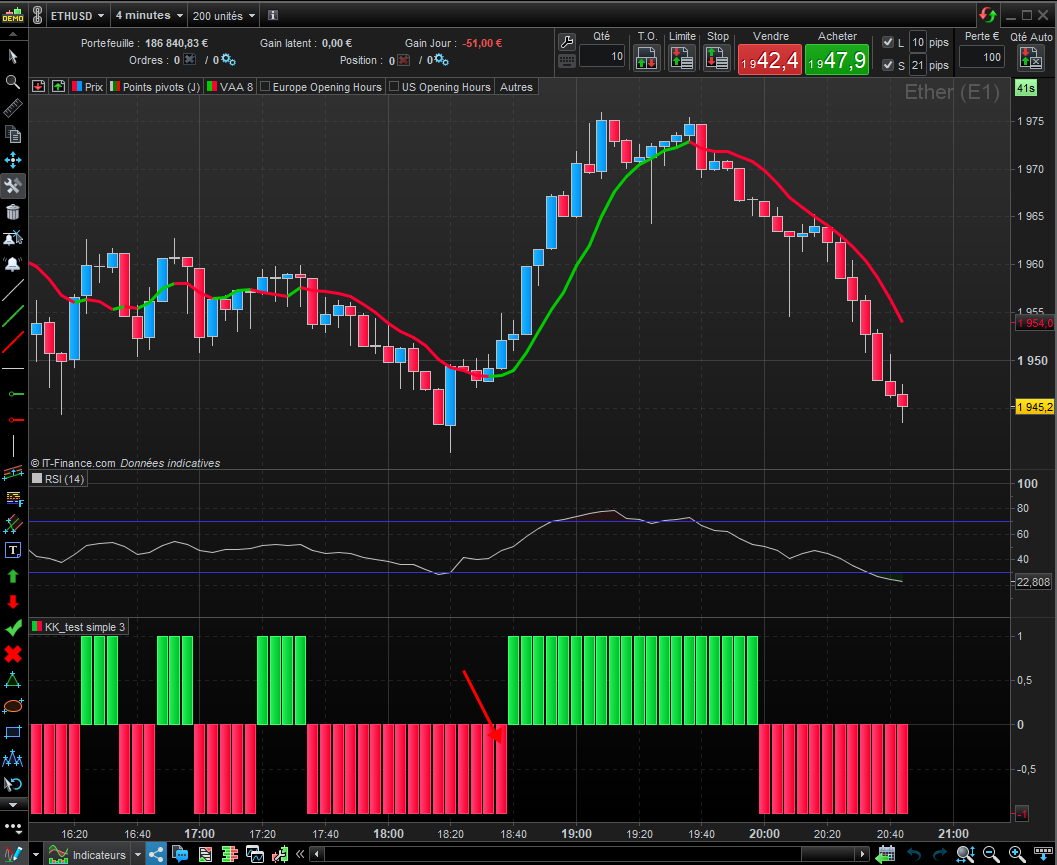
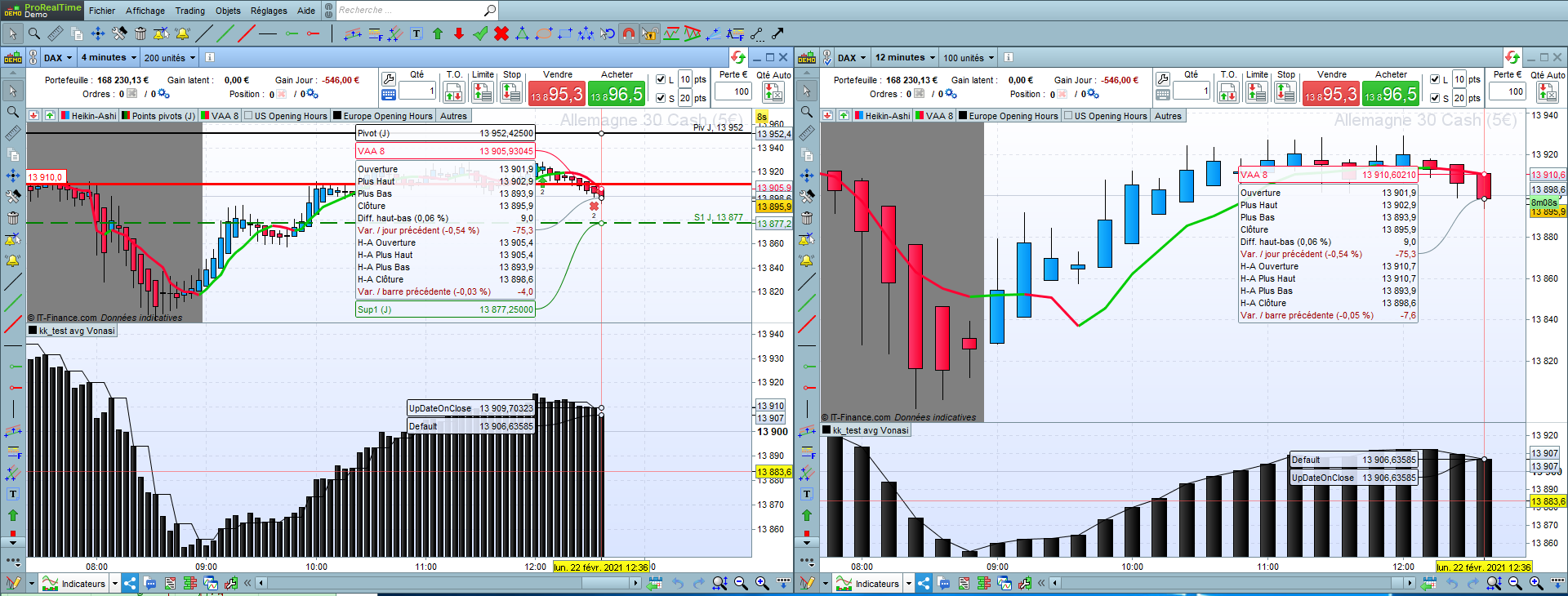
Hello everyone, please bear me with me… I’m trying to test a simple code on TF 12min and TF 4 min, whatever the TF – it’s about the principle… So my condition is when price is higher than the EMA8 under TF 12 min. When I plug the same indicator under graph 4 Min, it gives a different result than on 12 min graph, even though the code starts with “TIMEFRAME (12 minutes)”. As you can see on the attached graph, the trend is down at 19:48 and 19:52 on 4min chart (arrows) and trend is up at the very same time on chart 12 min (arrow).
Please help me understand what’s wrong with my code.
Thanks
TIMEFRAME (12 minutes)

if close>=ExponentialAverage[8](close) then
Trend=1
elsif close<ExponentialAverage[8](close) then
Trend=-1
endif

return Trend
Your chart is showing Heiken Ashi candles but your indicator uses the closing price of Japanese candles.
Thank you Vonasi, but with all due respect, the indicator uses the candles prices on both charts, so it doesn’t have an impact. In both cases, I’m comparing CLOSE to EMA… no HA price.
Same test with prices of normal candles, same issue, signal doesn’t match
Add this indicator on to your price chart with Japanese candlesticks and NOT Heiken Ashi candles and you will see that your 12 minute average indicator works just fine.
TIMEFRAME (12 minutes)

avg=ExponentialAverage[8](close)

return avg
BTW, keep in mind that without using “updateonclose” for your 12-minutes timeframe definition, you will get the intra bar values in your 4-minutes timeframe. So by looking on your chart history, you might see a green candle on the 12-minutes, while most of your histograms could have been red in your 4-minutes timeframe.
Thanks Nicolas, I’m actually trying to do the opposite: have the final value of 12 min , hence UPDATONCLOSE, on the 4 min chart, i.e. each time the bar is green on 12 min chart the 3 bars (3*4) should also be green on the 4 min chart. Any idea how I can do that? I understand Vonasi’s HA point, but I’m using “closing” which is price of standard candles.
Thanks again.
So you want to redraw in the past?
I would suggest adding this indicator to price on a 4 minute chart and then you will have a clear idea of the difference between DEFAULT and UPDATEONCLOSE:
TIMEFRAME (12 minutes, default)
defavg=ExponentialAverage[8](close)

TIMEFRAME (12 minutes, updateonclose)
udocavg=ExponentialAverage[8](close)

return defavg as "Default", udocavg as "UpDateOnClose"
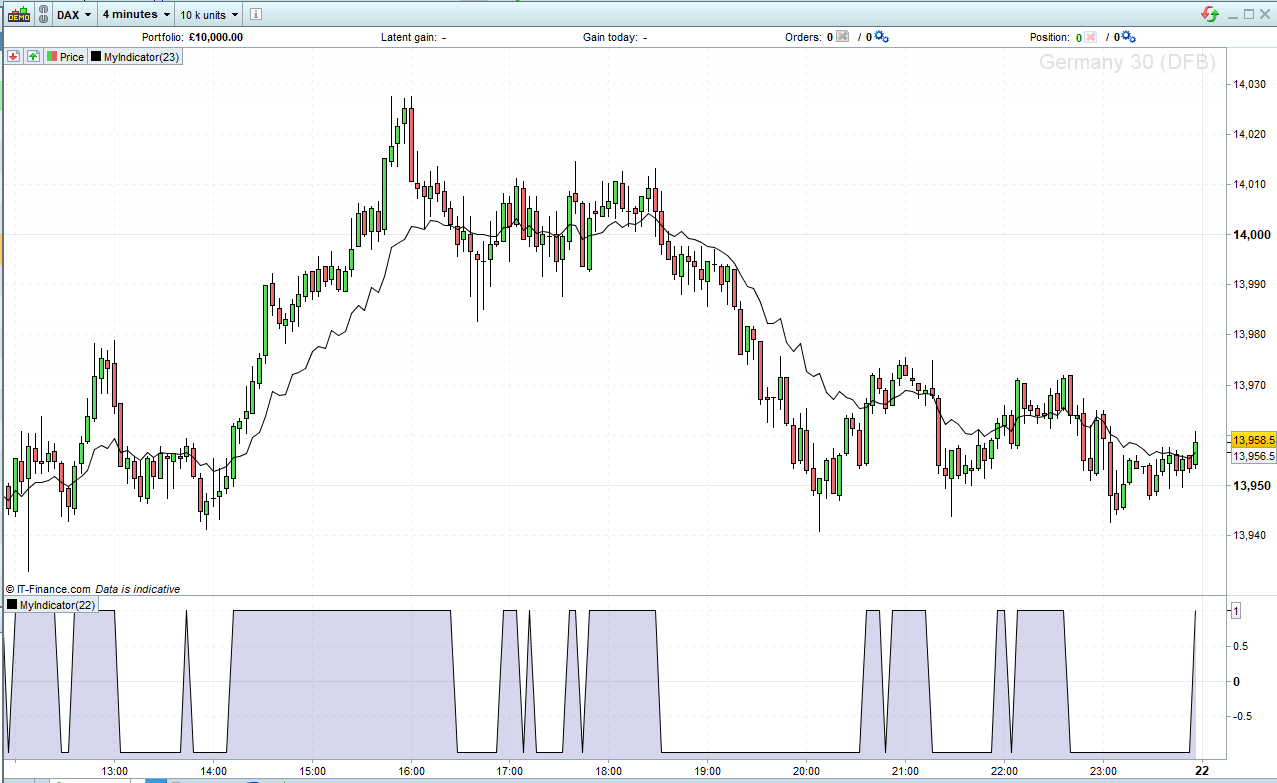
Guys, I don’t want to lose more of your precious time with this basic issue, but when I copy the code of Vonasi above and plug it on 4 min and 12 min charts, you can see on the last bar starting at 12.36pm that the “Default” is equal on both graphs (13906,..), but the “12 min UpDateOnClose” is different on 4 min chart (13909,…) and 12 min chart on the last bar (13906,…). My question is how to get these two UPDATEONCLOSE numbers identical? or why that’s not possible?
I took this simple example of EMA to make the case, but imagine that a trading signal is built on 4min chart using two criteria: Criteria1 based on 12min (updateonclose) and criteria2 based on 4min(default), so the value the Algo will take is the one based on the graph where you execute ProOrder which should be the least of both, which is 4min chart. The value of criteria1 is different on chart 12 min from the value on chart 4 min eventhough it’s marked UPDATEONCLOSE. If the variable is binary, it can trigger or not a trade.
Many thanks
Please take time to understand how it works, during a bar, the value change, you can’t see that on the 12-minutes bar, but you can see what’s happening in it by using an inferior timeframe and that’s what you are doing with the 4-min one.
In your 4-min TF, with the 12-min bar “updateonclose” the timeframe is updated only 1 time, at Close. So on a 4-minutes timeframe you’ll get the previous 12-minutes bar value (not the opened one). To get the value of the 12-minute “live”, remove updateonclose.
In French, see what is all about MTF and how it works in this topic: Première approche sur le multi timeframe avec ProRealTime
In English: First approach to multi timeframe trading with ProRealTime
Sorry Nicolas, I could only clic one single time on “Thanks” otherwise I’d have put many….
I’ve my answer… This is excatly the confirmation I was looking for.