Switch off alarm display

Viewing 5 posts - 1 through 5 (of 5 total)
  • Author
    Posts
  • #154712 quote
    Razz
    Participant
    Master

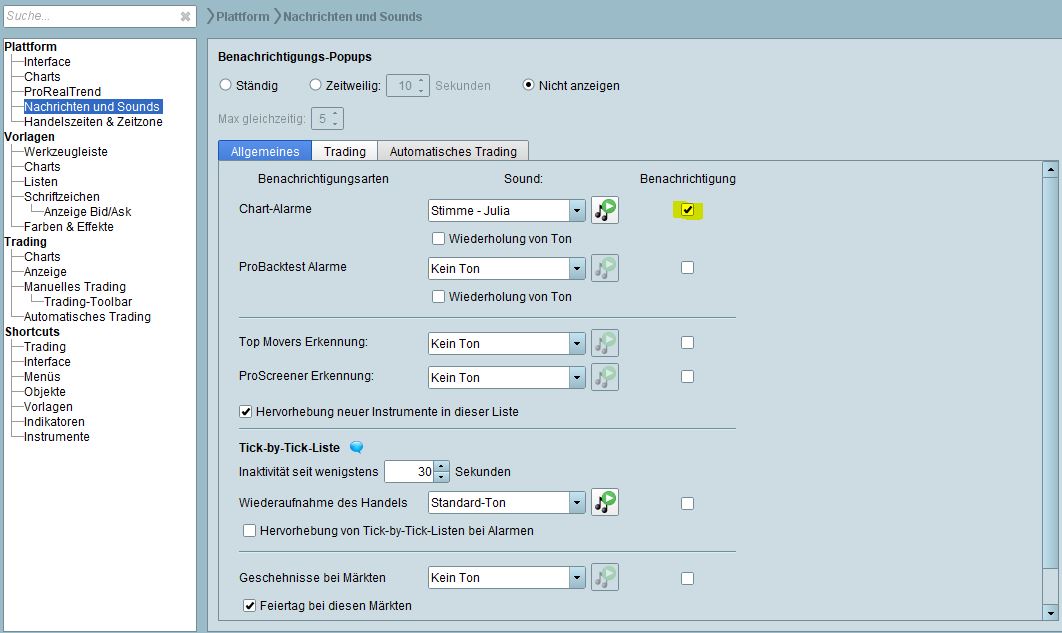
    Good Morning I want to hear the alarm tone but I don’t want the indicators in the chart how can I switch it off? Thanks for your answers

    Alarm.jpg Alarm.jpg
    #154722 quote
    robertogozzi
    Moderator
    Master

    Indicators can be easily hidden, when you click their name on the chart you have an option to hide then.

    #154736 quote
    Razz
    Participant
    Master

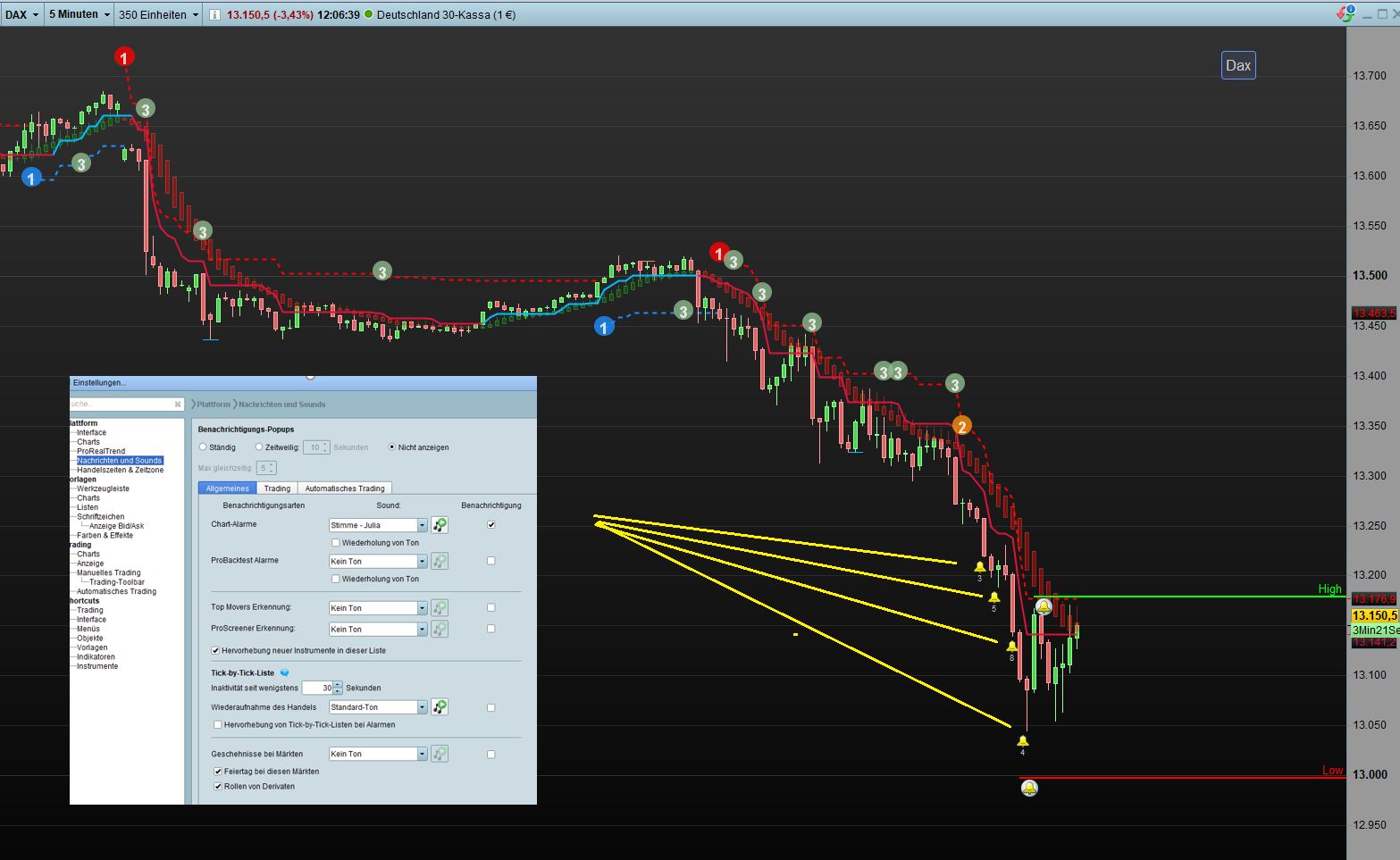
    Hello Robertogozzi It’s the alarm function, it’s not about an indicator! Please look at the picture. Maybe you have another solution

    Alarm-Einstellungen.jpg Alarm-Einstellungen.jpg
    #155690 quote
    Sebast
    Moderator
    Average

    Hello,

    As with indicators, you may also hide these bells on your charts.

    To do so:

    • Click on Other at the top left of your chart (next to Price and the name of the indicators displayed)
    • Select Hide Alerts

    Best regards,

    Sébastien

    Razz thanked this post
    #155698 quote
    Razz
    Participant
    Master

    Hello Sebastian Thank you for your help, exactly what I was looking for! Wish you a happy new year

Viewing 5 posts - 1 through 5 (of 5 total)
  • You must be logged in to reply to this topic.

Switch off alarm display


Platform Support: Charts, Data & Broker Setup

New Reply
Author
author-avatar
Razz @razz Participant
Summary

This topic contains 4 replies,
has 3 voices, and was last updated by Razz

5 years, 1 month ago.

Topic Details
Forum: Platform Support: Charts, Data & Broker Setup
Language: English
Started: 12/21/2020
Status: Active
Attachments: 2 files
Logo Logo
Loading...