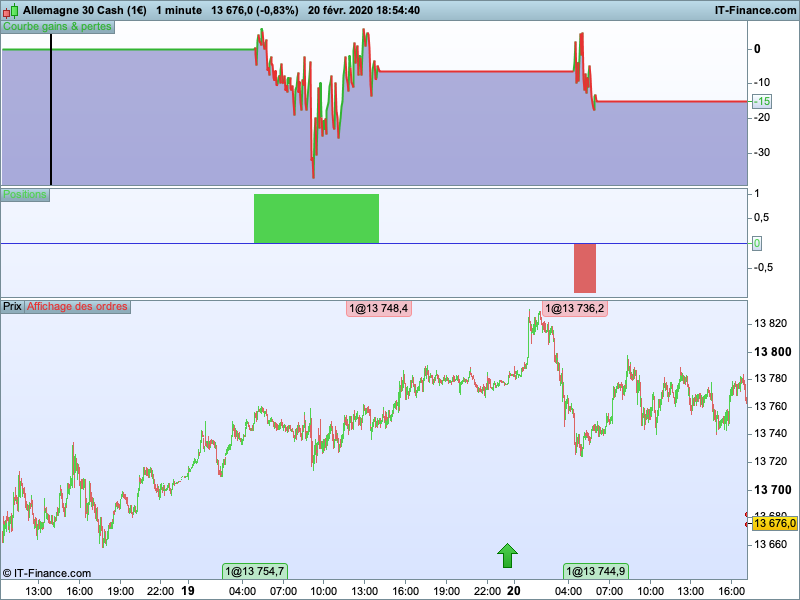
The reality: Yesterday the trade was cut just before going into gain and this morning the trade is losing.
 Paul
PaulParticipant
Master
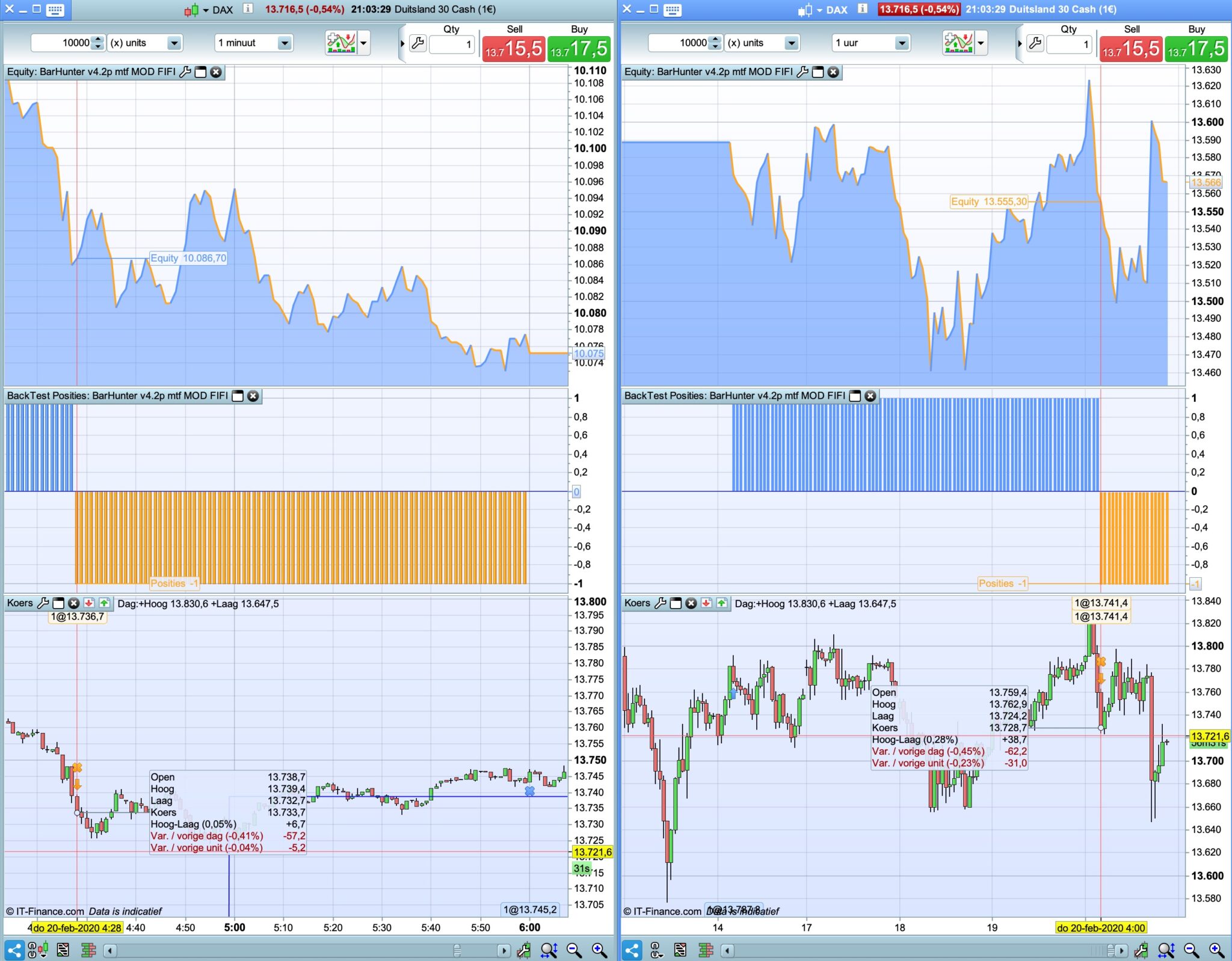
@Florian Legeard thanks for testing. Looking back at the short trade. The cause is the trailing stop. Don’t know why but it is off because of the multi time frame. Not really an answer for this a.t.m. Will look into this later.
On the 1 hour chart the trailingstop still isn’t triggered.
PaulParticipant
Master
here’s a fix for the trailingstop.
Still when it’s a really close call for entry, it can be different to the 1 hour chart.
i.e. 21 oktober a 4 am on 1 hour chart dax long, but not on 1 minute which is correct.
the usual, load this file on dax 1 hour with mode 1 for backtesting
and run mode 0 for demo on 1 minute
Great Paul, I pushed it straight to live and it has done good today
@Paul , really, your solution seems to have fixed it from barely ever running to running everytime, and the strategy has kicked ass so far. 4 great trades, 100% winrate
How complicated was the fix to MTF? Since I guess the same problem applies to for instance the SAF or the TimeHunter. Are they simple enough pieces of code that I could perhaps try copypasting it myself into the other strategies?
Also, not sure where in the thread I find it, but which variables should I look out for when trying to modify any of them to another instrument?
PaulParticipant
Master
in hindsight it wasn’t difficult, but I really found the solution because the feedback and I pushed a bit more. The concept is great. Backtest in higher timeframe, run live is a small timeframe.
Here, the goal was to to optimise the bar-number(=time) and the points it needed to break. So it can be used very easy on other markets. (see oil version)
The trick is have the entries at a low timeframe, the trialingstop on a high timeframe and the exit from the trailing-stop again on a lower timeframe.
The saf version I’ve put aside a.t.m. Timehunter can be setup the same as barhunter.
Not sure what the difference is between Timehunter and barhunter.
But so to try it other instruments, I could take your mod of barhunter and the most important variables to change would be entry time, stop loss hours, stoploss distance…
and this as well(?)
atrtrail = averagetruerange[atrtrailingperiod]((close/10)*pipsize)/1000
is it the /1000 that should be changed?
PaulParticipant
Master
they are the same, though barhunter uses bars instead of time.
There could be a problem when there’s no trade in a morning or a bar is missing, then the barnumbers shift that day I thought. The results on 1 hour timeframe are similar. Going lower, the difference might grow.
With barhunter, take the barnumber and check on which timeframe you are running. 1 hour = optimise 0-23 bars, going lower, the number of bars go up to check each day.
I wouldn’t optimise stoploss & profittarget too quickly. Maybe 1 or 2% depended on frame.
Barnumber is most important.
The ATR is also a little issue. Going to forex it might have to be adjusted. I think I posted somewhere were I pointed that out. But don’t have the right settings at hand. Check the atr on the chart and see if the line is displayed properly.
How can i open “Attchements” and where i can find the last upadte code
PaulParticipant
Master
the latest file is a few post back. download the attachment & then import the itf file.
PaulParticipant
Master
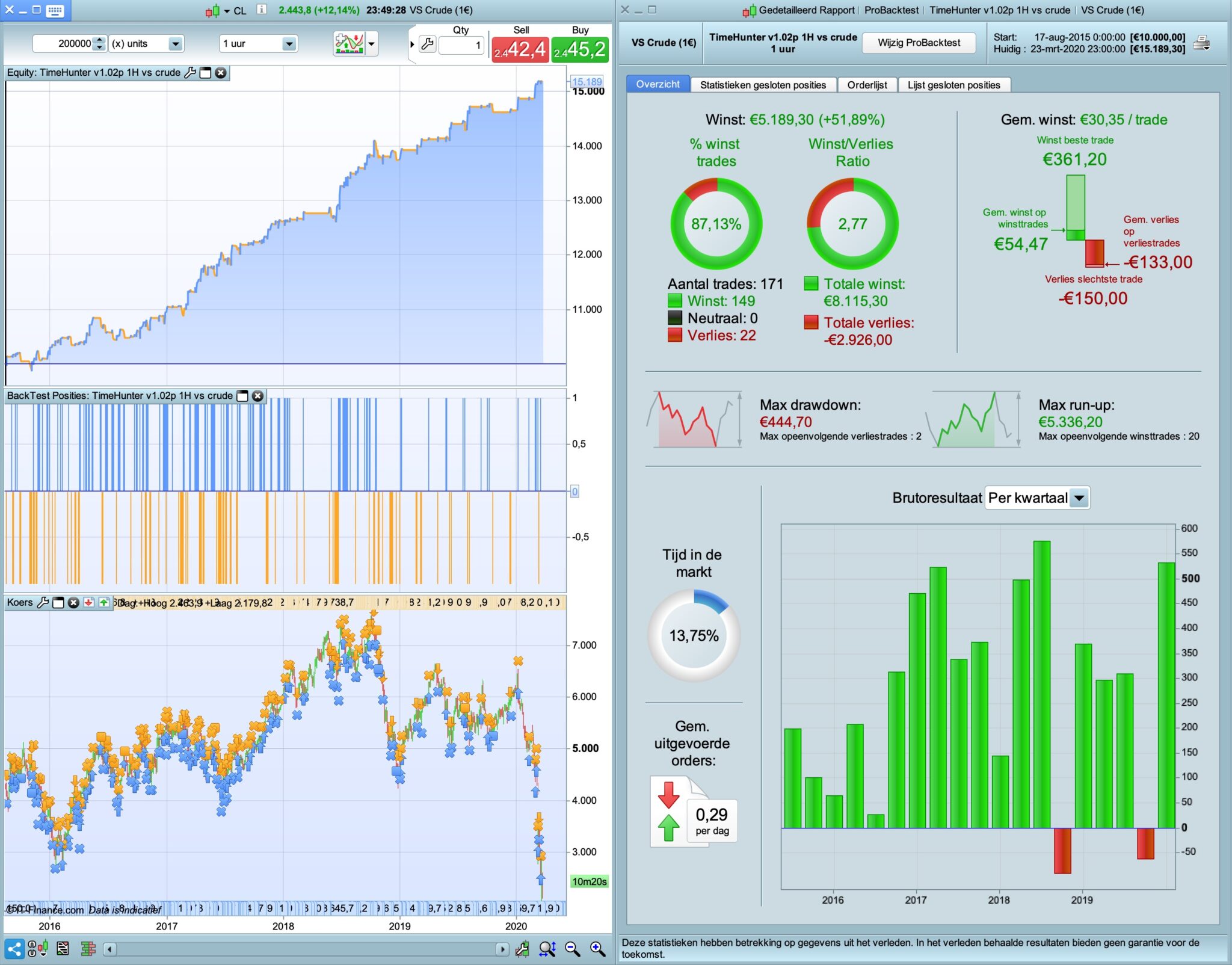
the oil version, don’t have it running in demo, so don’t know if the backtest = live.
Hello Paul, Do you have the oil version? I’m working on a Timehunter on Wall street … On the Dax it’s ok
Did you work on a WALL STREET version?
THANK’S
Florian 🙂
PaulParticipant
Master
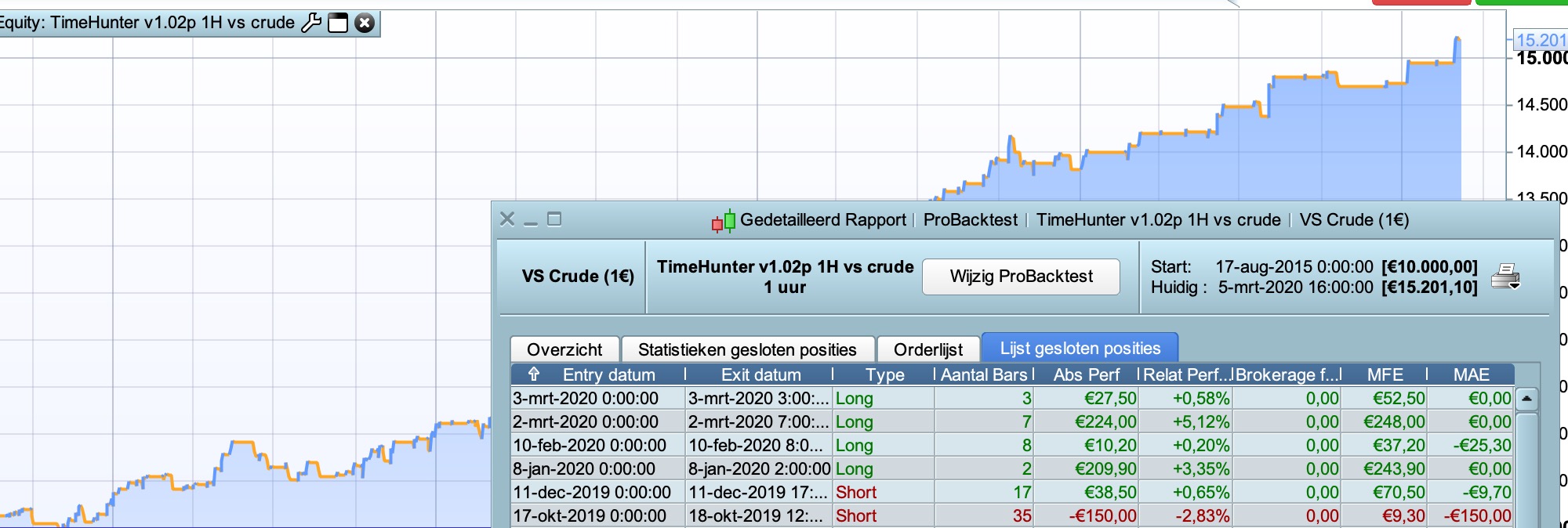
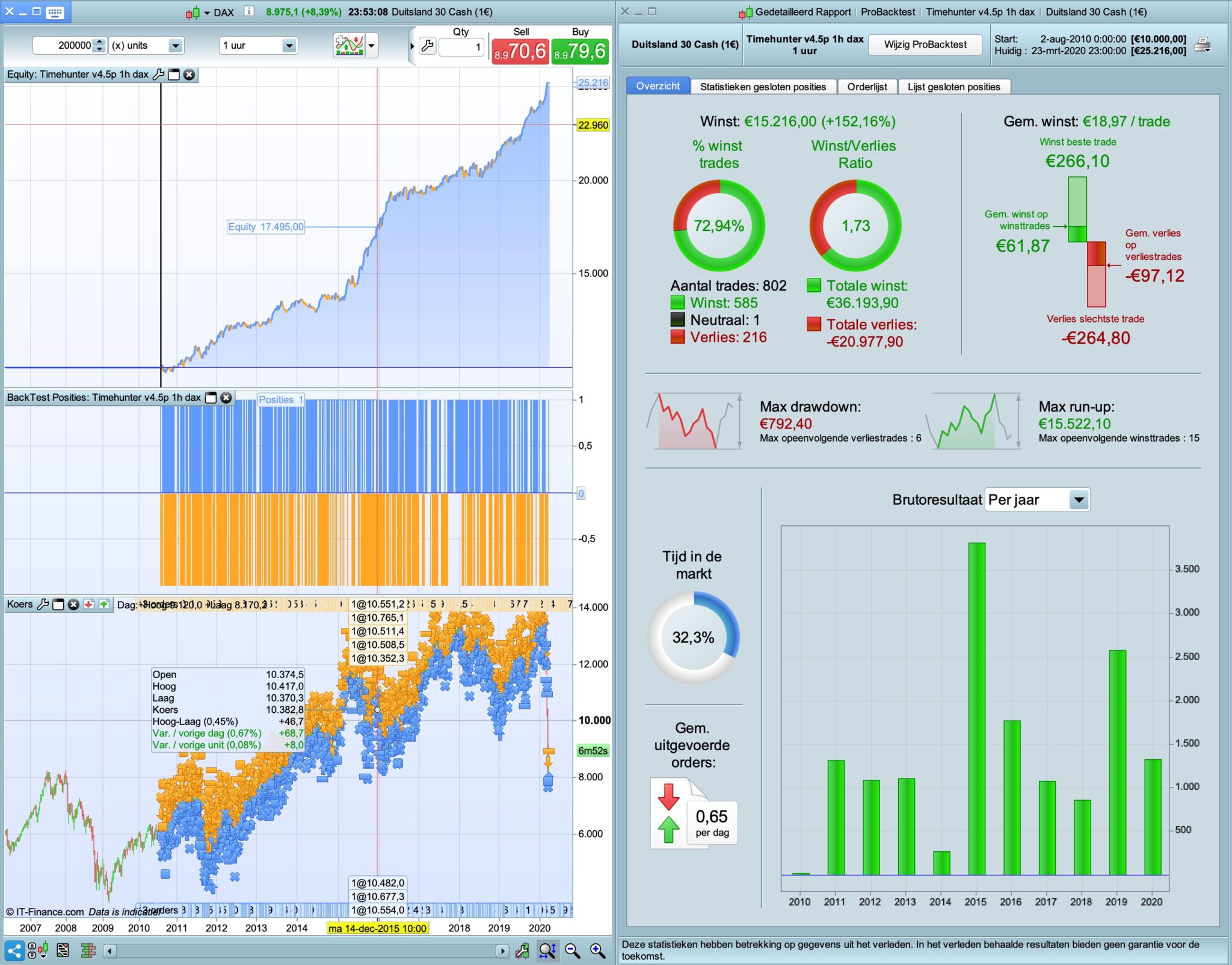
Hi, The latest oil-version is the version you see in attachments. (result update in pic)
No wallstreet version in the works, too busy with renko’s. If you have new idea’s you can post them.
PaulParticipant
Master
Saw it was not the latest oil version in attachments. Here it is.