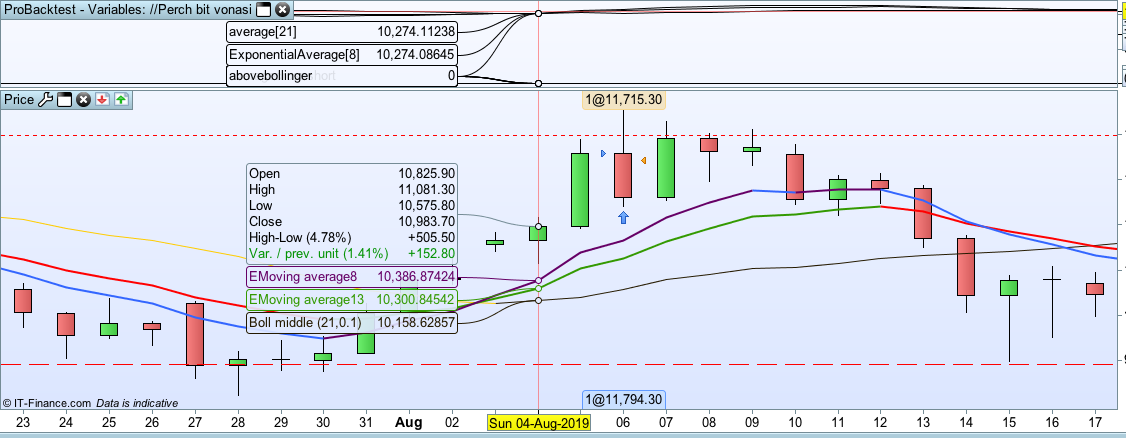
On the 3rd the average cross happened and crossflag was set to 1 and averagecrosslong was set to 1 but abovebollinger is 0.
On the 4th crossflag is still valid but abovebollinger is still 0 so no order is sent.
On the 5th crossflag switches to 0 because an order is sent to buy and abovebollinger is set to 1 because that condition is now true.
On the open of the 6th a trade is opened.
Everything is as it should be.
I would suggest graphing the value of the averages in your code and double check that they are the same as those on your chart.
So I’ve graphed the instrument values (see first screengrab). Now we can see the problem (finally!)
“Boll middle” is listed as 10,158
“Average[21]” is listed as 10,274
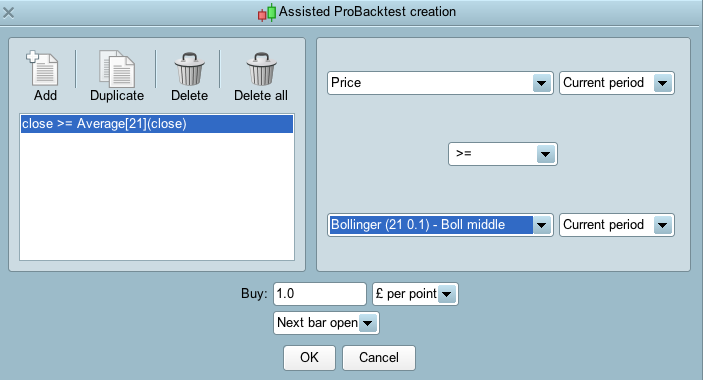
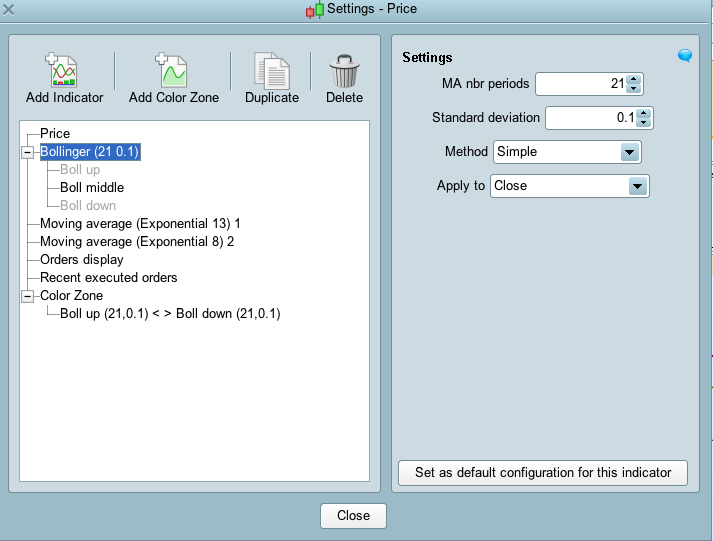
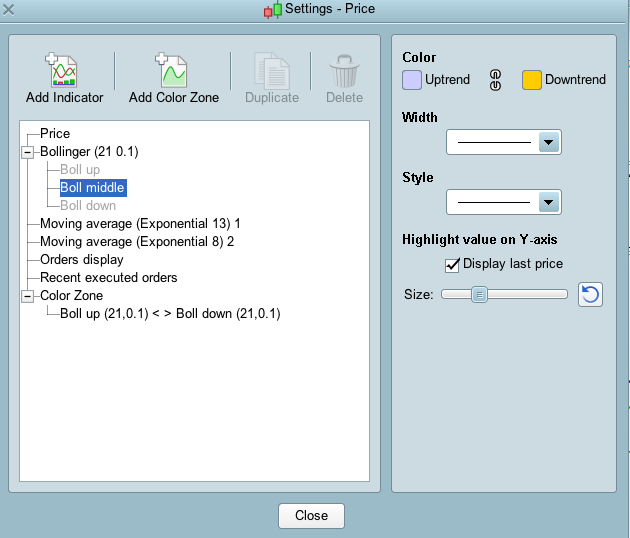
They are different values, but I’ve been working on the basis that Average[21] in code should refer to the black “Boll Middle” line. I’m using “Average[21]” because it is suggested to me as the code for the middle bollinger (as you can see from the other screengrab).
What is the code I should use to make sure I call up “Boll Middle” from Pro Order?
Check in your Bollinger Band indicator settings that everything is the same. Perhaps you have it set to use a simple average instead of an exponential average or maybe it is based on a different price to closing price?
Also consider using BOLLINGERUP and BOLLINGERDOWN and calculating the mid point between them.
.
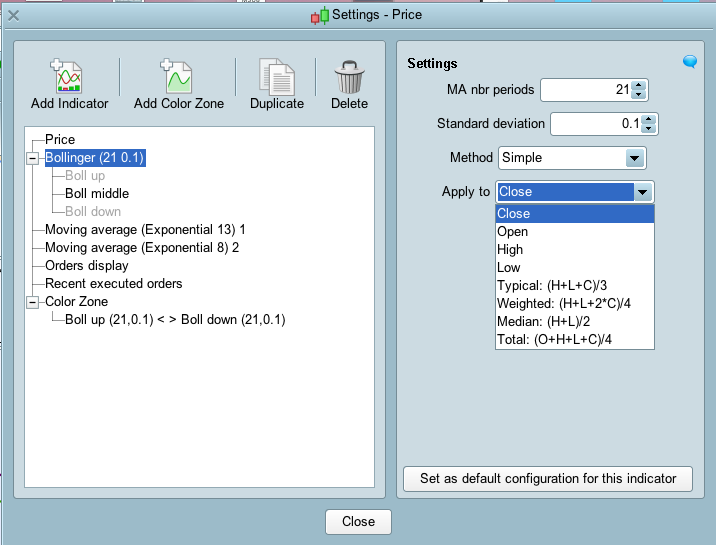
It’s just the standard 21, 0.1 based on close (see screengrab). I’ve tried every combination in that box to try and return the value of 10,274, but none of them do. I can’t understand why indicator Average[21] is returning 10,274. There is also disparity between the EMoving Average 8 reading and my coded ExponentialAverage[8].
Is “Average[21](close)” the right syntax here? Or is there something else I should use?
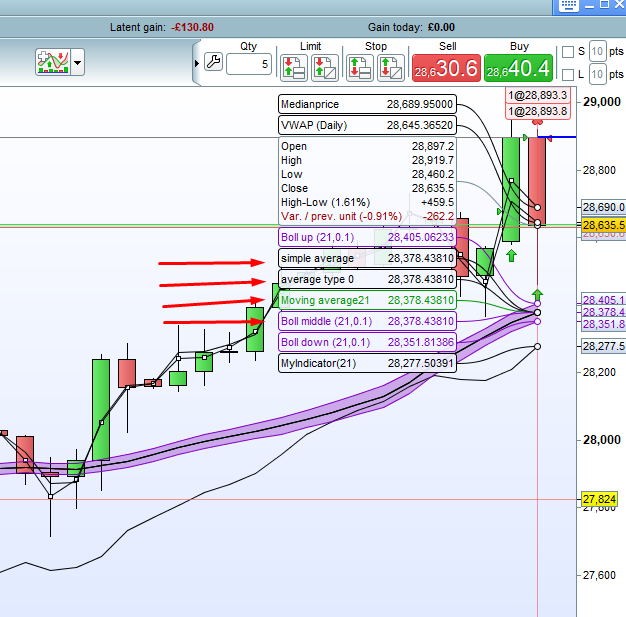
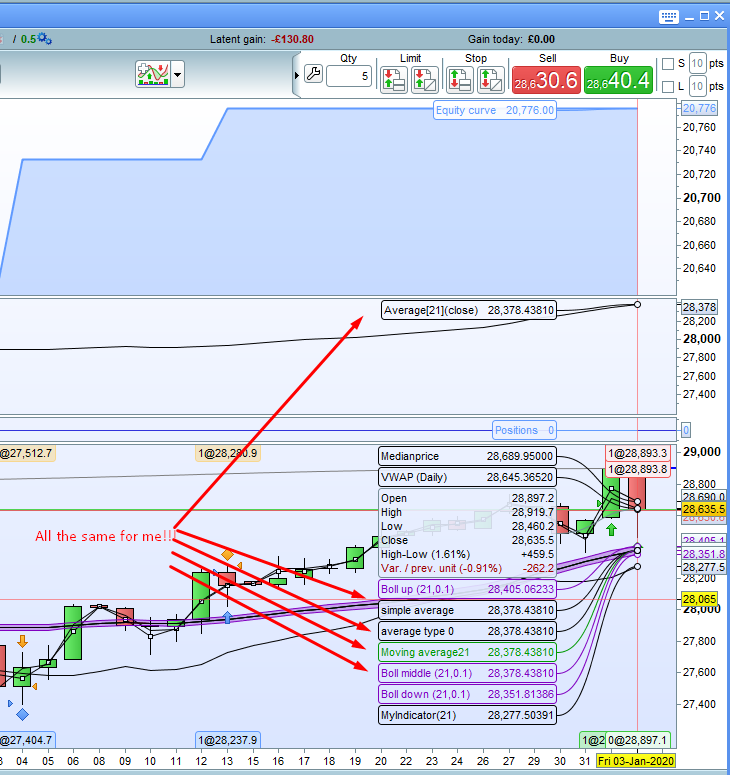
You have something set wrong as your code uses a simple 21 period moving average of closing price. I have drawn it on my own chart four ways and they are all identical.
- Simple Bollinger mid line.
- Average[21](close) returned
- Average[21,0](close) returned
- and the PRT built in average indicator.
These are the only settings I can see for the Bollinger (see screengrabs). What should I change?
They are all the same for me!!!!
I tried to create a new chart from scratch and I got the same disparity. I then created a whole load of charts on different markets and there was no problem! It seems this is exclusive to the Bitcoin DFB chart (XBTUSD) on PRT linked to IG.
Thank you for your help. It is useful for me in future to know that I can graph instruments to double check unusual results.
Yes GRAPH and GRAPHONPRICE are very useful debugging tools.
I would send a technical report to PRT via your platform regarding the Bitcoin averaging problem if I was you (although it will go via IG so PRT may never receive it!)
On a similar theme to the above system, I’m trying to store met conditions for an entry that will only occur a number of bars after the first condition.
There are three entry rules for this system:
RSI goes above 80
RSI then drops below 75
RSI then rises above 80 again
I’ve coded it with similar principles to how you coded the two-rule code earlier in this thread, but I knew that it wouldn’t work because in code the first rule appears exactly the same as the third rule. When I use only the first two rules, it correctly enters when RSI drops below 75, so how do I store the first two conditions and then code a third rule to work after the first two? I’m aware that I can change the first and second rules to only act in previous bars with [5] or [6] for example, but this seems messy. Is there a clean way of creating three rules that act sequentially?
DEFPARAM CumulateOrders = False

firstshortrule = RSI[6](close) >80
secondshortrule = RSI[6](close) <75
thirdshortrule = RSI[6](close) >80


if firstshortrule and not firstshortrule[1] then
rise = 1
endif

if secondshortrule and not secondshortrule[1] then
drop = 1
endif

if thirdshortrule and not thirdshortrule[1] then
secondrise = 1
endif

if rise = 1 and drop = 1 then
tworules = 1
endif
if tworules = 1 and secondrise = 1 then
sellshort 1 perpoint at market

rise = 0
drop = 0
tworules= 0
secondrise = 0
endif

set stop ptrailing 15