Hi,
I found the code below on this forum it works fine.
Defparam cumulateorders = false

//order launch (example) would be set to any other entry conditions
c1 = close>close[1]
c2 = close<close[1]

if c1 then
BUY 1 LOT AT MARKET
set target pprofit 30
set stop loss abs((close-low))+2*pointsize

endif

if c2 then
SELLSHORT 1 LOT AT MARKET
set target pprofit 30
set stop loss abs((close-high))+2*pointsize
endif
But I want to change code a little bit to cover the following situation:
Buy LONG: set the stoploss 1 point beyond the low of the previous bar.
Sell SHORT: set the stoploss 1 point beyond the high of the previous bar
Applicable for both situations: as long as the trade is active, the stoploss moves to the following bar. So it is a trailing stop beyond the high/low of each previous bar as long as the trade is active.
Is that possible?
There you go (not tested):
Defparam cumulateorders = false

//order launch (example) would be set to any other entry conditions
c1 = close>close[1]
c2 = close<close[1]

if c1 then
BUY 1 LOT AT MARKET
set target pprofit 30
sl = low[1] - 1*pointsize
Sell at sl STOP
endif

if c2 then
SELLSHORT 1 LOT AT MARKET
set target pprofit 30
sl = high[1] + 1*pointsize
Exitshort at sl STOP
endif

If LongOnMarket Then
sl = max(sl,low[1] - 1*pointsize)
Sell at sl STOP
Elsif ShortOnMarket then
sl = min(sl,high[1] + 1*pointsize)
Exitshort at sl STOP
Endif
Hi,
I received the code below from @robertogozzi
Defparam cumulateorders = false
//order launch (example) would be set to any other entry conditions
c1 = close>close[1]
c2 = close<close[1]
if c1 then
BUY 1 LOT AT MARKET
set target pprofit 30
sl = low[1] – 1*pointsize
Sell at sl STOP
endif
if c2 then
SELLSHORT 1 LOT AT MARKET
set target pprofit 30
sl = high[1] + 1*pointsize
Exitshort at sl STOP
endif
If LongOnMarket Then
sl = max(sl,low[1] – 1*pointsize)
Sell at sl STOP
Elsif ShortOnMarket then
sl = min(sl,high[1] + 1*pointsize)
Exitshort at sl STOP
Endif
And this code is working correctly, it sets the stop below the previous candle, when the trade starts.
But when the current candle closes (the candle where the trade started) and a new candle open, then my stop disappear and I have no stop.
So I have 2 questions:
1. Is it possible to leave the stop at the initials previous candle, also when a new candle starts?
2. Is it possible that the stop moves to the next candle when a new candle begins? So it will a stop above/below a ‘new previous’ candle
It’s just the two of us, it’s useless to use the “@” sign, as it’s quite easy to know who your are talking to! 🙂
Are there any differences from the code I posted and the one you posted?
The @ sign is a Mention.
Maybe you know what it implies.
Ok, the two code snippets are the same.
It seems to be working fine. Try appending this line to your code:
graphonprice sl coloured("Red")
to sport any incorrect value.
If you find incorrect values, please point a few out by letting me know the instrument used, time frame, date and time of the entry candle.
Hi Roberto,
When I test with the ‘graphonprice line’, I see that it is working but when I test my code with automatic trading, it doesn’t.
Micro Nasdaq – 1 minute
Enter short: 15.391 -> Bar Open: 15.393.25 ….Close:15.392,75…Low: 15.382,50
Time: 20:46h (today) – I just did it
SL = 15.400 above the high of previous bar
Next bar: Open: 15.392,50….Close: 15.394,50
Time: 20.47
The SL disappear
The code above closes a trade at 20:46 and opens the nexct one at 20:47, but prices are different from those you posted.
It must be a different instrument or a different time.
Attach a screenshot of the whole chart.
Hi Roberto,
I did a trade with a simple code as stated below:
If not onmarket and hora1 and hora2 and Close>Open and Close[1]<Open[1] then
  Buy possize contract at high + 1 * pointsize stop
  SET TARGET PPROFIT 15
  sl = low[1] – 1*pointsize
  Sell at sl STOP

elsif not onmarket and hora1 and hora2 and Close<Open and Close[1]>Open[1]then
  Sellshort possize contract at low + 1 * pointsize stop
  set target pprofit 15
  sl = high[1] + 1*pointsize

  If LongOnMarket Then
    sl = max(sl,low[1] – 1*pointsize)
    Sell at sl STOP
  Elsif ShortOnMarket then
    sl = min(sl,high[1] + 1*pointsize)
    Exitshort at sl STOP
  Endif
endif
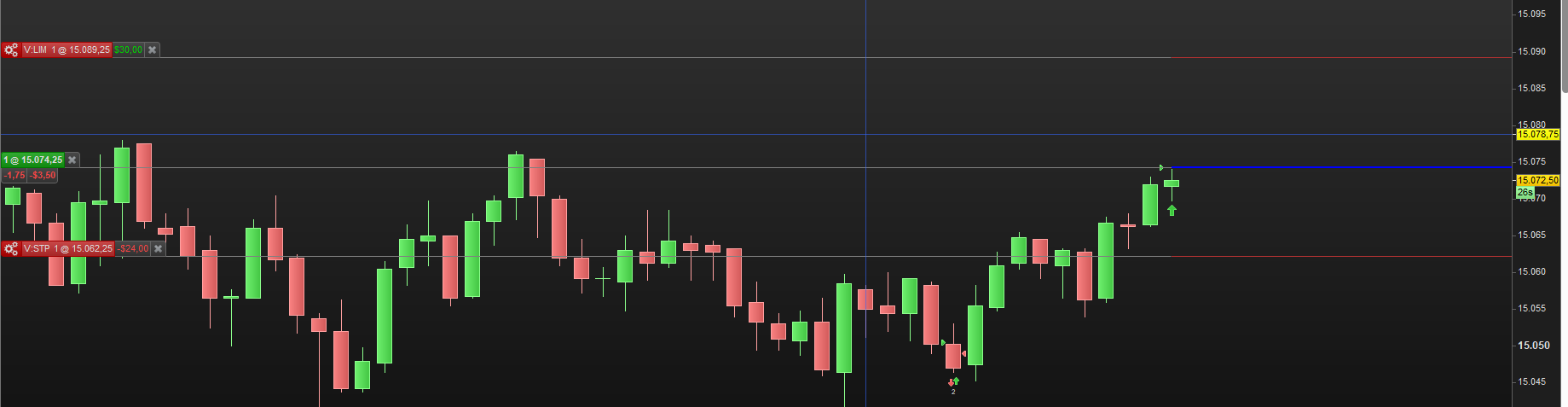
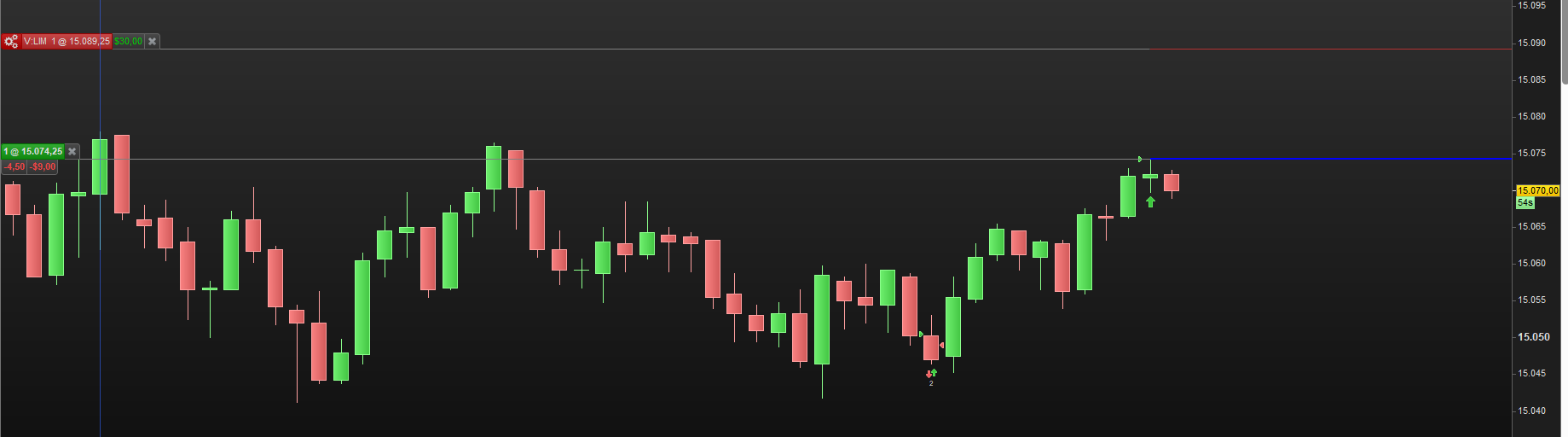
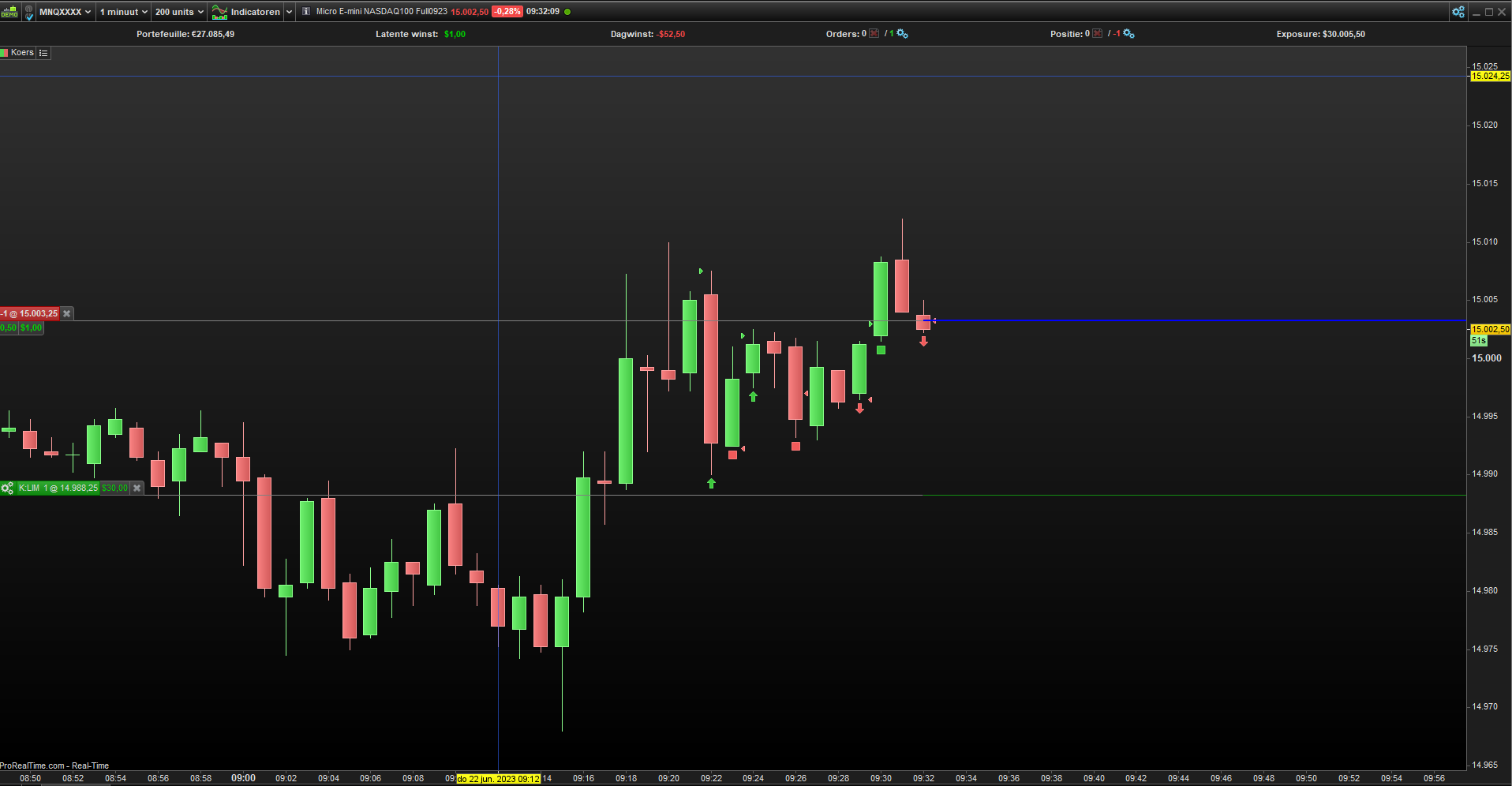
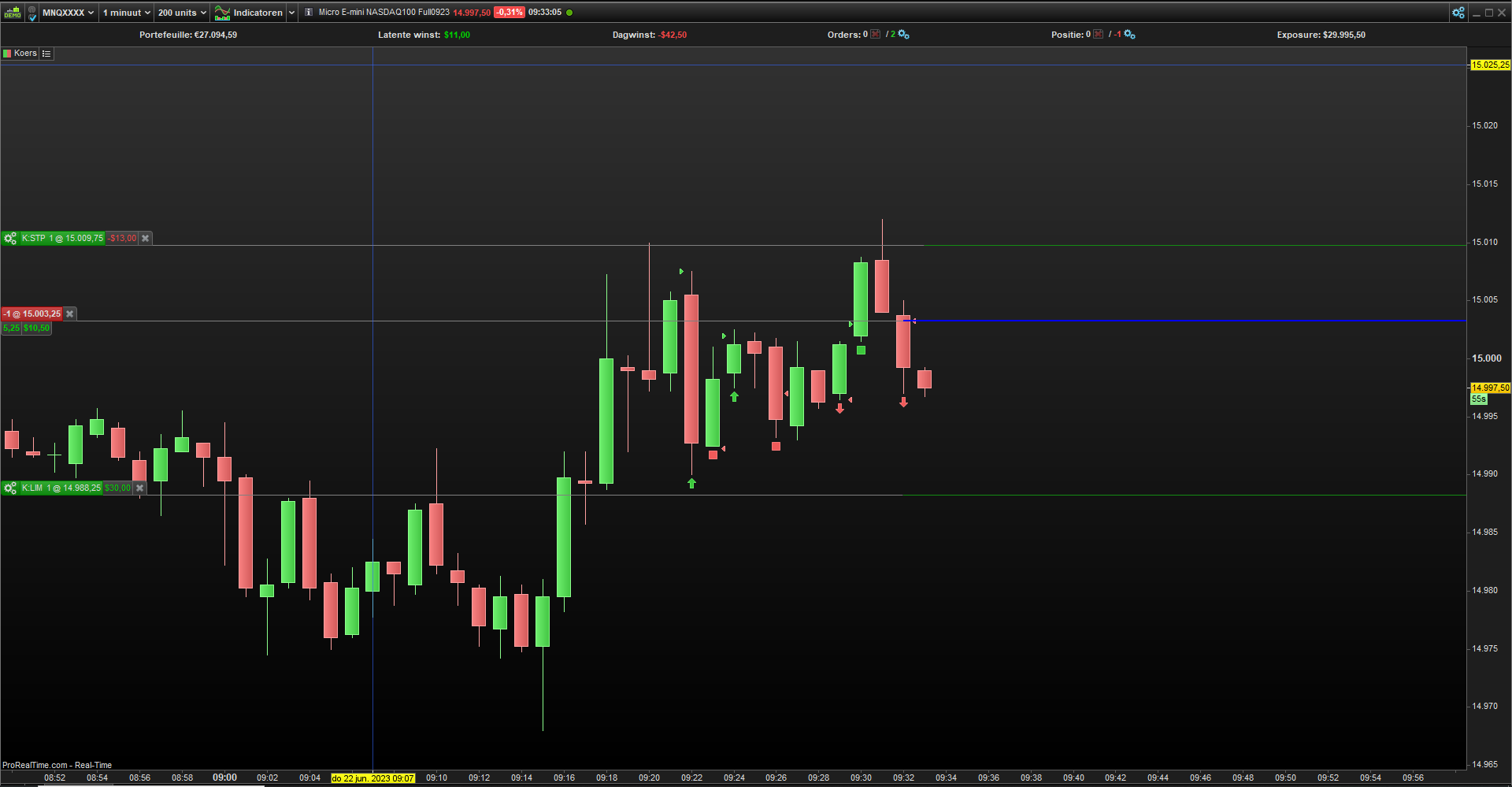
When I enter the trade the ‘Stop’ is visible but after 1 candle, the ‘Stop’ disappear.
I have attached screenshots of the trade. The 1st screenshot shows the entry of the trade and the Stop. The 2nd screenshot, the trade is still active but the Stop is not there anymore.
Can you please check why the ‘Stop’ disappear when the next candle appears?
The whole chart, not just a small part. I need to read all info.
If not onmarket and hora1 and hora2 and Close>Open and Close[1]<Open[1] then
Buy possize contract at high + 1 * pointsize stop
SET TARGET PPROFIT 15
sl = low[1] – 1*pointsize
Sell at sl STOP
elsif not onmarket and hora1 and hora2 and Close<Open and Close[1]>Open[1]then
Sellshort possize contract at low + 1 * pointsize stop
set target pprofit 15
sl = high[1] + 1*pointsize
If LongOnMarket Then
sl = max(sl,low[1] – 1*pointsize)
Sell at sl STOP
Elsif ShortOnMarket then
sl = min(sl,high[1] + 1*pointsize)
Exitshort at sl STOP
Endif
endif
As you can see, your structure is not correct. The main ElsIf is executed only once, when not OnMarket. After that you are OnMarket and the Sell at sl Stop (or ExitShort at sl Stop) is executed only once.
Notice that these “Pending Stop” orders need to be executed each new bar. Thus it needs to be something like this :
If not onmarket and hora1 and hora2 and Close>Open and Close[1]<Open[1] then
  Buy possize contract at high + 1 * pointsize stop
  SET TARGET PPROFIT 15
  sl = low[1] – 1*pointsize
//Sell at sl STOP

elsif not onmarket and hora1 and hora2 and Close<Open and Close[1]>Open[1]then
  Sellshort possize contract at low + 1 * pointsize stop
  set target pprofit 15
  sl = high[1] + 1*pointsize
endif

If LongOnMarket Then
  sl = max(sl,low[1] – 1*pointsize)
  Sell at sl STOP   // Must be repeated at each bar.
Elsif ShortOnMarket then
  sl = min(sl,high[1] + 1*pointsize)
  Exitshort at sl STOP   // Must be repeated at each bar.
Endif
Hi guys,
It’s working! That’s really great!
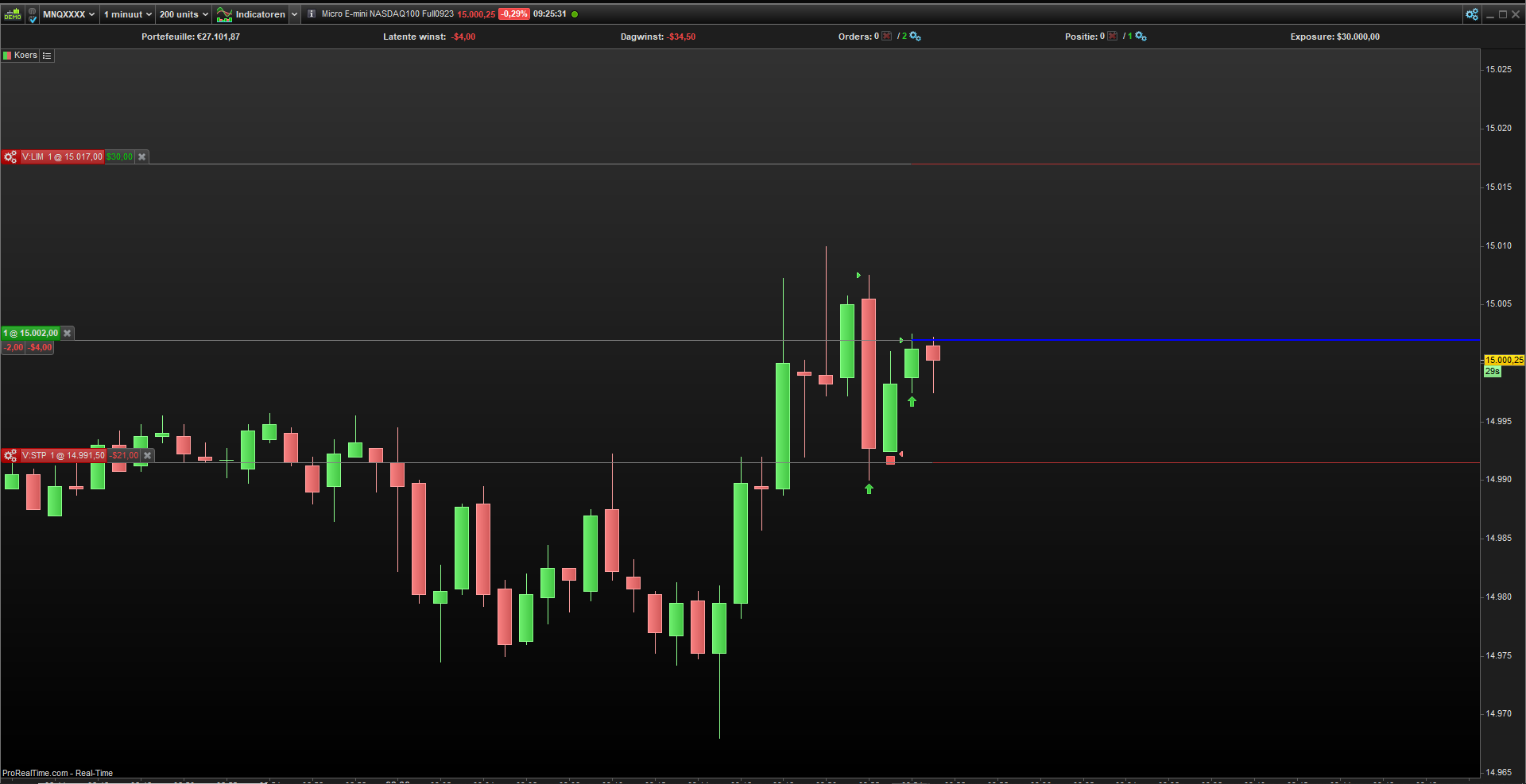
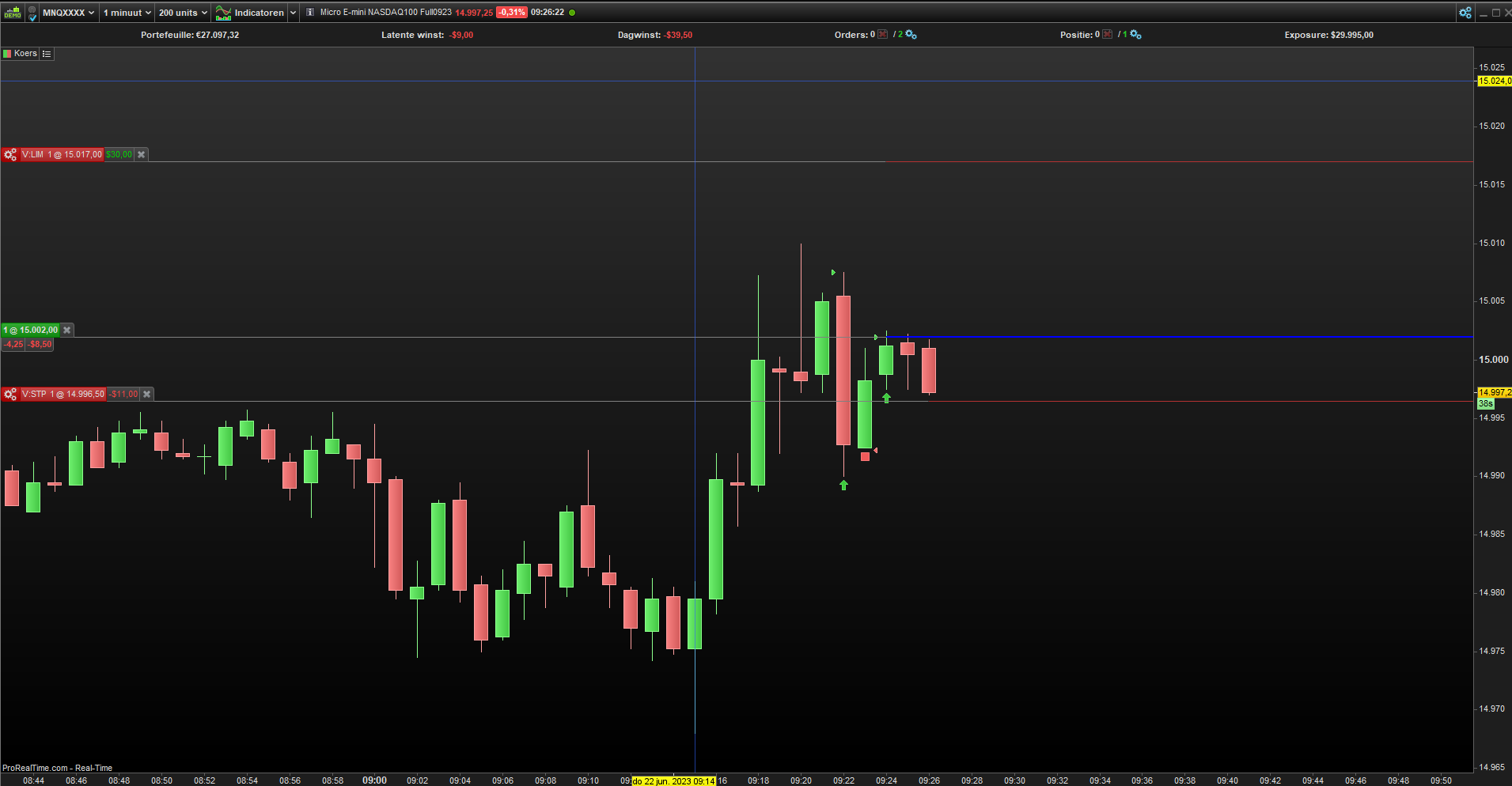
See the screenshots 3 & 4.
The only thing what I see, is that sometime the ‘Stop’ is not immediately active with the first candle but the ‘Stop’ appears with the 2nd candle.
See Screenshots 5 & 6
Do you why it happens?
If LongOnMarket Then
  sl = max(sl,low[1] – 1*pointsize)
  Sell at sl STOP   // Must be repeated at each bar.
Elsif ShortOnMarket then
  sl = min(sl,high[1] + 1*pointsize)
  Exitshort at sl STOP   // Must be repeated at each bar.
Endif
You say “sometime not” but I would attest “always not”. 😉
After your code has executed and a new position is taken – which is visible in the next bar – the code needs to be called again before it can see that LongOnMarket is true. So only then (see code snippet) the pending order can emerge. Not on the same bar as where the position was taken. And so it runs one bar behind.
Notice that a normal StopLoss (Set Stop Loss) order would become visible at the same time as the position itself – at the first bar after your code was executed.
Ok, now I understand.
Thanks Roberto & Peter for your help!
Really appreciated.