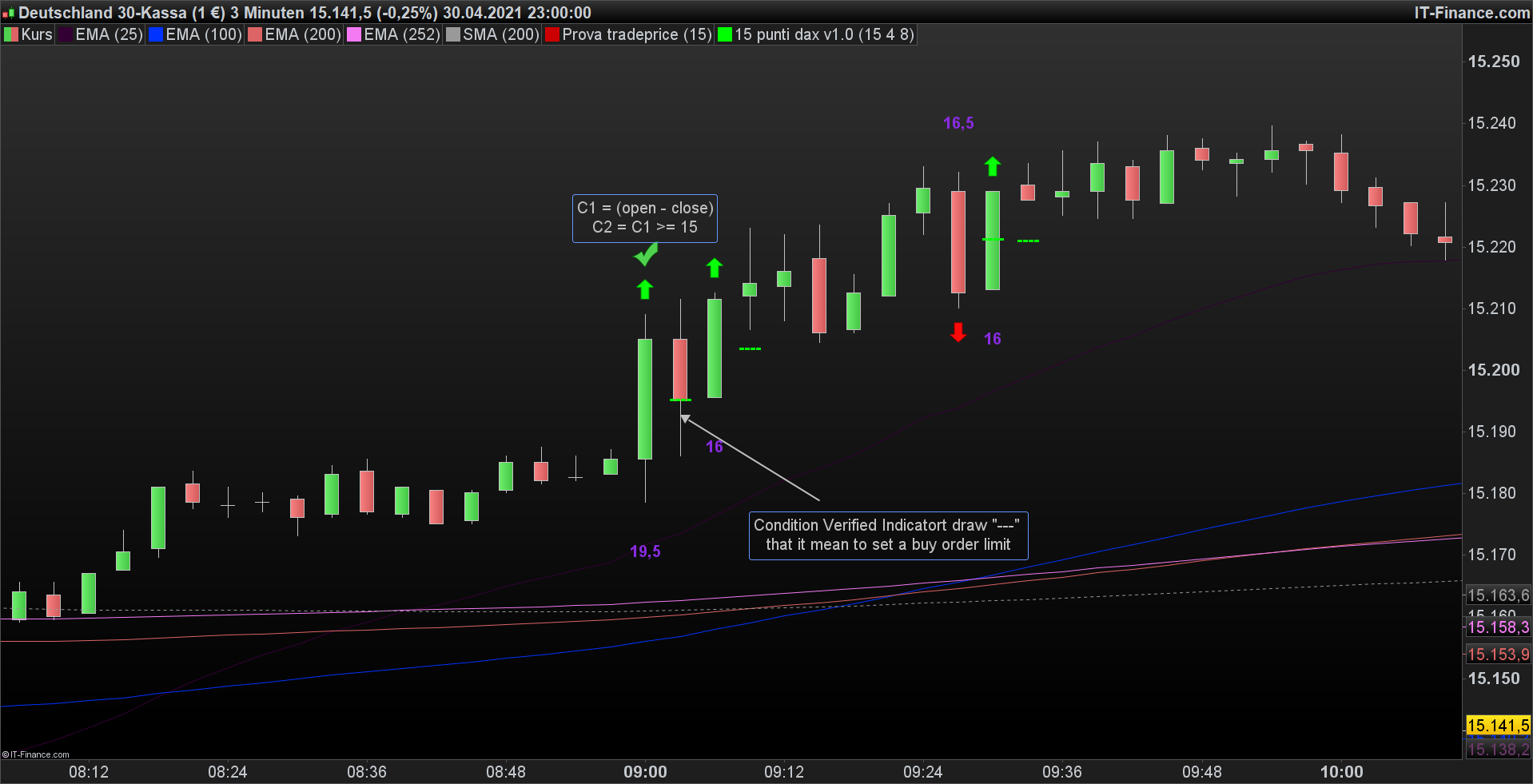
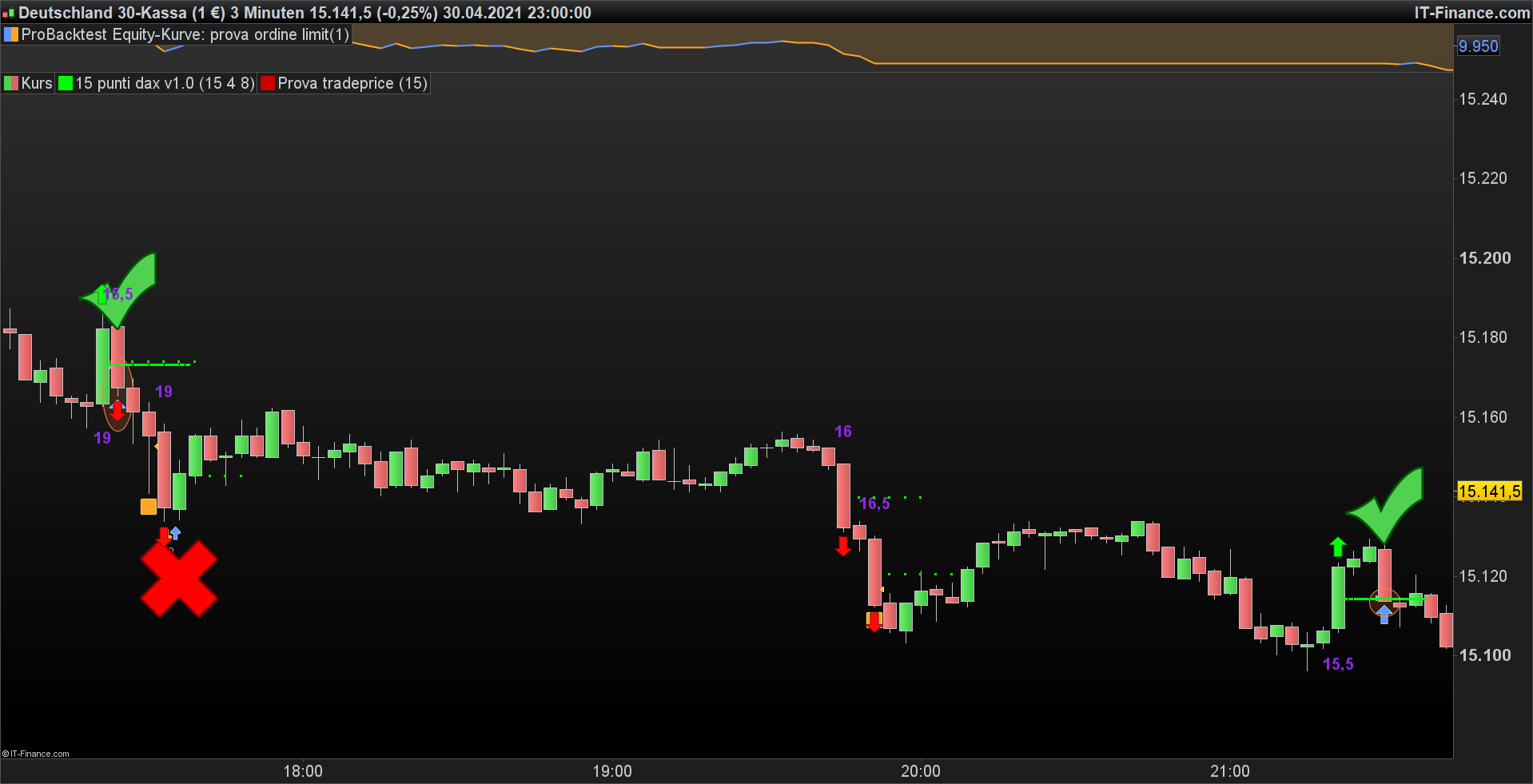
Hi, i use yuor indicator but it doesn´t follow the red line, it write this green line over and under the mittle of the Candle.
I try your sistem too but no order will sets. I try adding this also on my working sistem “c4 = open[i] – c3″ and it doesn´t work anymore.
I need a horizontal limit order for 5 bars.
It´s really hard to do.
It’s weird, my code should plot MORE than one “—“, up to 5 if all 5 previous bars are true, while the indicator in your pic always plots one.
I think you should post an example, just text (no pics) even using eXcel, with several candles with their values and WHAT you want to see.
Because you are always talking about 4-5 previous candles, but I’m not sure that’s waht you asked.
If you want ONE signal to be repeated N time, then it’s very simple and requires no loops, just the use of SUMMATION.
But I am awaiting your example before writing something that takes time and is not what you asked for.
Hi, I try to explain it better.
I write an indicator but i wanna do it for an automatic trading sistem also. If an expansion Candle >= 15 pips the indicator Write “—-” in the middle of the next Bar. If the low of the Opened candle after the Candle >= 15 is <= of the middle level where the indicator have write “—-” the indicator is Solved, else it must write “—-” again on the next Bar until the low of the new Opened candle after the Candle >= 15 is <= of the middle level where the indicator have write “—-” the first time. All of this ca be make up to 5 times, if the condition doesnt´t verified after 5 Bars it can be stopped and must wait another Bar >= 15
This is What i write… it work on a bullish bar and on a bearish bar.
n=1
c1 = ( close[n] - open[n] )
c2 = c1 >=x
c3 = c1/2
c4 = low <= open[n] + c3
IF c2 then
DRAWTEXT("----",barindex[n-1],open[n]+c3,Dialog,Bold,20) COLOURED(0,255,0,255)
endif
c12 = (open[n] - close[n])
c22 = c12 >=x
c32 = c12/2
IF c22 THEN
DRAWTEXT("----",barindex,open+c32,Dialog,Bold,20) COLOURED(0,255,0,255)
ENDIF
RETURN
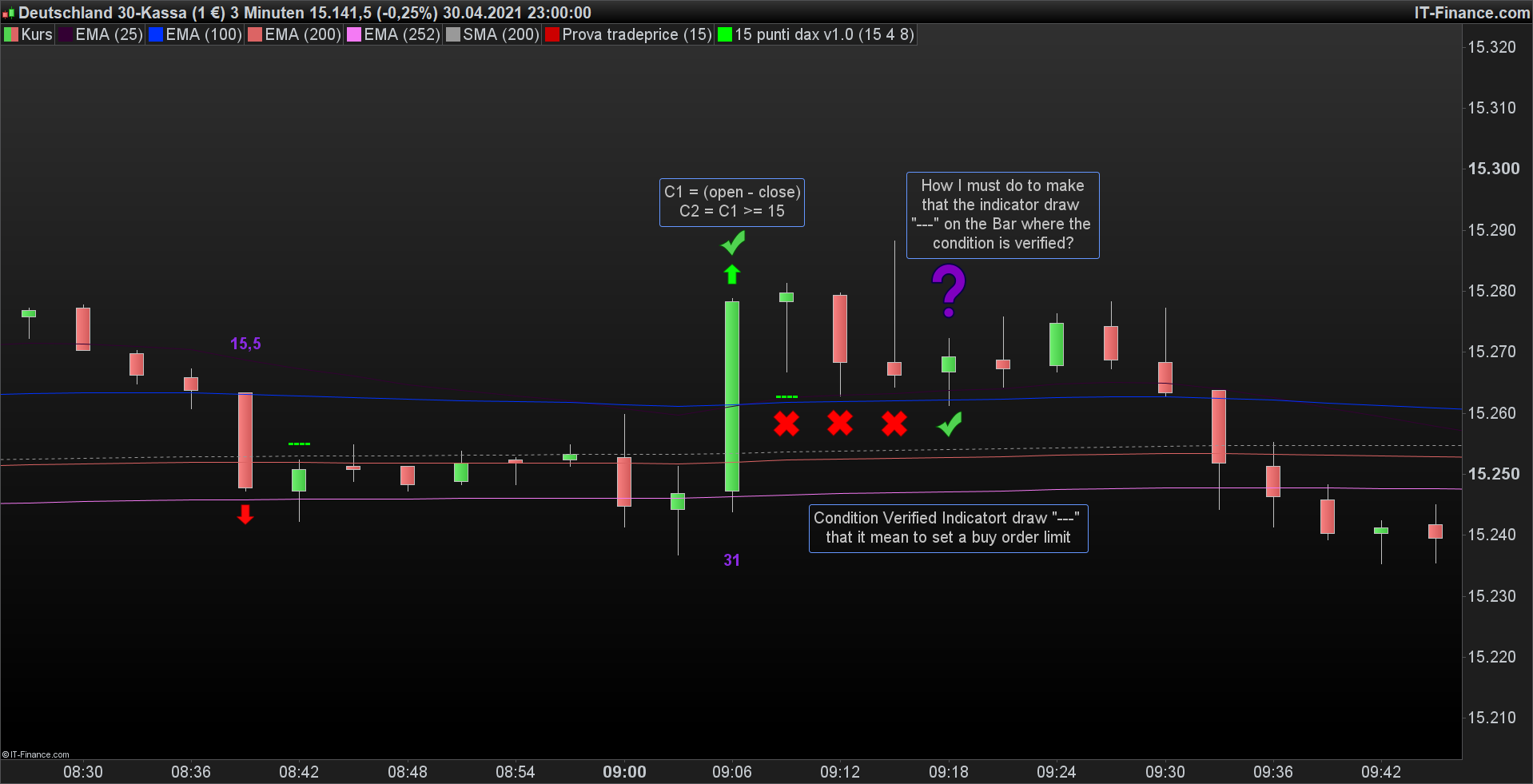
I made 2 Picture. The automatic trading sistem doesn´t need to set an order stop because the price is always > of the middle of the expansive Bar >= 15 pips.
When the low of the Price go down to the writed “—-” that is an buy order limit, i go on market and doesn´t need placing another Limit Order.
I hope you have understand.
Thank you.
It’s not easy to understand, maybe the italian language would have helped (not anymore now, we can’t change it).
I’ll check it better next monday.
Now I write a new code and it work on the next 5 Bar.
For n=1 to 5 do
c1 = ( close[n] - open[n] )
next
c2 = c1 >=x
c3 = c1/2
c4 = low <= open[n] + c3
For y=1 to 5 do
IF c2 then
DRAWTEXT("----",barindex[y-1],open[4]-c3,Dialog,Bold,20) COLOURED(0,255,0,255)
endif
next
For m=1 to 5 do
c12 = (open[m] - close[m])
next
c22 = c12 >=x
c32 = c12/2
For z=1 to 5 do
IF c22 THEN
DRAWTEXT("----",barindex[z-1],open[4]+c32,Dialog,Bold,20) COLOURED(0,255,0,255)
ENDIF
next
RETURN
I´m not sure if work when the market is open and after a Candle >= 15 draw only one “—-” on my chart.
This condition c4 = low <= open[n] + c3 (showed in picture) i don´t know if I must do it whit break or another command. I need that if after [n] Bar ( [n]<5) the low of the candle is <= at open[n] + c3 doesnt write “—” to barindex 5 but it stops itself.
Thank you again.
I don´t know how but it is working a little bit now.
DEFPARAM CUMULATEORDERS = false
x= 15
For n=0 to 5 do
c1 = ( close[n] - open[n] )
c2 = c1 >=x
If c2 then
c3 = c1/2
endif
IF c2 THEN
BUY 1 CONTRACT AT (open[n]+c3) limit
ENDIF
NEXT
It make an buy order limit and this will not disappear until the low reached the order level, and this also if the condition doesn´t appear after 1 Bar up to 5 Bar, then it stopped. But sometimes place order (see the red X stamp) that i don´t nedd and i don´t unsterdand why it make this.
I could check your code and it uses unneeded iterations and variable c4 is not used.
I think it’s better to start from scratch, provided you post the rules and details of what you want to achieve.
c4 is not used cause I don’t know how to explaine it on the code. =(
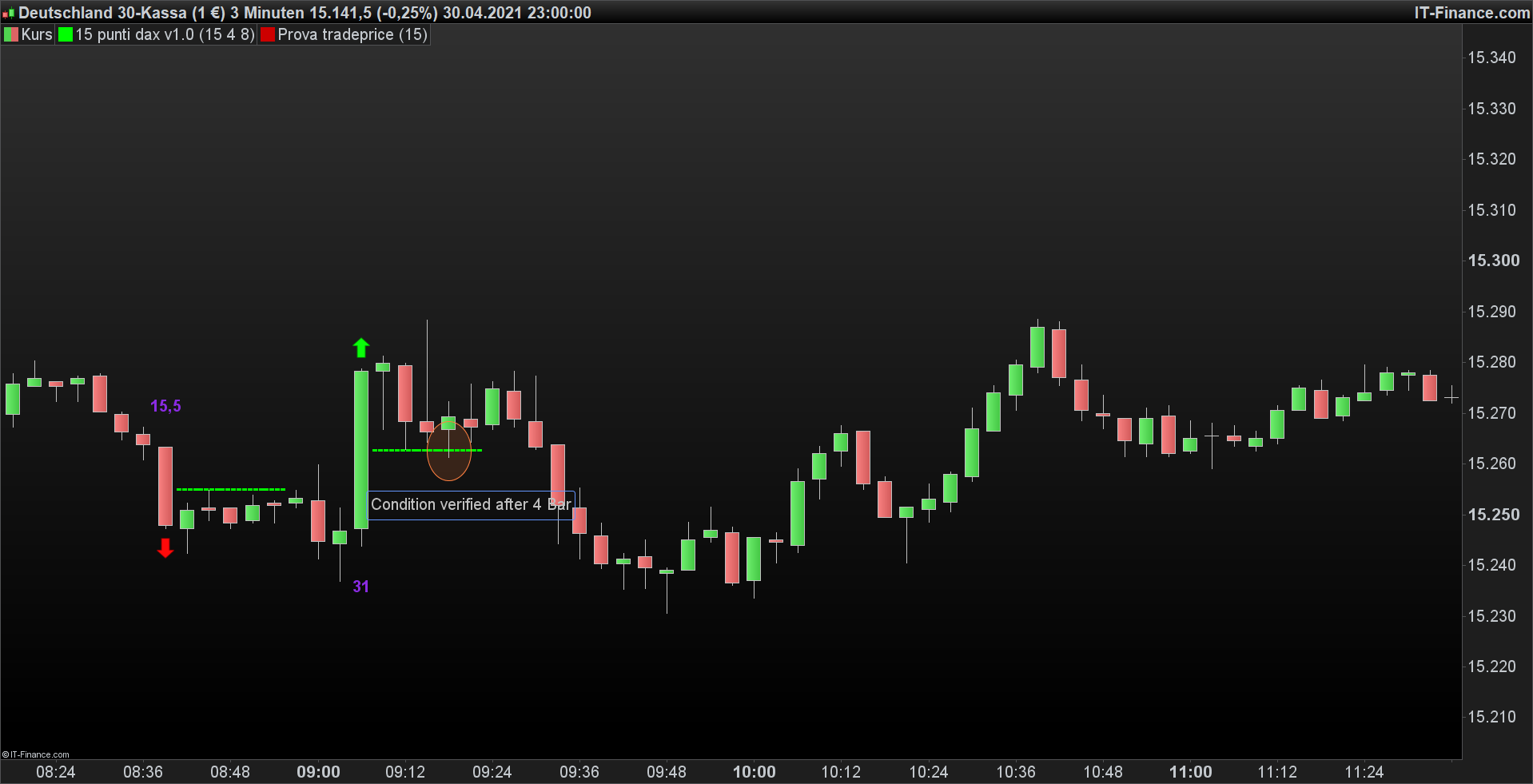
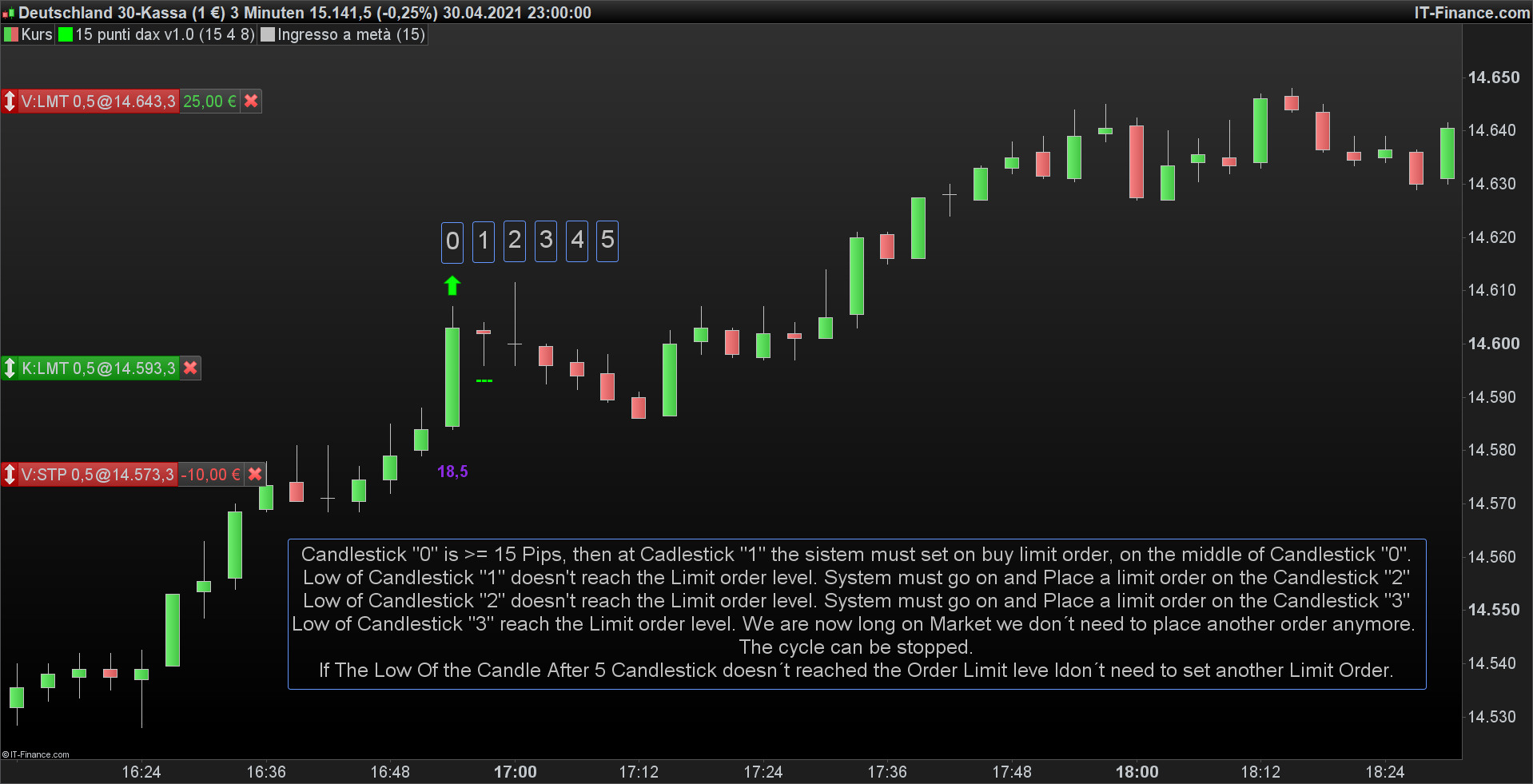
I Show you what i mean on This Picture.
Candlestick “0” is >= 15 Pips, then at Cadlestick “1” the sistem must set on buy limit order, on the middle of Candlestick “0”.
Low of Candlestick “1” doesn’t reach the Limit order level. System must go on and Place a limit order on the Candlestick “2”
Low of Candlestick “2” doesn’t reach the Limit order level. System must go on and Place a limit order on the Candlestick “3”
Low of Candlestick “3” reach the Limit order level. We are now long on Market we don´t need to place another order anymore.
The cycle can be stopped.
If The Low Of the Candle After 5 Candlestick doesn´t reached the Order Limit leve ldon´t need to set another Limit Order.
I hope that now you can undesrtand my issues.
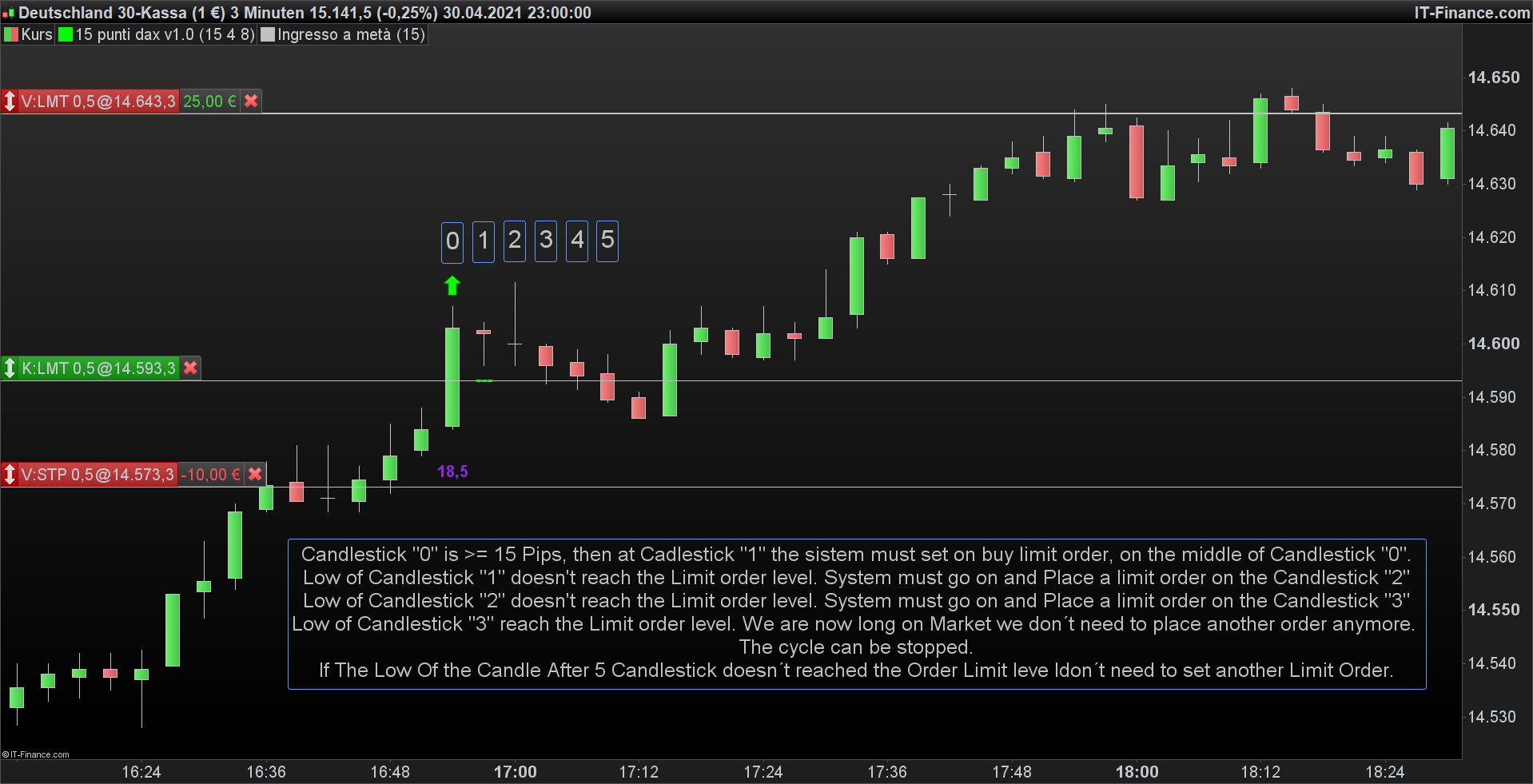
Here you can see The line of the limit order.
It’s a strategy, why were you talking about an indictor?
This is your strategy (I added TP to exit opened trades) tested on DAX Daily TF:
ONCE Entry  = 0
ONCE Bars   = 5              //wait no more than these candles before entry
Pips = 15 * pipsize
Body = close - open
IF (StrategyProfit <> StrategyProfit[1]) OR OnMarket OR (Count >= Bars) THEN
   Entry = 0
   Cond  = 0
ENDIF
IF Body >= Pips AND Cond = 0 AND Not OnMarket THEN
   IF Entry = 0 THEN
      Cond  = 1
      Entry = open + (Body / 2)
      Count = 0
   ENDIF
ENDIF
IF Not OnMarket AND Cond = 1 AND Count < 5 THEN
   BUY 1 CONTRACT AT Entry LIMIT
Count = Count + 1
ENDIF
SET TARGET %PROFIT 5    //5% profit
Thank You!! It work =) I write an indicator first to try to explane what I wanna do. Now I reached my objective.
Thank you again Roberto.