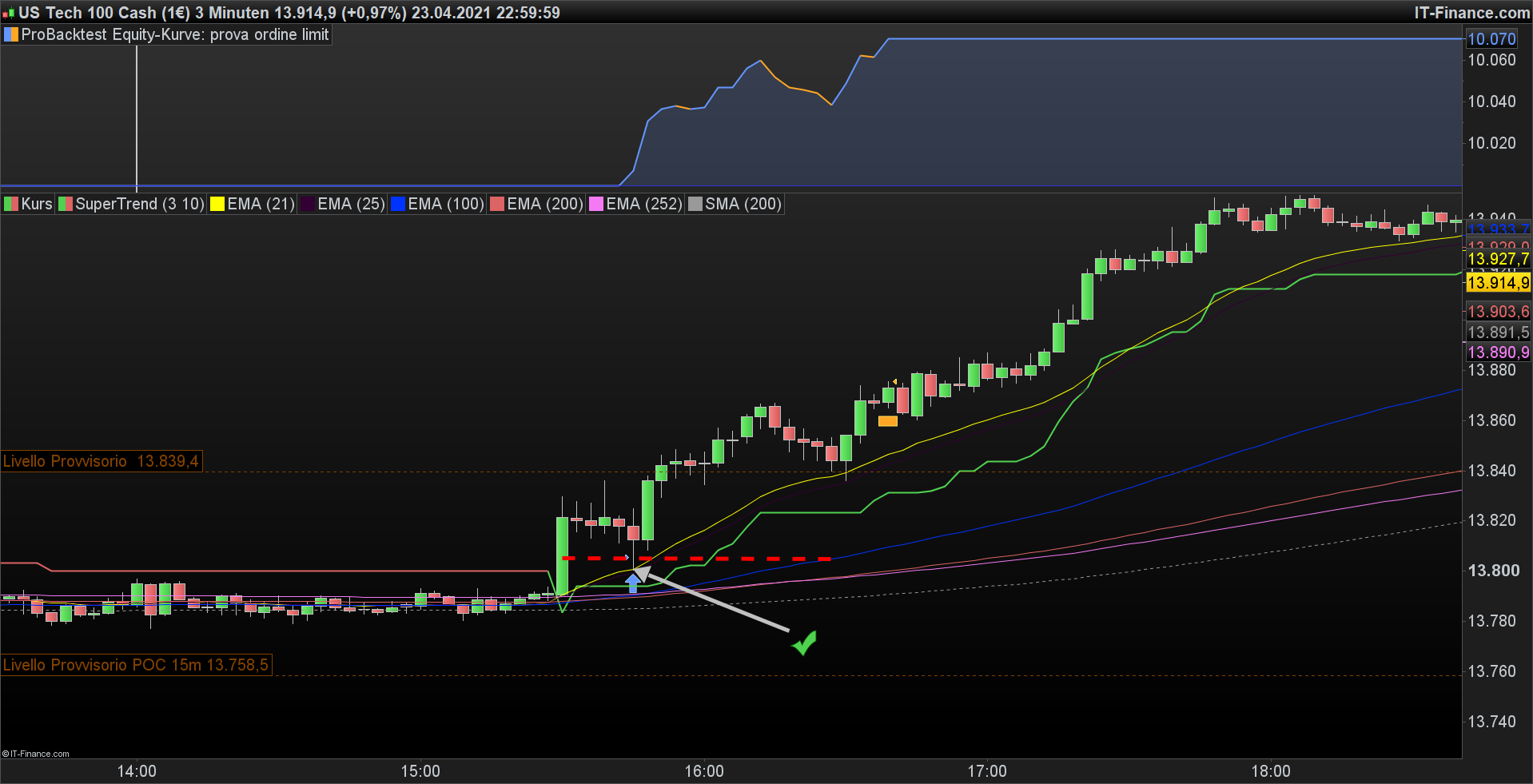
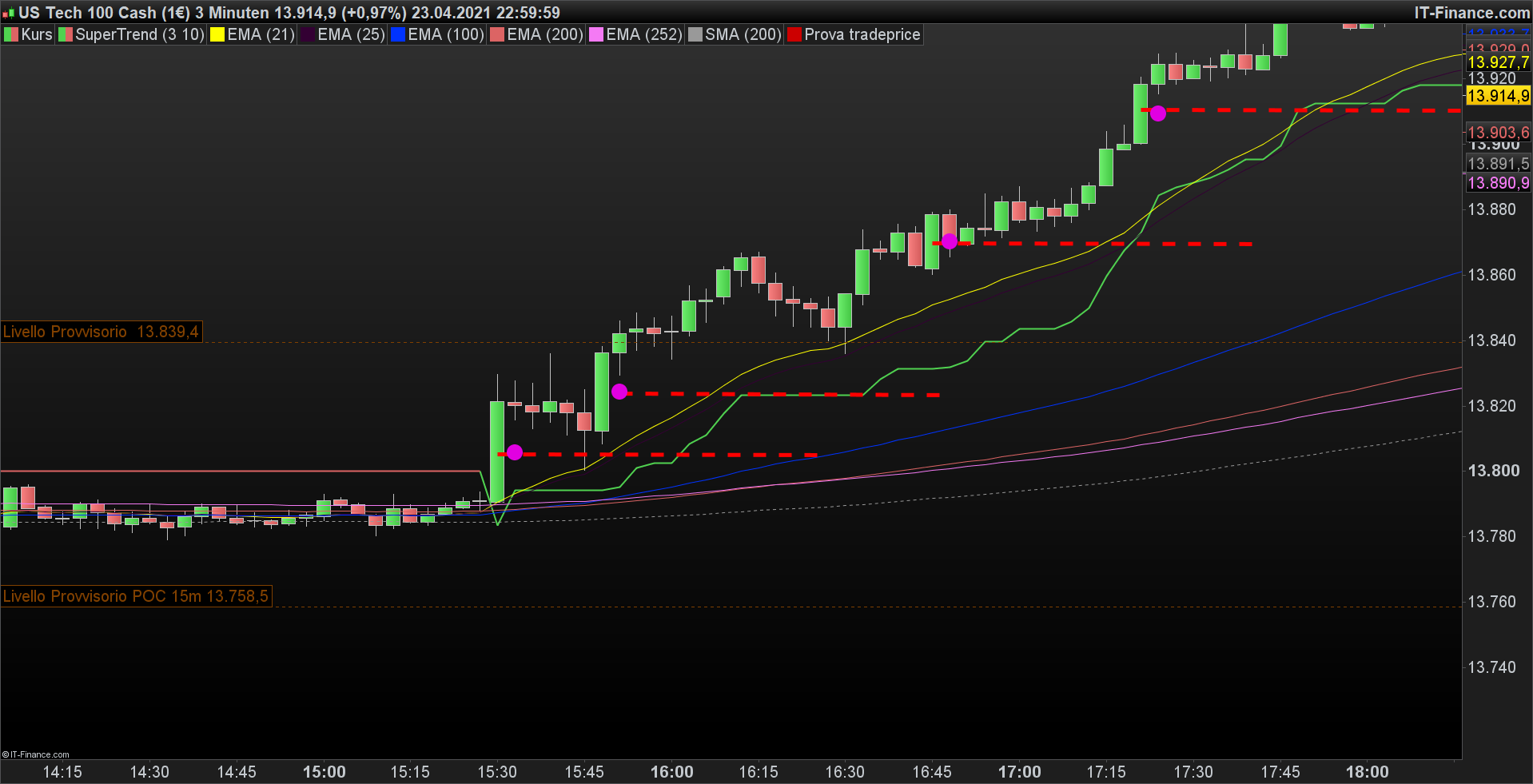
Hi guys!
Quick question with regards of STOP/LIMIT orders, I can’t find the answer in the manual.
Question: Is there a way to set the STOP LOSS already from the beginning when you add a STOP/LIMIT order to the market?
Ex: BUY 10 CONTRACT AT 10000 STOP
The reason for this is that I need to keep the margin cost low. By adding a STOP/LIMIT order without STOP LOSS the margin cost is too high. As soon as the order is executed I can set the STOP LOSS but since the order is valid the whole bar I have to cater for the higher margin cost without any stop loss entered.
Thanks in advance,
/Magnus
Yes, you can set it as usual.
If the pending order is triggered, the last SET STOP LOSS will be the stop loss used for that trade and for ALL next trades until changed with another SET STOP LOSS.
Thanks for your quick reply robertogozzi!
So you mean that if I add the code:
SET STOP pLOSS 100
immediately after my STOP/LIMIT order the PRT will take the stop loss in consideration even before the order has been executed?
The problem when you don’t see the system livetrading, hard to see if it’s working as you say if it only adds the stop loss after. As I mentioned I need to lower my main cost for the pending orders.
Yes, it is recorded and will be used when needed.
DEFPARAM CUMULATEORDERS = False
Timeframe (3 minutes, updateonclose)
FOR n = 1 TO 4 DO
c1 = abs (close[n]-open[n])
NEXT
c2= c1 >= 15
c3 = c1/2
c4 = open - c3
Timeframe (default, updateonclose)
IF c2 THEN
BUY 1 CONTRACT AT (c4) LIMIT
ENDIF
Hi, I wanna write a code which allow to set a limit order if the condiction are solved. If i don´t write [n] on close and open the limit order doesn´t been execute, if i use For … To .. work only if n < of the period of condition on chart.
Timeframe (3 minutes, updateonclose)
c8 = abs (close[4]-open[4])
c9= c8 >= 15
c7 = c8/2
c6 = open - c7
Timeframe (default, updateonclose)
IF c9 THEN
BUY 1 CONTRACT AT (c6) LIMIT
ENDIF
so work, but only why the condition appear afer 4 bars.
How can I do it?
Thanks
Both examples do the same thing.
The FOR…NEXT loop is useless.
What is exactly the condition you want to test?
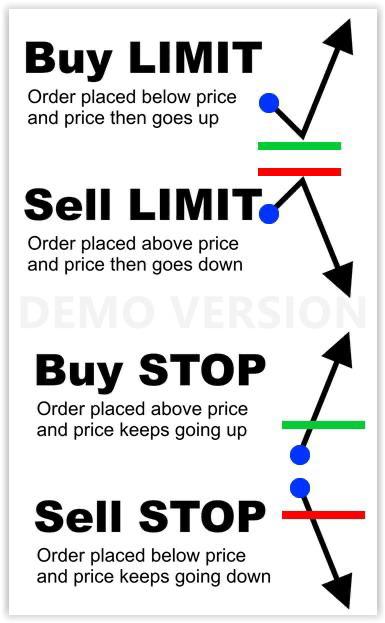
LIMIT orders are to be used when your entry price is better than the current one. Use STOP orders if not.
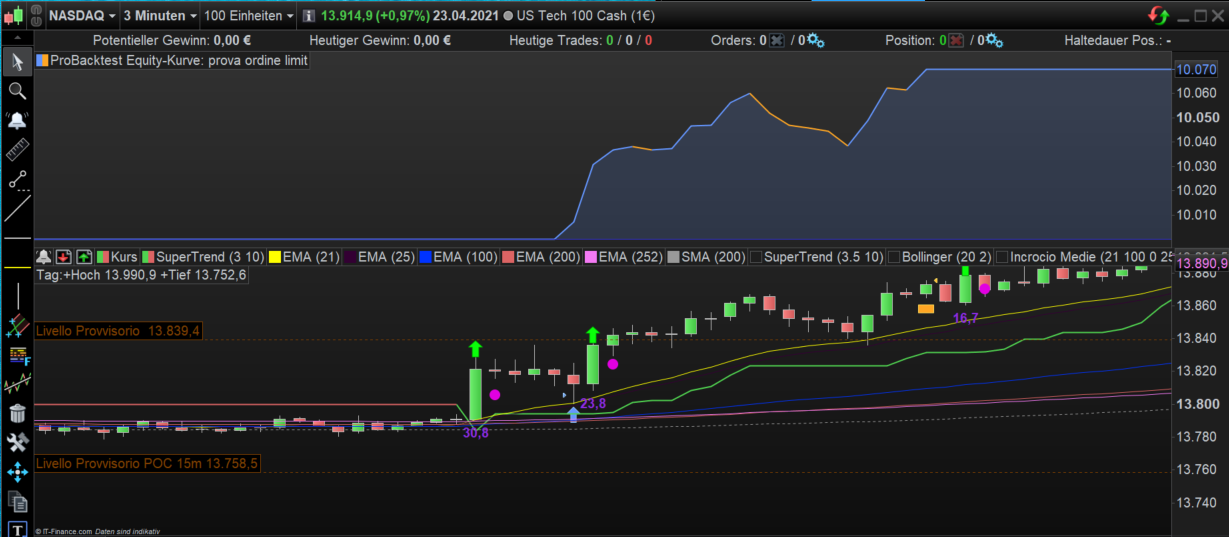
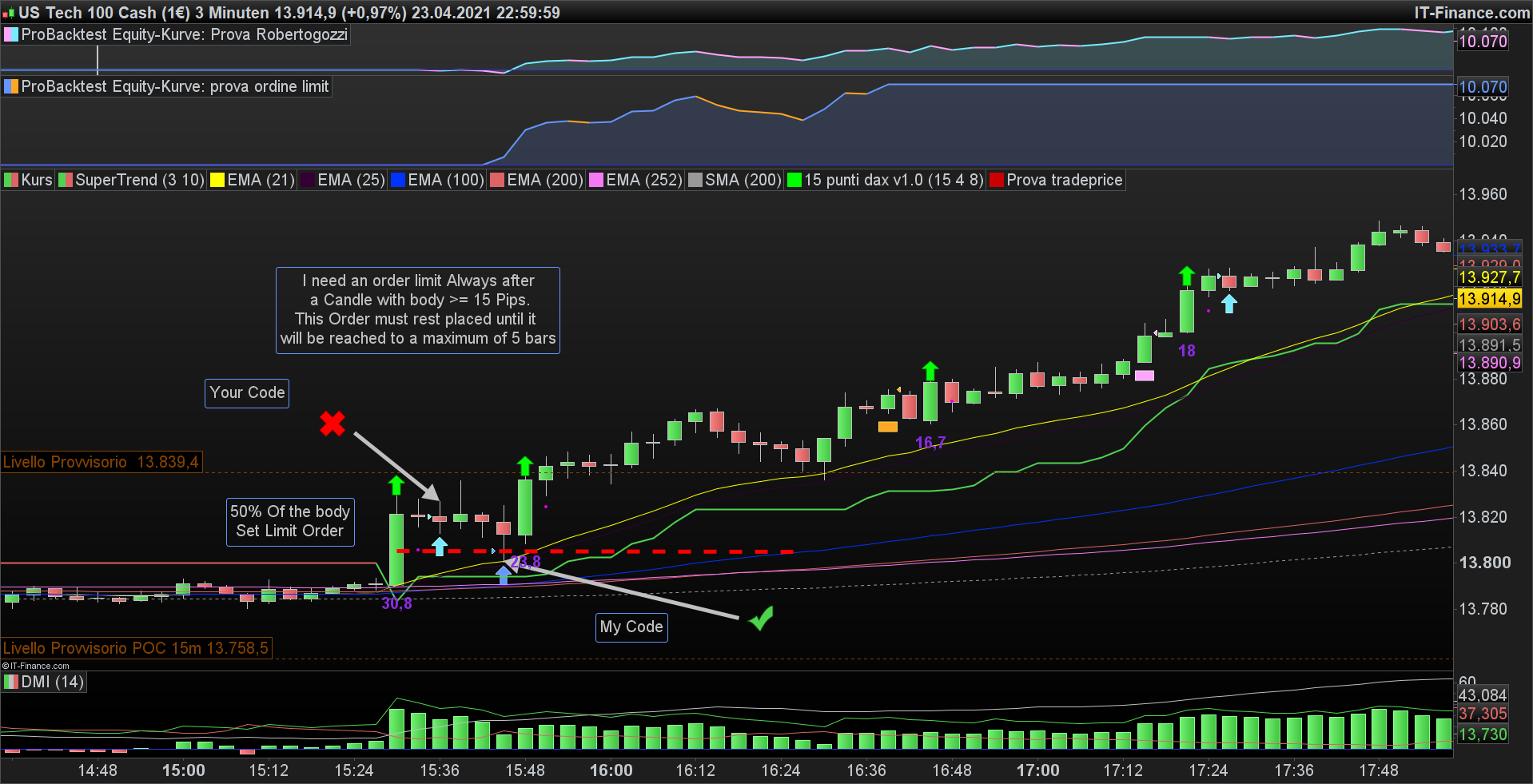
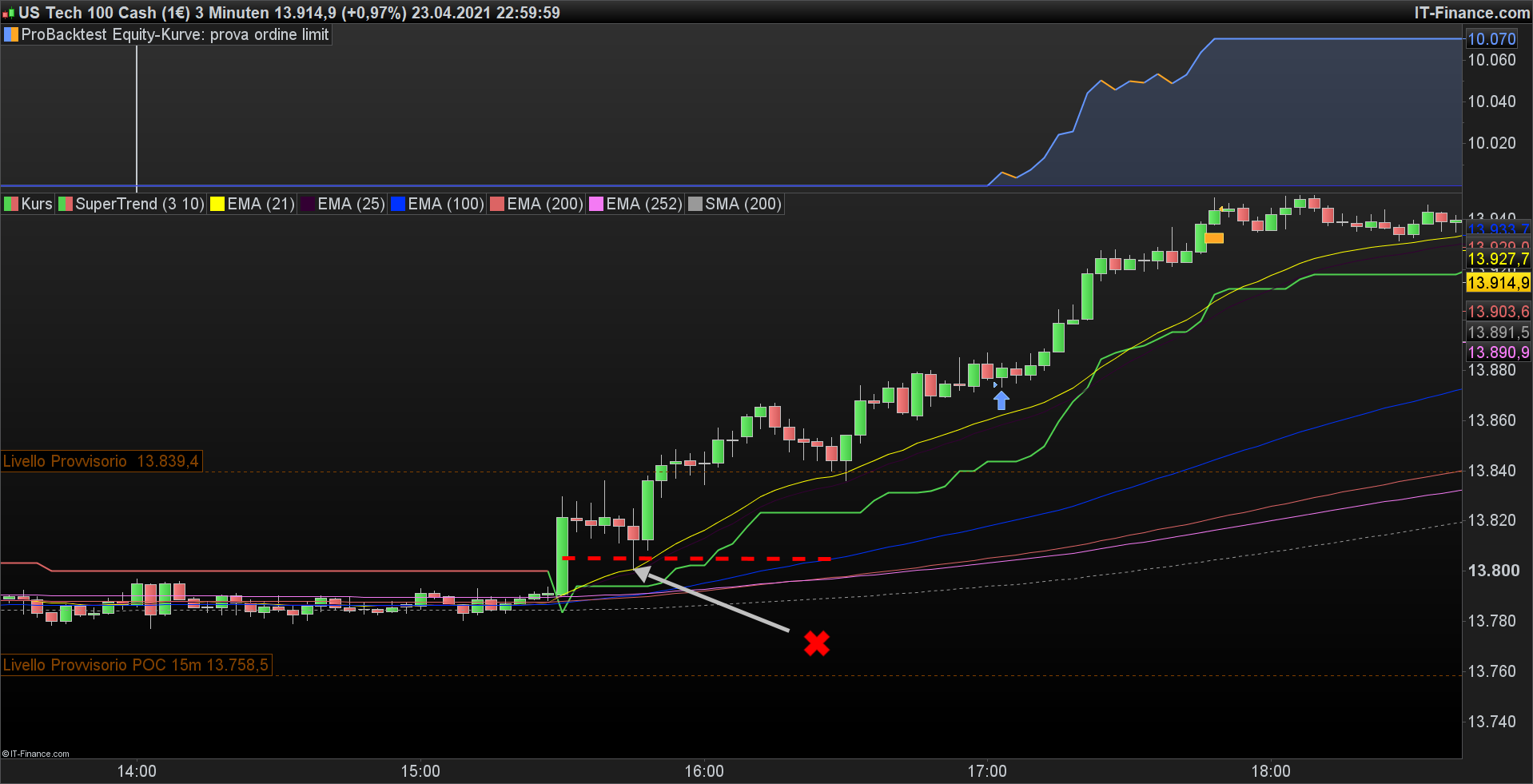
I wanna place an buy limit order, always after an expansive bar >= 15 , and this order don´t have to disappear on the next bar, but it must be setted for the next 4 bars.
Thank you
This will account for Limit, Stop and Market orders and distance from current price (set distance=0 to disable it):
Timeframe (3 minutes, updateonclose)
c8 = abs (close-open)
c9= c8 >= 15*pipsize
c7 = c8/2
c6 = open - c7
Distance = 10*pipsize
Timeframe (default)
IF summation[4](c9) and Not OnMarket THEN
   If close > (c6+Distance) then
       BUY 1 CONTRACT AT (c6) LIMIT
   ElsIf close < (c6 - distance) then
      BUY 1 CONTRACT AT (c6) Stop
   Else
      BUY 1 CONTRACT AT Market
   Endif
ENDIF
I try to explain it Better
FOR n = 1 TO 4 DO
c1 = abs (close[n]-open[n])
NEXT
FOR n = 1 TO 5 DO
c1 = abs (close[n]-open[n])
NEXT
Why if the condition is reached after 4 Bars doesn´t place the order to “for n = 1 to 5” ? I´ve tryed to use Break and While but it doesn´t work.
Thank you
The loop is useless. C1 will ALWAYS retain the condition of the last iteration.
They are equivalent to:
c1 = abs(close[4]-open[4])  //first example
c1 = abs(close[5]-open[5])  //second example
I tried both example
c1 = abs(close[4]–open[4]) //first example Work
c1 = abs(close[5]–open[5]) //second example Don´t Work
I need that if i Write [5] it work also if i after 4 bars the price reached the level of the 50% retraechment of the Expansive Candle.
Now it work only if i write [4] while in my case the price reached the level of the 50% retraechment of the Expansive Candle after 4 bars.
Or i must do this?
Timeframe (3 minutes, updateonclose)
c1 = abs (close[1]-open[1])
c2 = c1 >= 15
c3 = c1/2
c4 = open - c3

c1a = abs (close[2]-open[2])
c2a = c1a >= 15
c3a = c1a/2
c4a = open - c3a

c1b = abs (close[3]-open[3])
c2b = c1b >= 15
c3b = c1/2
c4b = open - c3b

c1c = abs (close[4]-open[4])
c2c = c1c >= 15
c3c = c1c/2
c4c = open - c3c

c1d = abs (close[5]-open[5])
c2d = c1d >= 15
c3d = c1d/2
c4d = open - c3d

IF c2 THEN
BUY 1 CONTRACT AT (c4) LIMIT
ENDIF
IF c2a THEN
BUY 1 CONTRACT AT (c4a) LIMIT
ENDIF
IF c2b THEN
BUY 1 CONTRACT AT (c4b) LIMIT
ENDIF
IF c2c THEN
BUY 1 CONTRACT AT (c4c) LIMIT
ENDIF
IF c2d THEN
BUY 1 CONTRACT AT (c4d) LIMIT
ENDIF
Thank you
This is an indicator that draw a point where i want to place a limit order… I will make the same with the limit order trigger.
c1 = abs ( close[1] – open[1] )
c2 = c1 >=15
c3 = c1/2
IF c2 THEN
DRAWPOINT(barindex, open-c3, 5) COLOURED (225,0,225)
ENDIF
RETURN
Thank you
If you want to place a pernding order you have to check whether it’s a LIMIT or STOP order, as I told you.
Moreover, entry prices change each new bar.
This indicator (to be added ON the price chart) will show you how many entrues there will be rach bar:
FOR i = 1 TO 5
   c1 = abs(close[i] - open[i])
   c2 = c1 >= 15 * pipsize
   c3 = c1 / 2
   IF c2 THEN
      //DRAWPOINT(barindex, open-c3, 5) COLOURED (225,0,225)
      DRAWTEXT("---",barindex,open-c3,Dialog,Bold,20) COLOURED(0,255,0,255)
   ENDIF
NEXT
RETURN
This is the strategy modified to reduce the number of IF’s and to support the distance requirements (if DISTANCE <> 0):
DEFPARAM CumulateOrders = FALSE//TRUE
Timeframe(3 minutes, updateonclose)
Distance = 0 * pipsize    //minimum distance between current price and entry price
FOR i = 1 TO 5
   c1 = abs(close[i] - open[i])
   c2 = c1 >= 15 * pipsize
   c3 = c1 / 2
   c4 = open[i] - c3
   IF c2 AND Not OnMarket THEN
      IF (close - Distance) > c4 THEN
         BUY 1 CONTRACT AT c4 LIMIT
      ELSIF (close + Distance) < c4 THEN
         BUY 1 CONTRACT AT c4 STOP
      ELSE
         BUY 1 CONTRACT AT Market
      ENDIF
   ENDIF
NEXT
SET TARGET pPROFIT 60
SET STOP   pLOSS   20