STOP BELOW SIGNAL CANDLE

Viewing 9 posts - 1 through 9 (of 9 total)

  • Author
    Posts
  • #36402 quote
    Kage12
    Participant
    New

    Hi,

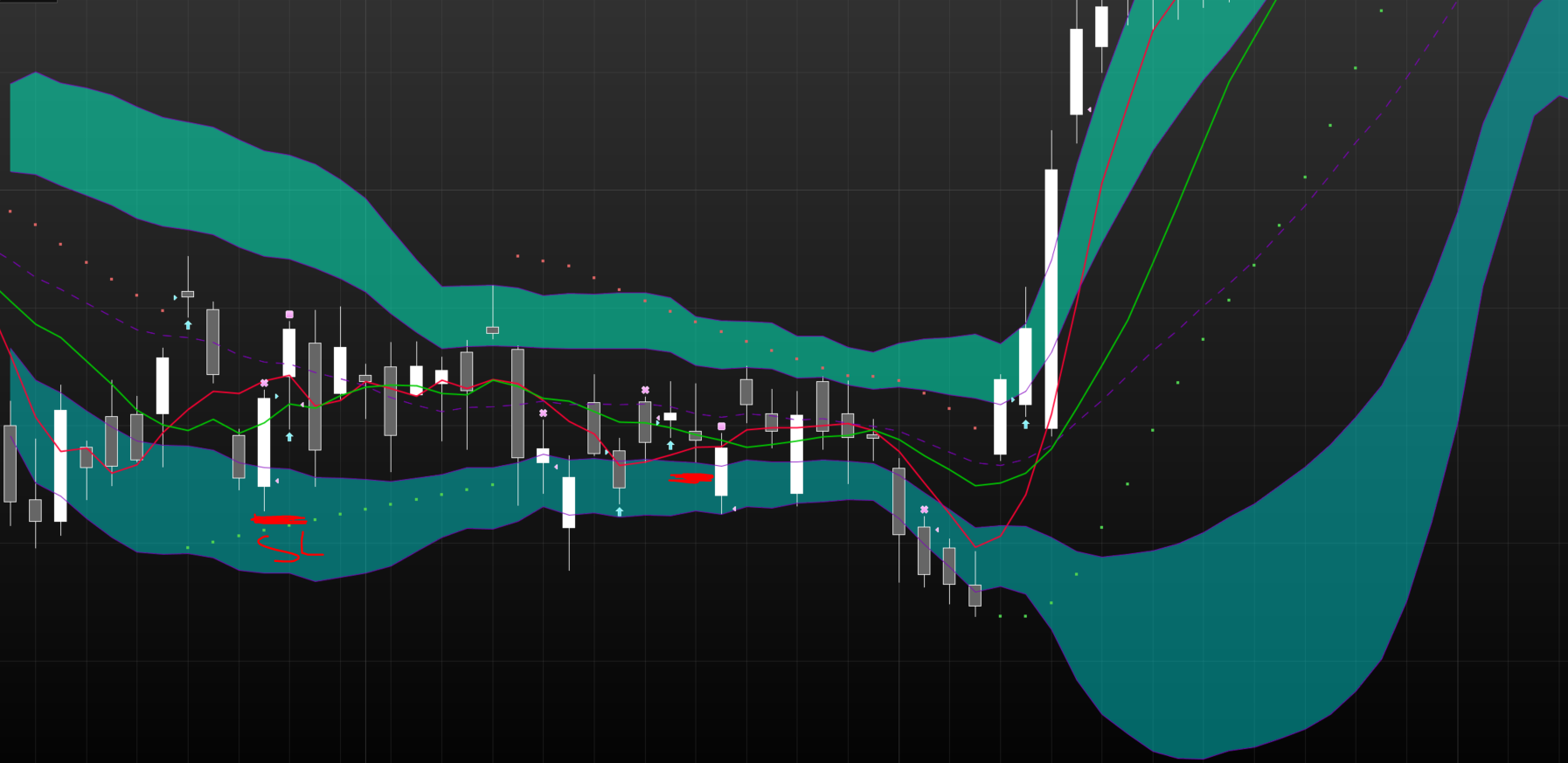
    I’m having trouble getting my stop to be placed below the signal candle. Please can you tell me where i’m going wrong.

    DEFPARAM CumulateOrders = False // Cumulating positions deactivated
    
    
    // Conditions to enter long positions
    c1 = (close > open)
    indicator1 = Average[20](close)
    c2 = (close > indicator1)
    indicator2 = Average[20](close)
    c3 = (low < indicator2)
    
    IF c1 AND c2 AND c3 THEN
    
    BUY 1 CONTRACT AT MARKET
    ENDIF
    
    slong = TRADEPRICE - low[0]
    SET STOP LOSS slong
    
    SET TARGET pPROFIT 100
    #36725 quote
    GraHal
    Participant
    Master

    If you put figures in you will see it? The heat today has switched my brain off, I will probably think what it should be when it gets cooler? 🙂

    slong = 10000  9800
    SET STOP LOSS 200


    Maybe …

    slong = TRADEPRICE - (TRADEPRICE - low[0])
    SET STOP LOSS slong


    #36858 quote
    David
    Participant
    Veteran

    Tradeprice is an absolute price / the price that the position was opened at. Thus you can’t reference LOW because LOW relates to a candle and not Tradeprice – I think. What you have to do is reference the LOW of the bar when it was opened. What i think your looking for is Tradeindex.

    #36863 quote
    GraHal
    Participant
    Master

    Forget my previous at #36725 (the heat really did addle my brain! :)).

    You need to record / use the low  at the time of the Trade so the definition of slong at time of Buy needs to be bounded by the If Endif statement as below.

    Try it anyway and let us know please?

    IF c1 AND c2 AND c3 THEN
    BUY 1 CONTRACT AT MARKET
    slong = TradePrice - Low
    ENDIF
     
    SET STOP pLOSS slong
    robertogozzi thanked this post
    #80559 quote
    Valentin
    Participant
    Junior

    Hello community,

    I am looking for approximately the same request than Kage12 but instead of using the low of the signal candlestick as a stop, I would like to use the low of the day before the signal.

    I tried to edit the code that Grahal sent but my version doesn’t seem to work as some orders are closed without touching the low of the day before the signal (please find attached a screenshot).

    IF c1 THEN
    BUY 1 CONTRACT AT MARKET
    slong = TradePrice - Low[1]
    ENDIF
    
    SET STOP pLOSS slong

    Please note that below the last line of my code, i’ve got some conditions to close my positions. The stop loss i’m asking would be used as a protective stop and to optimize my money management.

    Also, i’v tried the original version that Grahal sent and the orders are closed the same day of the signal so if you also have a solution to fix that, l would be very interested to run some backtest.

    Thank you in advance and have a great day !

    Valentin

    strategy.png strategy.png
    #80562 quote
    robertogozzi
    Moderator
    Master

    GraHal is right about IF..ENDIF.

    But you should replace line 3 with

    slong = close - Low

    because

    • TRADEPRICE will be known the next bar
    • when you BUY/SELLSHORT at market the price will be the current one, that is CLOSE (+- some gap and/or slippage).
    #80563 quote
    GraHal
    Participant
    Master

    Assuming you are running on a Daily TF, does below work?

    IF c1 THEN
    BUY 1 CONTRACT AT MARKET
    Sell at Low[1] Stop
    ENDIF
     
    
    #80662 quote
    Nicolas
    Keymaster
    Master

    Yes it will work, but keep in mind that:

    1. the STOP pending order will only last for 1 bar each time c1 is true
    2. Low[1] is the candle low at bar n-1, the bar before the c1 signal
    #81130 quote
    Valentin
    Participant
    Junior

    Thank you a lot for your help Gentlemen! This is was I needed for few of my strategies.
    Have a great day!

Viewing 9 posts - 1 through 9 (of 9 total)

  • You must be logged in to reply to this topic.

STOP BELOW SIGNAL CANDLE


ProOrder: Automated Strategies & Backtesting

New Reply
Author
author-avatar
Kage12 @george_prempeh Participant
Summary

This topic contains 8 replies,
has 6 voices, and was last updated by Valentin

7 years, 5 months ago.

Topic Details
Forum: ProOrder: Automated Strategies & Backtesting
Language: English
Started: 05/23/2017
Status: Active
Attachments: 1 files
Logo Logo
Loading...