Start on this Computer with this Workspace – Meaning?

Viewing 6 posts - 1 through 6 (of 6 total)
  • Author
    Posts
  • #159410 quote
    GraHal
    Participant
    Master

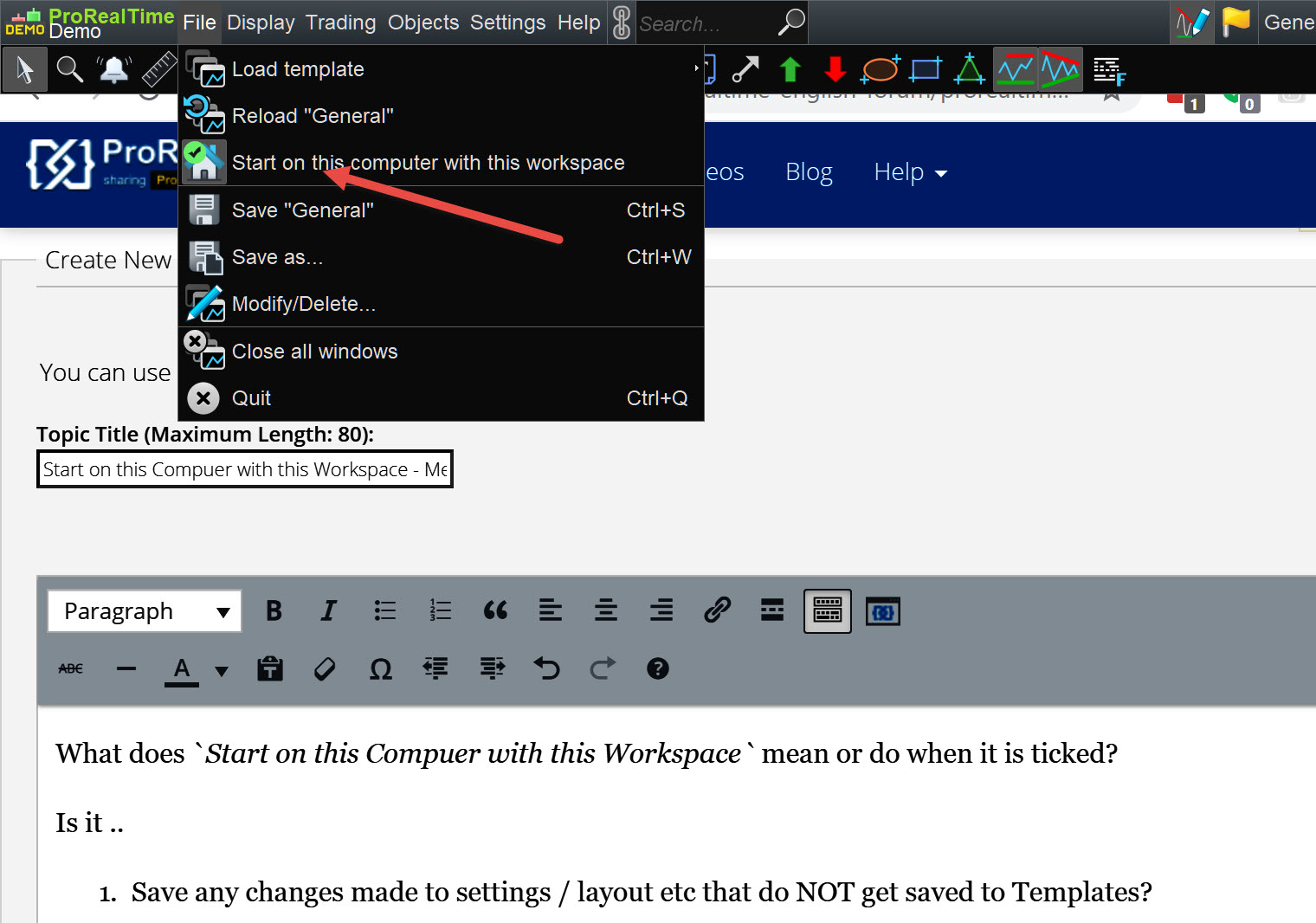
    What does Start on this Computer with this Workspace mean or do when it is ticked?

    Is it ..

      1.  Save any changes made to settings / layout etc that do NOT get saved to Templates?

    OR

    1.    When I Login, the window I will see is the last window I was using before I Quit and Saved??
    2.   Neither 1. nor 2, above. It means ……………..???
    GH-3.jpg GH-3.jpg
    #159414 quote
    Monobrow
    Participant
    Senior

    When I Login, the window I will see is the last window I was using before I Quit and Saved??

    It should be this… unless you have it ticked on multiple different workspaces, and then? Who knows! Lottery i guess.


    i have my only primary workspace ticked and it loads it on entry,

    #159419 quote
    GraHal
    Participant
    Master

    It seems a redundant option / tick / setting though because if we Quit and Save then what else would load  (if we hadn’t ticked the box) anyway except the windows we were last looking at??

    Any comment anyone??

    #159435 quote
    PeterSt
    Participant
    Master

    Haha. I just spent 15 minutes on the idea of you having two “computers”, e.g. one with 3 monitors and one with 2. This implies a kind of pain because you will always be loading the saved setting for the wrong one first (think this over a little). Thus, … I was sure it was about this. Set at each PC that “Home”, and automatically it would load the appropriate saved setting. Yea, that would be nice.

    But it ain’t that. 🙁
    Maybe it is unfinished. 🙂

    GraHal thanked this post
    #165312 quote
    Emanuele PRT
    Participant
    Junior

    Hello all,

    The “Start on this Computer with this Workspace” function means that the system will associate a specific template to a specific hardware set (e.g. your home computer).
    You can then open the platform on another computer (e.g. your laptop) and save another (different) template, adapted to that laptop, and ask the system to remember that – each time you’ll open PRT on the laptop – you want to start it with this second template.

    So when you start Prt on the laptop you’ll automatically use the laptop-adapted template, and when you start it on your desktop PC you will automatically use the desktop-adapted template.

    #165430 quote
    PeterSt
    Participant
    Master

    Indeed it is that after all. I am using it happily for quite a while by now. Very nice feature.

Viewing 6 posts - 1 through 6 (of 6 total)

  • You must be logged in to reply to this topic.

Start on this Computer with this Workspace – Meaning?


Platform Support: Charts, Data & Broker Setup

New Reply
Author
Summary

This topic contains 5 replies,
has 4 voices, and was last updated by PeterSt

4 years, 11 months ago.

Topic Details
Forum: Platform Support: Charts, Data & Broker Setup
Language: English
Started: 01/25/2021
Status: Active
Attachments: 1 files
Logo Logo
Loading...