


Simplified Creation – Trading Hours

Viewing 2 posts - 1 through 2 (of 2 total)
  • Author
    Posts
  • #60173 quote
    GraHalGraHal
    Participant
    Legend

    Am I going insane (again! šŸ™‚ )??

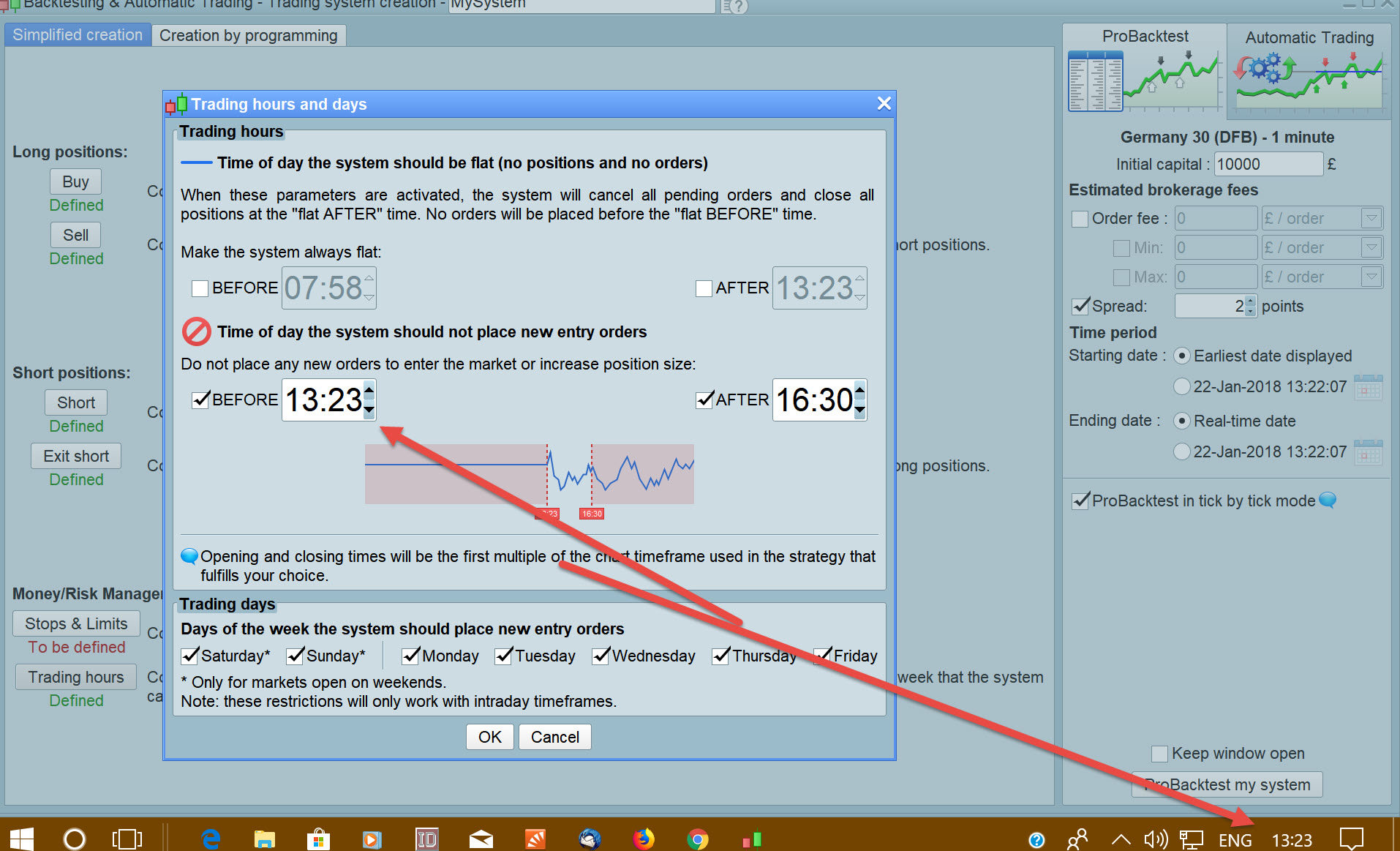
    On Simplifies Creation, when I try to set Trading Hours to be less than current time, I click OK and then go back in to Trading Hours and the setting has reverted back to current time! See attached for illustration.

    Please try it and let me know if I am missing a trick somewhere??

    PRT Mods … any comment please?

    Thank You
    GraHal

    Pierre thanked this post
    Time.jpg Time.jpg
    #60193 quote
    PierrePierre
    Moderator
    Average

    Hello GraHal,

    You are not insane šŸ™‚

    I just tried and I see the issue on my own platform.

    Thank you for reporting this error. I’ll inform our technical teams to solve the issue in the next update.

    Note however that the time is correctly taken into account within the code.

    noEntryBeforeTime = 083000

    Regards,

    Pierre

    GraHal thanked this post
Viewing 2 posts - 1 through 2 (of 2 total)
  • You must be logged in to reply to this topic.
ProRealAI ProRealAI New

From idea to ProBuilder code in seconds.

Your coding copilot for ProRealTimeā„¢. Ask in plain English — get clean, ready-to-paste indicators, screeners and systems.

Available in 7 languages
Try ProRealAI

Simplified Creation – Trading Hours


Platform Support: Charts, Data & Broker Setup

New Reply
Author
Summary

This topic contains 1 reply,
has 2 voices, and was last updated by PierrePierre

8 years, 9 months ago.

Topic Details
Forum: Platform Support: Charts, Data & Broker Setup
Language: English
Started: 01/22/2018
Status: Active
Attachments: 1 files
ProRealCode ProRealCode
Loading...