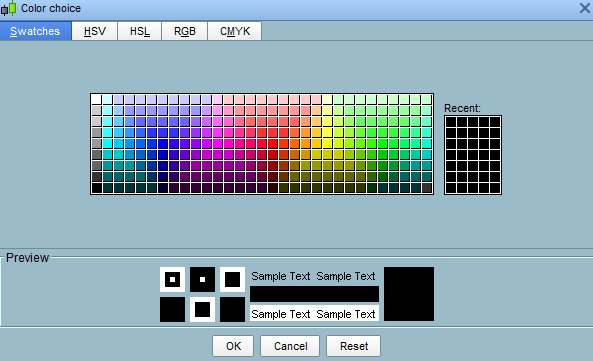
Hello, I’m wondering why some indicators have full colour customization available (pic 1)
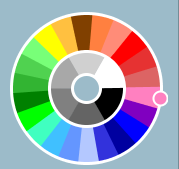
while some (all?) drawing tools only give access to a palette of pre-defined colours (pic2)
both in PRT v10.3 and the new v11
That prevents me from setting a basic horizontal line to, let’s say magenta – I can only choose red/purple/pink, I can’t set it to 255,0,255
I’ve read documentation articles like this https://www.prorealcode.com/documentation/drawhline/
and since I use quite a bit of lines of my screen, often copy/pasting and especially moving them up and down,
I’m concerned that I would need to insert a custom indicator each time… right?
Or is there a simpler way that I’m missing? With the ease of use of just right-clicking to copy and move them around…
Thanks
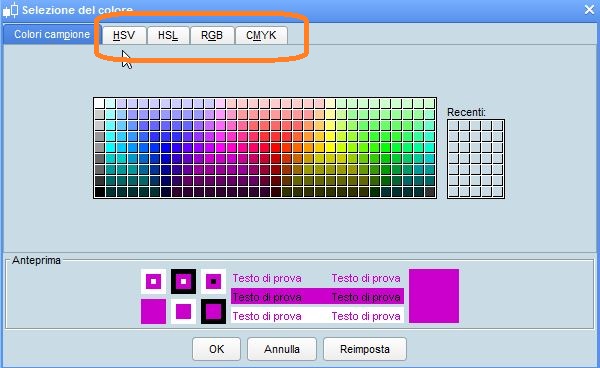
By clicking on the circled tabs, you can customize any colour (see attached pic).
If, instead, you want to know the codes for more colours, you can take a look at http://cloford.com/resources/colours/500col.htm
That’s what I said, the CMYK tab is there only for indicators.
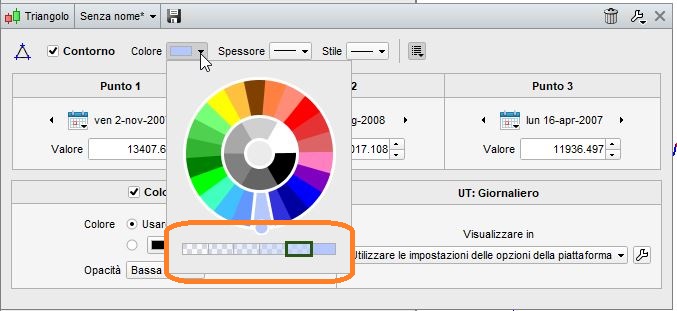
Drawing tools don’t have that (see second screenshot).
I find it weird that I can’t access both…
Your second pic (prt.png) shows the new palette supported by v11.
It allows to select the main color in the round palette, then optionally adjust the chosen colour with the bar under it.