Does anyone have a bar counter program available for PRT v12 for mac? Many thanks Alex.
Hello. Do you mean this?
return barindex
Or perhaps for intraday data you’d like this
return intradaybarindex
Hi Ivan,
Not sure yet, I am new to this forum so I haven’t learned where the files go when I click copy … I will keep searching, Many thanks.
When you click “copy” the code goes into your clipboard on your computer, then just paste it into the indicator code editor available in the platform.
What do you mean about a bar counter? The total amount of bars available on the chart? Or maybe a bar timer? Let’s describe it, so we’ll point you onto the right direction 🙂
What I want to do is: I set a start time, 8:00 am for Europe, 2:30pm US open, Then set a time to stop the count. It will then count the first 8:00am bar as No 1, next candle No 2 until the stop time 8 hours later. Will not matter what timeframe I use. So a very simple bar counter. I have tried a search but nothing so far. Thanks again.
Where do you want to see the bars count? On each bar directly? With a text anchored in a corner of the chart? Below the chart as an histogram or a curve? Let us know! 😉
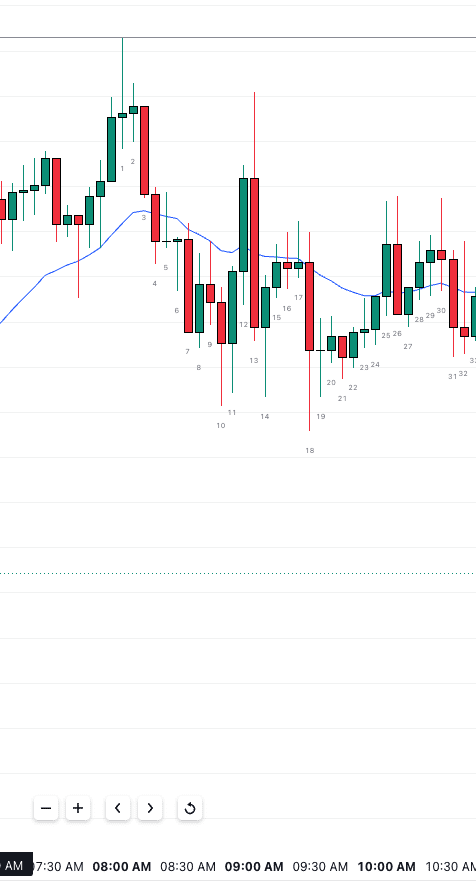
I have attached the bar counter view I get with the TradigView platform. I would like the bars to be numbered on PRT v12 exactly the same as the screenshot. Thank you for your patience
I will try to attach the screenshot again …
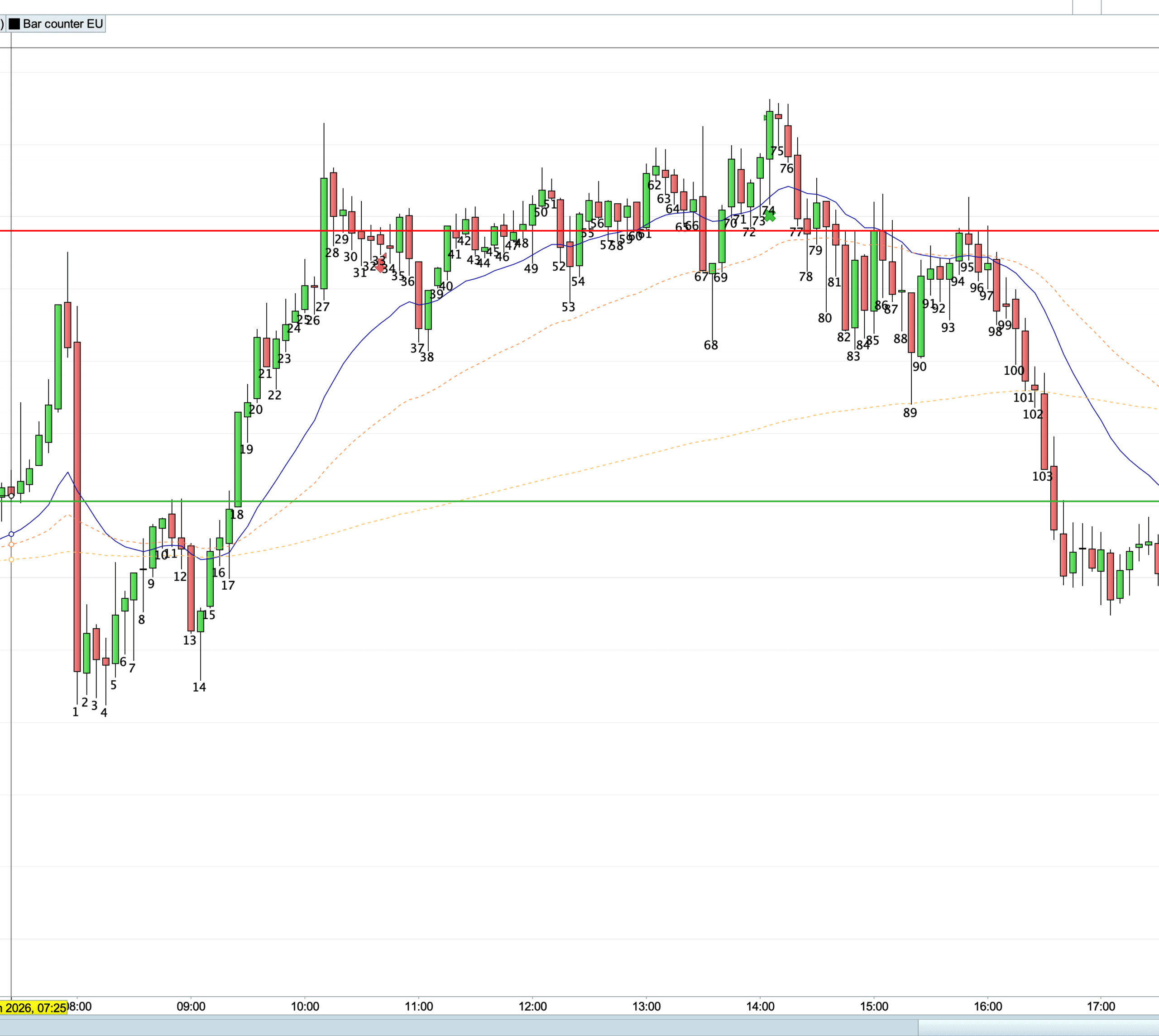
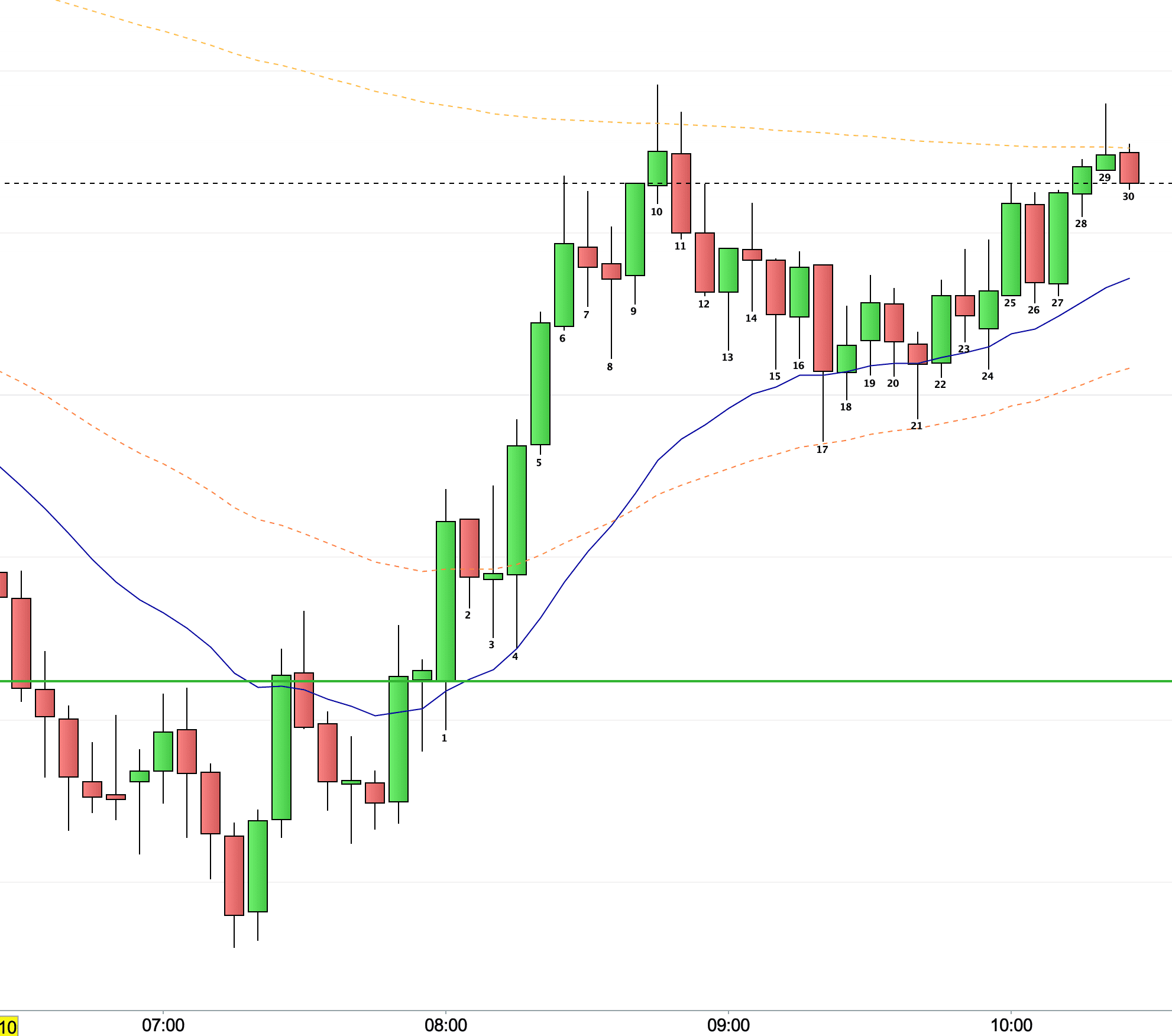
Let’s see if this helps.
startTime = 080000 // (HHMMSS)
endTime = 160000
if gettimeframe < 86400 then
if opentime >= startTime and opentime <= endTime then
if n[1] = 0 then
n = 1
else
n = n[1] + 1
endif
drawtext("#n#", barindex, low - 0.5*averagetruerange[14](close)) coloured("black")
else
n = 0
endif
else
n = 0
endif
return
I had I mistake in my code. now it’s ok
I will need to study your reply later, as its all a bit over my head at the moment. Thanks again.
Maybe this version:
startTime = 080000
endTime = 190000
IF TIME >= startTime AND TIME <= endTime THEN
IF TIME[1] < startTime OR TIME[1] > endTime THEN
n = 1
ELSE
n = n[1] + 1
ENDIF
DRAWTEXT("#n#", barindex, low - 0.5 * AVERAGETRUERANGE[14](close)) COLOURED(0, 0, 0, 255)
ELSE
n = 0
ENDIF
RETURN
Hi Nicolas,
I had a look at Probuilder and managed to get the bar counter working. I was able to make adjustments to the start and end times so I have the EU and US start times and finishes. One thing I would like to do is reduce the text size to; tiny but just about see it.
The other thing I would like is the ability to skip 1, 2 or 3 candles when I want to zoom out.
A big thank you for this, I couldn’t find a bar counter anywhere on the searches within Prorealcode. It forced me to educate myself which is a pleasant result. Thanks again, Alex. 😊
The code I shared don’t have any font size defined so it uses the default one. In order to be able to change it, use this kind of syntax and modify the text size with the last number, I’m using 12 here:
DRAWTEXT(“#n#”, barindex, low – 0.5 * AVERAGETRUERANGE[14](close), dialog, bold, 12)
Thank you, I will try a font change later today 👨🏻💻😊
A quick update, Changed font size and distance away from bar low. Its doing just what I wanted. Many thanks 👨🏻💻😊