Simple Alerts based on created indicators

Viewing 4 posts - 1 through 4 (of 4 total)
  • Author
    Posts
  • #208950 quote
    ZeroCafeine
    Participant
    Senior

    Hi

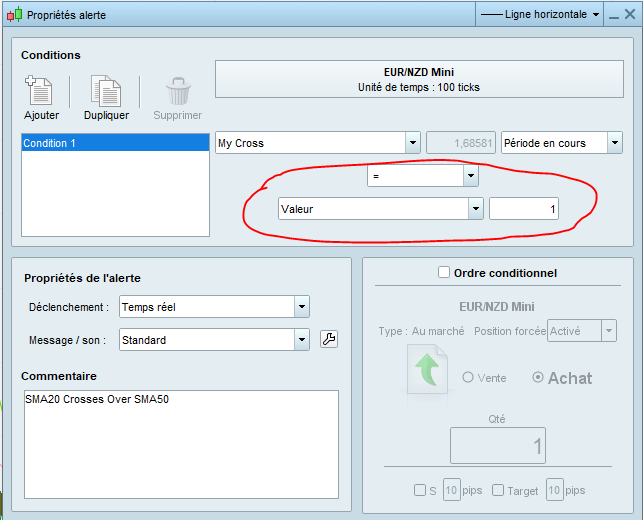
    How can I create an alert on my indicator, without having to return my “MyCondition” variable ?

    SMA20 = Average[20](close) 
    SMA50 = Average[50](close)
    
    MyCondition = SMA20 Crosses Over SMA50
    
    Return


    Best Reguards,
    ZeroCafeine

    My-Cross.png My-Cross.png
    #209245 quote
    ZeroCafeine
    Participant
    Senior

    Hi


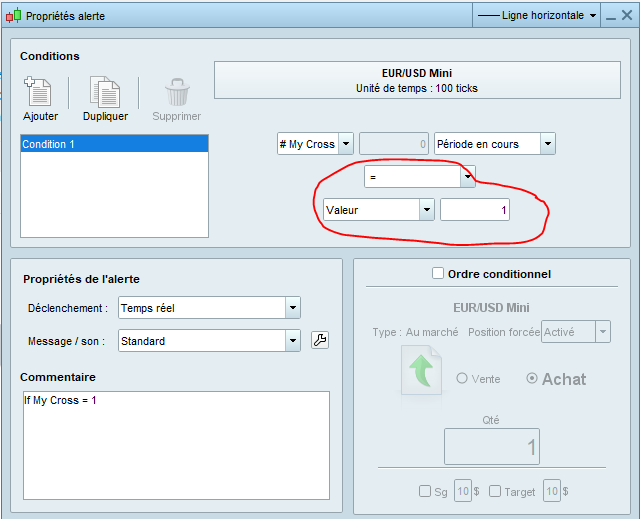
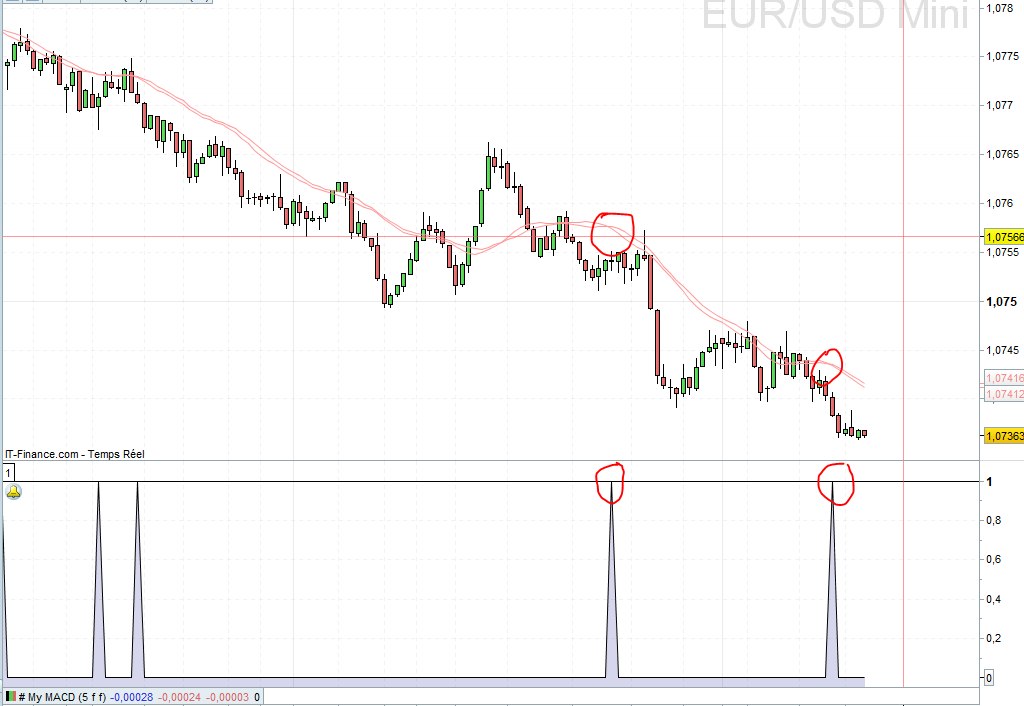
    the simple solution I found is to return the boolean variable, and set the value equal to 1 like on the picture

    SMA20 = Average[20](close)
    SMA22 = Average[22](close)
    
    MyCondition = SMA20 Crosses Over SMA22
    
    MyCondition = SMA20 Crosses Under SMA22
    
    Return MyCondition


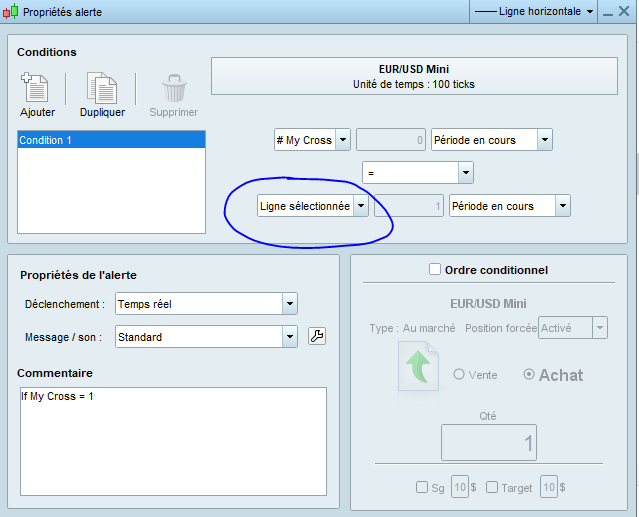
    Can anyone tell me how to make a permanent alert because once my alert is triggered, the song here circled in the blue circle changes value?

    best reguards

    GraHal thanked this post
    cross.png cross.png My-Cross-1.png My-Cross-1.png blue-cyrle.png blue-cyrle.png
    #209316 quote
    ZeroCafeine
    Participant
    Senior


    I’m still a bit new to alerts,

    Do you know if it is possible to program the alert only once per candle? Or is it possible to give a maximum duration for the alert

    #209322 quote
    GraHal
    Participant
    Master

    Alert can be set either to repeat or to sound once only  … both settings for each occurrence of the condition.

    Go Main Toolbar > Settings . Platform Settings and enter Alert in the search bar.

    Let us know if you have problems.

    ZeroCafeine thanked this post
Viewing 4 posts - 1 through 4 (of 4 total)
  • You must be logged in to reply to this topic.

Simple Alerts based on created indicators


Platform Support: Charts, Data & Broker Setup

New Reply
Author
Summary

This topic contains 3 replies,
has 2 voices, and was last updated by GraHal

3 years ago.

Topic Details
Forum: Platform Support: Charts, Data & Broker Setup
Language: English
Started: 02/02/2023
Status: Active
Attachments: 4 files
Logo Logo
Loading...