Show the highest/lowest price of the chart

Viewing 15 posts - 1 through 15 (of 20 total)
  • Author
    Posts
  • #220519 quote
    benkunz
    Participant
    New

    Hi,

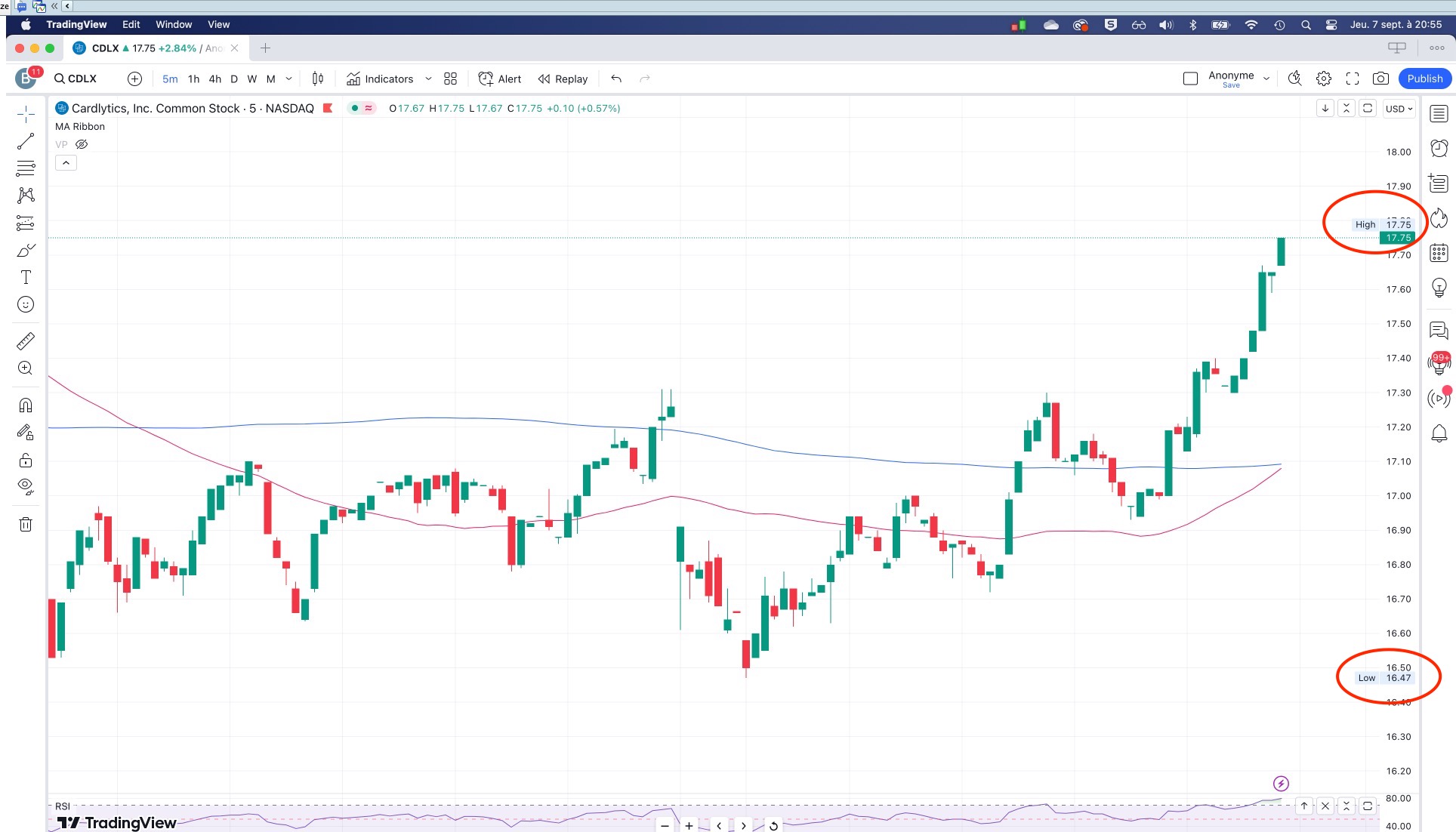
    is there a way to show in PRT the highest and lowest price of the chart ? I’m attaching a screenshot from tradingview that shows want I want.

    thanks

    Capture-decran-2023-09-07-a-20.55.33.jpg Capture-decran-2023-09-07-a-20.55.33.jpg
    #220521 quote
    fifi743
    Participant
    Master

    of the day ?

    #220522 quote
    benkunz
    Participant
    New

    nope. Of everything that is displayed on the screen. So if I move / zoom the chart, the highest/lowest might change. have a look to the screenshot, I think it is pretty self explanatory

    #220537 quote
    robertogozzi
    Moderator
    Master

    No, any code CANNOT read what’s on your charts. It only knows OHLC, Date and Time.

    No input is available.

    #220543 quote
    JS
    Participant
    Senior

    Hi,

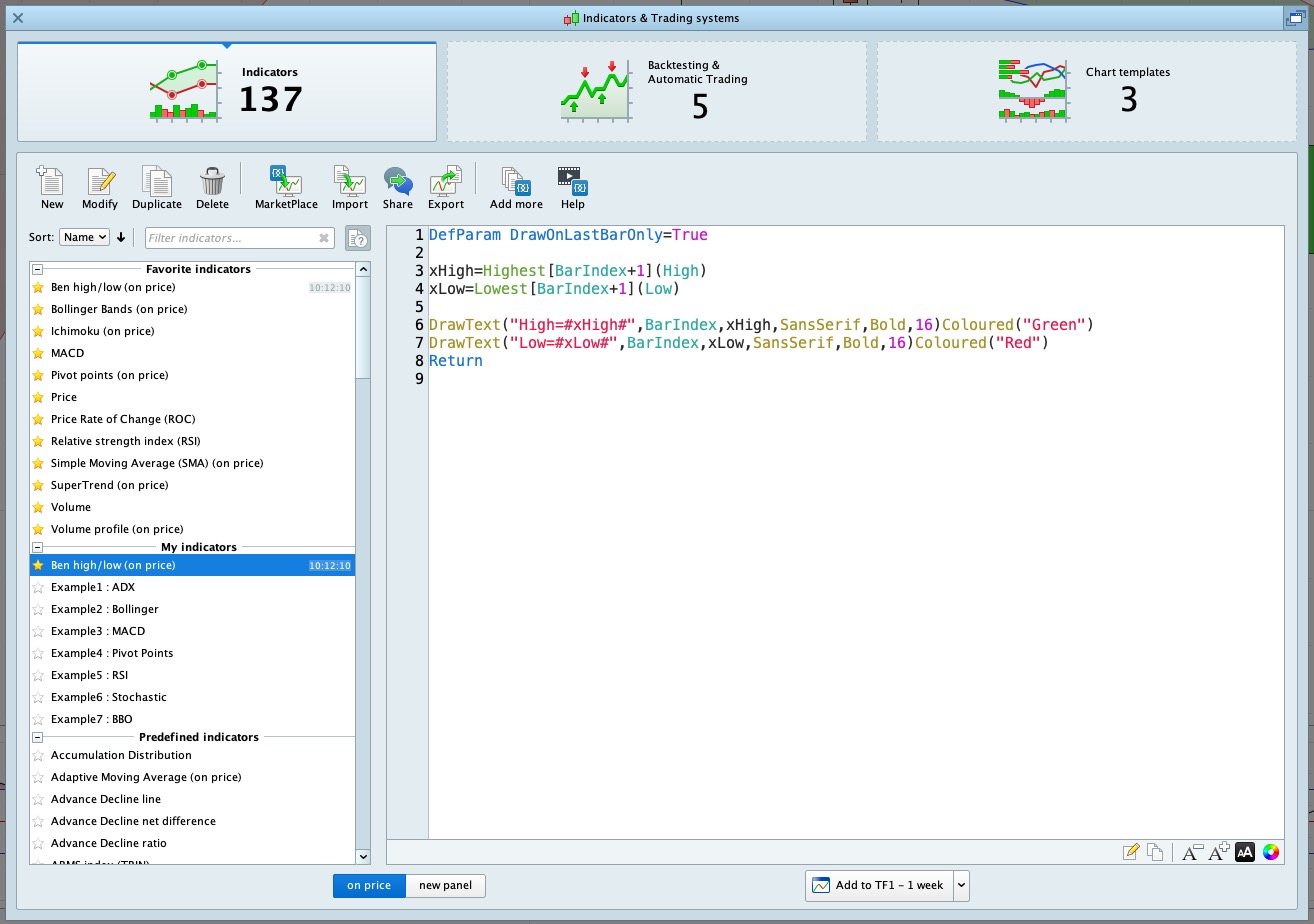
    You can use the “BarIndex” to determine the high and the Low…

    DefParam DrawOnLastBarOnly=True
    
    xHigh=Highest[BarIndex+1](High)
    xLow=Lowest[BarIndex+1](Low)
    
    DrawText("High=#xHigh#",BarIndex,xHigh,SansSerif,Bold,16)Coloured("Green")
    DrawText("Low=#xLow#",BarIndex,xLow,SansSerif,Bold,16)Coloured("Red")
    Return
    
    Zigo thanked this post
    Scherm­afbeelding-2023-09-08-om-09.40.12.png Scherm­afbeelding-2023-09-08-om-09.40.12.png
    #220546 quote
    benkunz
    Participant
    New
    Hi JS, that looks good. just one thing, where should I paste your code ?
    #220548 quote
    JS
    Participant
    Senior
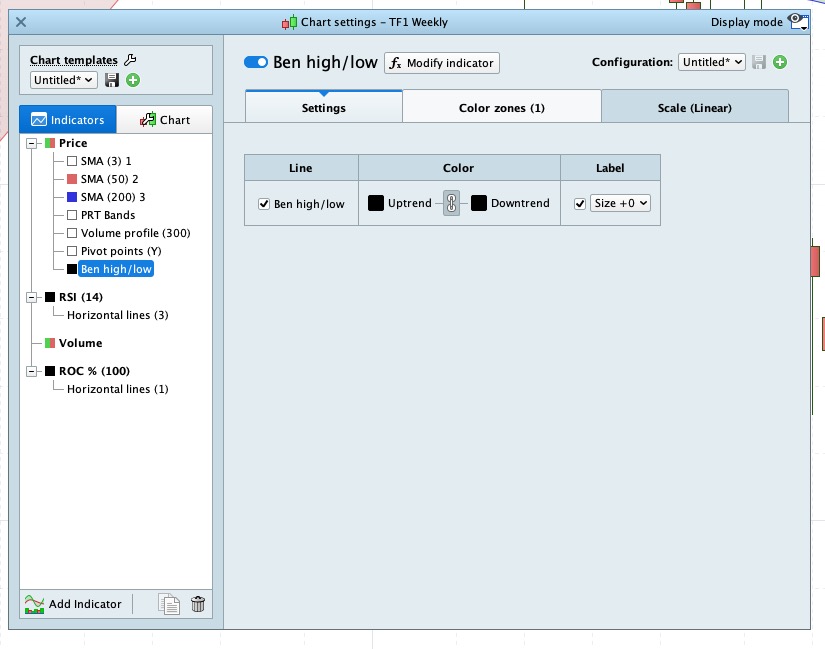
    Hi, Copy the code and save as an indicator in PRT, then add the indicator to the price… (top left of the graph)
    #220549 quote
    benkunz
    Participant
    New
    #220554 quote
    JS
    Participant
    Senior
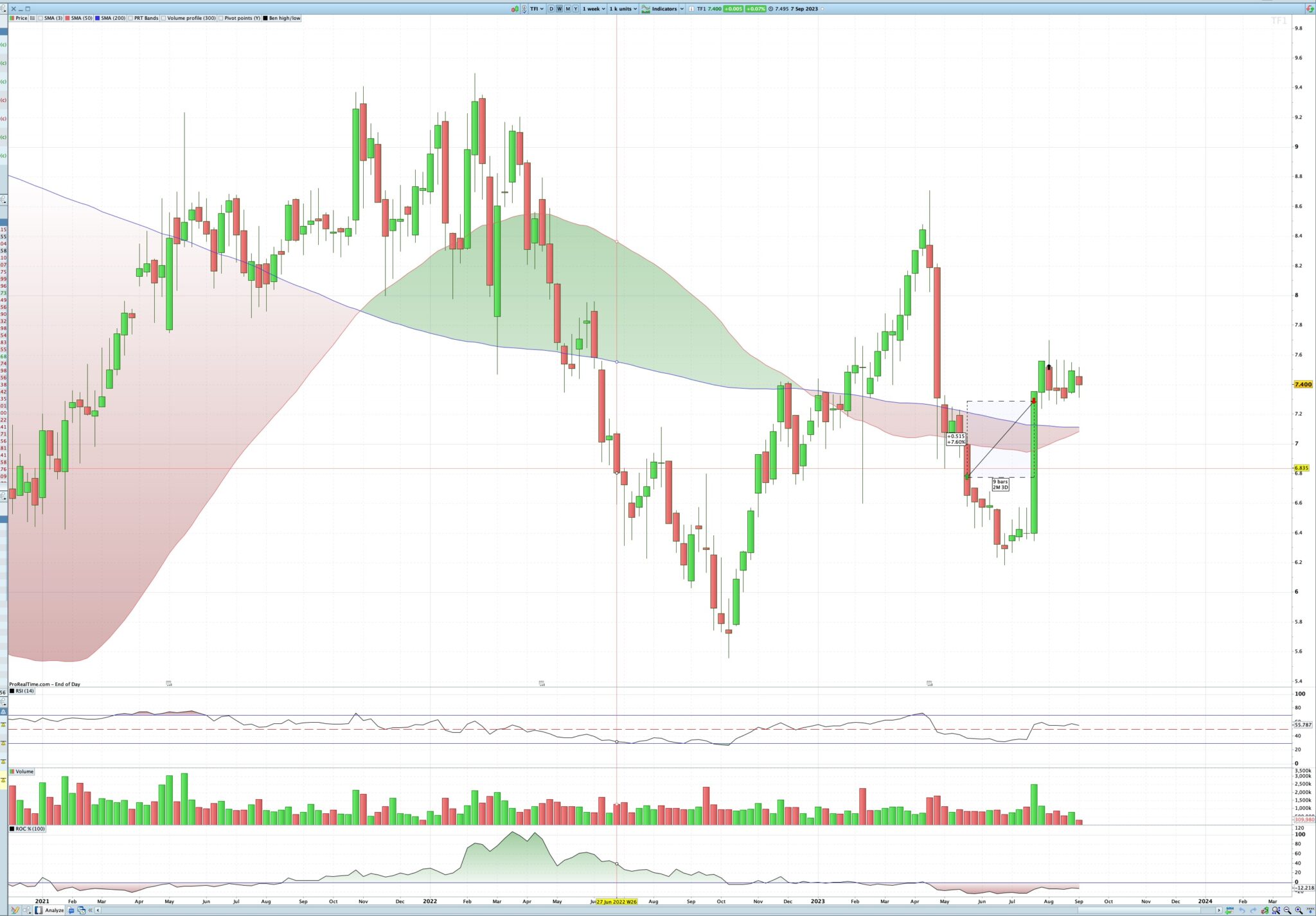
    Hi, Because you use 1k units with a timeframe of a week (28 years of history), the “High” and “Low” are far out of the picture (but they are there)… Try it with fewer number of units so that the values come into view…
    Scherm­afbeelding-2023-09-08-om-10.32.57.png Scherm­afbeelding-2023-09-08-om-10.32.57.png
    #220556 quote
    PeterSt
    Participant
    Master
    You can use the “BarIndex” to determine the high and the Low…
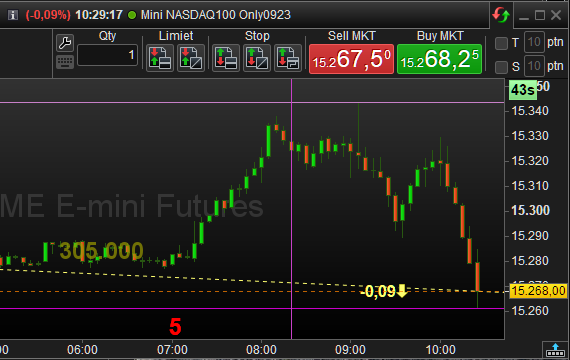
    That would not be of the chart; it would be of the internal data the chart is fed with. benkunz asks for the viewport of the chart. As far as I know this is not possible (although I would be able to make some surrogate hence “almost right” thing). benkunz, maybe consider why you would want this. A high-low is the most normal thing to want. But not from a random chart-width (for number of bars). Please look below, at the purple lines. Have a special look at the vertical purple line. This is where the high-low calculation starts in my case. For this chart 25 bars (25 x 5 minutes in this case) ago. What you want would be far more sophisticated. It would require the knowledge of the first bar on the chart and the last bar on the chart (while you scroll towards history and back). I don’t think that is possible.
    image_2023-09-08_102948257.png image_2023-09-08_102948257.png
    #220560 quote
    JS
    Participant
    Senior
    Hi @benkunz Then you better wait for the “almost right” solution from PeterSt…
    #220568 quote
    Zigo
    Participant
    Master
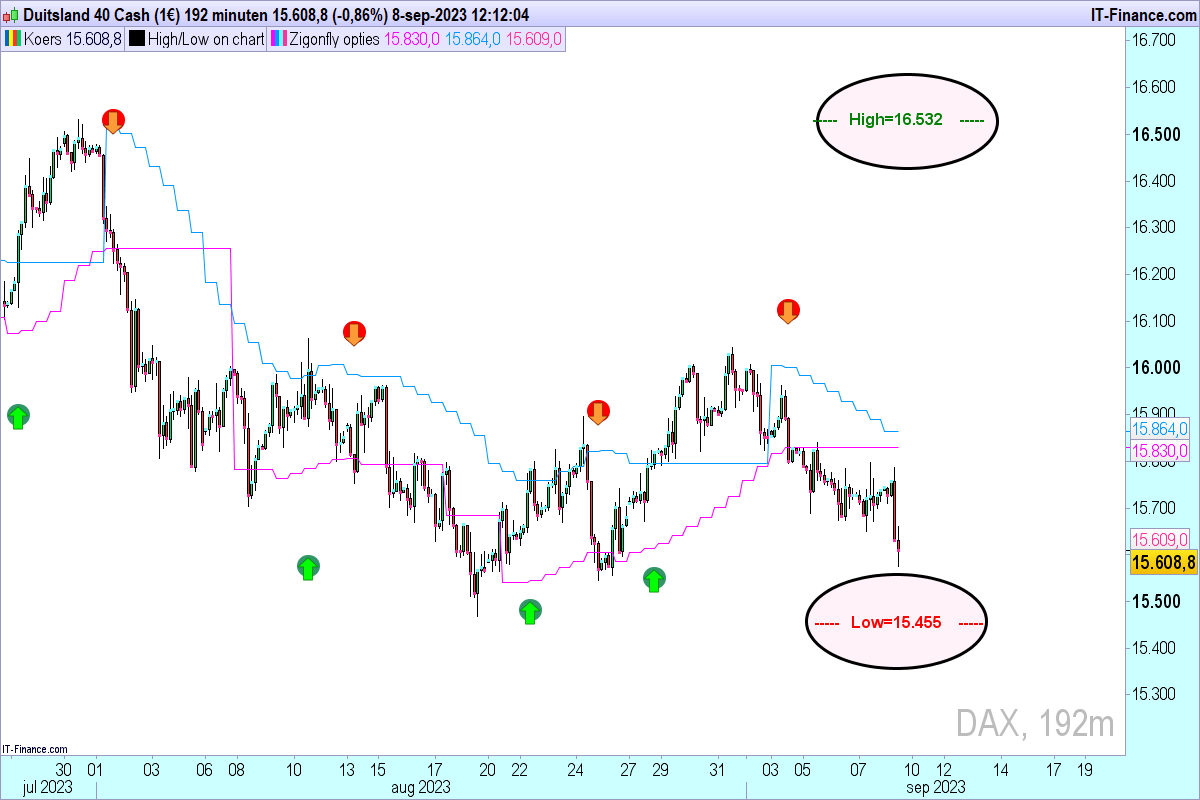
    Its a very usefull tool in option strategies.
    JS thanked this post
    DAX-192-minuten.png DAX-192-minuten.png
    #220578 quote
    benkunz
    Participant
    New
    what other option do I have to make the labels always visible ? here, I zoom in/out or scroll back in time, then the labels disappear
    #220579 quote
    PeterSt
    Participant
    Master
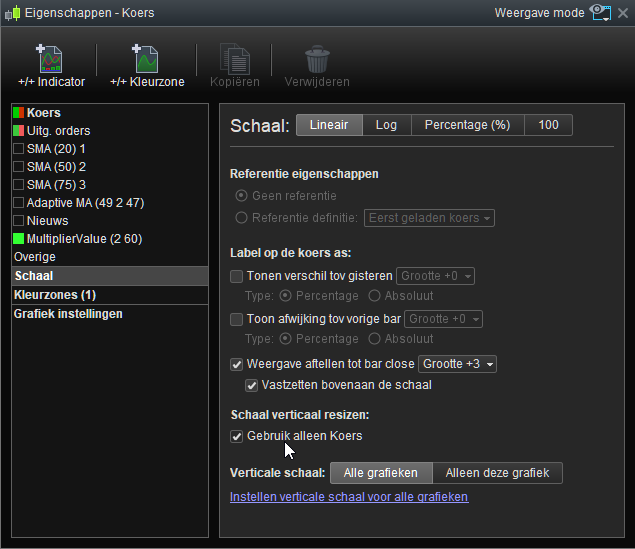
    Rightclick in the right-hand margin, then “configure this area” (bottom option) and then untick what you see at the mouse pointer.
    image_2023-09-08_142625228.png image_2023-09-08_142625228.png
    #220581 quote
    benkunz
    Participant
    New
    How does the BarIndex variable work ? from what I read, it is supposed to count the number of candles on the chart. But when I zoom in the reduce the number of candles on my screen, the BarIndex still shows the same value. I added this to the indicator to follow the value of BarIndex : DrawText(BarIndex,BarIndex,xLow+100,SansSerif,Bold,16)Coloured(“Red”)
Viewing 15 posts - 1 through 15 (of 20 total)
  • You must be logged in to reply to this topic.

Show the highest/lowest price of the chart


Platform Support: Charts, Data & Broker Setup

New Reply
Author
author-avatar
benkunz @benkunz Participant
Summary

This topic contains 19 replies,
has 6 voices, and was last updated by JS

2 years, 5 months ago.

Topic Details
Forum: Platform Support: Charts, Data & Broker Setup
Language: English
Started: 09/07/2023
Status: Active
Attachments: 10 files
Logo Logo
Loading...