I have been reluctant to post this, but since I don’t think I am going to work with PRT to solve this (this is all to no avail (really !) or will take ages to solve anyway), I hought the best I could do is warn people so others are going to work on solving this. If only PRT themselves (of which we are told they monitor this board) would read this and pro-actively go out and work on this …
I started to see anomaly 3 or 4 weeks ago, when I started to be unable to compile a System into a system for ProOrder. The message : Syntax Error on line 1.
Since you’re completely stuck with this because where to look (BackTesting works just fine) there’s nothing else to do than call PRT support, which of course have never heard of the problem (unless it won’t backtest as well because of a real syntax error somewhere) and it just stopped for me. Until yesterday when I found some time to dive into this.
I got the hunch to remove all the code from the editor and see what happens, because … indeed, the error message stayed.
This clearly told me that the error was in the Optimization Variables. This with the notice that it happened quite some times before that they caused havoc. In other occasions it was a matter of starting over from scratch, but in this case it is caused by copying the system via formal PRT procedure. Thus, System A is fine, and the from that copied system B fails.
I started deleting variables from the bottom onwards (with 30-35 or so in there) and at having deleted half of them, the error disappeared. This lead to variable StopPointsB causing it all.
I copied again from A to B, deleted StopPointsB and added it at the bottom and all was fine. Well, sort of, because copying from B to C again caused the issue right away again and it was on the same StopPointsB variable. “All right”, I thought, “then I am going to delete and add that variable each time I continue copying that system”.
Then at testing the lot I already saw completely different backtesting results, depending in which stage I did what.
Because the system could now be given to ProOrder, I could look in the generated code to see what it actually does with it. This with the notice that I wanted to do this for weeks already in order to solve the Syntax Error, but a system with a syntax error won’t arrive in the ProOrder system, so nothing much to see. But now I could do this !
Shock awe etc.
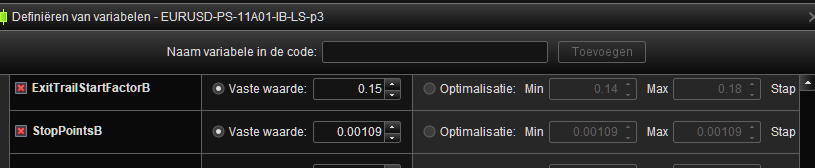
The 1st screenshot shows that by me it is given the value 0.0009 as a fixed value, but in the right hand you see the generated code and there it received the value of 1.0.
What the relation is between this very variable causing errors at copying of the code and it receiving a wrong value once re-added and given to ProOrder, I don’t know.
The way how I found out is frightening too because something more coincidental I can’t think of.
Because this variable relates to Trailing in my System and I already could not understand many of the Trails which did not work out as intended, I am now 100% pretty sure that my Systems don’t do what they want because PRT messes up with my code. Today I can just copy the behavior (in Backtesting) !
I have been telling PRT support a dozen+ times the past couple of months, that they feel no responsibility for a financial application which is about a lot of money for the user. It is getting worse and worse, and now this. This is an issue we cannot see. It should work flawlessly.
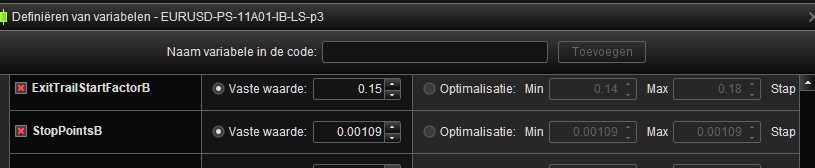
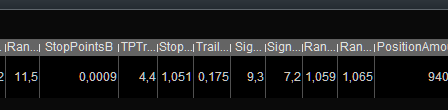
And indeed … In the second screenshot you see that ProOrder uses 0.00109, which looks to be derived from the from/to data (see at the right). There too it should have been 0.0009, but it is not so. In a system which is Live !! In this case started at August 17. God knows how long this is going on.
Interestingly, screenshot #4 shows a version of July 24, 2023, and there it was 0.00109 indeed. Did the handing to ProOrder use old data ? …
Regarding the latter : another bug exists which does not allow to make changes in the Optimization Variable data and receive their values right away in the ProOrder screen; that requires new loading into the Editor first. Another bug which doesn’t get solved (actually as severe if you don’t know about it), but I know about that so my workflow adapts to it.