Setup Notepad++ for Prorealcode

Viewing 15 posts - 1 through 15 (of 28 total)
  • Author
    Posts
  • #53477 quote
    Degardin Arnaud
    Participant
    Junior

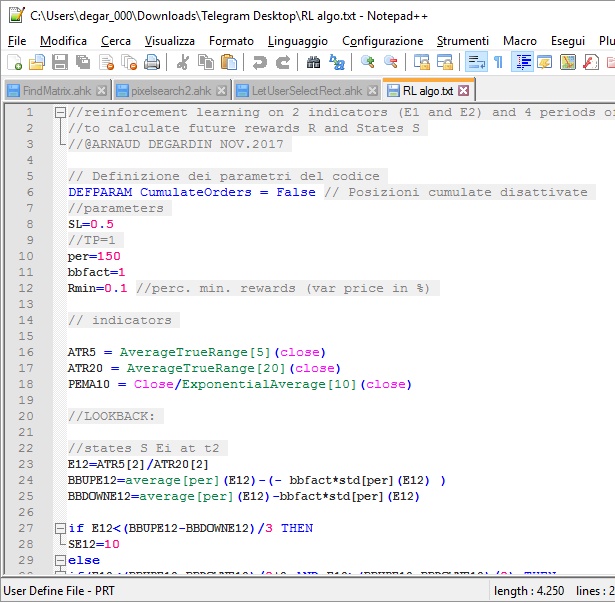
    If you like to save your code in “.txt” document on your computer and read it in Notepad++  I done a custom language definition to retrieve the same “colors” as prorealtime platform and create your code “offline”. (some example ofrendering in attachement)

    1. Download PRT.xml  (Right-click and choosing save as target…)
    2. Save it to the right location C:\Program Files\Notepad++\PRT.xml (on 32-Bit: C:\Program Files (x86)\Notepad++\PRT.xml)
    3. Start Notepad++ and click on Menu Language -> Define your language
    4. Import your userDefineLang
    5. Restart Notepad++

    There is still some missing functions. If someone improve it, I will update further versions on github 😉

    thanks,

    Arnaud

    Berra, Yannick, mmichael and 4 others thanked this post
    bkg.jpg bkg.jpg
    #53480 quote
    robertogozzi
    Moderator
    Master

    Thank you Degardin Arnaud, I am a regular user of Notepad++ and I will install your file quite soon!

    Roberto

    Degardin Arnaud thanked this post
    #53651 quote
    Yannick
    Participant
    Veteran

    Hello

    For importing PRT.html, I don’t manage to upload the file

    4. Import your userDefineLang

    #53655 quote
    Henrik
    Participant
    Veteran
    Thanks Degardin! I have the same problem as Yannick. I cant save it as an . XML in Windows 10. It Davies automatikly as an .htm file and i cant change it. Regards Henrik
    #53690 quote
    Nicolas
    Keymaster
    Master

    Hi Arnaud, than you. I used to make it long time ago and unfortunately lost the file somewhere .. About your .xml file, I think you upload the wrong one, the one on GitHub doesn’t have any prorealtime instructions?

    #53729 quote
    Degardin Arnaud
    Participant
    Junior
    I made a little tutorial to install the xml file… here: https://youtu.be/kHJKg8e529U xml file: https://github.com/adegard/PRT_CODE/blob/master/PRT.xml the file was correct but Github convert xml files in html and not permit right click “save as…” Let me know if you have some issues. 😉
    Yannick thanked this post
    #53752 quote
    Nicolas
    Keymaster
    Master

    Good! Thanks a lot. I made the lists of all instructions, you’ll find them attach in different files depending of their coloring syntax. 

    general-instructions.txt indicators-and-graphical-instr.txt
    #53765 quote
    picatchumm
    Participant
    Average

    Hi Arnaud
    Best Work !!!, Thank You. 

    #53804 quote
    Degardin Arnaud
    Participant
    Junior
    Ok! I updated here the xml file with “generale instruction” (blu styler) and “indicators” (green styller)  lists thanks to Nicolas ‘s contribution… : https://github.com/adegard/PRT_CODE/blob/master/PRT.xml Please overwrite it! (and enjoy)
    Nicolas and qigley thanked this post
    #53908 quote
    Fr7
    Participant
    Master

    Hola Arnaud,ha hecho un gran trabajo.Le quiero preguntar :¿Sería posible pasar del lenguaje Mt4 a Prorealtime a través de notepad ? Sería muy buena herramienta y de gran ayuda . …😉

    Derek thanked this post
    #53934 quote
    Fr7
    Participant
    Master

    Hello Arnaud, you have done a great job. I want to ask you: Would it be possible to switch from the Mt4 language to Prorealtime through notepad ++? It would be a very good tool and a great help. … 😉

    #54035 quote
    Degardin Arnaud
    Participant
    Junior

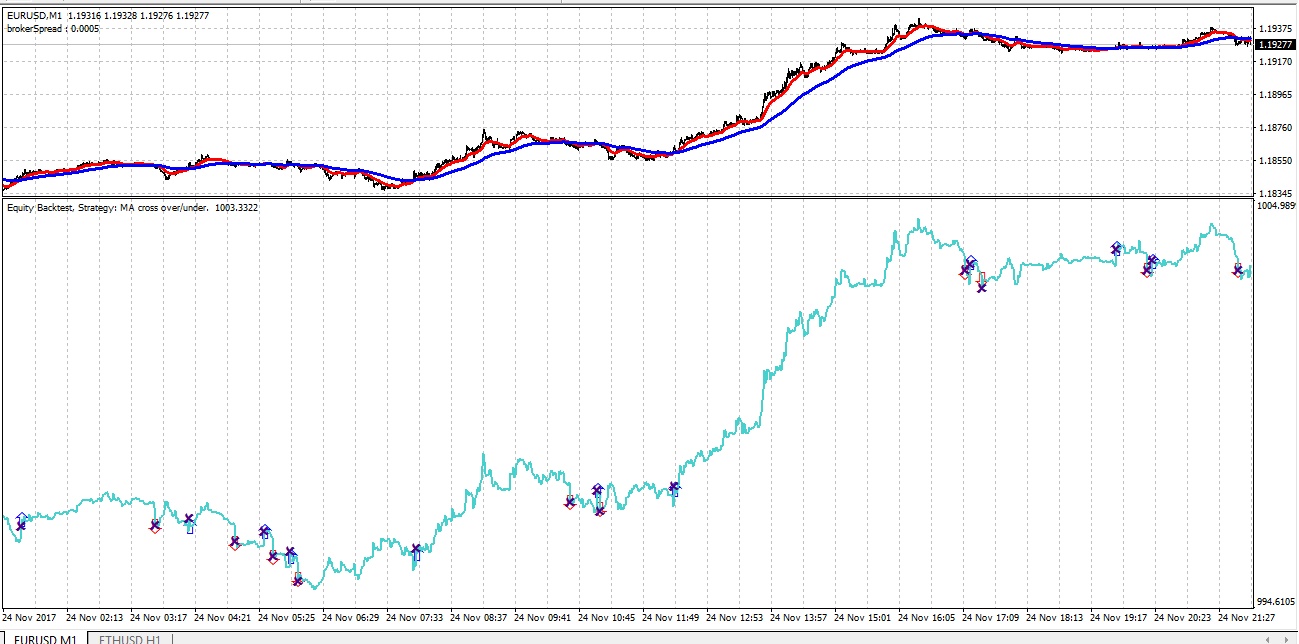
    Hi Fr7, unfortunatly MT4 and Prorealtime have not the same languages… Would you like to convert MT4 strategy to PRT or PRT to MQL4? What do you mean? I though to create some converter from PRT to MT4 code, because it is possibile to assemble pieces of code trought notepad++ using autohotkey for example….  😉 Also I created a fast backtester in mql4 which provide a fast way to make backtesting in MT4, like Prorealtime !! It is a simple Indicator. It permits to obtain a “fast” backtest changing timeframe, securities, strategies without downloading securities databases…    

    fire.jpg fire.jpg
    #54047 quote
    Fr7
    Participant
    Master

    Of course, I would like you to create a MT4 code converter to PRT code, since it is possible to assemble pieces of code through notepad ++ using autohotkey ……

    #54067 quote
    Nicolas
    Keymaster
    Master

    An automatic MT4 to PRT code converter is almost impossible. It goes far beyond the code, it needs a great knowledge of the 2 languages to know how to convert an almost C++ similar code to an “easy” language as ProBuilder. MQL4 codes are not similar from a coder to another in their constructions, it also uses dependencies and functions.. I would not count on it if I were you @Fr7 🙂 

    @Arnaud, just a reminder: advertising is allowed on our forums as long as it concerns only PRT stuff 🙂 Thank you.

    #54089 quote
    Degardin Arnaud
    Participant
    Junior
    @Nicolas, ok I understand! I’m just trying to help people like you ,not selling anything. Sorry if I spoke about mt4 or put external links… I will not do it in future!
Viewing 15 posts - 1 through 15 (of 28 total)
  • You must be logged in to reply to this topic.

Setup Notepad++ for Prorealcode

ProOrder: Automated Strategies & Backtesting

New Reply
Author
Summary

This topic contains 27 replies,
has 12 voices, and was last updated by GraHal

1 year, 8 months ago.

Topic Details
Forum: ProOrder: Automated Strategies & Backtesting
Language: English
Started: 11/21/2017
Status: Active
Attachments: 6 files
Logo Logo
Loading...