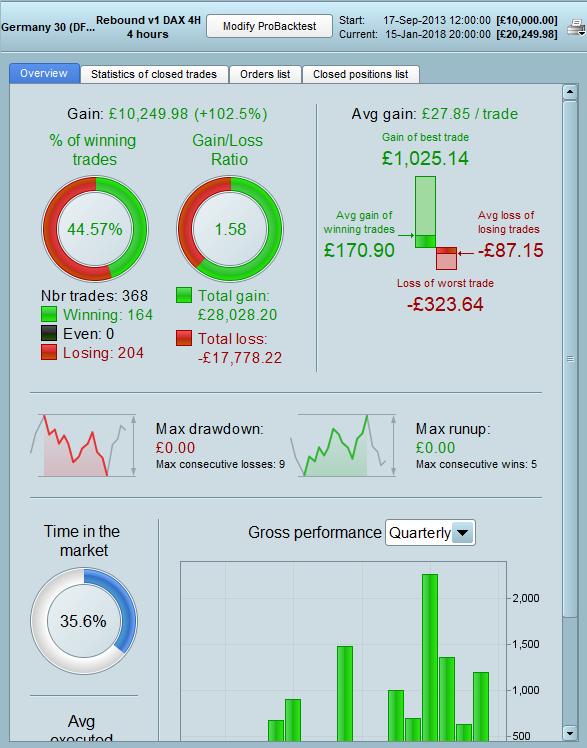
In the ProbackTest manual it says that when using the SET instruction with pPROFIT and pLOSS etc that if the value is zero the instruction is deactivated. Image attached.
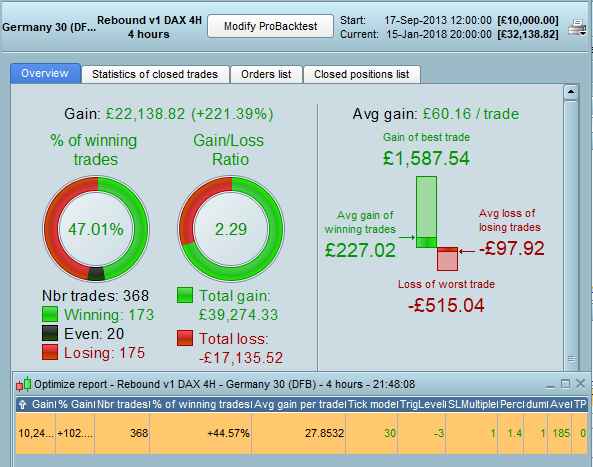
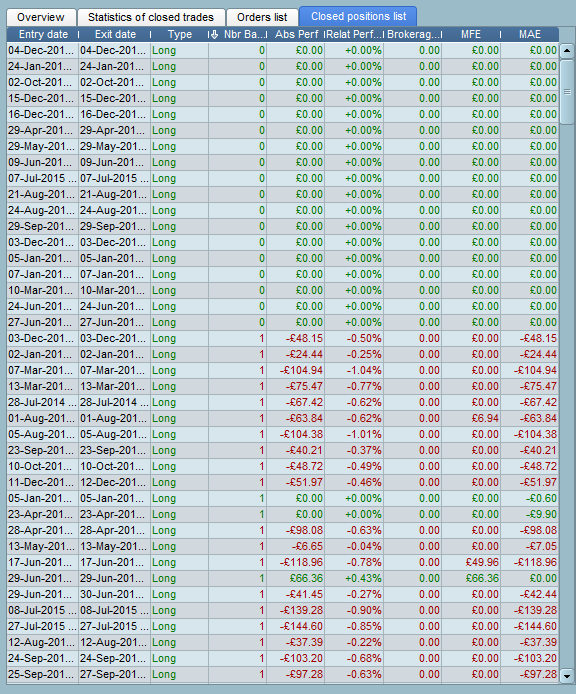
During backtesting of a strategy I decided to turn off a Target by setting it to a value of zero to see what difference it made. I also had a Stop in the code that turned itself off if conditions were met with a value of zero and set a SELL Limit order instead. I was getting good results and then deleted each in turn and the results were worse. It seems clear that when set to zero they are not deactivated – either that or back testing cannot cope with a zero value. Strangely the results in the optimization box for the test with a SET instruction match the results in the test with no instructions – but not the performance report from the same test.
Any ideas on this?
I see that there is clearly a zero bar issue so SET cannot be used with a zero value. Difficult to know how it would perform in real life?
No replies to this…… so is the PRT instruction manual completely wrong and should be amended or has the back testing got a bug that has a problem with SET having a zero value?
This could be a major issue if you set a target and then decide to deactivate it. At the moment I would suggest that it is better to set an unachievable high value than to trust zero to deactivate it until this is confirmed.
No replies to this…… so is the PRT instruction manual completely wrong and should be amended or has the back testing got a bug that has a problem with SET having a zero value? This could be a major issue if you set a target and then decide to deactivate it. At the moment I would suggest that it is better to set an unachievable high value than to trust zero to deactivate it until this is confirmed.
If required I been deactivating my stop losses by setting em to 100% the entire time anyway . Zero just doesnt sound right anyway
If required I been deactivating my stop losses by setting em to 100% the entire time anyway . Zero just doesnt sound right anyway
This makes good logical sense as you say whereas setting to zero is rather illogical and would suggest to me that you want to close the position.
This is possible to set target or stoploss to 0, just had a talk about this with ITF. If the backtest doesn’t work this way, please provide a sample code to know what can cause this problem, thank you 🙂
Thanks for enquiring with PRT Nicolas. The strategy is not one that I am happy to share at the moment in its entirety but the following code is the same but just with the entry conditions removed and the trailing stop loss price types changed – but it will give you an idea as to how I was using the SET STOP pLOSS 0 within the strategy. Add any conditions you like and then remove the SET STOP pLOSS 0 and you should get different results to with it. At the moment in real life I have just deleted the SET STOP pLOSS 0 and the strategy is running just fine as the trailing stop is always above this value. I just thought that it would be neater to cancel the SET STOP pLOSS before putting a SELL STOP order on the market.
I am sure it is probably just something I am trying to do in my code that is wrong – it usually is!
DEFPARAM CumulateOrders = False

MoneyManagement = 0

//Variables
SLPercentage = 1.7
//other variables deleted

Capital = 10000
Equity = Capital + StrategyProfit

IF MoneyManagement = 1 THEN
PositionSize = Max(1, Equity * (1/Capital))
PositionSize = Round(PositionSize*100)
PositionSize = PositionSize/100
ENDIF

IF MoneyManagement = 2 THEN
PositionSize = Max(LastSize, Equity * (1/Capital))
PositionSize = Round(PositionSize*100)
PositionSize = PositionSize/100
LastSize = PositionSize
ENDIF

IF MoneyManagement <> 1 and MoneyManagement <> 2 THEN
PositionSize = 1
ENDIF

//Conditions
//deleted

IF Not OnMarket and <conditions1> THEN
GetReady = 1
ENDIF

IF Not OnMarket and GetReady = 1 and <conditions2> THEN
GetSet = 1
GetReady = 0
ENDIF

IF Not OnMarket and GetSet = 1 and <conditions3> THEN
BUY PositionSize Contracts AT Market
GetSet = 0
SLStart = close * (SLPercentage/100)
SL = Round(SLStart)
SET STOP pLOSS SL
ENDIF

//Trailing Stop
IF OnMarket and close < close[1] THEN
SL = SL - ((close[1] - close)*(2))
SET STOP pLOSS 0 //Cancel Stop Loss
SELL AT (PositionPrice - SL) STOP
ENDIF

IF OnMarket and close > close[1] THEN
SL = SL - ((close - close[1]))
SET STOP pLOSS 0 //Cancel Stop Loss
SELL AT (PositionPrice - SL) STOP
ENDIF
Sorry, but I got the exactly same results with or without the SET STOP PLOSS 0 , even with a 100k bars backtest.. DAX 5 minutes..
With this strategy:
DEFPARAM CumulateOrders = False

MoneyManagement = 0

//Variables
SLPercentage = 1.7
//other variables deleted

Capital = 10000
Equity = Capital + StrategyProfit

IF MoneyManagement = 1 THEN
PositionSize = Max(1, Equity * (1/Capital))
PositionSize = Round(PositionSize*100)
PositionSize = PositionSize/100
ENDIF

IF MoneyManagement = 2 THEN
PositionSize = Max(LastSize, Equity * (1/Capital))
PositionSize = Round(PositionSize*100)
PositionSize = PositionSize/100
LastSize = PositionSize
ENDIF

IF MoneyManagement <> 1 and MoneyManagement <> 2 THEN
PositionSize = 1
ENDIF

//Conditions
conditions1 = close>open
conditions2 = close crosses over average[20]
conditions3 = close crosses over average[10]

IF Not OnMarket and conditions1 THEN
GetReady = 1
ENDIF

IF Not OnMarket and GetReady = 1 and conditions2 THEN
GetSet = 1
GetReady = 0
ENDIF

IF Not OnMarket and GetSet = 1 and conditions3 THEN
BUY PositionSize Contracts AT Market
GetSet = 0
SLStart = close * (SLPercentage/100)
SL = Round(SLStart)
SET STOP pLOSS SL
ENDIF

//Trailing Stop
IF OnMarket and close < close[1] THEN
SL = SL - ((close[1] - close)*(2))
SET STOP pLOSS 0 //Cancel Stop Loss
SELL AT (PositionPrice - SL) STOP
ENDIF

IF OnMarket and close > close[1] THEN
SL = SL - ((close - close[1]))
SET STOP pLOSS 0 //Cancel Stop Loss
SELL AT (PositionPrice - SL) STOP
ENDIF
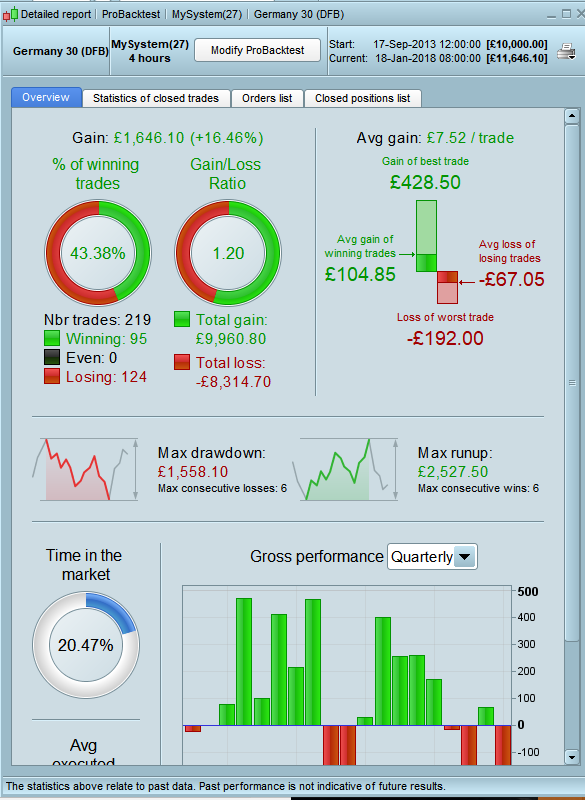
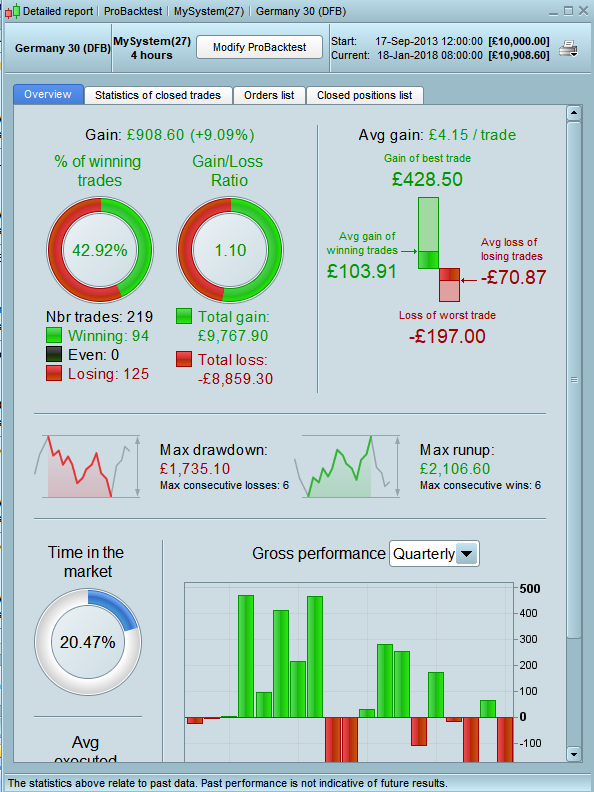
I tested your code and I get different results in Demo backtests. Spread set to 1. Just 10K bars backtest. Images attached.
I can replicate the difference too. But, sorry if I’m wrong, why it should get the same result if we remove the stoploss and exit with another condition?
I can replicate the difference too. But, sorry if I’m wrong, why it should get the same result if we remove the stoploss and exit with another condition?
Sorry Nicolas but I am not quite sure what you mean.
The strategy opens a position and sets a SET STOP pLOSS at the same time to ensure that there is a stop loss from the moment a position is opened. Then at the close of the next candle whether it is an up or down candle the SET STOP pLOSS is cancelled by setting it to zero (as the PRT manual says to do) and from then on and at the close of each candle the stop loss is controlled by a SELL AT STOP order. The stop distance is always closer to the POSITIONPRICE than the first SET STOP pLOSS order (or even above it) so the original SET STOP pLOSS is technically irrelevant and could never be hit.
The SET STOP pLOSS with a zero value should just cancel the original SET STOP pLOSS order as a neat and tidy part of the code but it appears to alter the final strategy results when it should not.
Yes, you’re right, I must be tired.. I’ll try to make it clear by tomorrow.
Yes, you’re right, I must be tired..
You work too hard. Have a day off and get back to me whenever! The code works just fine without cancelling the SET STOP pLOSS order so it is really just about it not doing what it says in the manual. No panic – open a beer and put your feet up.
@Vonasi why don’t you get Mods to move this Thread to PRT Platform Support so then the PRT Mods can appraise themselves of the issue.
I have just asked for a same / similar issue to be moved to PRT Platform Support … so then we have two examples of an issue that has always been there (and we never noticed??) else this issue has appeared recently?
Either way, the Issue needs sorting and as all the info is on this Thread (and the Thread I’ve asked to be moved) then this is the most efficient way for us to advise PRT!?
Thank You
GraHal
If the Moderators wish to move this to PRT Platform Support then please do so as that is now maybe a better location for it.
I was hoping that Nicolas would have time to look into it but I know that he is very busy and has also been ill recently (haven’t we all!)