Hi,
I have a fairly simple question. I was wondering if PRT allows you to send multiple market orders with one click.
Let’s say I want to buy 3 different equites at the the open. Is there any way for me to prepare these orders before the market opens and as soon as it open send all of them?
Best regards
Only with auto trading. Set the strategies running live on each of your chosen instruments to buy or sellshort at the open time. Then have your platform set up so that if you stop the strategies the trades stay open on the market – stop the strategies manually and then close the trades manually when you want to.
Let’s say I want to buy 3 different equites at the the open. Is there any way for me to prepare these orders before the market opens and as soon as it open send all of them?
May I ask … What would be the difference with placing the 3 orders during the pre-open period ? I mean, you seem to be hinting at Market orders anyway (not Limit orders), so just put the order and wait till the open. Then it will be filled.
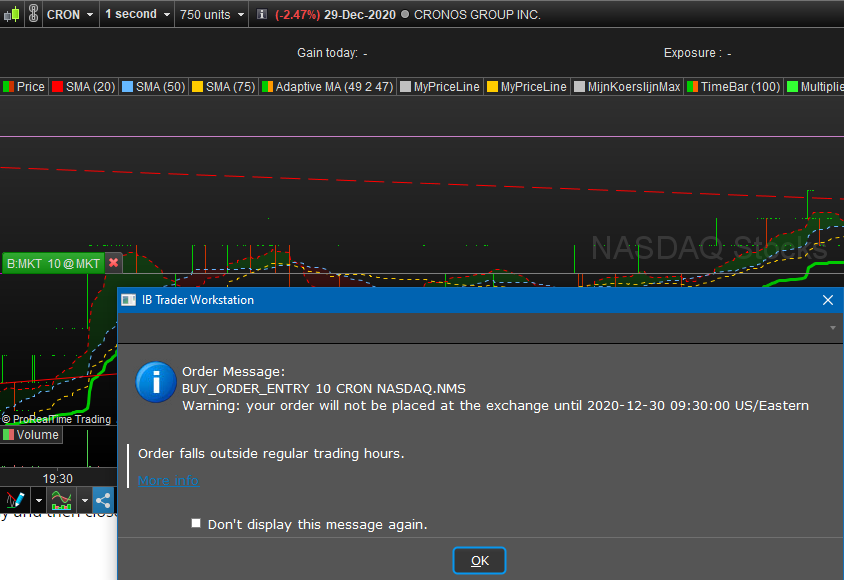
Below an example which is even prior to pre-open (I just put it in – look at your local time of this post).
You can cross this away whenever you want (I just did that too :-).
Addendum : This does not work the same for PRT-IG (or CFD’s, whatever). There this is not allowed.
I will have an other attempt in 35 minutes, when the pre-open market will have started …
35 minutes later … No, with PRT-IG this is not possible.
So @therookie, if you’d want this, get yourself a “direct” PRT license with IB as broker. Then it works …
And if you really want to go ahead with this, I’d have to try it for real-real and see whether the order really fills after 5h20m from now.
I will pick a nice stock (which won’t be Cronos – sorry :-).
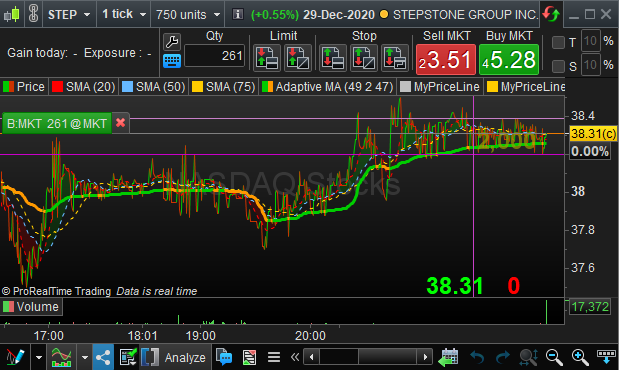
So, this is the chosen one :
[attachment file=”155658″]
For others : don’t try this at home. At least I have never done this (I’d put Limit orders in Pre-market trading, but this can’t be done with PRT yet).
Will let you know my losses. 🙂
EricParticipant
Master
You can use order through alerts
if Time = 090000 then
start = close
top = close +10
bot = close -10
endif
RETURN start,top, bot
https://www.prorealtime.com/en/videos_tutorial/127_trading_and_order_placement
And if you really want to go ahead with this, I’d have to try it for real-real and see whether the order really fills after 5h20m from now.
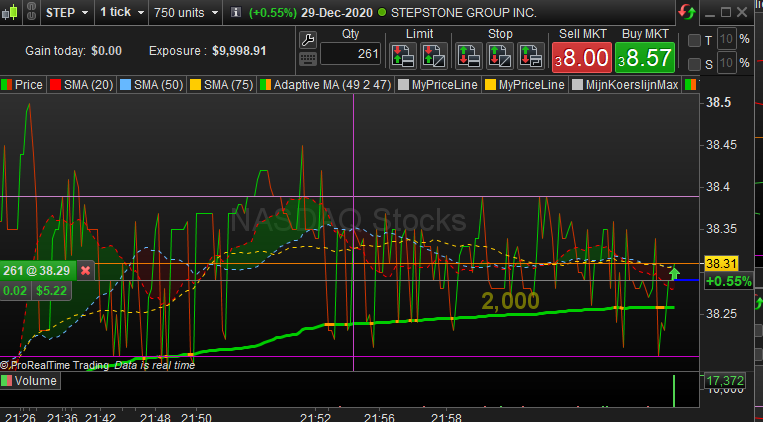
[attachment file=”155692″]
Now, if anyone wants an ice cream …
Anyway, it worked.
Thank you PeterSt for testing it out. But if i understand you correctly it only worked with PRT through IB right? Unfortunately I need to use IG (for the more even leverage across different stock-CFDs) so if I understand you correctly that won’t work right? Otherwise that would have been the perfect solution for me…
Thank you Eriic but would you mind explaining what this code does? It doesn’t seem to me that this code actually buys anything right?
I am used to Tradestations Easylanguage which is my main trading platform so excuse my beginner questions.
EricParticipant
Master
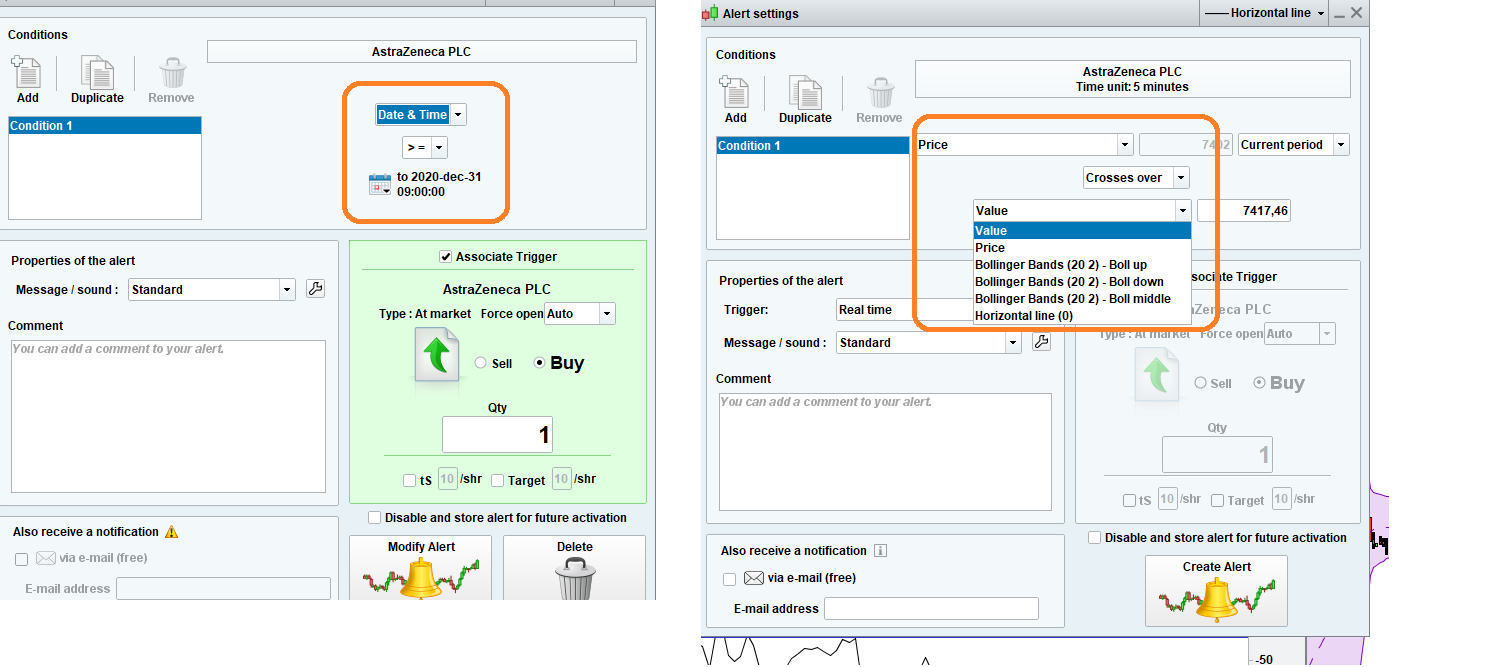
When using alerts you need some kind of indicator like this one to setup the trigger
But this one doesent work with stocks
But you can maybe use date and time (left picture)
try on demo first
Thank you PeterSt for testing it out. But if i understand you correctly it only worked with PRT through IB right? Unfortunately I need to use IG (for the more even leverage across different stock-CFDs) so if I understand you correctly that won’t work right? Otherwise that would have been the perfect solution for me…
All correct. Well, at least it brought me an ice cream. In the end 50 actually. Or 100, depending on the sauce 😉
Something else : Personally I wouldn’t go for that extra (if at all !) leverage. I would go for the lower (spread) cost. I would also go for my strategy. And apparently you have one there, which can work when dealing with IB …
Also notice that when you take a “direct” PRT license (which thus is with IB), the license for IG comes with it for free (but do 4 trades per month with IG or else it costs 30 euros per month). So then you’d have both for the price of one. Now you can choose …