hi, i am probably being very stupid, but can’t find the search forum facility on PRT. how to search the forums please?
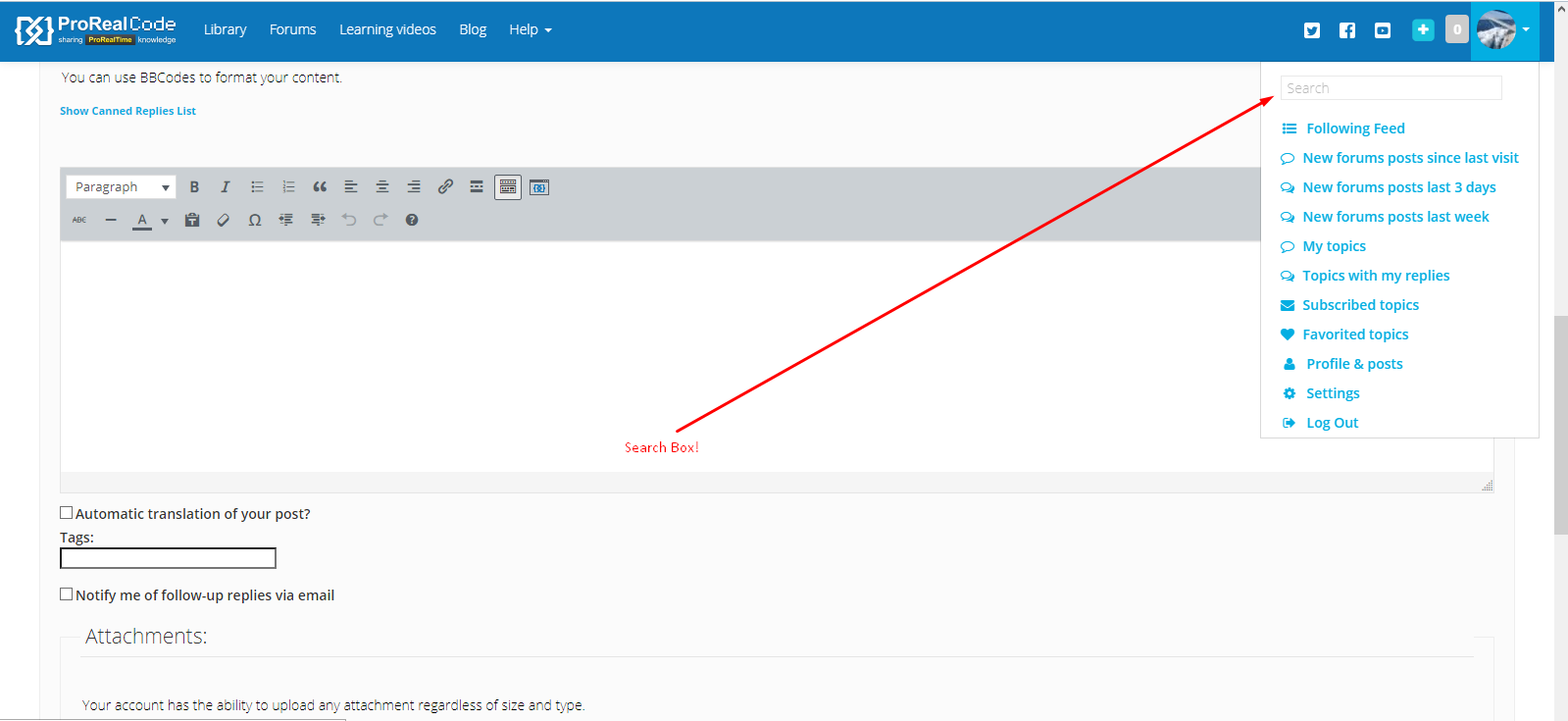
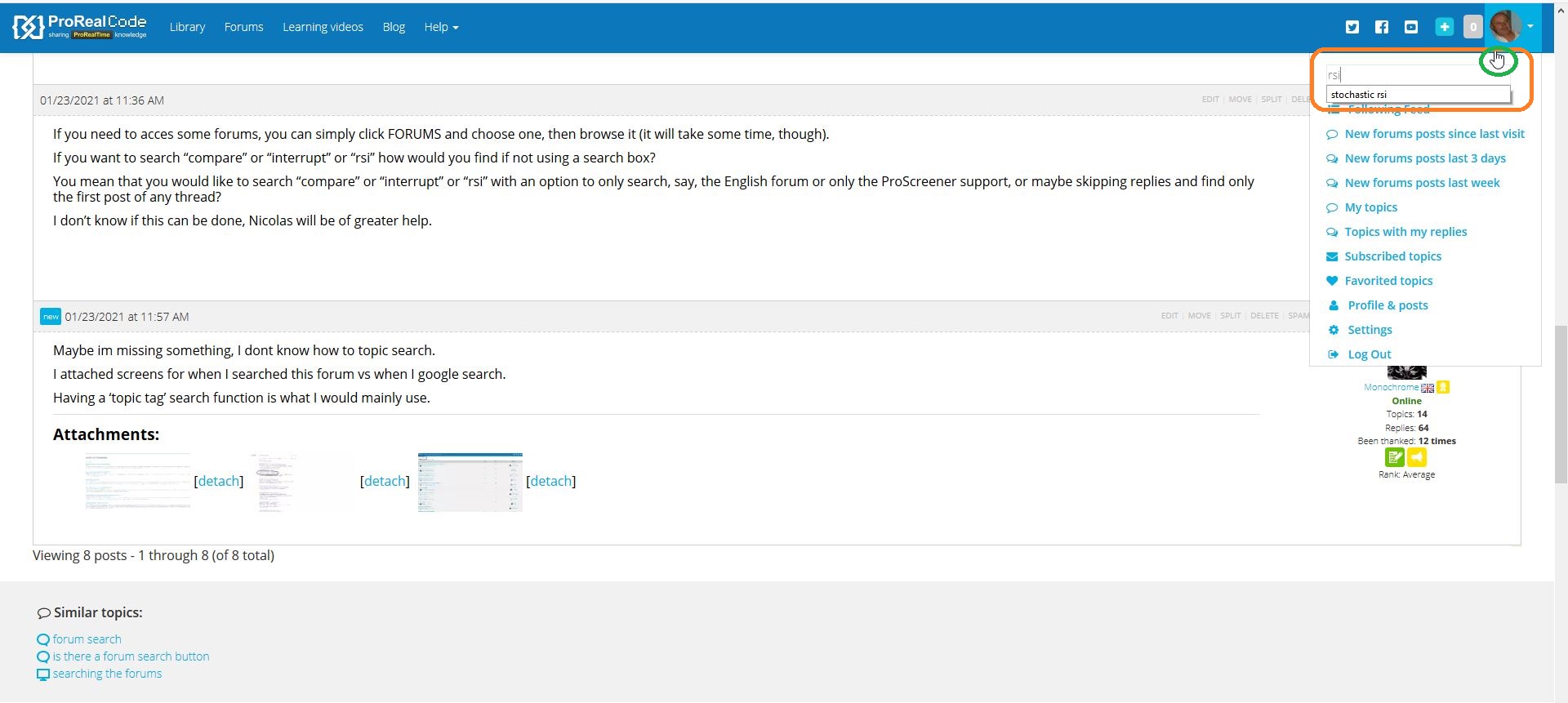
Hover over your profile picture – top right.
Now THAT is a stupid place to hide that. Anyway, after looking for this myself I now finally know it exists.
Can’t these things be changed ? (to a more common position)
I agree. More people would use it if it was here –
Its a more natural position.
Menus, buttons, etc… are made to be discovered. People are supposed to try to discover what HELP, CONTACT US, BLOG, PROFILE etc… mean.
Menus are made to make it easier for people to find food in a restaurant, What if there would be only one page with a hundred names on a single page? It should be a square meter large or would use size 4 characters! Would that be a smarter way of printing a list?
Clicking a menu tab won’t distroy your PC, it can only be of some help.
If you are not curious or don’t care much searching new places, that doesn’t make those place stupidly hidden!
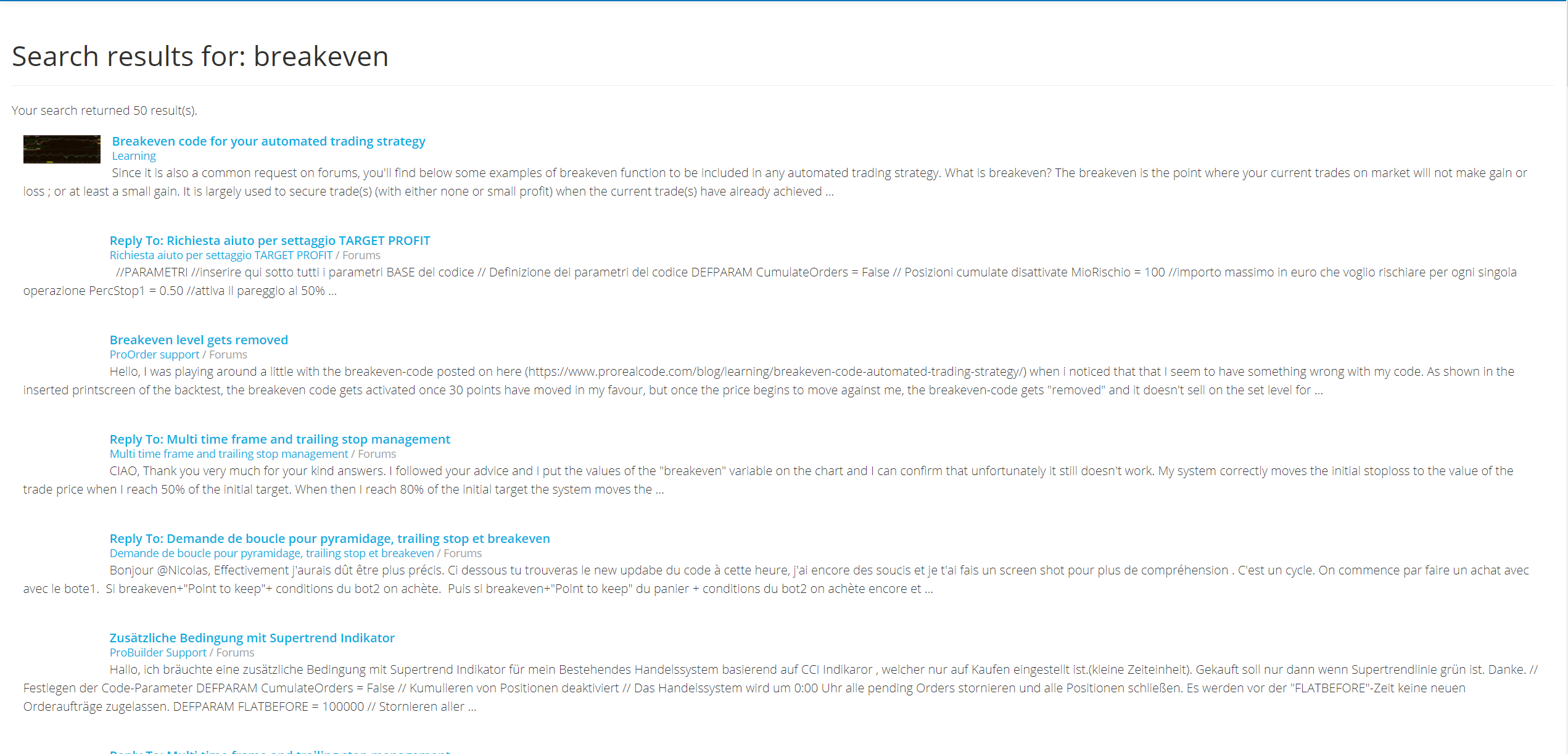
The search function is such a jumble that I ususally just search on google with “prorealcode etc etc”.
I just want to search the specific forum for topics of interest not the whole website together.
If you need to acces some forums, you can simply click FORUMS and choose one, then browse it (it will take some time, though).
If you want to search “compare” or “interrupt” or “rsi” how would you find if not using a search box?
You mean that you would like to search “compare” or “interrupt” or “rsi” with an option to only search, say, the English forum or only the ProScreener support, or maybe skipping replies and find only the first post of any thread?
I don’t know if this can be done, Nicolas will be of greater help.
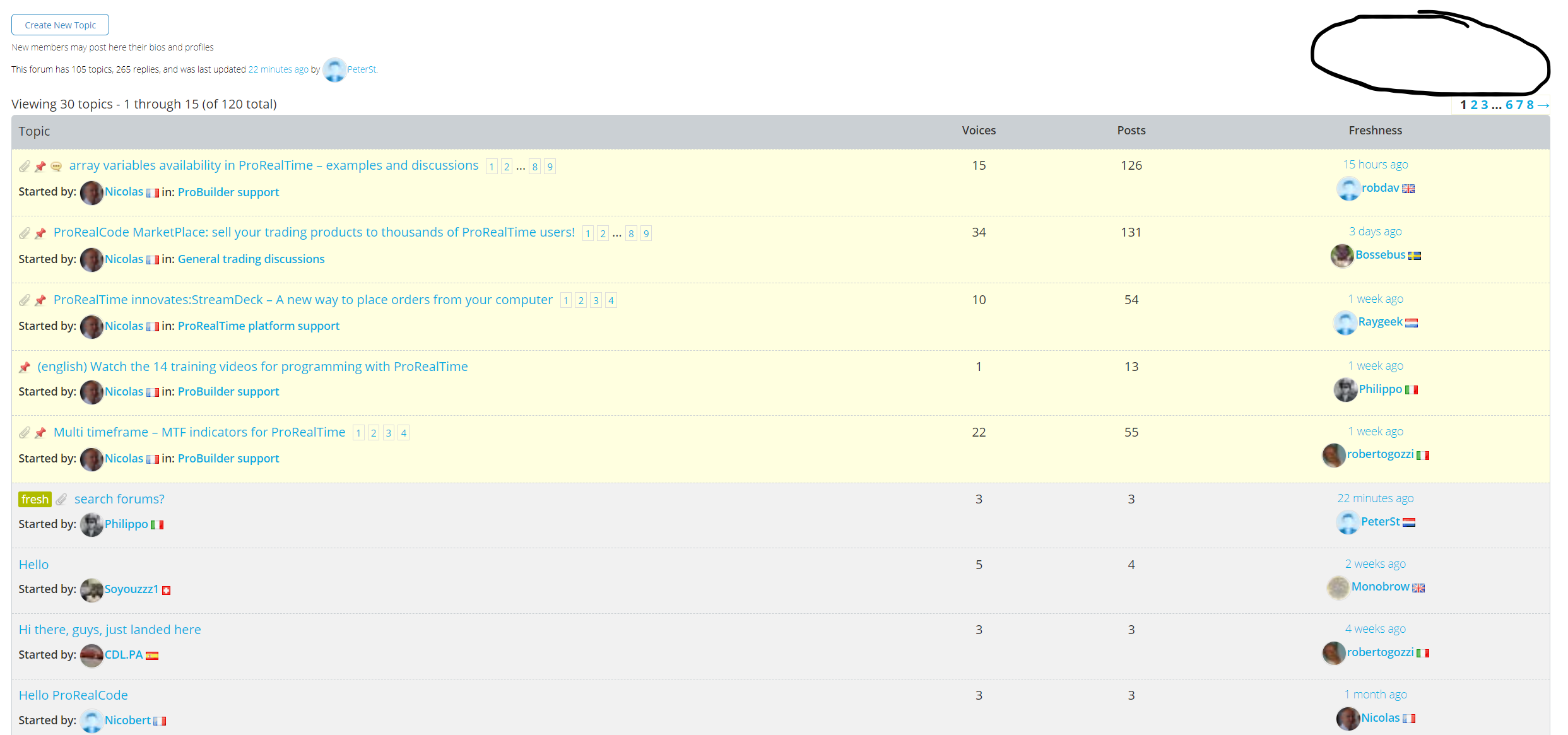
Maybe im missing something, I dont know how to topic search.
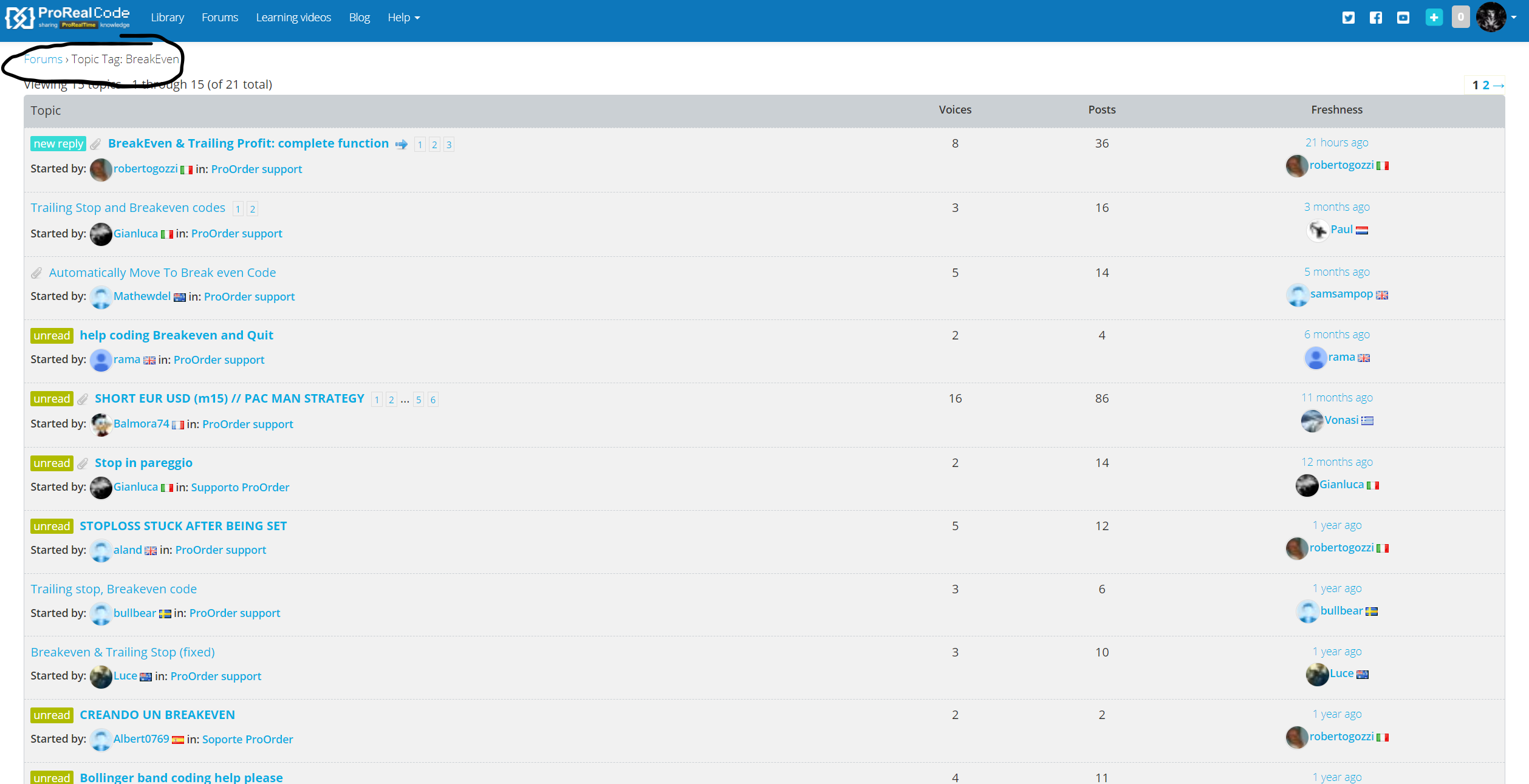
I attached screens for when I searched this forum vs when I google search.
Having a ‘topic tag’ search function is what I would mainly use.
You can use the search box that opens whenever you hover your avatar (right corner of the blue menu bar) and enter any keyword you want to search.
Menus, buttons, etc… are made to be discovered. People are supposed to try to discover what HELP, CONTACT US, BLOG, PROFILE etc… mean.
I am sorry, but No. A forum is supposed to work for standard features like all forums work. I know of NO forum (or webshop etc.) that does not have the search feature profound.
My advice is not to be ignorant on this (and no, I am not calling you ignorant ;-)).
I had to ask where it was when I first joined the forums. Not because I had not hovered over my profile picture and search through the options but because it was light in colour on a light background and I needed new glasses! Once I knew where it was I never once felt that it was too arduous to hover over my profile picture to access it.
PeterSt – you seem to be trying to fight plenty of other battles in the forum regarding v11 bugs so getting upset about the forums search box seems a little like a waste of your effort for something that is not very important and just a tiny thing that you personally don’t like. Try not to change the world to just the way you like it all at once.
Some of your posts can come across as slightly rude and aggressive. When you say something is stupid on the forums website then you insult the person who put it there. Say you would like it changed for x,y and z reasons but do not declare it as stupid.
Remember:
- Always be polite and courteous to others.
- ‘…and most importantly – have fun! 🙂
Hi Thanks for the help, I will use this feature now I know its behind my profile pic.
On the GUI design, it’s not ideal that the search feature is slightly hidden, but like in all IT systems we can’t have it all as we expect. Though I do add that in all previous forums I have participated the search feature was front page news and I didn’t need to ask anyone. But I can live with it, can we make this post sticky?
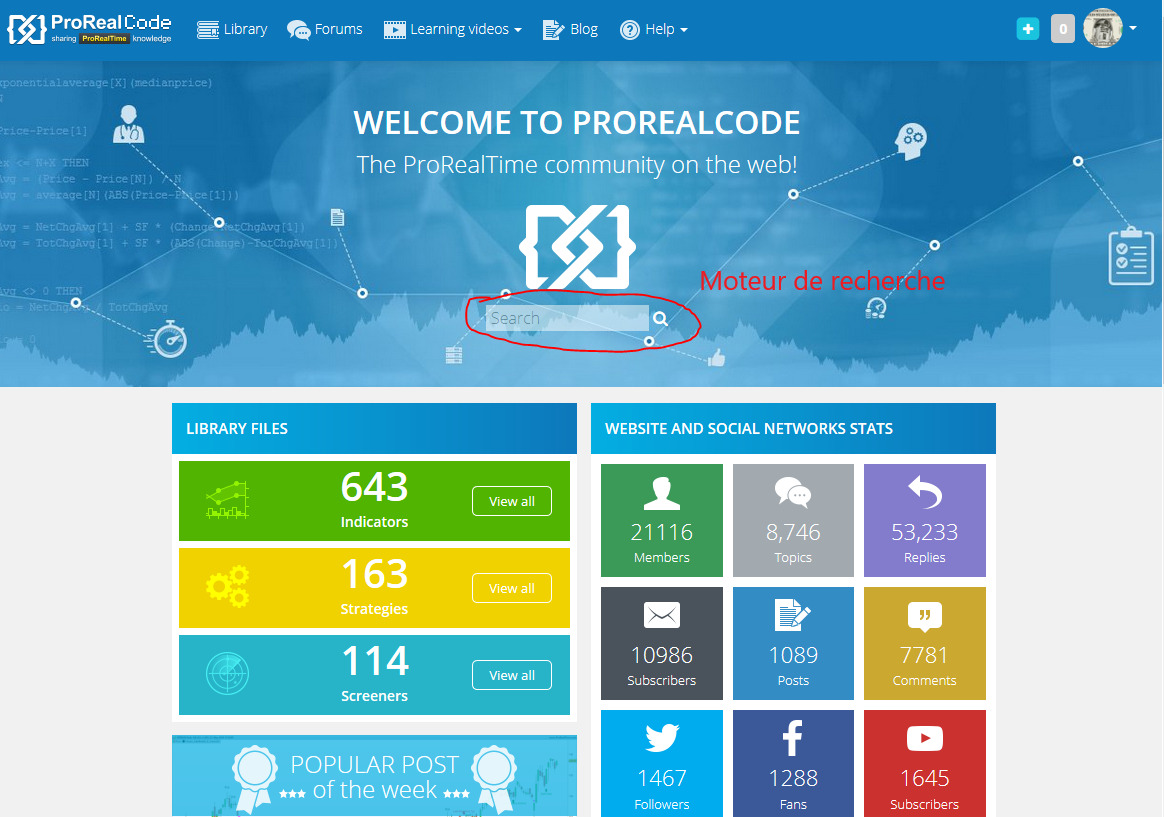
Hi, if you prefer front page search rather than from a menu, there’s one there too (see attachment)