Saving PRT Templates Issue

Viewing 2 posts - 1 through 2 (of 2 total)

  • Author
    Posts
  • #233147 quote
    Bard
    Participant
    Master

    Hi,

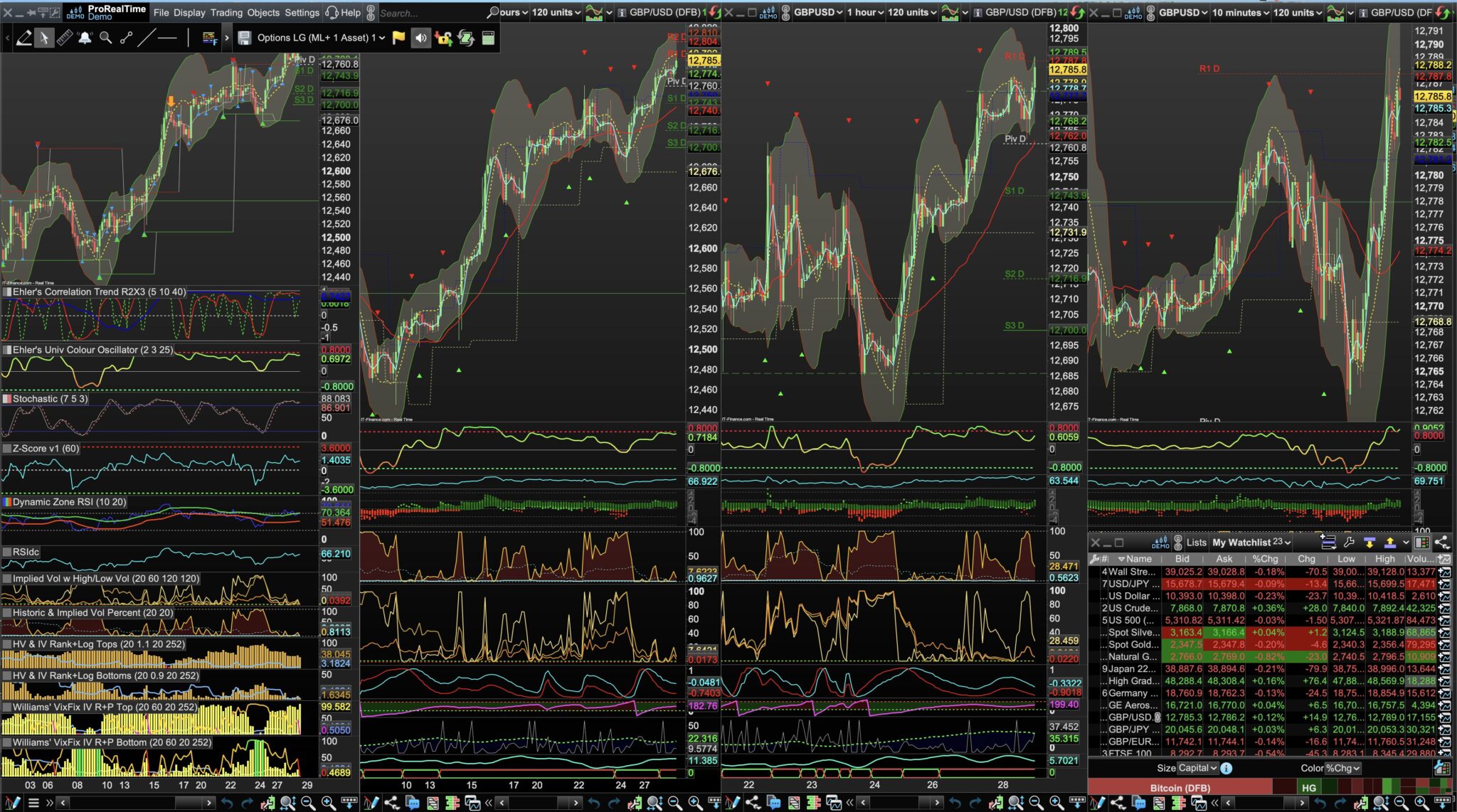
    Everyday I save my 4 charts without the File Menu or the Watchlist showing / over laying  /obscuring my charts.

    Every day I launch these and two items (File Menu and the Watchlist) over lay / lie above the 4 charts.

    The Pin / Un pin for the File menu doesn’t do anything in the sense that the File menu is now permanently covering my charts on launch
    whatever the Pin setting?

    Pls also note the chart on the far left is the wrong type compared to the 3 charts to the right of it. The correct chart is underneath the incorrect chart.
    That incorrect chart should not be visible because I did not save the wrong chart to be overlaying the correct chart!

    What is the solution to get PRT to save how I left the template like it did in the good  old days?

    Thanks!

    #233189 quote
    Iván González
    Moderator
    Master

    Hi

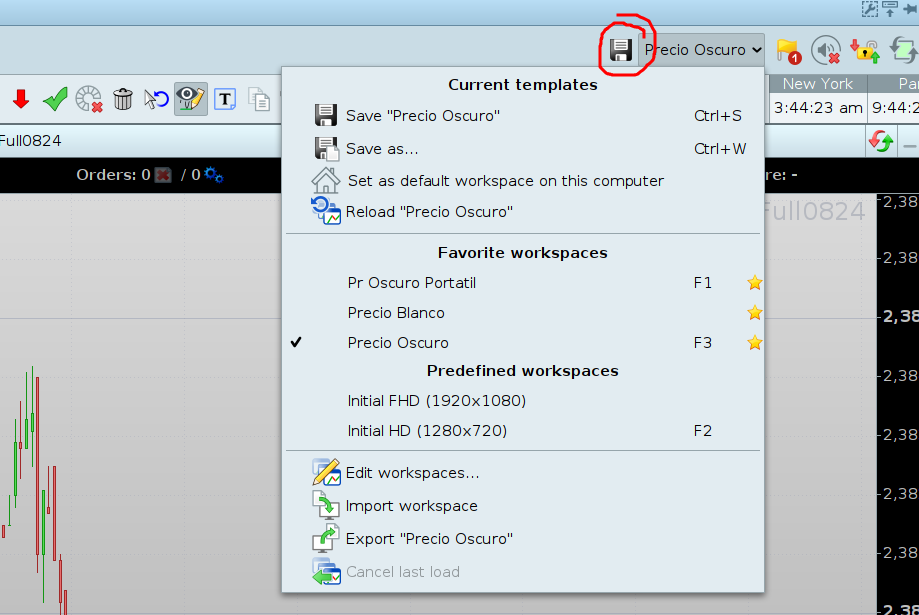
    You should save your template (workspace) by clicking in the icon showed in the screenshoot.

    Probably the “incorrect” chart is selected as the main chart.

Viewing 2 posts - 1 through 2 (of 2 total)
  • You must be logged in to reply to this topic.

Saving PRT Templates Issue


ProRealTime platform support

New Reply
Author
author-avatar
Bard @brad Participant
Summary

This topic contains 1 reply,
has 2 voices, and was last updated by Iván González

1 year, 8 months ago.

Topic Details
Forum: ProRealTime platform support
Language: English
Started: 05/28/2024
Status: Active
Attachments: 2 files
Logo Logo
Loading...