If you coded an Algo and you backtested the Algo then your code will be saved (up to that point).
If you coded an Algo, but you never closed the code editor window during any coding then your code will not be saved.
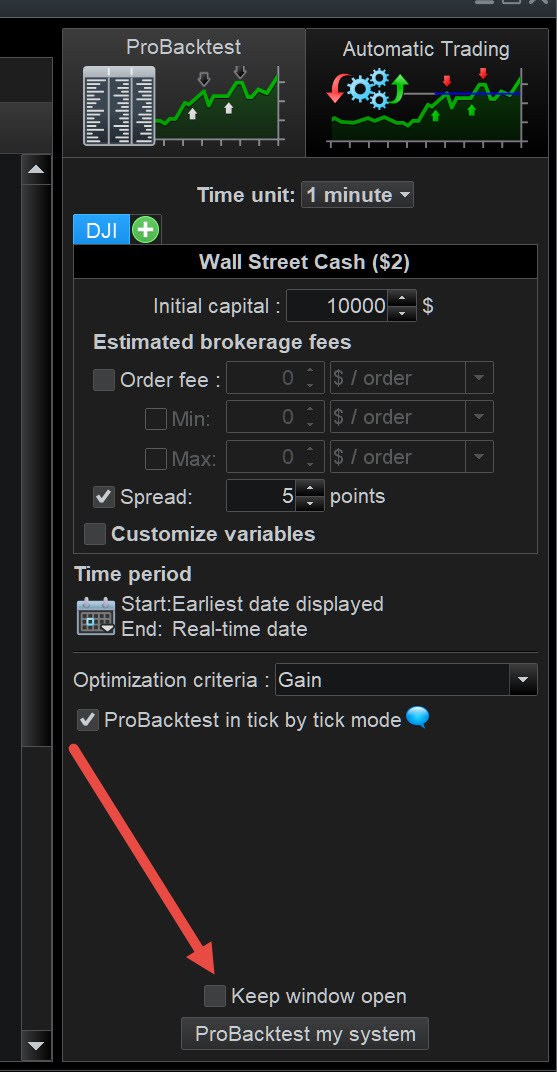
I have got in the habit of not ticking the box ‘Keep Window Open’ (see red arrowhead on attached) as at least this saves my coding work up the point of backtest.
If you coded an Algo and you backtested the Algo then your code will be saved (up to that point).
If you coded an Algo, but you never closed the code editor window during any coding then your code will not be saved.
I have got in the habit of not ticking the box ‘Keep Window Open’ (see red arrowhead on attached) as at least this saves my coding work up the point of backtest.
I had backtested it several times, but everything was gone. I made a backtest test now and it did actually save the algo.
It would be so nice to actually have a button that says “SAVE” that can save it both remotely and a copy locally, cause it’s not the first time saving has messed up. Relying on that it’s saved when you close the window, makes no sense.
and a copy locally
Many of us have suffered from the save (not) issues.
Any changes are a long time in development (if even on a roadmap?) and so getting into a work around discipline is the only way not to feel like topping yourself 🙁
Re saving locally … I export my Algo code to my PC (a few seconds) before I close my platform.
Btw … even though backtest ‘saves’ the code, I think we still need to Quit > Save all Code?
You may want to read the Topic below to see how long the Save(not) issues have been causing problems for PRT users (nearly 4 years)!
https://www.prorealcode.com/topic/auto-quit-loses-work/
I am not sure it is entirely related but recently if I had issues with Save and also bringing back a number of units.
I must say I am running 2 versions of PRT on the same computer, one premium and one normal retail.
- Save : I tried to save a particular timezone , exit and save. When restarting i am still on the old timezone. Any idea ? Clear cache ?
I did the same on another computer, and this time it worked, I was able to save the timezone.
- Backtesting on a number of unit.
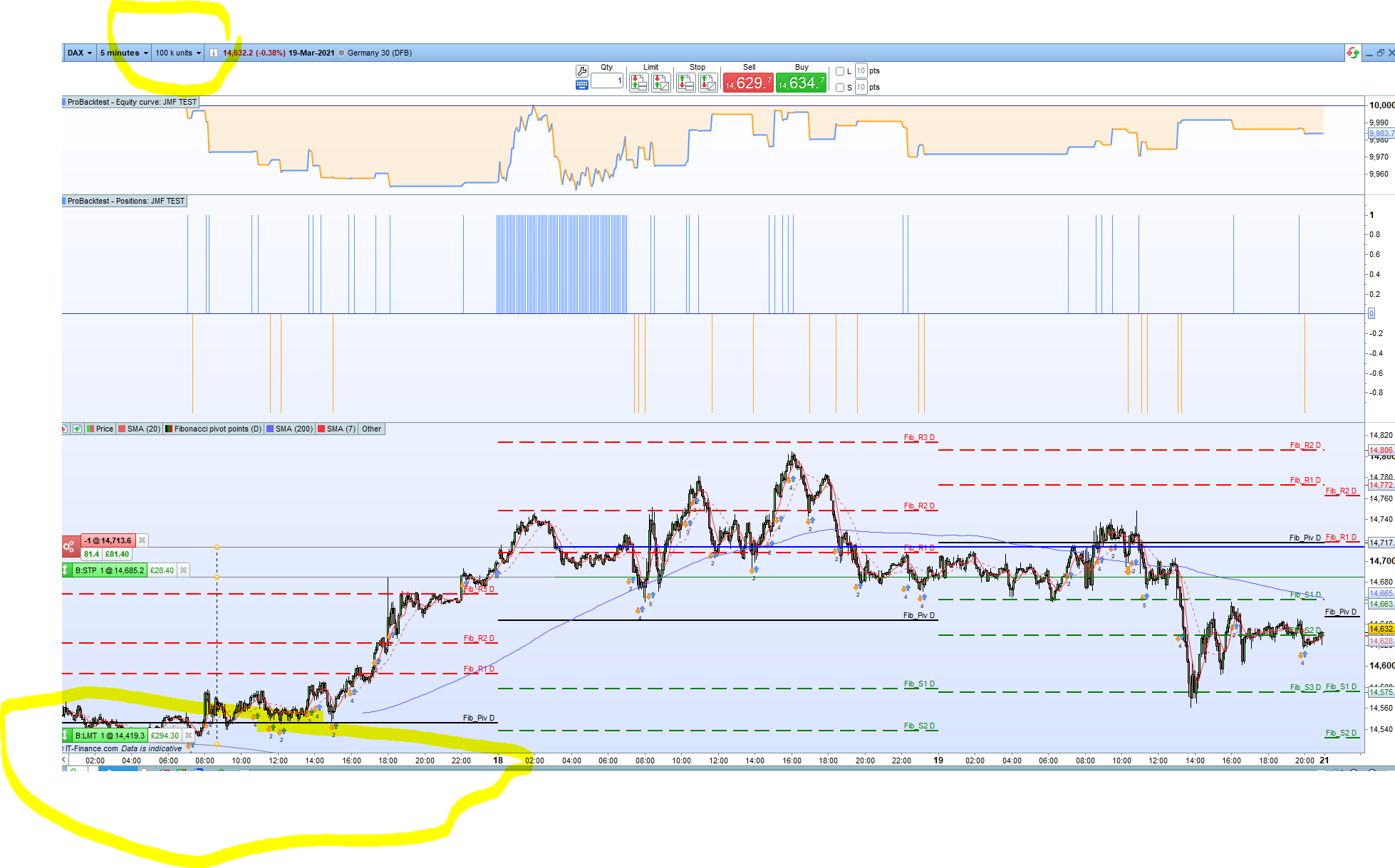
I change the number of units in the dropdown list, to say 100 K, but the display remains stuck on a recent date – at the moment 17th March – independently on the number of units I am selecting (see attachment)
And the time period is saying earliest date to real time, in the backtesting window.
Trying the same thing on the other computer, no problem changing the number of units is also chaging the timescale
Anyone having similar issues ?
re your points above …
- Is one Platform Pemium and the other Retail?
2. I am confused … why do you refer to 17 March (end backtest?) and yet your screen shot show a big yellow circle drawn at the beginning of backtest?
2. Is one Platform Pemium and the other Retail?
The big yellow circle is around the 17 /3 if you look at the timescale, however the number of units is 100 K
jmf125 – Do not use the quote function unnecessarily as it makes topics too long and difficult to read. It is obvious that you are replying to GraHal’s questions so quoting is not necessary. I have deleted your quoting.
Sounds like your problems are due to differences between Premium and Retail versions of PRT?
Well I don’t have any explanations. Each day brings its own strange behaviour.
Today, I was running both Premium and Complete concurrently without any issues, which was always a bit tricky before.
No problems saving in the correct timezone, and in fact each was running on a different timezone.
No problems in back testing.
Bizarre.
In any cases, this is a temporary situation running both, I don’t intend to do this in the long run.
Anyone knows why the retail is called complete ? Do you get anything more than the premium ?
Anyone knows why the retail is called complete ? Do you get anything more than the premium ?
I, similarly, always thought the name – Complete – was misleading.
The Premium version has the more features.
Hello GraHal and Jmf125, I saw on twitter some french users clients of “classic” old style banks, not really trading but buying a few times a year stocks, and they are supplied with a “basic” PRT version (see image) with many less options than the complete one. So from complete, there’s more with premium, but there’s also less with this existing basic version.
Aha the mystery is solved … thanks Noobywan
Aha the mystery is solved
But the Save issues still not.
😉
Yes the save issue is solved … if you know / are familiar with the save method used in the PRT Platform.
For new users, I agree, saving code is not intuitive.
Also I stand by what I have detailed elsewhere … the fewer Algo’s ( < 12 or so) we have listed / saved on our Platform in the coding area … the less problems are experienced saving Algo code (provided we use the correct save method).