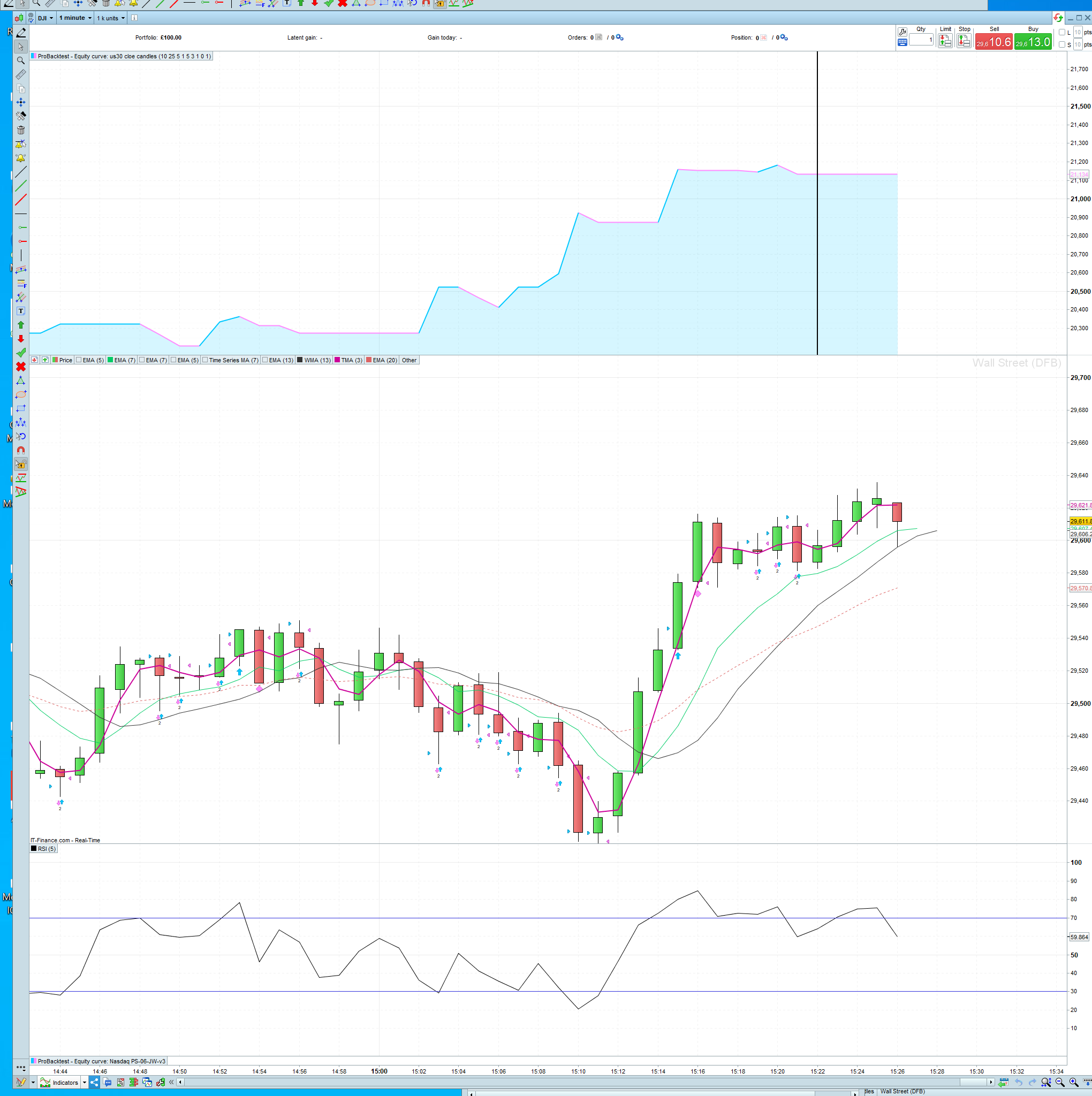
Hi, how can i run a backtest so that it continues to take trades in real time?
Just leave it running (but it will stop whenever you close your platform, and you have to, at least once in 18 hours). In the meantime you can start additional backtests.
Leave the chart open and don’t close the equity curve window.
Thanks for your responses. I have the chart open and the equity curve up and i have to refresh the backtest when i want updated results, but doing this i can’t watch the trades play out in real time. Do i have to change a setting somewhere to enable this?
thanks
You need to insert a DUMMY variable (not in your code) nut just in the optimiser with settings as … min = 1, max = 1 and step = 1 and then the backtest will continue to run in real live.
Without the DUMMY you will get a vertical line at the end of the backtest … is this what you are seeing?
I’m not seeing a black line, i will run a backtest and as the chart continues in real time there are just no more results until I refresh the backtest. What do i need to change on the code so it continues taking trades in real time?
I do have a black line appear at the top at the end of the equity curve
just no more results until I refresh the backtest
Are you …
- Referring to an Algo running in ProOrder and you clicked to see equity curve?
OR
- Refering to an Algo you are backtesting using the backtesting window?
Post a screenshot of where you are starting the backtest or describe in words, but a picture tells a thousand words! 🙂
Its not on live trading, its in the backtest window, but i would like to see the backtester continue to take trades in real time and show the results above in the equity curve. It’s the probacktest window and i start the backtest by clicking the “probacktestmysystem” tab
You need to insert a DUMMY variable
You need to follow my advice in the post on the link above (click on GraHal wrote).
Let us know how you get on?