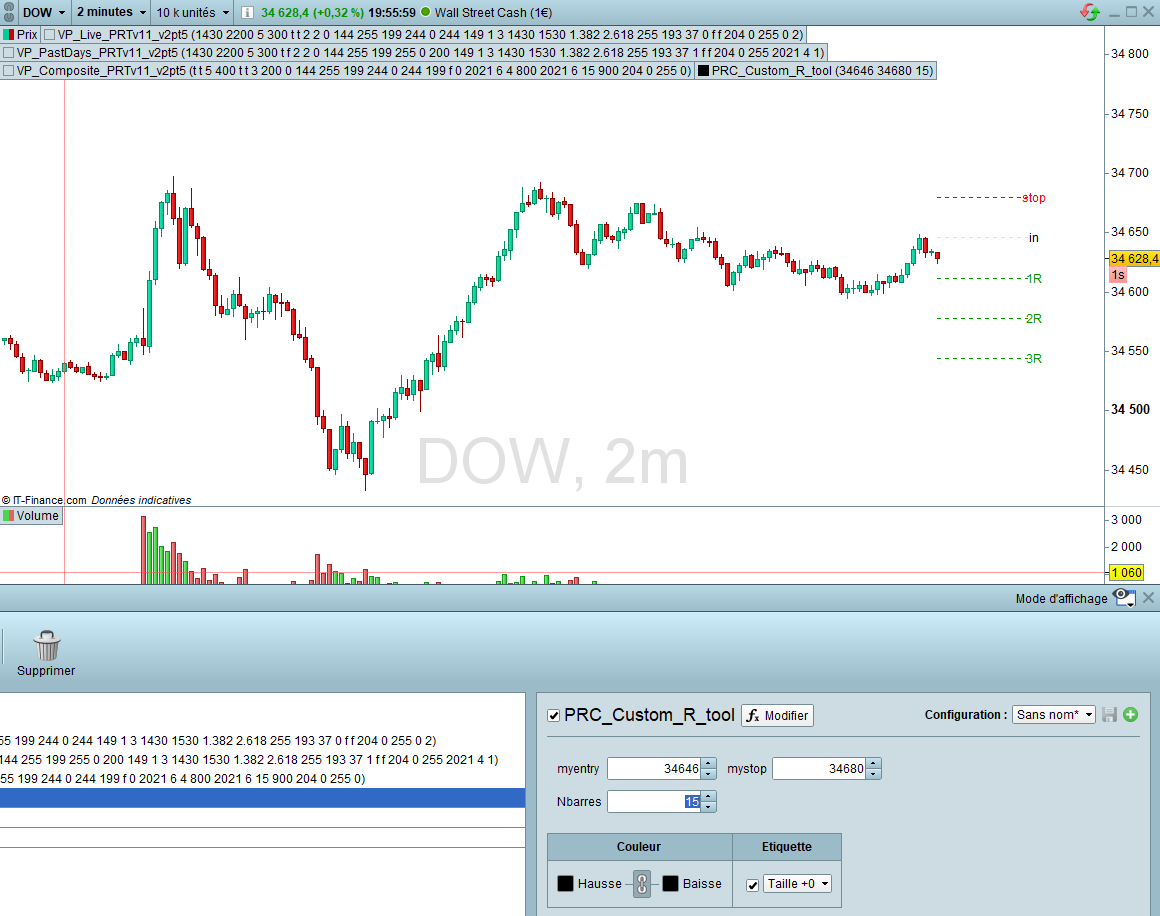
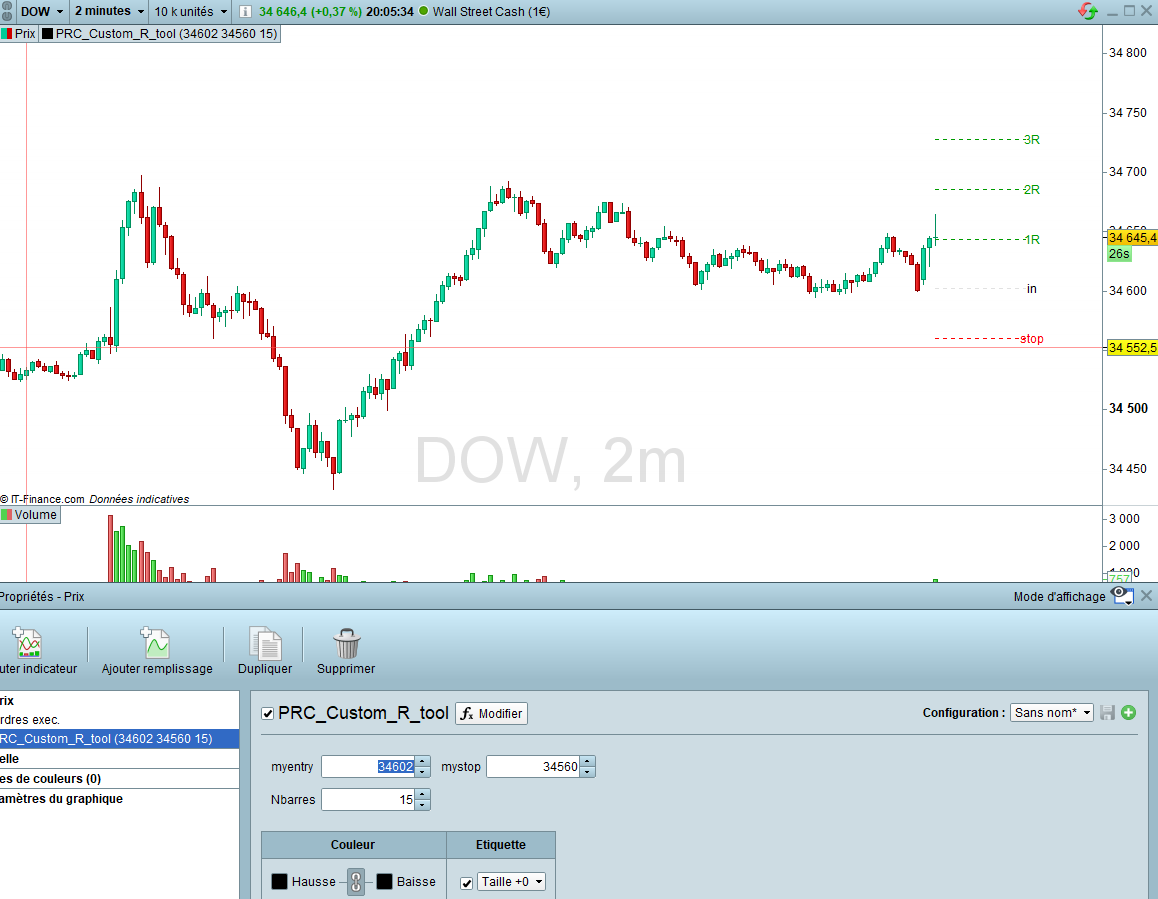
Hi, here’s a probuilder personal indicator to add to the price window, you just need to create the 3 entry parameters myentry, mystop, Nbarres respectively your expected entry level, your expected stop and the number of bars to the right to draw the levels and text. Then you can just change them from the indicator properties window. It works for both long and short, as long as stop is positionned accordingly compared with entry, it will automatically place 1R,2R,3R in the right direction. Any request to modify, please ask I’ll see what more I can do:
//PRC_Custom_R_tool | indicator
//07.07.2021
//Noobywan @ www.prorealcode.com
//Sharing ProRealTime knowledge
//
// List of Parameters to create, with default values suiting your favorite asset, to configure in the properties window:
// myentry, type decimal
// mystop, type decimal
// Nbarres, type integer
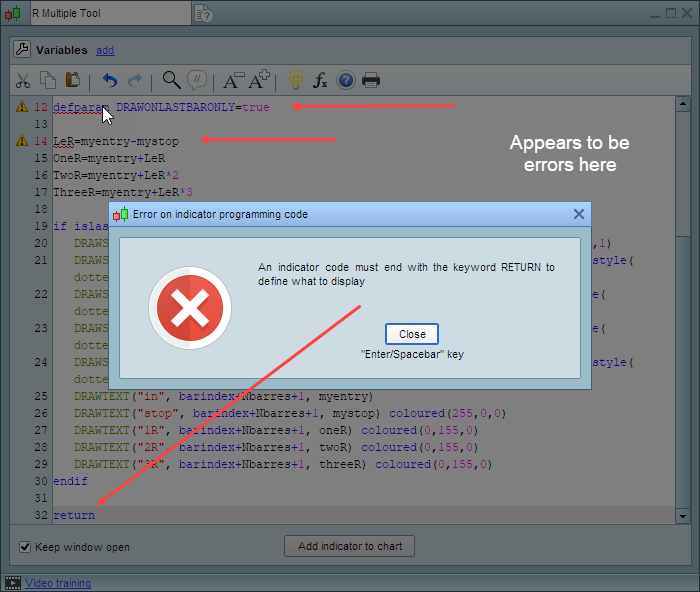
defparam DRAWONLASTBARONLY=true
LeR=myentry-mystop
OneR=myentry+LeR
TwoR=myentry+LeR*2
ThreeR=myentry+LeR*3
if islastbarupdate then
DRAWSEGMENT(barindex, myentry, barindex+Nbarres, myentry) style(dottedline,1)
DRAWSEGMENT(barindex, mystop, barindex+Nbarres, mystop) coloured(255,0,0) style(dottedline,1)
DRAWSEGMENT(barindex, oneR, barindex+Nbarres, oneR) coloured(0,155,0) style(dottedline,1)
DRAWSEGMENT(barindex, twoR, barindex+Nbarres, twoR) coloured(0,155,0) style(dottedline,1)
DRAWSEGMENT(barindex, threeR, barindex+Nbarres, threeR) coloured(0,155,0) style(dottedline,1)
DRAWTEXT("in", barindex+Nbarres+1, myentry)
DRAWTEXT("stop", barindex+Nbarres+1, mystop) coloured(255,0,0)
DRAWTEXT("1R", barindex+Nbarres+1, oneR) coloured(0,155,0)
DRAWTEXT("2R", barindex+Nbarres+1, twoR) coloured(0,155,0)
DRAWTEXT("3R", barindex+Nbarres+1, threeR) coloured(0,155,0)
endif
return