Hi there,
Could anyone help me with the below question, please?
I am colour coding using R,G, B. This work brilliantly when used in a moving average (as you can see the subtle, changes via the colour changes) but when I transfer the same idea to text it freaks out when these colour changes occur, i.e does recognise x as a spectrum of say blue.
Has anyone encountered this before?. Is this just something that happens with text?
TIA
RR
I never had a chance to spot that issue.
Can you post an example?
Hi Roberto,
Thank you for your swift reply.
Below is a snippet of the relevant part of the code. When I change the function to return the ‘returned’ value to text I get an error message the colour x is out of x colours range.
Hope that makes sense, and thank you for your help.
diff=exponentialaverage[36](srtl)-srtl
if diff>0 then
hi=highest[20](diff)
elsif diff<0 then
lo=lowest[20](diff)
endif
hig=highest[20](hi)
loo=lowest[20](lo)
if srtl>srtr and diff<0 then
r=250
g=0
b=250
elsif srtl<srtr and diff>0 then
r=0
g=255
b=0
elsif srtl<srtr and diff<0 then
r=255
g=0
b=0
endif
return diff coloured(r,g,b),hig,loo,ExponentialAverage[36](diff)
> For clarity of messages on ProRealCode’s forums, please use the “insert code PRT” button to separate the text of the code part! Thank you! <<
What are SRTL and SRTR, I get an error messages since they are not defined?
SRY!
Difficult to explain srtl and srtr without putting the whole code in, which is long.. but the problem should show it’s self if you were to use a standard ma or two. It just seems strange that the colouring works in the ‘return’ format but not the text.
Thanks for your help
RR
This is the code:
srtl=close   //just to let it have a value
srtr=high    //just to let it have a value
diff=exponentialaverage[36](srtl)-srtl
if diff>0 then
hi=highest[20](diff)
elsif diff<0 then
lo=lowest[20](diff)
endif
hig=highest[20](hi)
loo=lowest[20](lo)
if srtl>srtr and diff<0 then
r=250
g=0
b=250
elsif srtl<srtr and diff>0 then
r=0
g=255
b=0
elsif srtl<srtr and diff<0 then
r=255
g=0
b=0
endif
drawtext("☺",BarIndex, hig+10*pipsize) coloured(r,g,b)
return diff coloured(r,g,b),hig,loo,ExponentialAverage[36](diff)
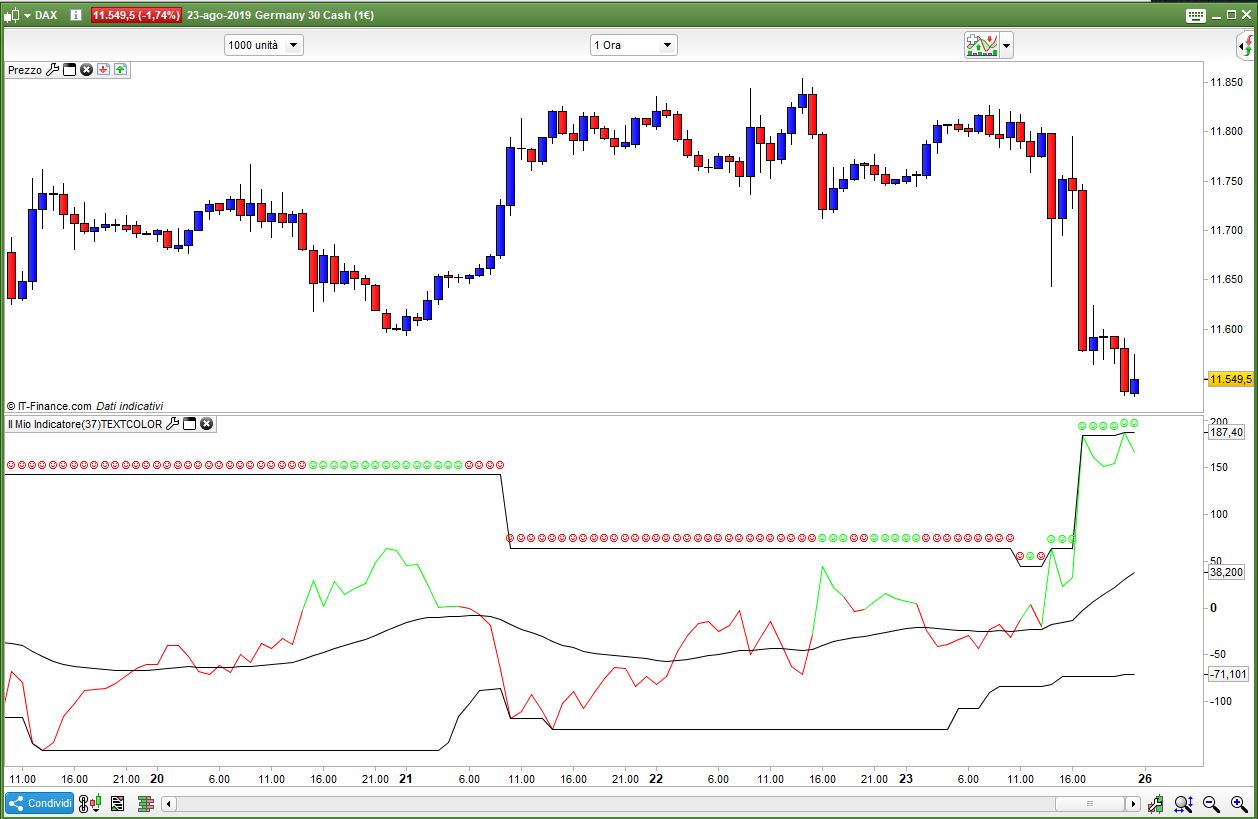
and the attached pic is the output.
What is exactly the issue?
Well, that is interesting!
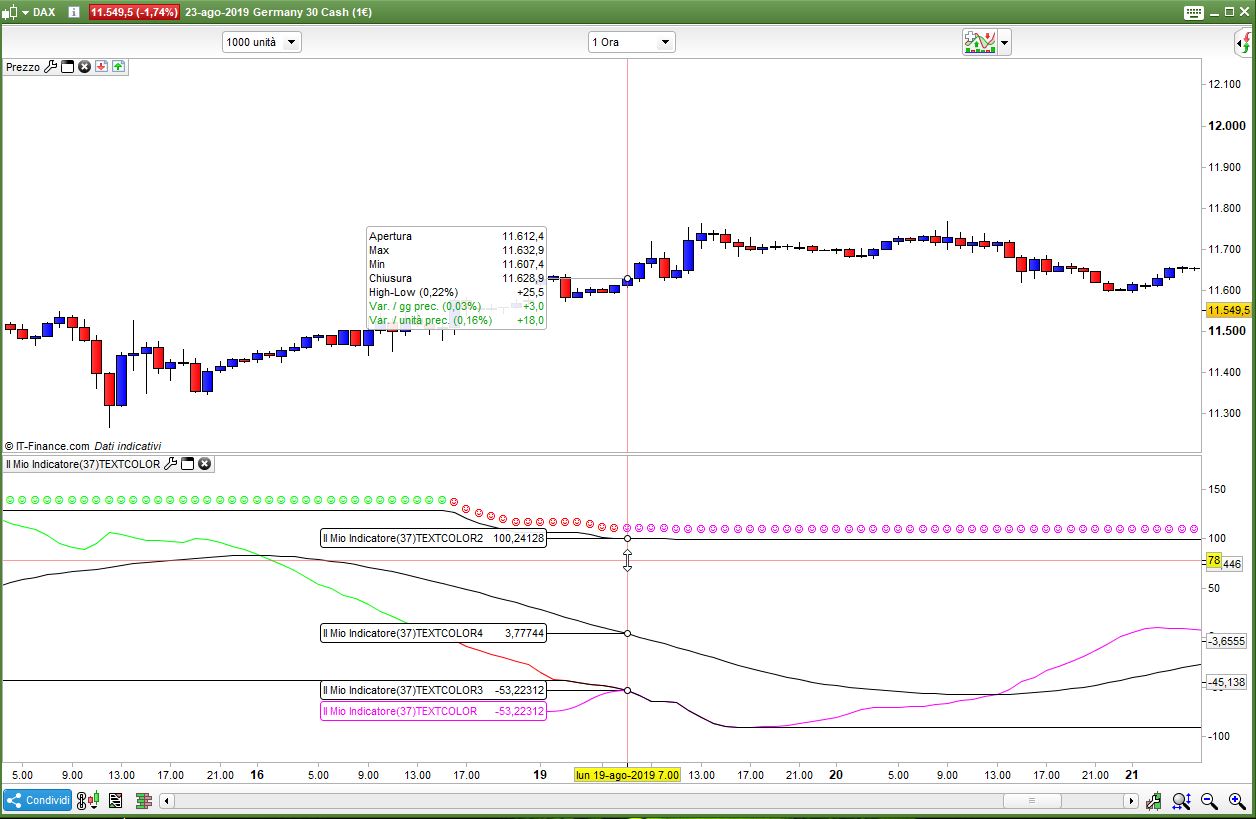
Because this is what I get, see below. And it is these colours that a) seem to change from the red/green spectrum to what you see below. B) when the same code is applied to ‘text’ in the price panel it freaks out.
Do you think a negative number would cause this?
I like the colour change just not the text freak out!
RR
For some reason, I can’t upload an image. However, the colours change out of the red-green spectrum. There are multiple colours, and I have no idea why.
Roberto,
If you replace the ‘close’ and ‘high’ with 20ema and 100ema you will see the difference.
RR
My previous two first lines yielded only 2 results, thus one colour was missing (your code has 3 combinations).
With the two averages, as you suggested, I notice 3 colours, the same for both returned data and text:
srtl=average[20,1](close)
srtr=average[100,1](close)
diff=exponentialaverage[36](srtl)-srtl
if diff>0 then
hi=highest[20](diff)
elsif diff<0 then
lo=lowest[20](diff)
endif
hig=highest[20](hi)
loo=lowest[20](lo)
if srtl>srtr and diff<0 then
r=250
g=0
b=250
elsif srtl<srtr and diff>0 then
r=0
g=255
b=0
elsif srtl<srtr and diff<0 then
r=255
g=0
b=0
endif
drawtext("☺",BarIndex, hig+10*pipsize) coloured(r,g,b)
return diff coloured(r,g,b),hig,loo,ExponentialAverage[36](diff)
I still can’t see any issue.
Hi Roberto,
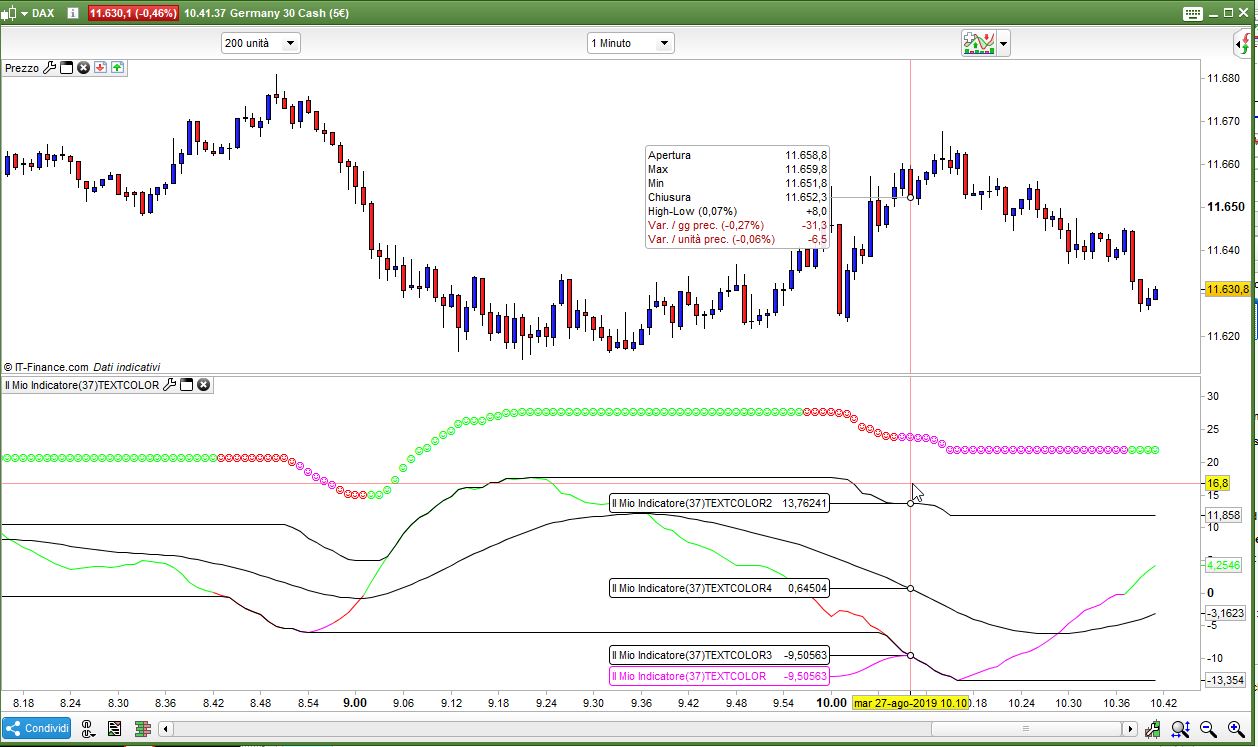
Indeed there are three colours, however, if you try the indicator out in different timeframes i.e 1 min, you will see that they ‘mix’. It is the mixes that are causing problems in the text.
RR
Sorry, but it works everywhere for me, in some cases you may see a black line when the indicator overlaps one of the bands, but that’s normal.
I cannot be of further help. If the problem persists, you’d better press Ctrl+M from the platform to ask for assistance.
You may feel that they mix when you zoom out a lot?
No, that’s not it. They definitely mix, but it depends on the move and the MA’s and timeframe etc. I will take a snapshot when it occurs and post…
Yes please! Without a snapshot, that’s difficult to perfectly understand what you are talking about 😆