Hey! I need help with a code.
For example.
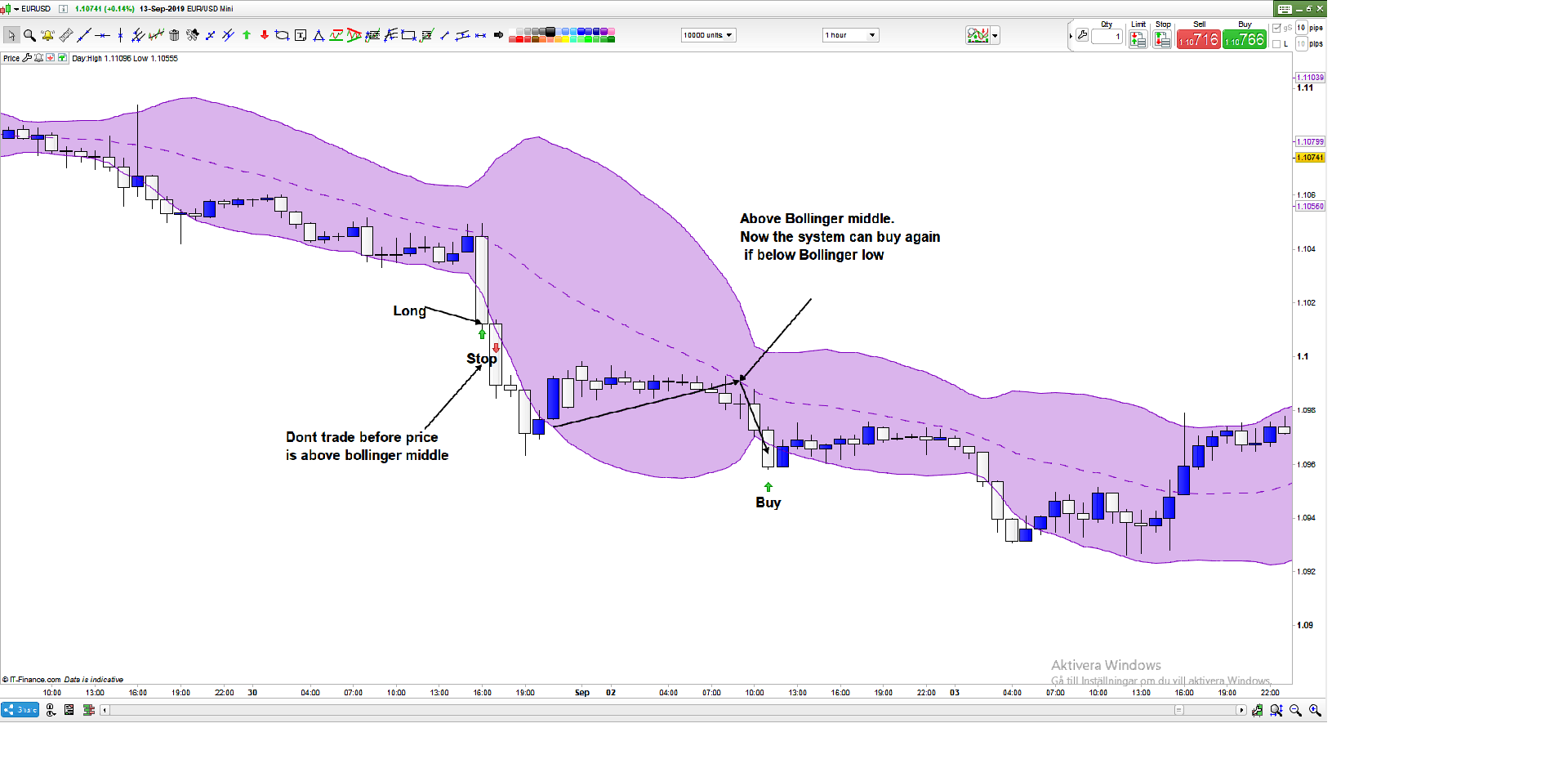
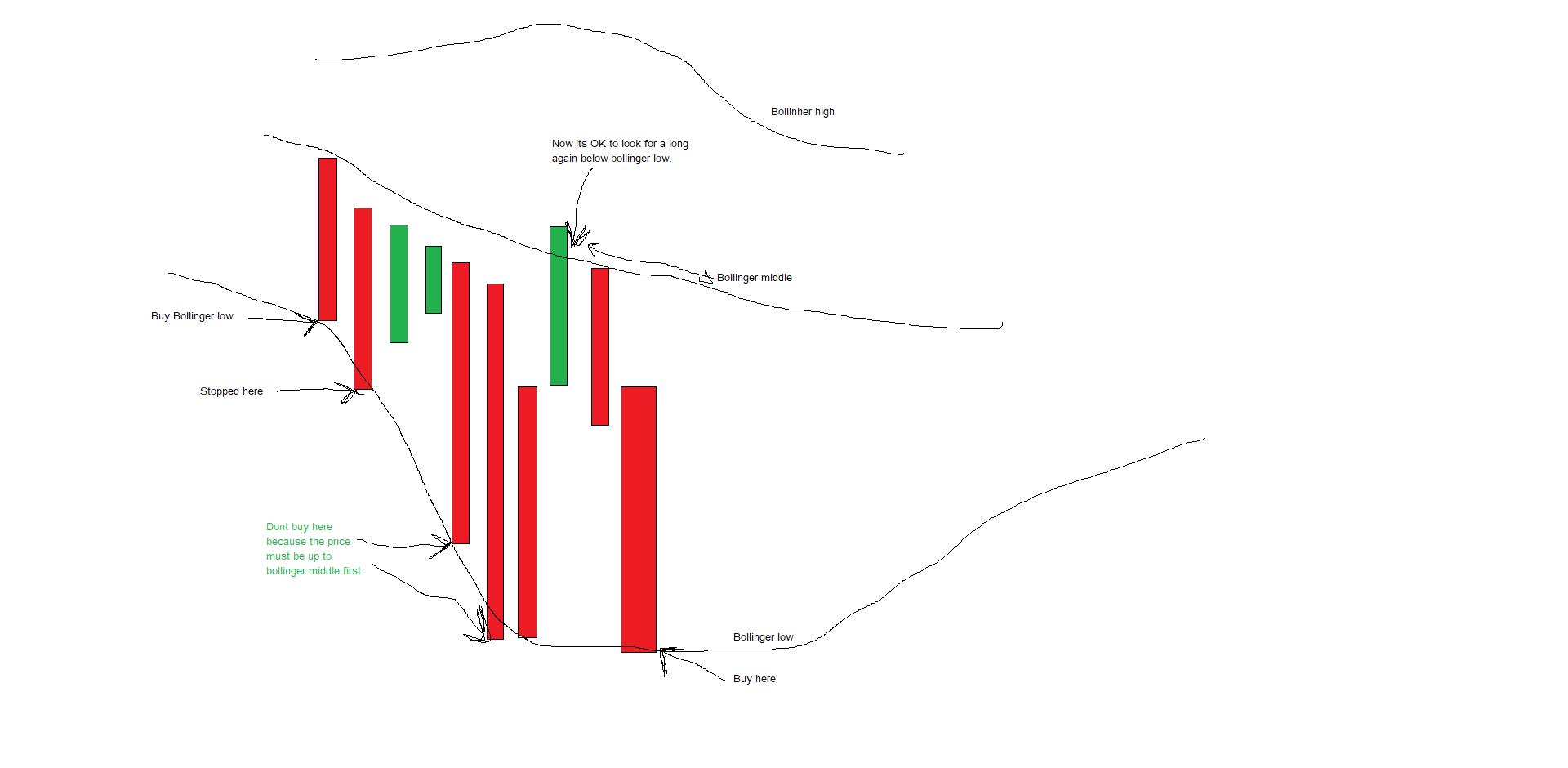
Buy if close is below bollinger low and the system stopped me out -20P.
Now I do not want it to take more trades before it has reached bollinger middle first.
Then it can start looking for a trade again if close is below bollingerband low.
For example
OK = 1
OK = 0
If c1 and Ok = 1 then
buy 1contract at market.
This will reenable trading after you had previously disabled it.
Example with a 20-period BB:
If low <= Average[20,0](close) Then
Ok = 1
Endif
Thx Roberto.
Not really what I was looking for.
Here is a picture so it becomes easier to understand what I mean.
Don’t know how to get OK to 0 and then reset to 1 again?
So you don’t need to reset OK if above Bollinger middle, but also to clear it after a trade?
Please post the code you have already written.
So in the first pic close is never above the boll middle after the first trade is done, so that actually dosnt make sense.
You could use something like “highest[10](close) > highest[10](average[20](close))”
someone please correct me if im wrong, but that would mean that for the past 10 bars (or whatever number you would use), price must have been above the moving average 20 (aka bollinger middle) But that would also mean that the “move” so to speak has to happen within XX bars, probably not exactly what you wanted but its at least a step in the right direction..
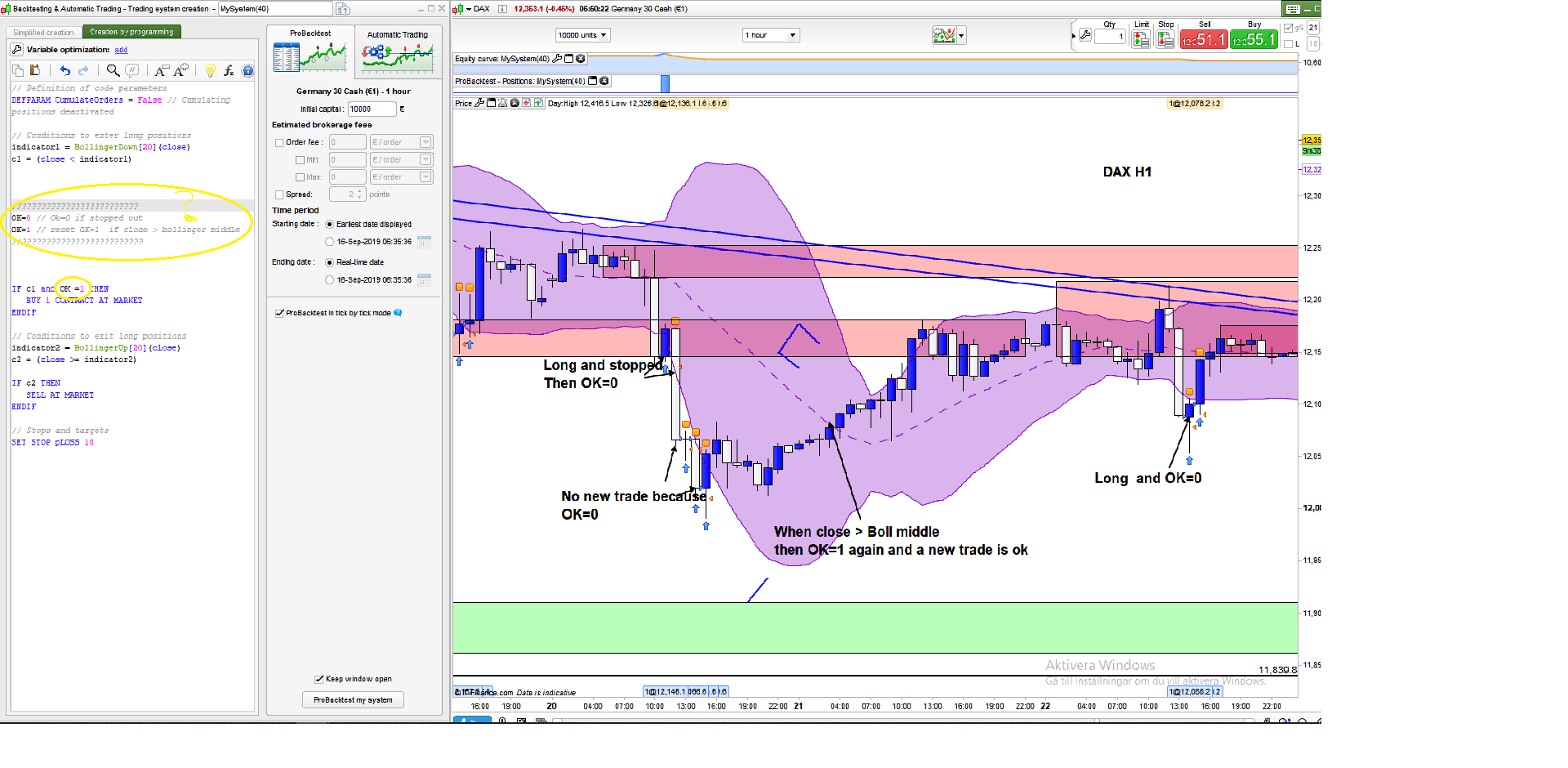
If long and stopped then Ok should be 0. Then the system cannot do any trade because OK=0.
To reset OK to 1 again, the price must be up to bollinger middle.
Then it is allowed to take a trade again. because OK=1.
The idea is to avoid buying and buying and the price continues to fall.
I want it to be normal conditions again before the system takes on a new trade.
Hope it helps
/Christian
I think that everything is back to normal when the price went up to bollinger middle after a fall.
Yes. but not just after a certain number. Price must be above bollinge middle
So in the first pic close is never above the boll middle after the first trade is done, so that actually dosnt make sense.
You could use something like “highest[10](close) > highest[10](average[20](close))”
someone please correct me if im wrong, but that would mean that for the past 10 bars (or whatever number you would use), price must have been above the moving average 20 (aka bollinger middle) But that would also mean that the “move” so to speak has to happen within XX bars, probably not exactly what you wanted but its at least a step in the right direction..
If long and stopped OK changes from 1 to 0.
If Close > Avarage[20,0]Close Then
OK=1
Yes. but not just after a certain number. Price must be above bollinge middle
So in the first pic close is never above the boll middle after the first trade is done, so that actually dosnt make sense.
You could use something like “highest[10](close) > highest[10](average[20](close))”
someone please correct me if im wrong, but that would mean that for the past 10 bars (or whatever number you would use), price must have been above the moving average 20 (aka bollinger middle) But that would also mean that the “move” so to speak has to happen within XX bars, probably not exactly what you wanted but its at least a step in the right direction..
No, what you want to achieve needs to be written, to just check that:
summation[10](close) > highest[10](average[20](close)) = 10
to check that ALL last 10 bars CLOSE has always been > highest[10](average[20](close)).