Paul
PaulParticipant
Master
Request; increase the number graph & graphonprice 5 (best is 10)
Request; ability to use style function i.e. set lines to dots, so when used it doesn’t show vertical lines when market is not active and resets to zero in a backtest.
Warning;
using the graph & graphonprice are limited to max 5.
If using too many in the code, the last lines & graph are automatically not displayed.
But it has influence on the code below that too, because it seems it doesn’t gets activated in backtest!
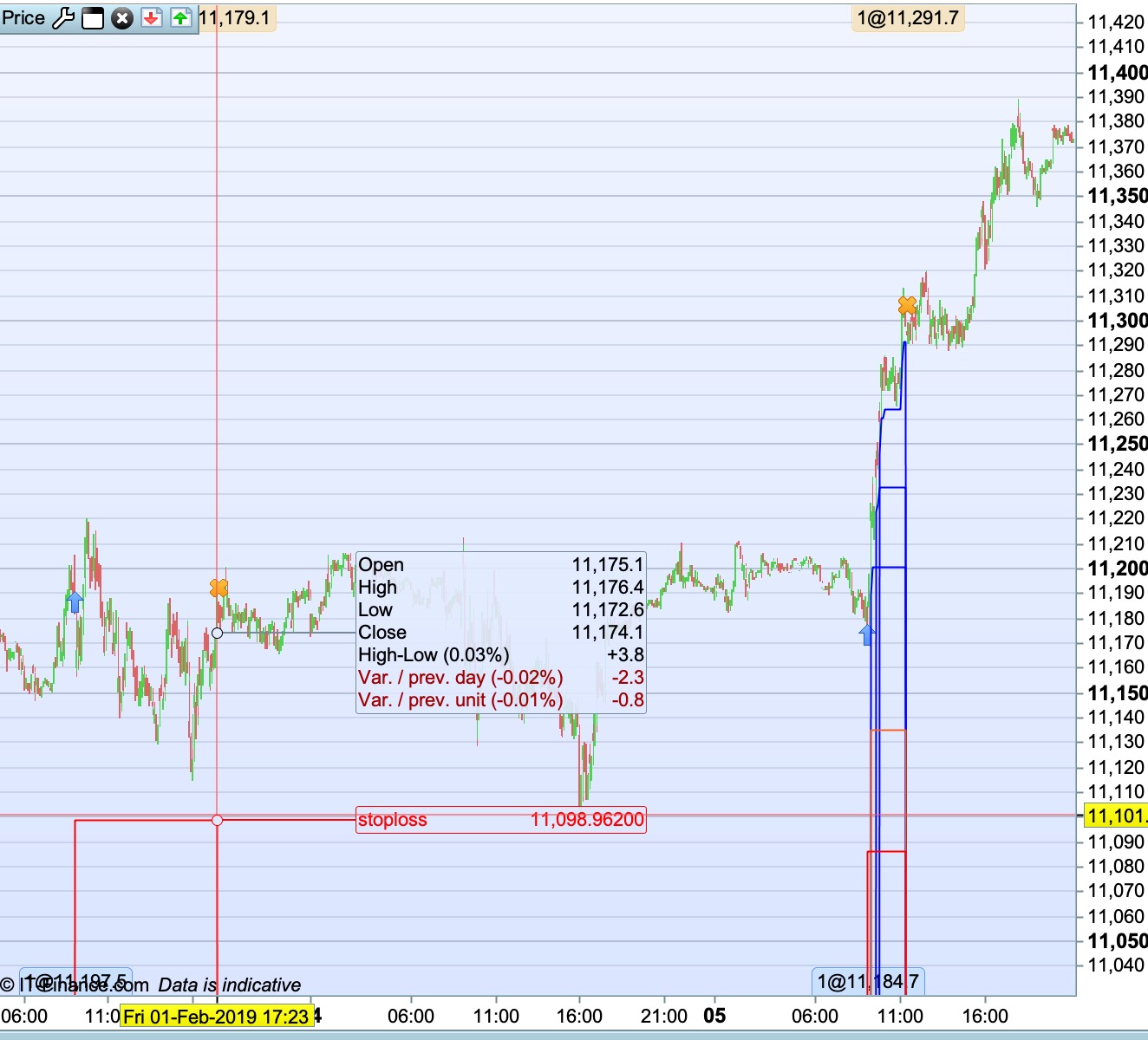
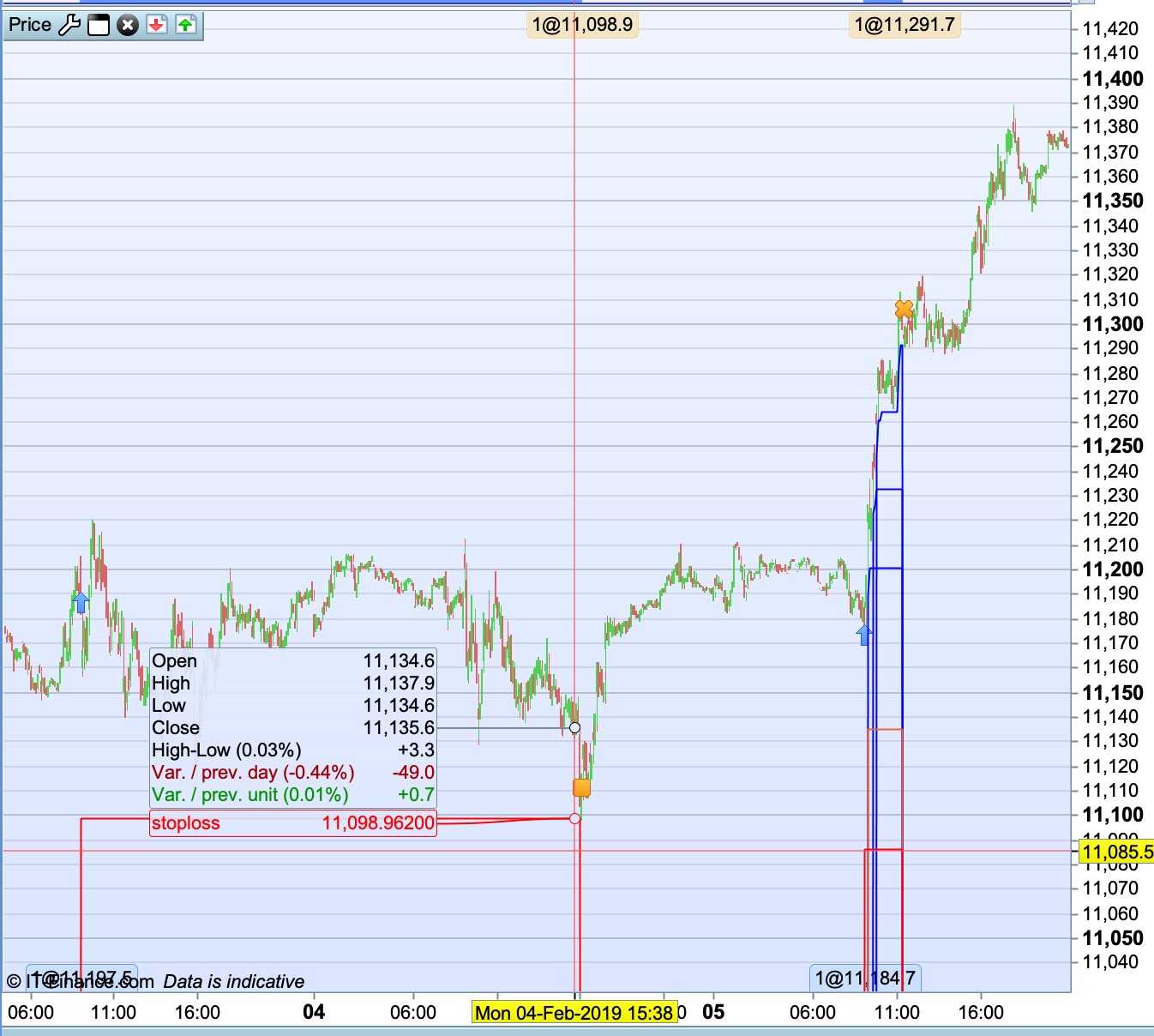
in pictures below
used 1 graph and 6 graphonprice
last 2 gets skipped, from the profittarget (greenline) & graph (to display trade performance)
exitcode is on friday 17.30.
this part of the code is at the end of the code (but above graph); if to many lines it doesn’t gets activated and resulted in a stoploss after friday 17.30
If this code is moved straight under the buy/sellshort entries, it gets activated.
So only when using too many graph in the code it becomes unreliable!
Always put GRAPH at the end of the code. It is not limited to 5 variables only, I don’t remember now how many is the limit but it is more than that.
PaulParticipant
Master
Thanks for the response Nicolas.
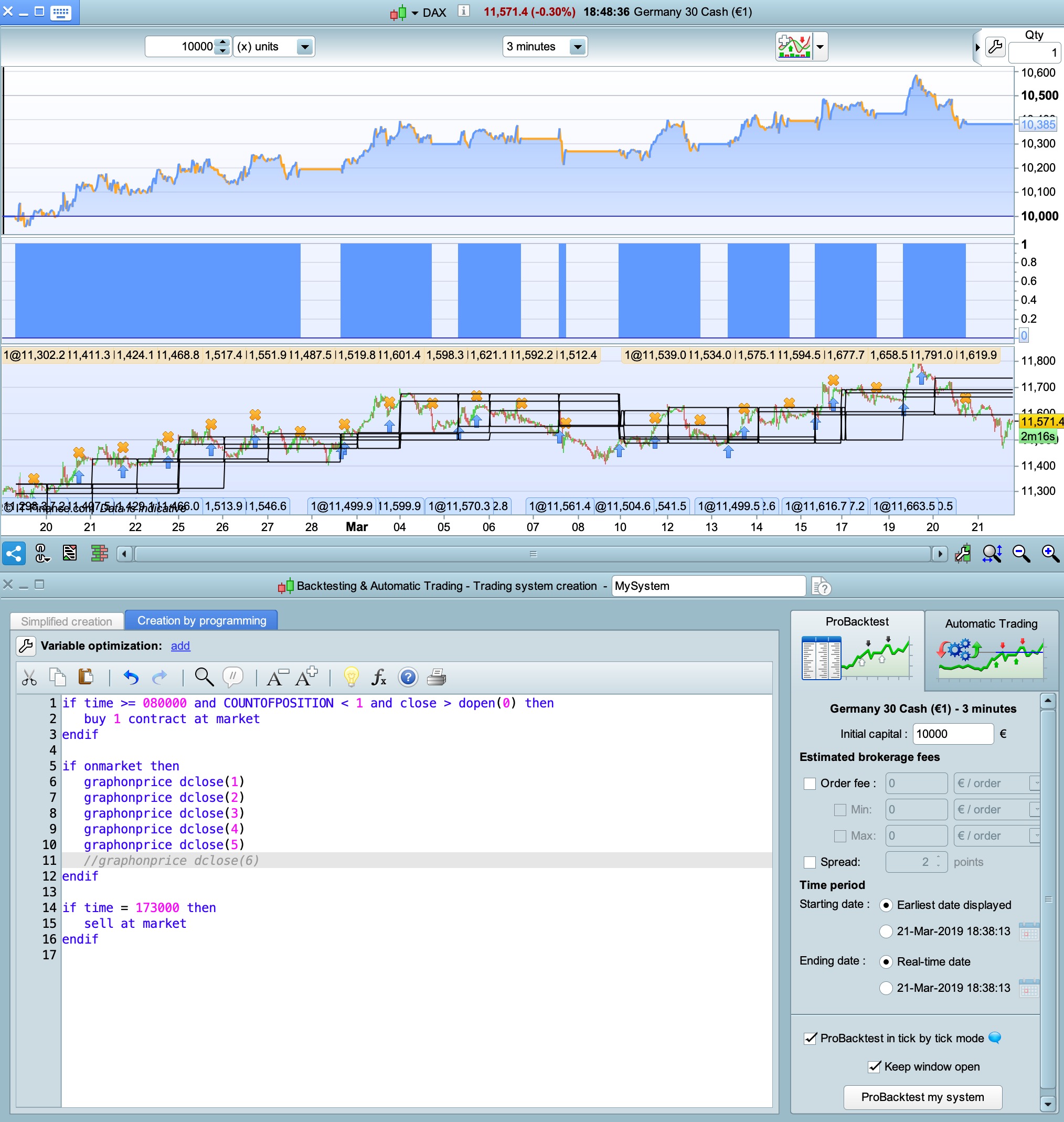
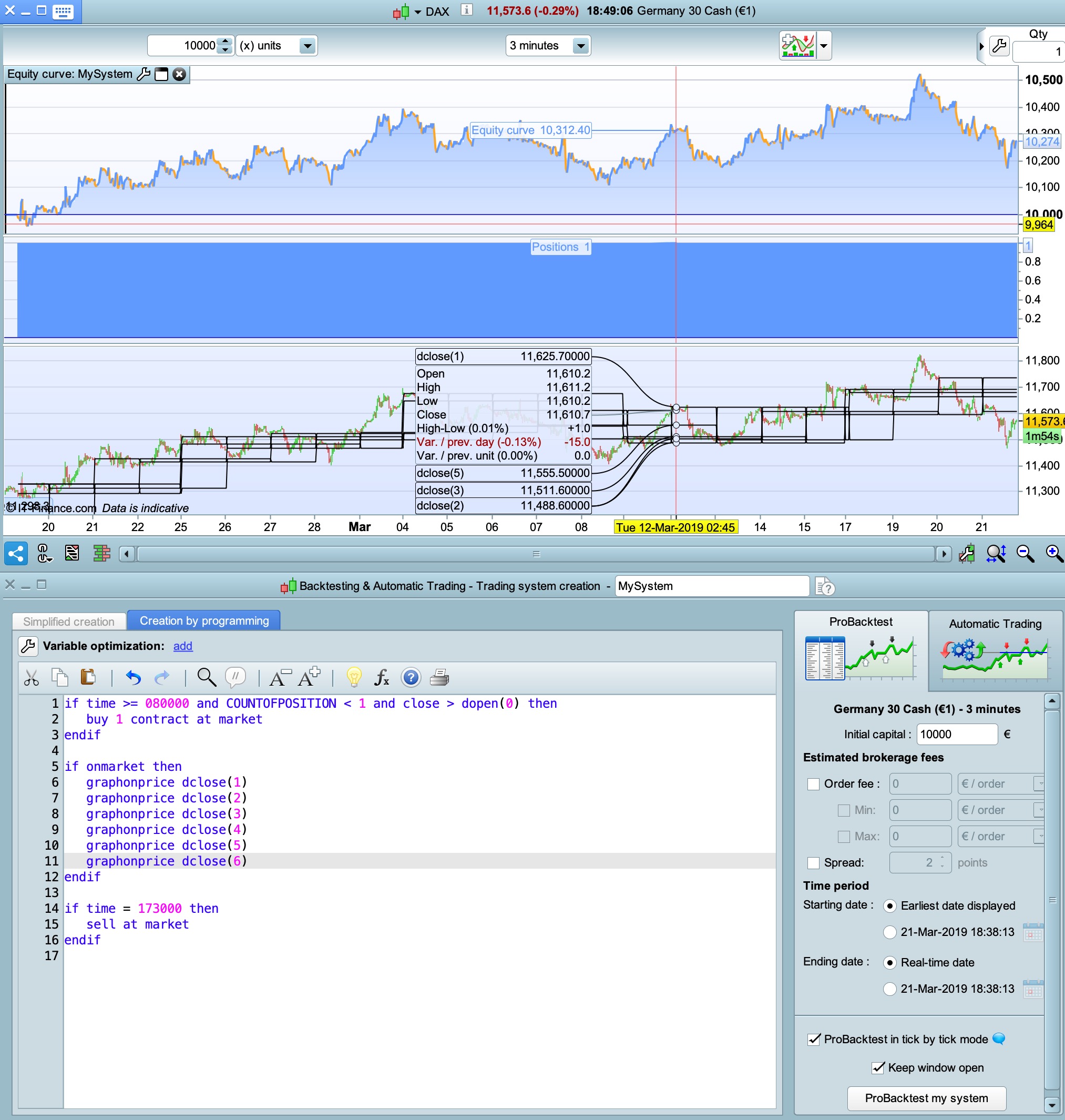
I did a test to check.
if time >= 080000 and COUNTOFPOSITION < 1 and close > dopen(0) then
buy 1 contract at market
endif

if onmarket then
graphonprice dclose(1)
graphonprice dclose(2)
graphonprice dclose(3)
graphonprice dclose(4)
graphonprice dclose(5)
graphonprice dclose(6)
endif

if time = 173000 then
sell at market
endif
in above code, the exit-time from 173000 is not activated !
if you make a change like
//graphonprice dclose(6)
the exit-time from 173000 is activated.
That’s reason to request an increase of the number graphonprice and the warning, because it can be quickly overlooked.
Hi Paul, thanks for the tip about the error. I knew about the 5 graph limit, but not the problem of improper calculation.
Finning
As Nicolas said – you should always put GRAPH and GRAPHONPRICE as the last lines of code. If you want them to switch to zero if not on market then use a variable in the code and graph this variable.
if time >= 080000 and COUNTOFPOSITION < 1 and close > dopen(0) then
buy 1 contract at market
endif

if onmarket then
a = dclose(1)
b = dclose(2)
c = dclose(3)
d = dclose(4)
e = dclose(5)
f = dclose(6)
endif

if time = 173000 then
sell at market
endif

graphonprice a
graphonprice b
graphonprice c
graphonprice d
graphonprice e
graphonprice f
What you have found may be just a minor bug but I’m guessing that if you do what I just suggested then everything will work just fine. My platform is not open at the moment to test.
@Paul
What broker and account type (demo or real), please?
PaulParticipant
Master
@Nicolas IG and real account.
If it’s time-exit or an indicator exit or a hard stoploss, they all get skipped in backtesting in the code above.
I found this problem, as I used a trailing stop/breakeven/stoploss/profittarget, all embedded with one or more graphonprice commands.
So that will be on the bottom from now on.
Always like to see the performance gain, that number 5 is the total of graph and graphonprice together. So that leaves only 4 to use for graphonprice which is a bit limited.
@Vonasi Thanks for the tip! I did test it but lines didn’t go to zero when there was no market position.
I did test it but lines didn’t go to zero when there was no market position.
Ooops sorry – one of my usual forgets. Always zero the values if you ever want them to be zero! Try this:
if time >= 080000 and COUNTOFPOSITION < 1 and close > dopen(0) then
buy 1 contract at market
endif

a = 0
b = 0
c = 0
d = 0
e = 0
f = 0

if onmarket then
a = dclose(1)
b = dclose(2)
c = dclose(3)
d = dclose(4)
e = dclose(5)
f = dclose(6)
endif

if time = 173000 then
sell at market
endif

graphonprice a
graphonprice b
graphonprice c
graphonprice d
graphonprice e
graphonprice f
Once again not tested!
PaulParticipant
Master
That one works! Very useful & solves a problem for me. Thanks!