Remove numbers after the decimal point

Viewing 7 posts - 1 through 7 (of 7 total)
  • Author
    Posts
  • #222699 quote
    Marcel van Vliet
    Participant
    Veteran

    Hi, Another question from a hopeless programmer.

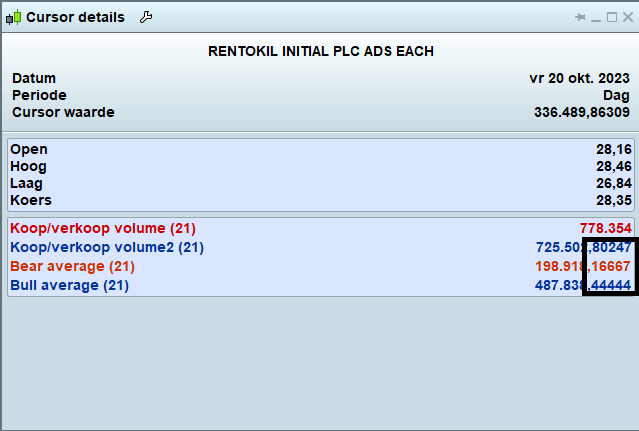
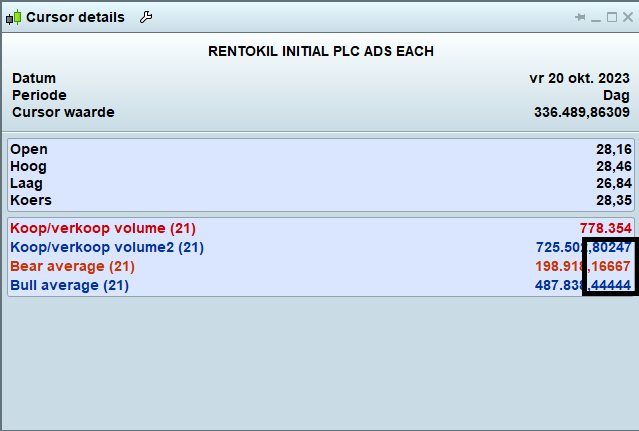
    I have tried to remove (or hide) the numbers after the decimal point for the Bull/Bear volume indicator (picture).

    I added the comment ‘Decimal [0]’ to the code, but without result. Can anybody help me out?

    Here is the code:

    ref=(close-low)/range
    volbull=ref*volume
    volbear=volume
    
    if close>=open then
    greenbarcount=1
    greenvolume=volume
    complete=Decimals[0]
    redbarcount=0
    redvolume=0
    else
    greenbarcount=0
    greenvolume=0
    redbarcount=1
    redvolume=volume
    complete=Decimals[0]
    endif
    //media volumi rossi e verdi per media mobile semplice
    mmred=summation[period](redvolume)/summation[period](redbarcount)
    mmgreen=summation[period](greenvolume)/summation[period](greenbarcount)
    
    return volbear coloured (204,0,0) style (histogram), volbull coloured (0,51,153) style (histogram), mmred coloured (204,51,0) as "Bear average", mmgreen coloured (0,51,153) as "Bull average"
    #222704 quote
    JC_Bywan
    Moderator
    Master

    Topic moved from proscreener forum to probuilder forum

    Round, or Floor, or Ceil… depending on if you want closest integer, integer below, or integer above…

    Examples:

    round(mmred)

    ROUND

    Ceil(mmred)

    CEIL

    Floor(mmred)

    FLOOR

    #222706 quote
    Marcel van Vliet
    Participant
    Veteran

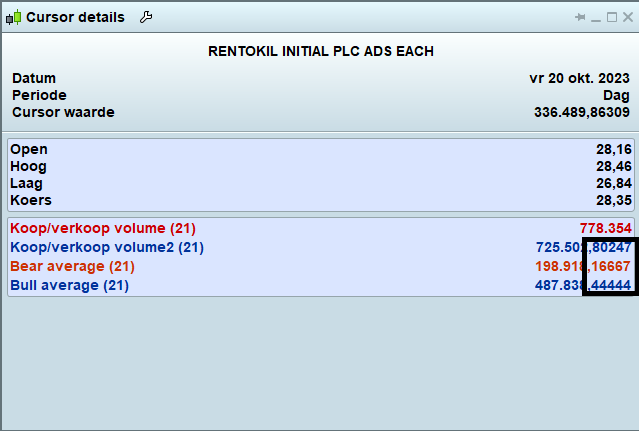
    ????? Just want to remove the decimals as shown on the attached picture. Sorry but your reply make no sense to me.

    #222708 quote
    JC_Bywan
    Moderator
    Master

    First, delete both complete=decimal[0] lines, they don’t do anything


    Second, replace the return line (number 22) with this one instead, adding everywhere inside it the ROUND keyword from above reply :

    return ROUND(volbear) coloured (204,0,0) style (histogram), ROUND(volbull) coloured (0,51,153) style (histogram), ROUND(mmred) coloured (204,51,0) as “Bear average”, ROUND(mmgreen) coloured (0,51,153) as “Bull average”

    Marcel van Vliet thanked this post
    #222720 quote
    JS
    Participant
    Senior

    Hi Marcel,

    There is no instruction in PRT to remove the decimals…

    What you can do is use the instruction Round(a, digits) (as JC indicates), with which you can round the number to the nearest whole number and optional indicate with “digits” how many decimal places you want to see…

    Marcel van Vliet thanked this post
    #222744 quote
    PeterSt
    Participant
    Master
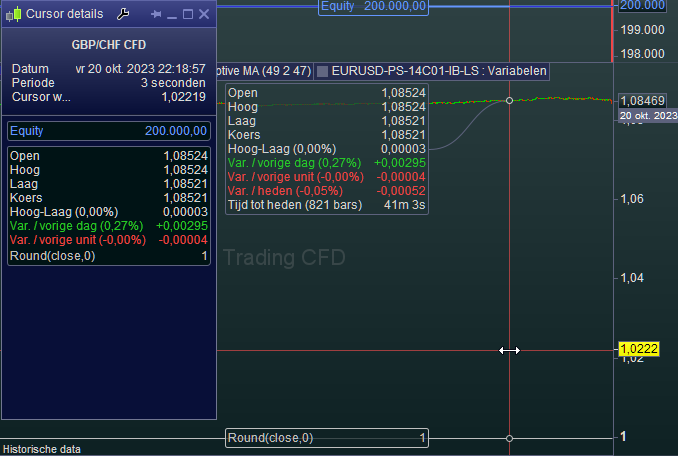
    Marcel, in case it is not clear …
    #222820 quote
    Marcel van Vliet
    Participant
    Veteran
    I copied/paste the suggestion return rule from the reply of #JC Bywan and it works fine. Thanks for your thoughts ……….
Viewing 7 posts - 1 through 7 (of 7 total)
  • You must be logged in to reply to this topic.

Remove numbers after the decimal point


ProBuilder: Indicators & Custom Tools

New Reply
Author
Summary

This topic contains 6 replies,
has 4 voices, and was last updated by Marcel van Vliet
2 years, 3 months ago.

Topic Details
Forum: ProBuilder: Indicators & Custom Tools
Language: English
Started: 10/20/2023
Status: Active
Attachments: 5 files
Logo Logo
Loading...