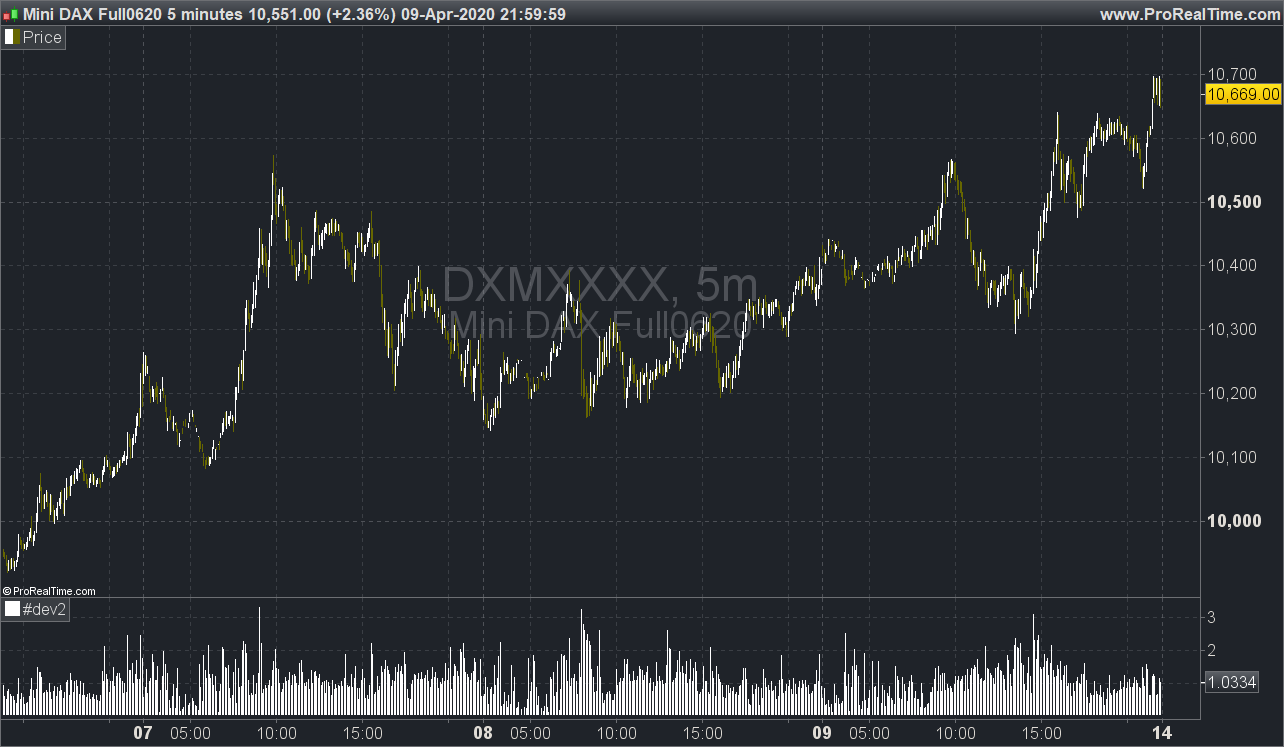
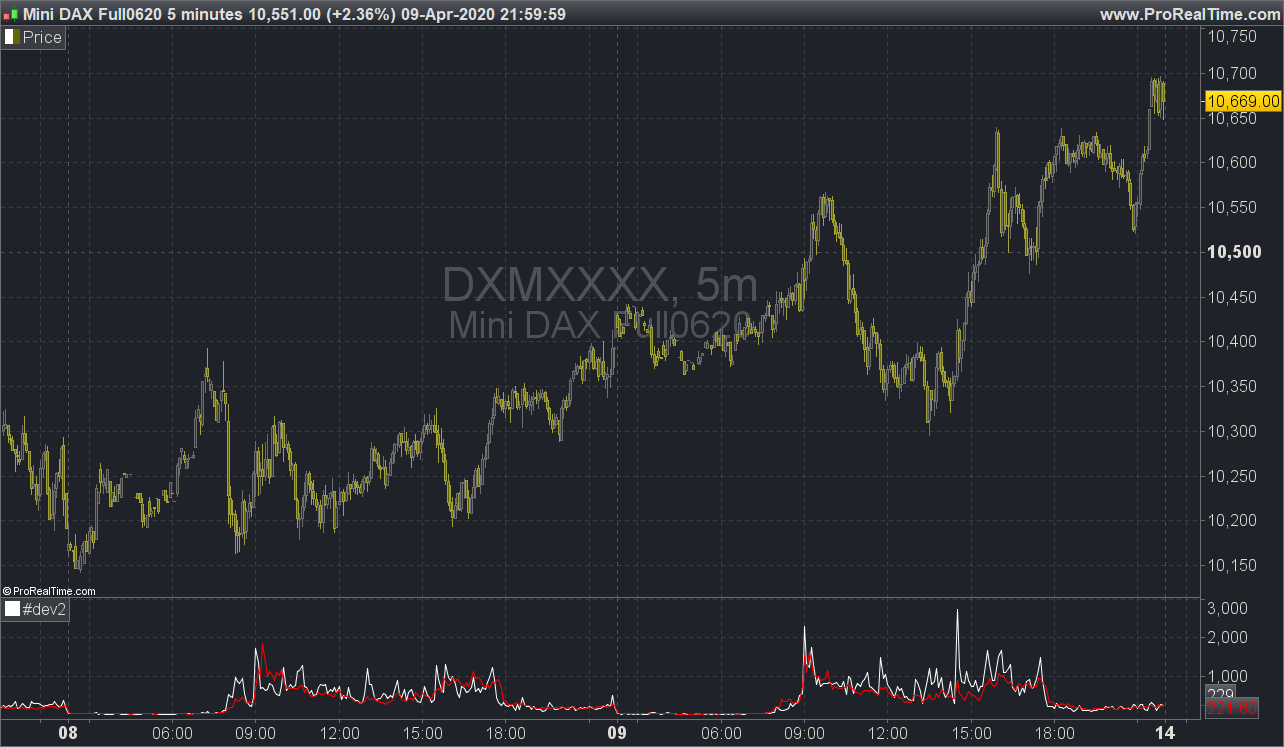
Good day,
I am trying to incorporate relative volume in my trading but I have no idea how to create the indicator. Below is a link that describes Rvol and how to calculate it. I haven’t seen this indicator in previous topics as well, maybe I missed it.
Can you please help with creating it?
thank you,
https://stockbeep.com/how-to-calculate-relative-volume-rvol-for-intraday-trading
Relative volume is a ratio of the current period volume compared to the average of the last 5 days.
That could be coded like this:
rvol = volume/average[5](volume)

return rvol
Hello Nicolas
Thanks for the code 🙂
However do you think it’s possible to create the indicator as described in the article posted above? (https://stockbeep.com/how-to-calculate-relative-volume-rvol-for-intraday-trading)
“Current cumulative volume up to this time of day / Average cumulative volume up to this time of day”
where the numerator is the current volume, and the denominator is the average over let’s says 5 days of the volume, but only up to the current index bar (and not the volume at the close of the day, which is less relevant during trading hours).
I am a fresher, I did try wrapping my mind around this, but without any results I am afraid :s I also saw a similar post on the forum, but unfortunately it was left unanswered (https://www.prorealcode.com/topic/relative-volume-for-intraday-trading/). And I read the posts in french but none was of help in this particular matter (https://www.prorealcode.com/topic/pro-ratisation-de-volume/).
That’s why getting your help/guidance would be great! 🙂
Thanks,
That sounds possible with variables arrays with ProRealTime v11. At least for an indicator, but I don’t know about a screener.
But do you want :
Current volume for this time of day / Average volume for this time of day
or
Current cumulative volume up to this time of day / Average cumulative volume up to this time of day
?
Hello Nicolas,
it would be the first proposal: Current volume for this time of day / Average volume for this time of day
Here are 2 versions. First one is the Relative Volume, second one is the actual volume and the average volume for the X chosen period, in red.
Period = 5 //X days averaging period

intraindex = intradaybarindex
$ivol[intraindex] = volume

$gvol[barindex] = volume
$gintraindex[barindex] = intraindex

count = 0
sum = 0
for i = barindex downto 0 do
if $gintraindex[i]=intraindex then //found same intraday bar
sum=sum+$gvol[i]
count=count+1
endif
if count=period then
break
endif
next

avg = sum/period
rvol = $ivol[intraindex] / avg

return rvol style(histogram)//$ivol[intraindex], avg coloured(255,0,0)
Period = 5 //X days averaging period

intraindex = intradaybarindex
$ivol[intraindex] = volume

$gvol[barindex] = volume
$gintraindex[barindex] = intraindex

count = 0
sum = 0
for i = barindex downto 0 do
if $gintraindex[i]=intraindex then //found same intraday bar
sum=sum+$gvol[i]
count=count+1
endif
if count=period then
break
endif
next

avg = sum/period
rvol = $ivol[intraindex] / avg

return $ivol[intraindex], avg coloured(255,0,0)
Hello Nicolas,
Thank you so much, your reply was very helpful.
There is a small correction I think:
for i = barindex downto 0 do
it should be:
for i = (barindex - 1) downto 0 do
In order not to take the current bar into the averaging (and take only the previous ones). I did the calculation by hand to verify this should be working
I also gave a trial at the cumulative volume, based on your code. It seems to be working as well, nonetheless it would be great to have your feedback 🙂
Period = 5 //X days averaging period
NbC = NoofCandlesInOnePeriod // No of Candles in one period.

intraindex = intradaybarindex
$ivol[intraindex] = volume

$gvol[barindex] = volume
$gintraindex[barindex] = intraindex

n = 0
count = 0
sum = 0
cvol = 0

for i = (barindex - 1) downto 0  do

if $gintraindex[i]=intraindex then //found same intraday bar
n = i

while ( n > (barindex - (intraindex + NbC + count*NbC)) AND (n >= 0) )
sum=sum+$gvol[n]
n = n - 1
WEND

count=count+1
endif

if count=period then
break
endif

next

i = 0
for i = intraindex downto 0 do
cvol = cvol + $ivol[i]

next

avg = sum/period
rcvol = cvol/avg

return rcvol
And lastly I have been trying to run scanners based on those indicators. However I couldn’t make them work so I had a doubt: is it possible to run scanners with indicators using arrays?
Thank you so much for your help!
Hi Nicholas
I am getting a syntax error for the $ signs. Please let me know as to how I can correct this since I need to use these indicators.
Many thanks
variables names with a $ are variable arrays which are not supported by ProRealTime version prior to v11! 🙂
Dear Nicolas – thanks so much for your post above (#125548) where you gave the code for a relative volume indicator, which I have been using.
Can you advise whether the code can be adapted to create a cumulative RVOL indicator, and if so how, please? For example, I’m looking to know intraday how a stock’s cumulative volume since the open compares with the average cumulative volume at the same point in the day (averaged over the previous X days/sessions). My understanding is that your code above is looking at current relative volume for the bar rather than cumulative since the open.
Any pointers or help you could give would be very gratefully received (I’m new to PRT coding)
Thanks, Paul
Bonjour Nicholas….
Would it be possible to add a colour system to the bars in the relative volume indicator?
Hi Nicolas, I am also looking for a way to compare the cumulative volume since the open with the average cumulative volume at the same point in the day. I tried to use Pompboss’ code, but the number of candles in one period must be specified which prevents us to use it whatever the TF is. Would it possible to improve the code? Many thanks.