Range Compression Indicator

Viewing 3 posts - 16 through 18 (of 18 total)
  • Author
    Posts
  • #137017 quote
    Frankkeyo
    Participant
    Junior

    Hi Robertogozzi,


    Thank you for your help.  However, I am unable to find properties to locate the option for “scale data”.  Prorealtimes website shows that their properties are in their “chart settings”, but no option to scale data exists there.  Would it be under something else?  I have tried calling prorealtime for further help locating scale data, but their lines are too busy.  Thanks

    #137020 quote
    robertogozzi
    Moderator
    Master

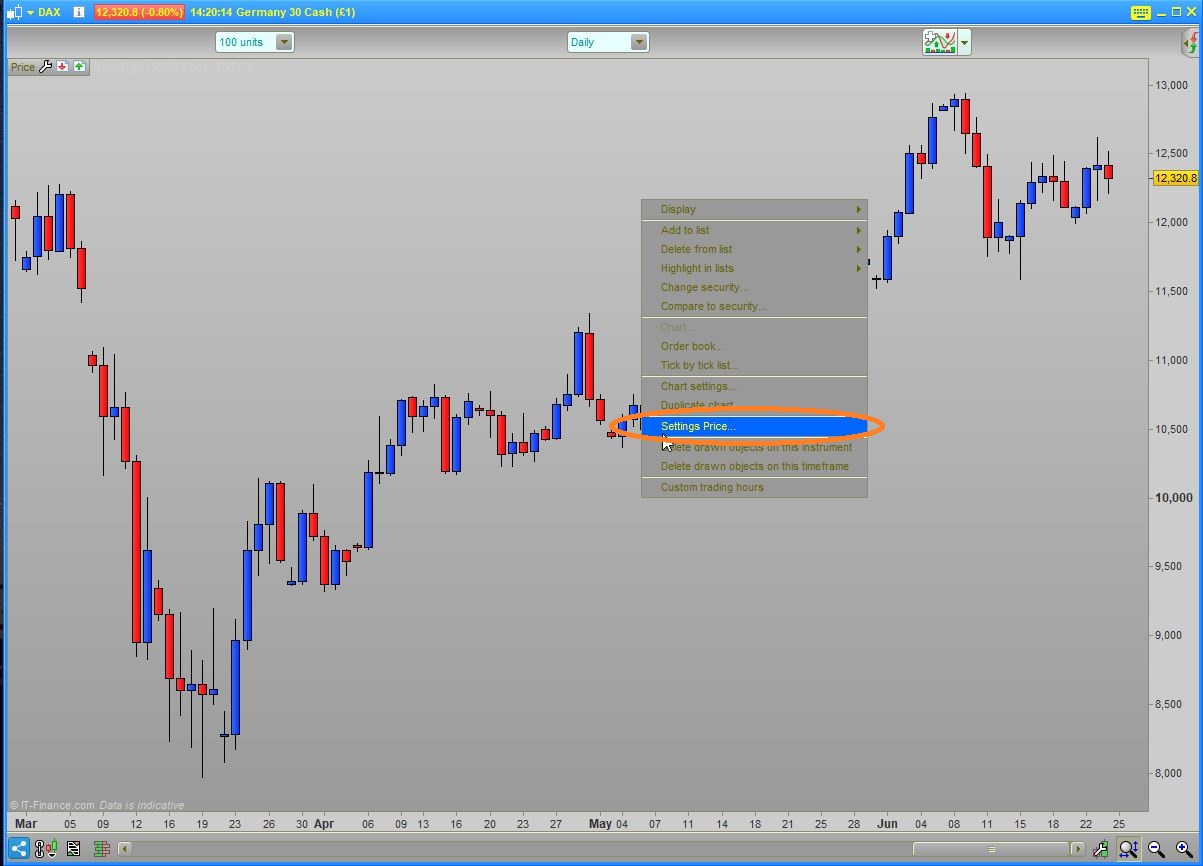
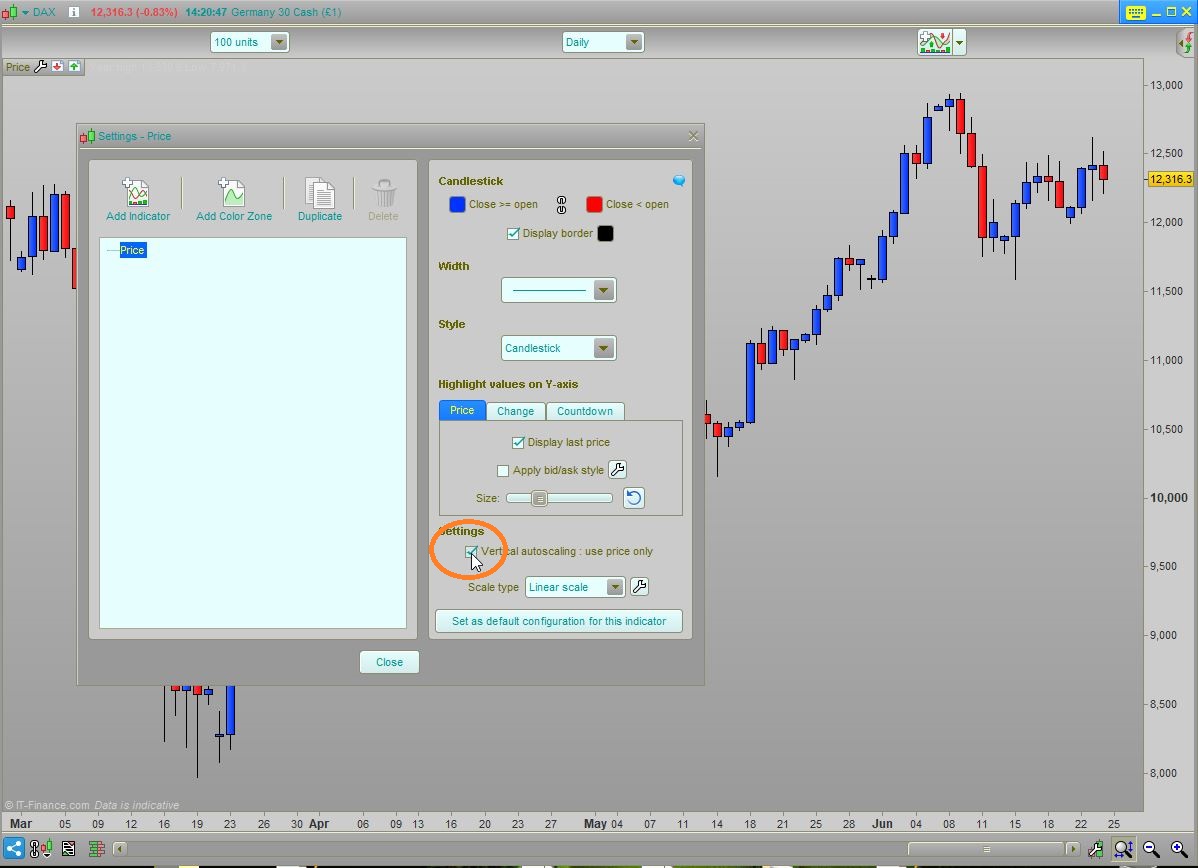
    Click on the price chart and follow the two steps shown in the screenshots.

    Pic1.jpg Pic1.jpg Pic2.jpg Pic2.jpg
    #137025 quote
    Frankkeyo
    Participant
    Junior

    I am very grateful for you taking the time to take the print screen. Thank you.  However, that didn’t help.  Though I have found a way to fix the problem if anyone comes across this problem.   I was adding the indicator to a saved template.  For some reason, it wouldn’t work. I had to start a new template.  After doing so, the problem was still there, so I played with the code and changed the ATRt settings.  The lines would only show in low time frames, but I wanted it to show in a higher time frame.  So I increased the ATRt.  At the moment, the lines presented are not making much sense to me, but I think if I continue to play around with the settings I may be able to create a display that will in-line itself with my strategy.   If you have any settings you like to share with me, then please do.

Viewing 3 posts - 16 through 18 (of 18 total)
  • You must be logged in to reply to this topic.

Range Compression Indicator


ProBuilder: Indicators & Custom Tools

New Reply
Author
author-avatar
Thally @rodger_dodger Participant
Summary

This topic contains 17 replies,
has 5 voices, and was last updated by Frankkeyo

5 years, 7 months ago.

Topic Details
Forum: ProBuilder: Indicators & Custom Tools
Language: English
Started: 08/21/2019
Status: Active
Attachments: 4 files
Logo Logo
Loading...