StefParticipant
Average
Hi,
How can I generate random values in PRT code? I would like to test random exit conditions; e.g. exit after 1 to 5 bars. Is there a random function in PRT, or another way to do this?
Thanks
WingParticipant
Veteran
There is no built-in function that I know of. I tried making a ‘random’ number generator quickly:
EDIT: wrong code
This will return a pseudo-random integer between 0 and 9 for each bar. I checked the distribution of integers, and it will generate roughly the same amount of each integer. Since it is not truly random and a very simple algorithm, remember that it will return the same numbers every time unless you change CFD/timeframe/startdate. If you use it as an indicator, you will see the distribution is a bit affected by certain patterns. Using it for the purpose you describe is no problem though.
I have spent many hours thinking of ways to generate a pseudo random number in PRT.
My ideas were to “fool” my Auto strategy onto a Monte Carlo walk forward. However, haven’t had much luck as the PRT platform is fairly basic programming.
Ives tried using time , trigonometry (cosine, some) , RSI , but these all have a oscillating commonality that creates a pattern sooner or later.
Grizzly
StefParticipant
Average
Hi Wing,
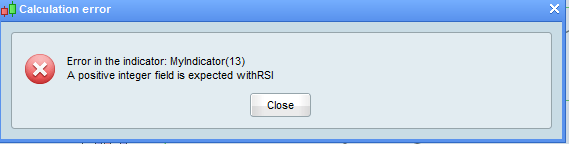
Thanks for the code. I get the following error when trying to add it as an indicator:
WingParticipant
Veteran
Here is the code I meant to post:
once MyNumber=5
MyNumber=round(((((rsi[14]*rsi[8])*(high[mynumber]+medianprice))*((intradaybarindex/time))+days+(dayofweek+1)*month)-round((((rsi[14]*rsi[8])*(high[mynumber]+medianprice))*((intradaybarindex/time))+days+(dayofweek+1)*month)/10-0.49)*10)-0.4)
return MyNumber as “PseudoRandom”
Thanks Wing, smart and reliable idea. Well done. 👏
LeoParticipant
Veteran
Base in your idea I made an indicator to show values from 1 to 0.
Cheers
psuedorandom= round(rsi[7]*rsi[14]/rsi[21])
IF psuedorandom >= 10 THEN
RandomNumber = round(psuedorandom/10)+ psuedorandom-round(psuedorandom/10)*10
ENDIF
RandomNumber=max(1,min(10, RandomNumber))
smarandom=average[100](RandomNumber)
return RandomNumber Style(point,4) as "RandomNumber" ,0 as "cero", 10 as "10", smarandom as "average of random"
Is this still the best way to generate a random value in PRT? No built-in functions in v.11?
A bit irritating when testing on weekends and it generates the same value each time…
There is still no random number generation available in PRT although I do believe it is on the list of things to be added. At the moment PRT are still ironing out bugs in v11 so I imagine it is rather low priority right now.
Another one:
// Random Number Generator
//
// MaxNumbers = 100 //100=0 to 99 or 1000=0 to 999 or 31=0 to 30, and so on....)
//
MaxNumbers = max(1,min(10000,MaxNumbers))
RandomNumber = round(Rsi[8](Close) * Rsi[14](MedianPrice) * Rsi[20](TypicalPrice)) MOD MaxNumbers
RETURN RandomNumber AS "RandomNumber"
After a little bit of testing I have concluded that unfortunately none of these code examples are truly random number generators because they are based on other indicators that will always return the same values. So for example run the random number generator on the DJI daily chart and every single time you run it you will get the same sequence of numbers because the data for the other indicators is the same every single time.
So if you use them to add some sort of random element to strategy testing then you will just end up with a curve fit to the (not at all) random numbers generated.