Can someone please advise how long is the edit ‘window’ open for ….. ?
If you mean the whole platform … 18 hours.
Otherwise maybe elaborate on the question, please ?
and cores wouldn’t park / sleep
My general advice – for a situation like yours – would be to disable hyperthreading and benefit from more cpu cycles / second. I never saw really that PRT would uses cores explicitly, so on top of all “misery” you would lose a lot of “time” on taskswitching.
Anyway I have it off for the IMO better.
Keep watching the memory usage. Once it is in the 8GB range, things will start to collapse and cpu usage will be excessive. But things are (memory) trashing by that time and you will notice by severe stutter on everything.
Apologies meant Forum reply / post edit window ….
My general advice – for a situation like yours
No issue just making the point that odd core util in one case was related to Ryzen Chipset drivers getting hammered. I can’t say exactly how this came about and may have been a weird MS interop issue but removing and re-installing resolved the problems.
I’m unlikely to get >8Gb in PRT use (if that’s what you’re saying) ….. I’m pretty agricultural in it’s use haha
Thanks for the replies …. 🙂
meant Forum reply / post edit window ….
We get 5 mins to edit our posts after first posting.
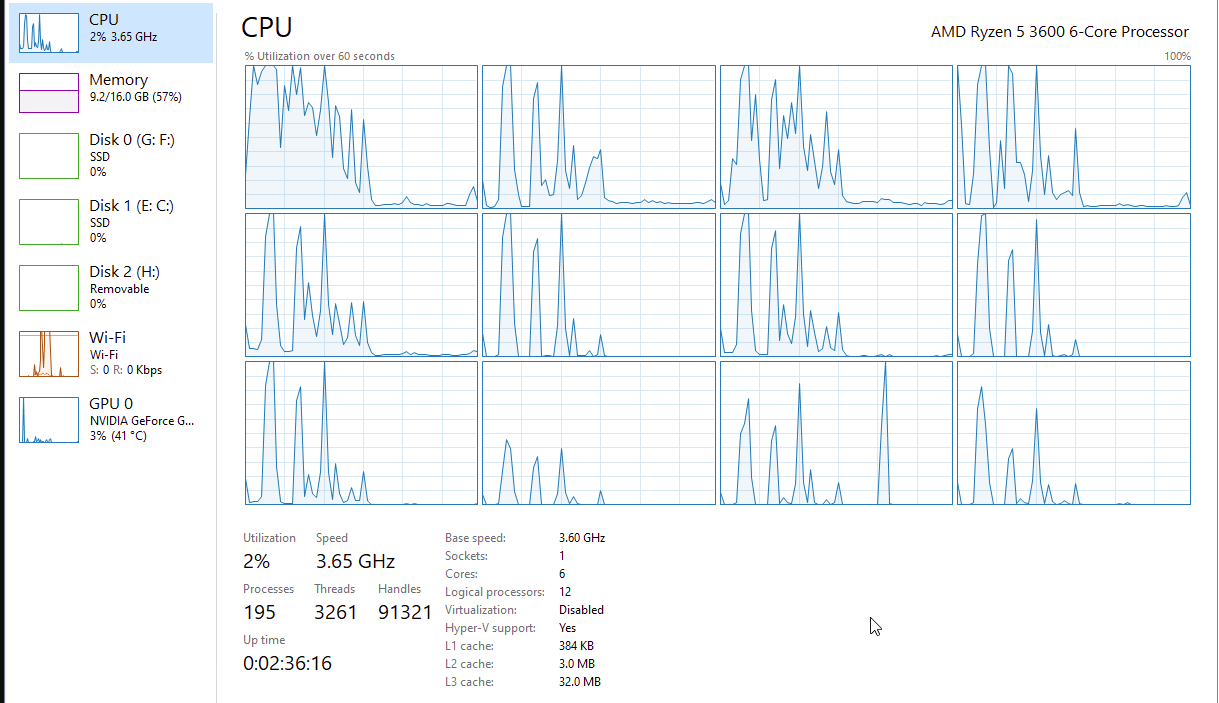
These spikes look extremely odd to me. Can you recall what you were doing there to let it spike like that ?
Would that be Ryzen behaviour perhaps?
Nothing within PRT inherently behaves like that (but you are going to tell me 😉 ).
It could lead to “the” issue, once we know (hehehe).
Edit : that first core would bee your Turbo Boost core. What in heaven’s sake would require all that contiuous “math” ?
Aren’t you using the API version of PRT ?? If that is so, it would explain a lot.
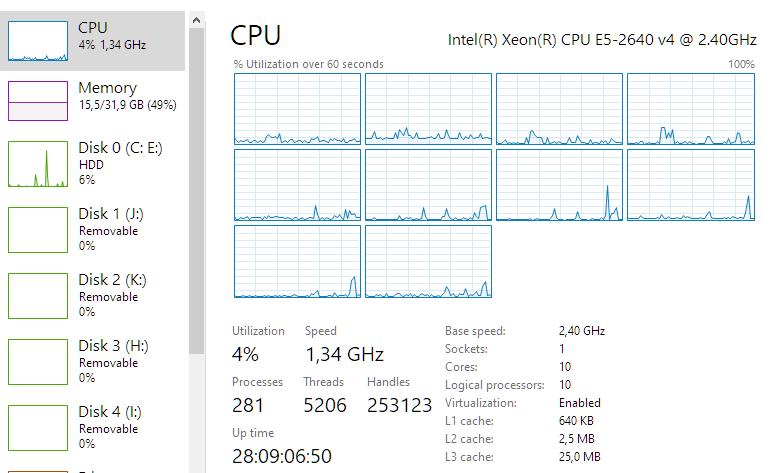
Btw, below my cpu in the midst of a backtest, which is normal (closed markets) because all happens (PRT) server side. Not so with the API version …
These spikes look extremely odd to me.
Appreciate the interest and it’s as I’ve posted further up in the thread.
It is odd that a old templates that have NOTHING or little in them loads the CPU but newly created templates won’t. Some of the templates are years old.
I have no issue with the older templates and they can remain there till I need them, when I do I’ll rebuild them.
It was only by chance I came across it because I wanted to pull up some historical DJIA action. All I did was open a very basic template and as a test deleted the content only to see it load CPU (details are in an earlier post).
My interest here was whether those using PRT and having CPU load issues whether a simple rebuild of template could get them across the line and eliminate the issue as it did for me.
Aren’t you using the API version of PRT ?? If that is so, it would explain a lot.
I’m using what’s offered by IG, it leverages JAVA underneath by the looks.
Asked differently (API) : Can you switch off your PC and your auto trading continues ?
Not sure is the answer, I’ve never run any systems as a set and forget strategy.
Running PRT complete not premium.
Hello Another one here with the problem “Out of memory” when trading on IG with several TF and screens …
Problem started a couple of days ago. I have to restart the program every half an hour.
Maybe it has something to do with the drawonlastbaronly instruction.
I modified a heavy coded indicator with this feature last week. kind regards
drawonlastbaronly instruction
Assuming your last bars are 100 ish then the above usually makes everything calculate faster etc.
If you can minimise personal indicators and also screens not being used it helps.
How many Auto-Systems are you showing listed on the left-hand side of the Backtesting and Auto-Trading window??
If you can minimise personal indicators
Above is better expressed as … if you can use the minimum number of personal indicators.