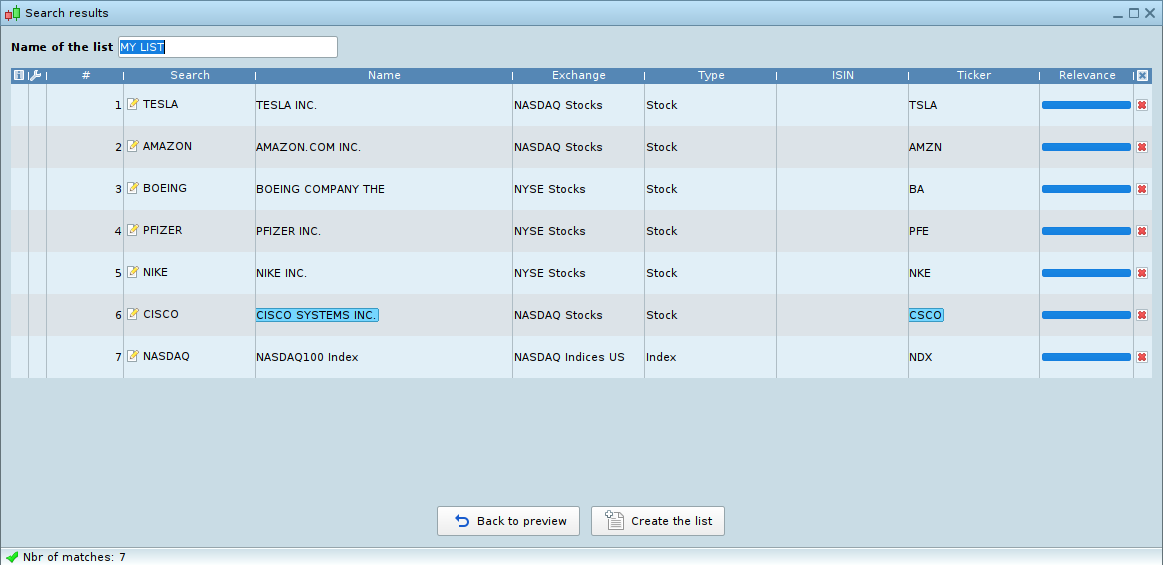






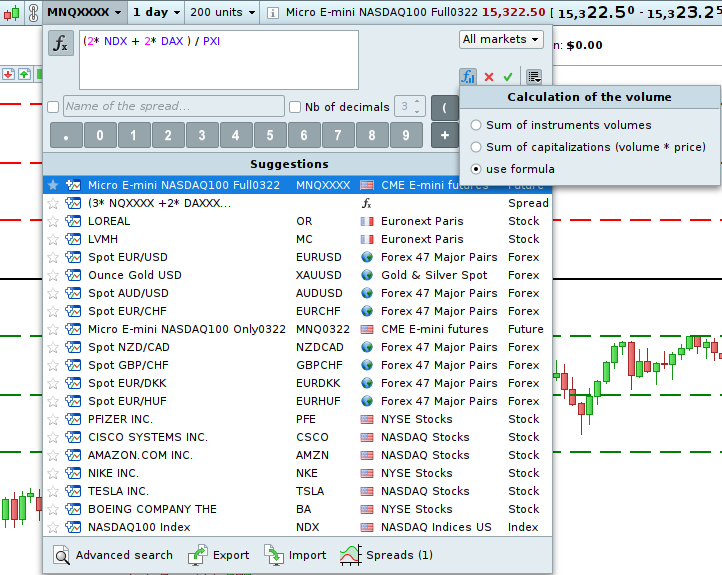
List import via text or csv file:
Do you have lists of saved instruments in an Excel format ? Excellent news for you: in v12 of PRT platform you can import a list of instruments via a text or csv file. You no longer need to search for all instruments manually in our platform!
can’t wait to use this version with IG 🙂
ProRealTime Order Book v12
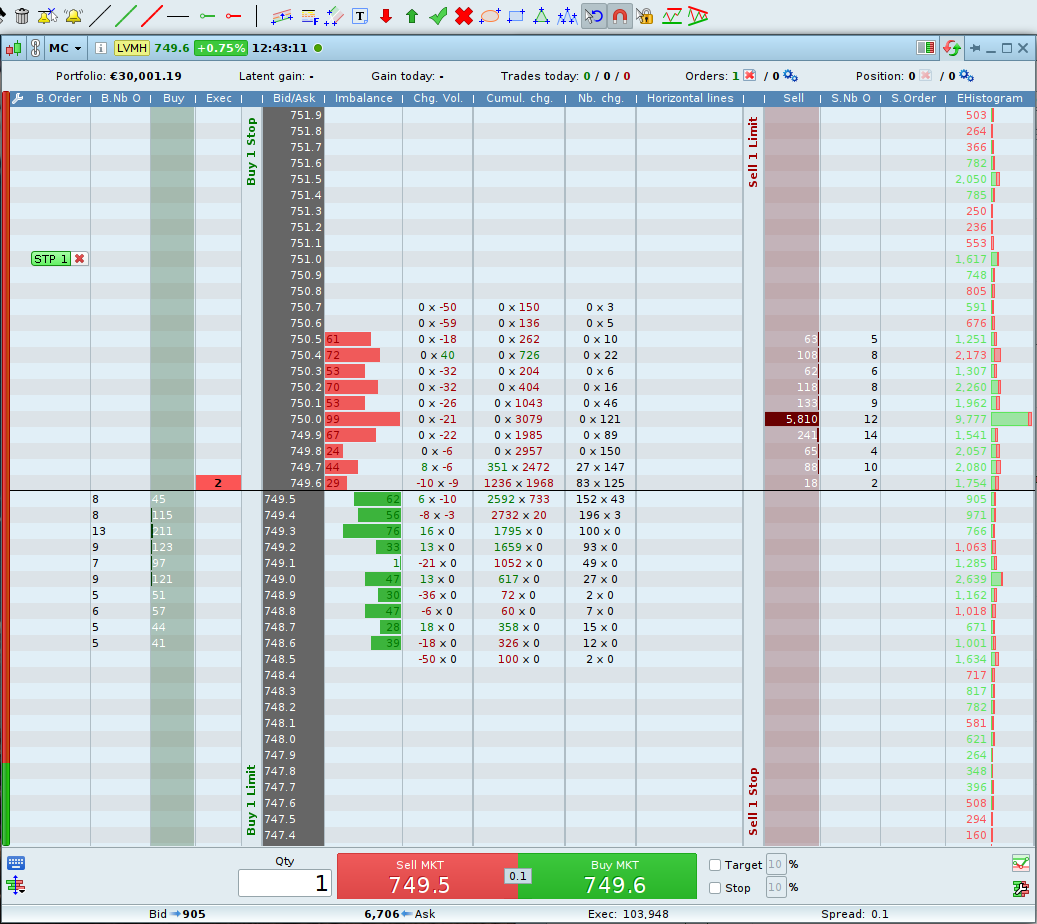
The design of the order book will be modified for easier understanding and order placement and will allow you to display more customized items.
Hey hey. I did not see the spread anywhere before. Or maybe I just did not know where to look ?
But assumed it is new … cool ! (or finally 😉 )
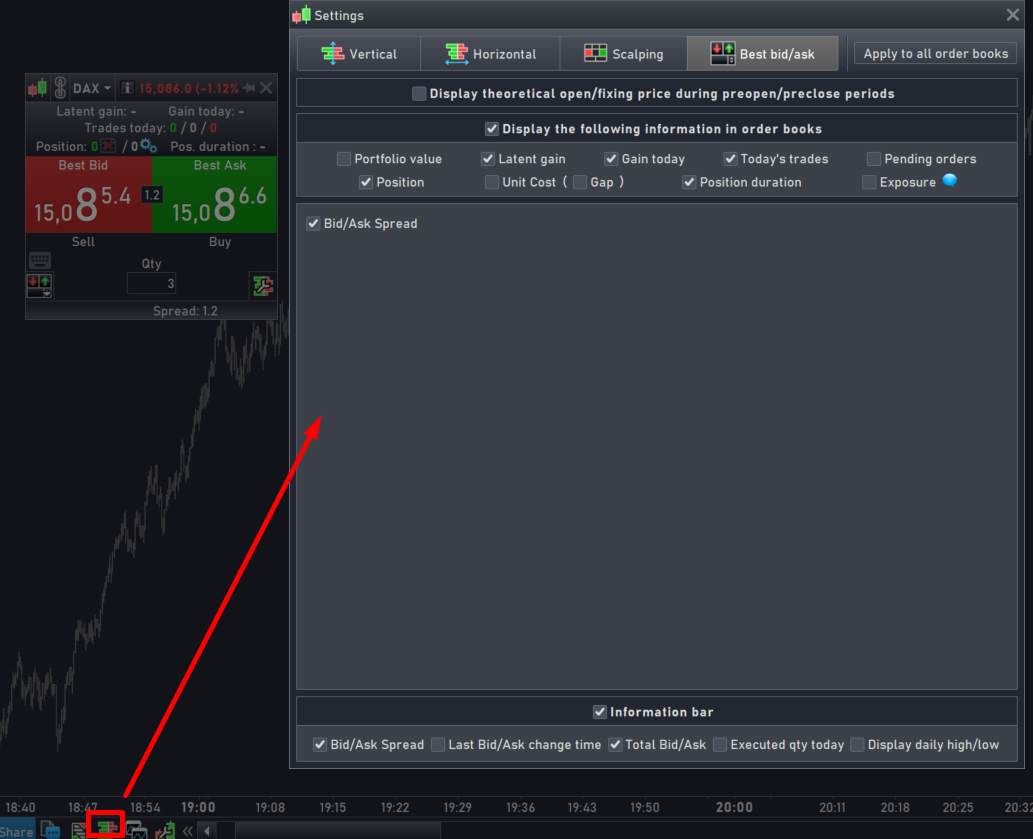
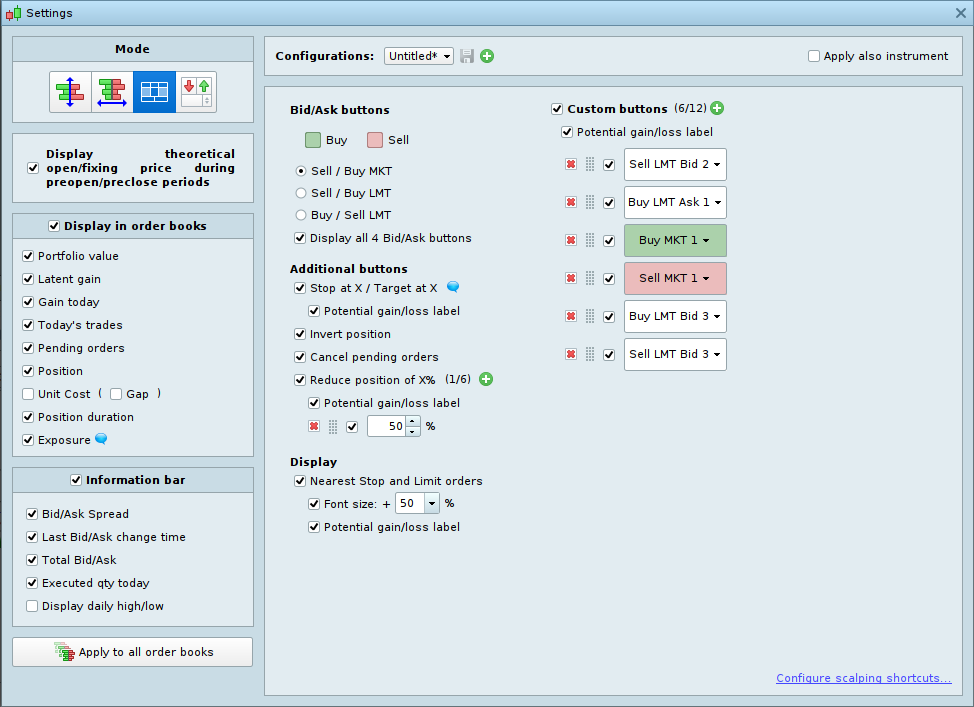
The Bid/Ask spread is visible in the order book, if you activate it in the settings (see attached picture).
I did not see the spread anywhere before
Add the Bid-Ask Band indicator to your charts … very revealing on Forex, widening every few minutes or even seconds during volatile periods!
ProRealTime Order Book v12
- The configuration window will be better organized. A new option will display the Bid/Ask ratio at the top or on the left,
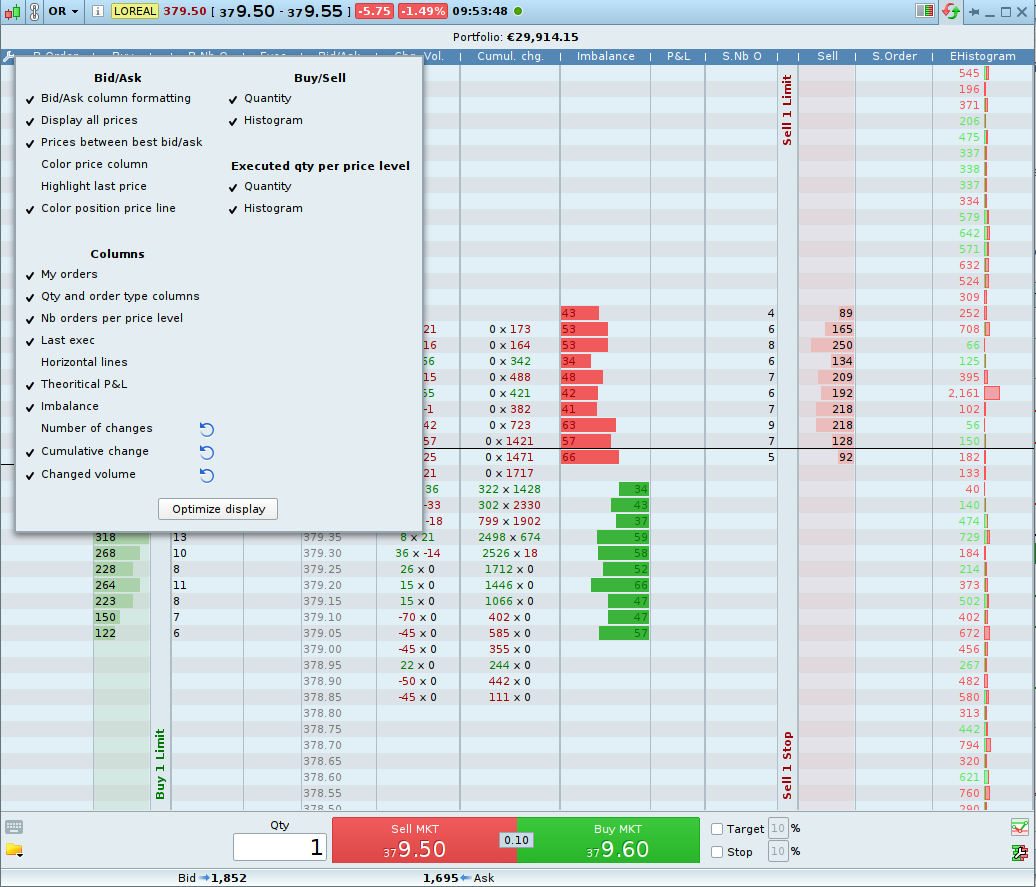
- Via settings icon (wrench) you’ll be able to configure the information of the columns of the order book.
Thank you Nicolas for sharing the new features of PRT v12. While I appreciate the efforts, I feel these are useful cosmetics.
What about fixing the Actual Performance > MFE, speed of backtest, increasing number of possible tests in backtest (now limited to 100,000 in Premium and 10,000 in Demo)? Do you know if PRT is seriously considering these issues?
Thank you!
As you know, backtests (and algos live trading) are handle server side, as a “free” service. More and more users mean more servers, somehow things have to be constrained in order to share server performance to all users. I know that infrastructure resources are continually growing, so performance should improve. That being said, the more people there are during the day, the slower it is, so trying to avoid evening and weekend “optimization” rushes may help!
Hi Nicolas.
lately I feel that the servers have been heavily loaded. the optimization time has increased drastically. would have liked to see some form of status bar here on the website or in the program, which shows the load on the servers, waiting for you to upgrade your servers to meet the need and your increasing number of customers.
ProRealTime Order Book v12
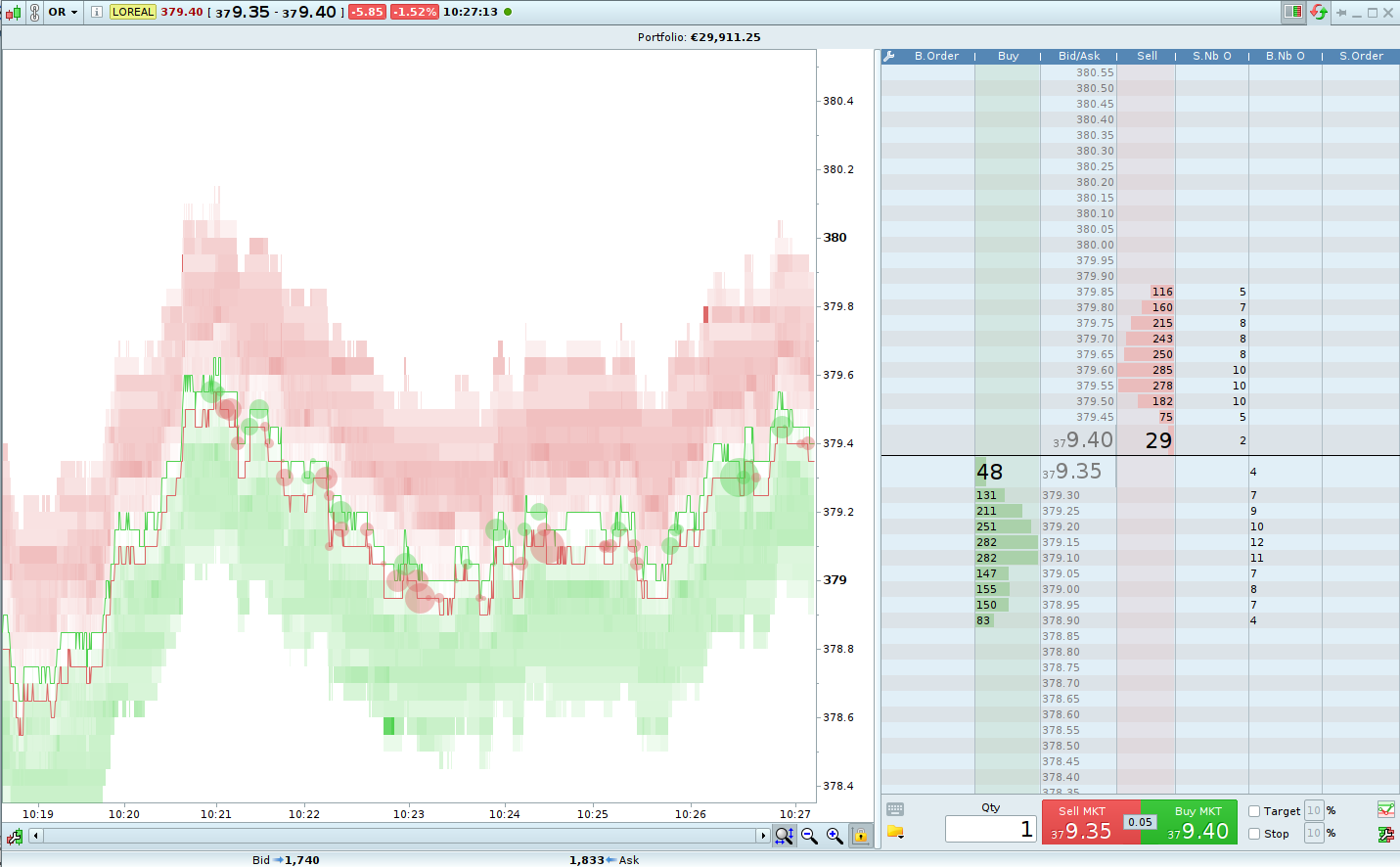
- ProOrderFlow is a new feature to display a chart of the history of the order book.
- The circles on the order flow chart represent execution of orders. To display it, click on the order book header icon as per the image below.
Nicolas, for manual trading, would it also include multiple TPs for 1 position? close 50% at x, 30% at y and 20% at z price for example? Thanks
Order Book v12
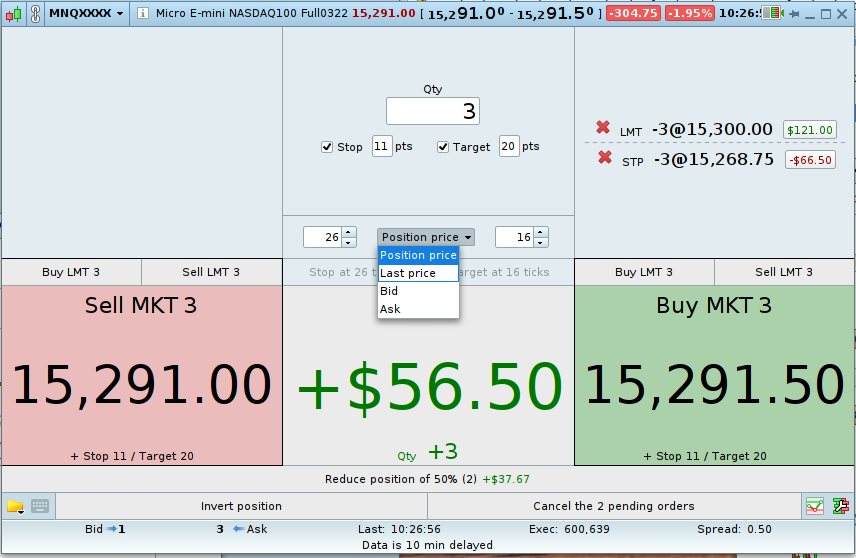
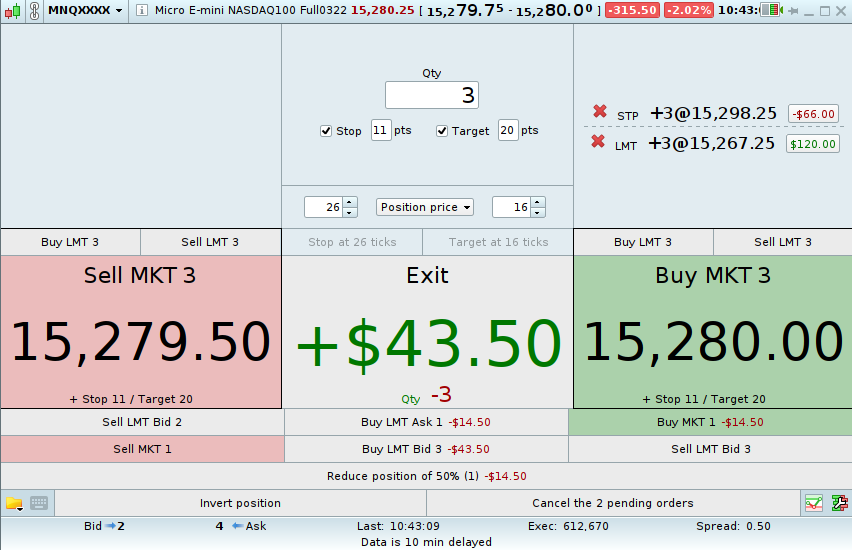
You can also customize the action buttons on your scalping order book:
- buy/sell at market with a predefined quantity,
- buy/sell limit with a predefined quantity.
These buttons can be enabled or disabled.
Calculated Instruments
The “Spread” function is renamed “Calculated Instruments”, as a reminder it allows to highlight the price difference between 2 or more financial instruments.
ProRealTime allows you to display these calculated instruments in candlestick view.