Prorealtime for IG version : How to change price display to pips unit

Viewing 2 posts - 1 through 2 (of 2 total)

  • Author
    Posts
  • #173745 quote
    Cloud_Du
    Participant
    New

    Hi Guys!

    Hope you’re doing well.

    I’m using Prorealtime for IG(ver.11.1) and I have a question for price unit setting in candle chart.

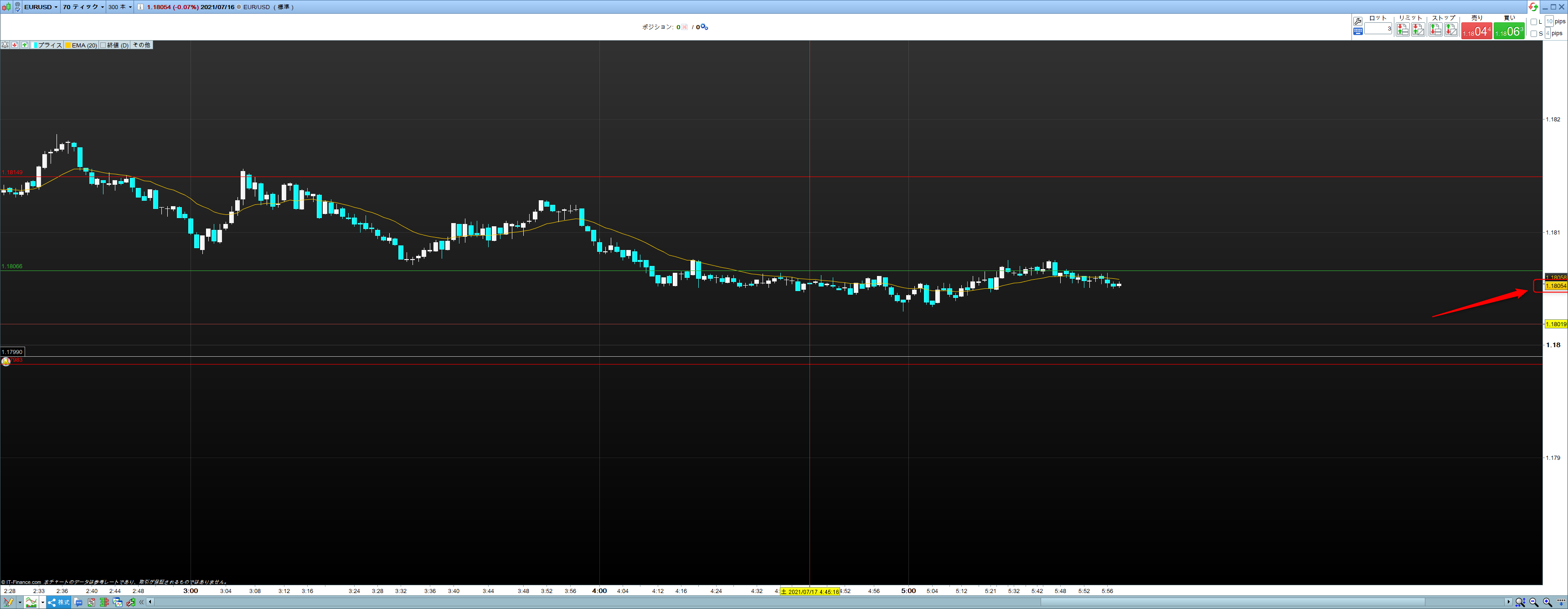
    For now, the price unit is pipette in the chart(attachment).

    Can you help if I can change the price setting to pips unit in chart for candle bars.

    I tried to refer user manual but it seems no mention about that.

    Thanks,

    Cloud

    price-unit.png price-unit.png
    #174552 quote
    JC_Bywan
    Moderator
    Master

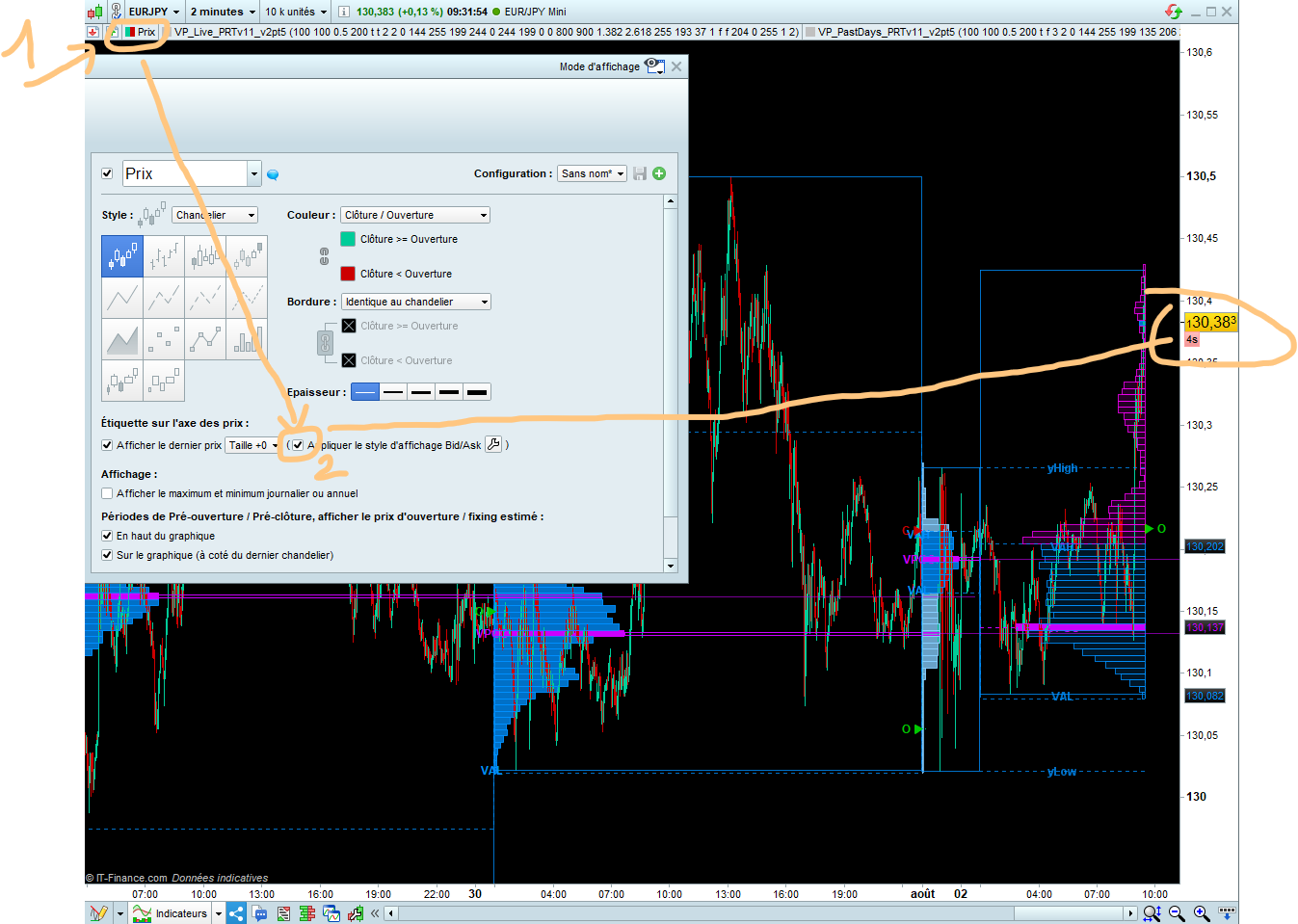
    Hi, I can’t see what your price look like on the right of the attachment, but from the question I’ll suppose in your current format all digits are same size and you’d like pips to be more obvious to the eye.

    Then you may wish to try the following setting:

    1 – in the price window go to top left corner and click on window title “price”, then first line “configure” of  appearing menu

    2 – then see image with EurJpy example for visual location in properties window of the bid/ask style box to tick to better see pips in price display

    PriceBidAskStyle.png PriceBidAskStyle.png
Viewing 2 posts - 1 through 2 (of 2 total)
  • You must be logged in to reply to this topic.

Prorealtime for IG version : How to change price display to pips unit


Platform Support: Charts, Data & Broker Setup

New Reply
Author
author-avatar
Cloud_Du @cloud_du Participant
Summary

This topic contains 1 reply,
has 2 voices, and was last updated by JC_Bywan

4 years, 6 months ago.

Topic Details
Forum: Platform Support: Charts, Data & Broker Setup
Language: English
Started: 07/18/2021
Status: Active
Attachments: 2 files
Logo Logo
Loading...