Prorealtime documentation and programming

Viewing 6 posts - 1 through 6 (of 6 total)

  • Author
    Posts
  • #201623 quote
    ZeroCafeine
    Participant
    Senior

    Hi Everyone

    Hope you are fine


    I have 2 question about the documentation and programming


    1) where I can find a more complete documentation?

    For exemple on the page documentation I can see thee fonction of OpenMinute with out any exemple or more explanation, but I found on this thread the answer of  Roberto Gozzi with the fonction with “MOD 15“, so how to know something like this if it’s not in the documentation?

    I also have the link of the Snippet but it’s not easy to search inside, it’s is better then nothing but not enough 😊


    2) Where I can found more programming or training course?

    About programming I want to know if they have more of the training course of Nicola ? I bought the training course and it’s not good for me 😊 but Very Good 🤣, and it’s better then nothing, but I really want to learn more, so do you know other link or idea or …. ? The idea I found is to help people in the forum to program what they need and like that I can training myself But how to do it without a good documentation?


    Best regards

    ZeroCafeine

    #201624 quote
    Nicolas
    Keymaster
    Master

    Hello,

    1/ the official documentation is currently being rewrote and updated. I do not have any time for arrival, but it will be soon. The official documentations will be added into the new version of ProRealCode, which I work on.

    MOD is the math instruction to get the remainder of a division: see our online documentation:  https://www.prorealcode.com/documentation/mod/

    2/ I know there are some vendors that give private lessons in the marketplace: https://market.prorealcode.com/product-category/private-courses/

    ZeroCafeine thanked this post
    #202140 quote
    ZeroCafeine
    Participant
    Senior

    Merci Nicola,

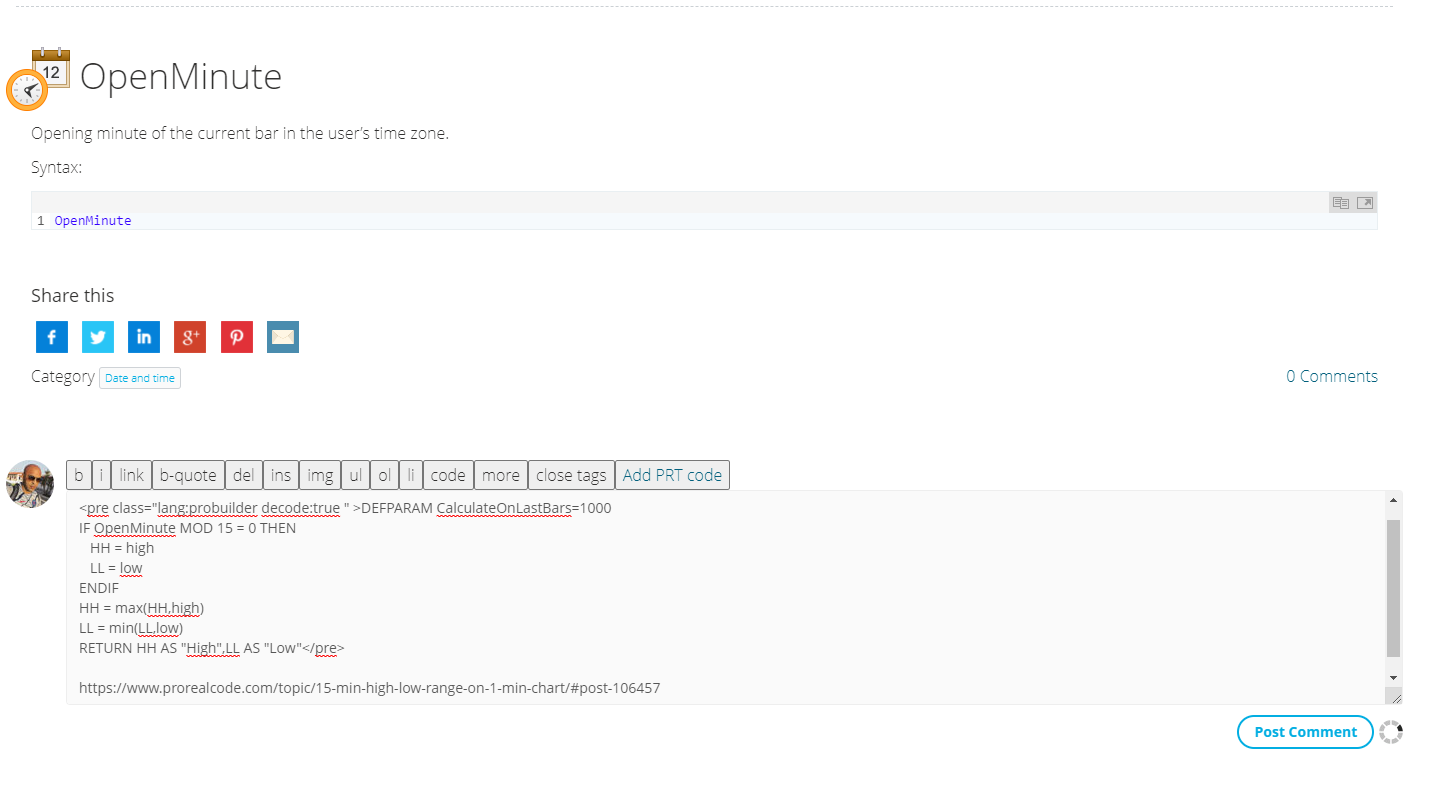
    by asking the question I find this idea, if I found a function without any code or example, then I do a search on the forum and I copy the link from a topic, now it’s still not working like on the photo

    OpenMinute.png OpenMinute.png
    #202221 quote
    robertogozzi
    Moderator
    Master

    This code works:

    return (OpenMinute MOD 15) = 0
    ZeroCafeine thanked this post
    #202256 quote
    ZeroCafeine
    Participant
    Senior

    hi @robertogozzi

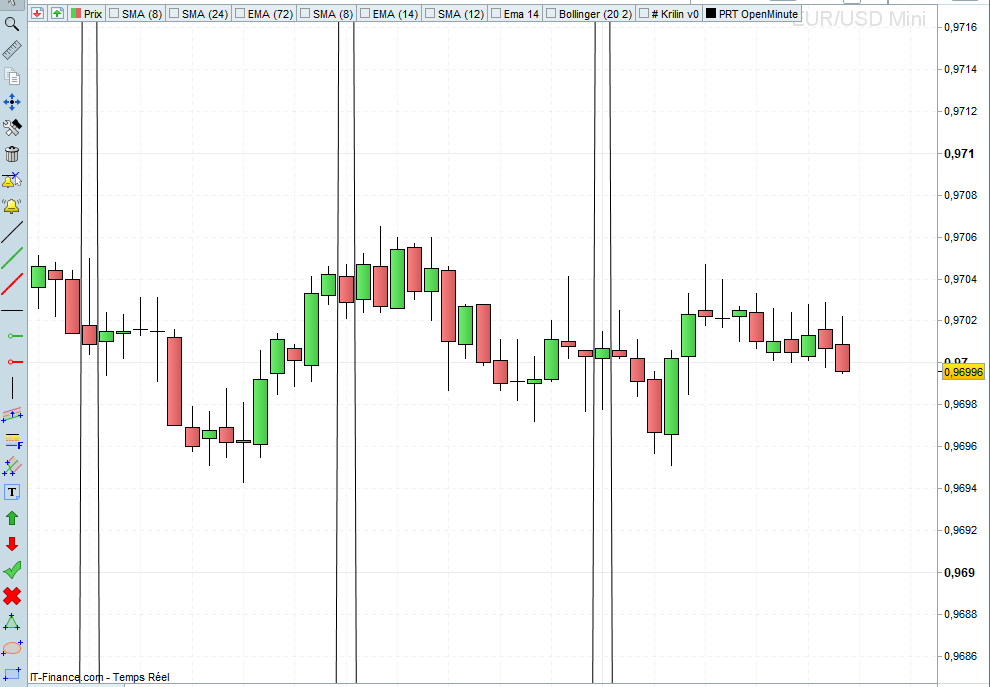
    tks for your answer, I try your code and they give me the Photo 01, can you explain pls why they have 2 line : one before and one after the candle ?

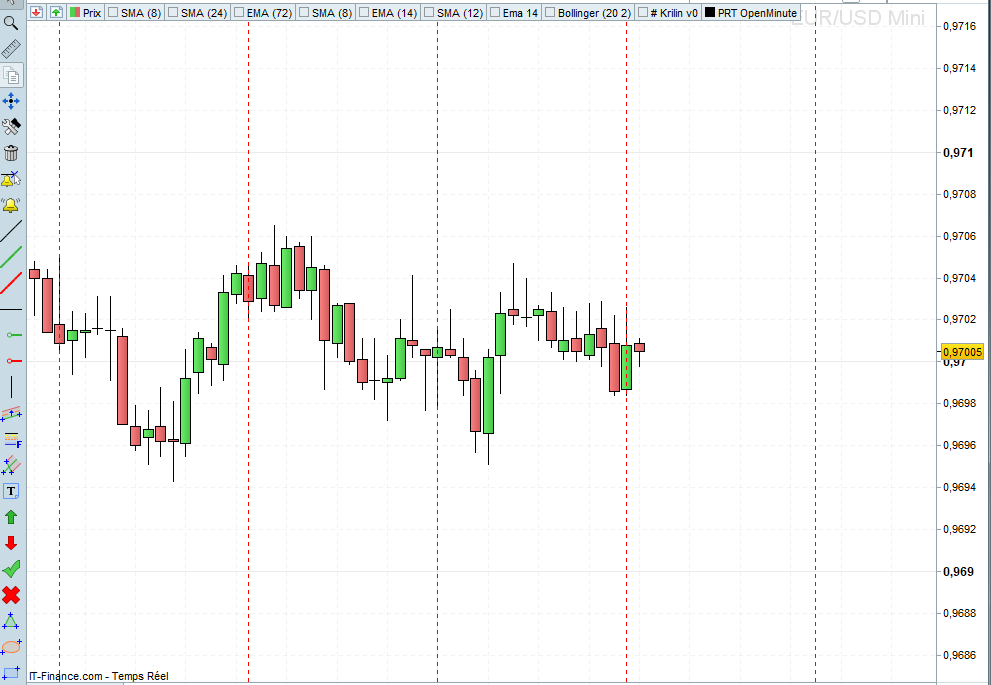
    I also tryed to draw a line on the M1 TF to detect the last candle of the M15 TF (Photo 02)

    If (OpenMinute mod 15) = 0 then
       DRAWVLINE(BarIndex) COLOURED(255,0,0,255) style(DottedLine,1)
       BarIndOM15 = Barindex //DRAWTEXT(“#BarIndOM15#”, barindex, close-0.0004)
    Endif
    IF OpenMinute mod 15 > 0 Then
       BarinCal = 15-(Barindex – BarIndOM15)
       //DRAWTEXT(“#BarinCal#”, barindex, close-0.0004)
       DRAWVLINE(BarIndex + BarinCal) COLOURED(255,0,0,255) style(DottedLine,1)
    ENDIF

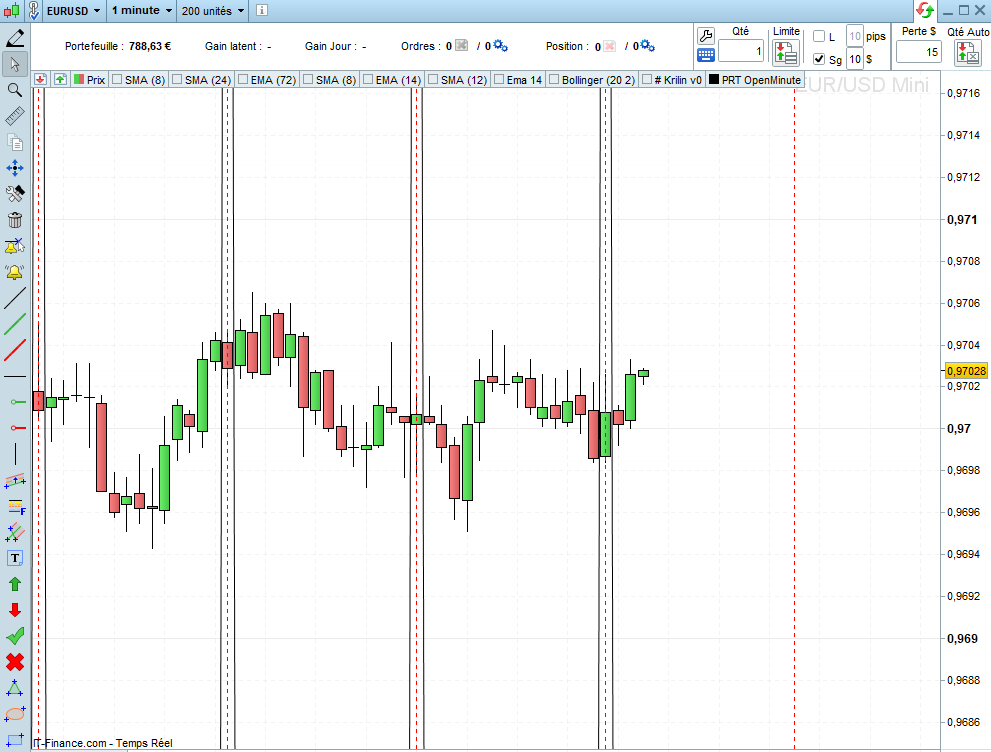
    and the last photo is the photo 01 and 02 together :

    PS : can you tell me if this presentation is ok for the forum, because I think one time you told me don’t do thie or somethink like this because the forum will be slower ?

    Photo-01.png Photo-01.png Photo-02.png Photo-02.png Photo-03.png Photo-03.png
    #202262 quote
    robertogozzi
    Moderator
    Master

    Yes, embedded pictures slow the loading of pages. I removed them.
    Only attach them with the “Select File” button.

    My code doesn’t plot anything, it only returns 1 when 15 minutes have elapsed, som I cannot tell you where those double lines in pic 1 come from.
    This will only plot the Dotted line:

    Offset = average[20,0](range) * 2
    If (OpenMinute mod 15) = 0 then
       DRAWVLINE(BarIndex) COLOURED(255,0,0,255) style(DottedLine,1)
       BarIndOM15 = Barindex
       //DRAWTEXT("#BarIndOM15#", barindex, low - Offset)
    ELSE//IF OpenMinute mod 15 > 0 Then
       BarinCal = 15-(Barindex - BarIndOM15)
       //DRAWTEXT("#BarinCal#", barindex, low - Offset)
       //DRAWVLINE(BarIndex + BarinCal) COLOURED(255,0,0,255) style(Line,1)
    ENDIF
    RETURN

    If you uncomment line 9, an addition straight line will be plotted, which will overwrite the dotted one.

    ZeroCafeine thanked this post
Viewing 6 posts - 1 through 6 (of 6 total)
  • You must be logged in to reply to this topic.

Prorealtime documentation and programming


Platform Support: Charts, Data & Broker Setup

New Reply
Author
Summary

This topic contains 5 replies,
has 3 voices, and was last updated by robertogozzi
3 years, 5 months ago.

Topic Details
Forum: Platform Support: Charts, Data & Broker Setup
Language: English
Started: 09/29/2022
Status: Active
Attachments: 4 files
Logo Logo
Loading...