Proorder autotrading Performance report not opening

Viewing 15 posts - 1 through 15 (of 71 total)
  • Author
    Posts
  • #223727 quote
    jmf125
    Participant
    Senior

    I wonder if anyone is experiencing this problem.

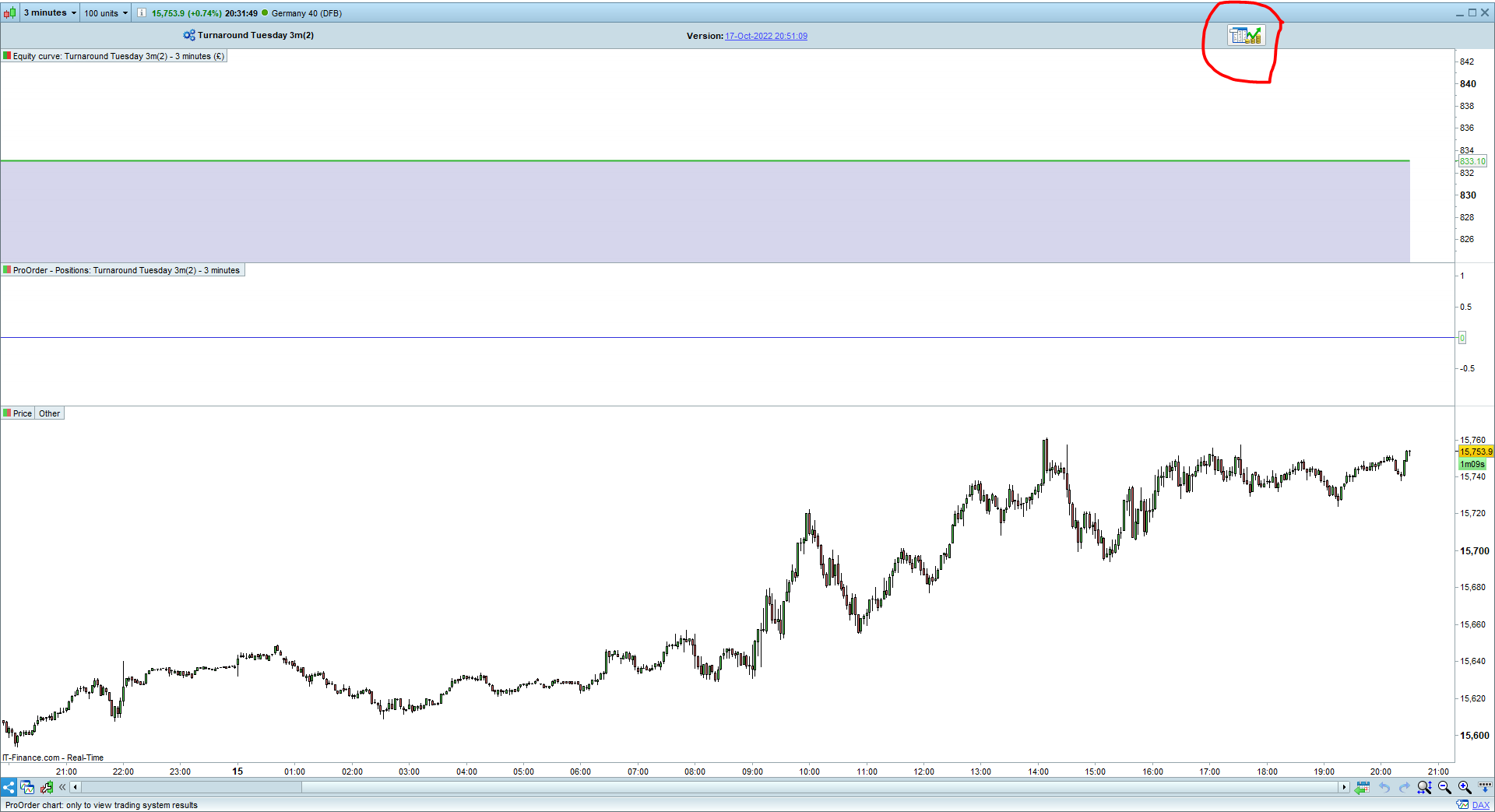
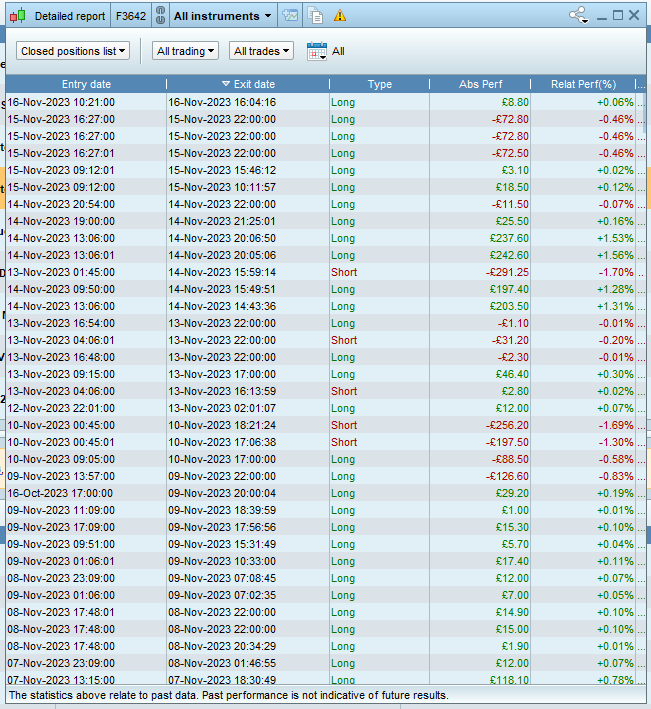
    On my IG Spread Bet Account (normal – complete account), from the proorder autotrading screen, when selecting the performance report of a strategy , the first screen with the equity curve is opening but does not trigger the detailed report/performance report of the strategy. This issue only started a couple of weeks ago. Extremely annoying as I am unable to download closed trades from a strategy.
    On the same IG account but CFD , it is working normally.
    I also have a premium account and it is also working fine.

    I have reinstalled PRT, compared the settings … still no success.

    Emailed IG and PRT but no responses from them

    Thanks in advance for any assistance on this

    #223735 quote
    GraHal
    Participant
    Master

    Are you talking PRT Version V12 (or the old V11?).

    Anyway, often I get same as you describe, my workaround is to double-click on the Performance Report icon at top right of the the screen showing the equity curve … try it and let us know if it works for you?

    jmf125 thanked this post
    #223760 quote
    jmf125
    Participant
    Senior

    Hi Grahal

    Thanks Grahal.

    I am refering to v11 – I am not aware that v12 is available on IG Index.

    If you are talking about the one circled in red (on capture.png), this does not open the performance report.

    Capture.png Capture.png
    #223769 quote
    GraHal
    Participant
    Master

    Yes I am talking about the icon in your screen … did you double-click the icon?  It opens the performance report for me so it should for you … if you double click on it?

    Also, next question … do you have a Demo Account?

    jmf125 thanked this post
    #223775 quote
    jmf125
    Participant
    Senior

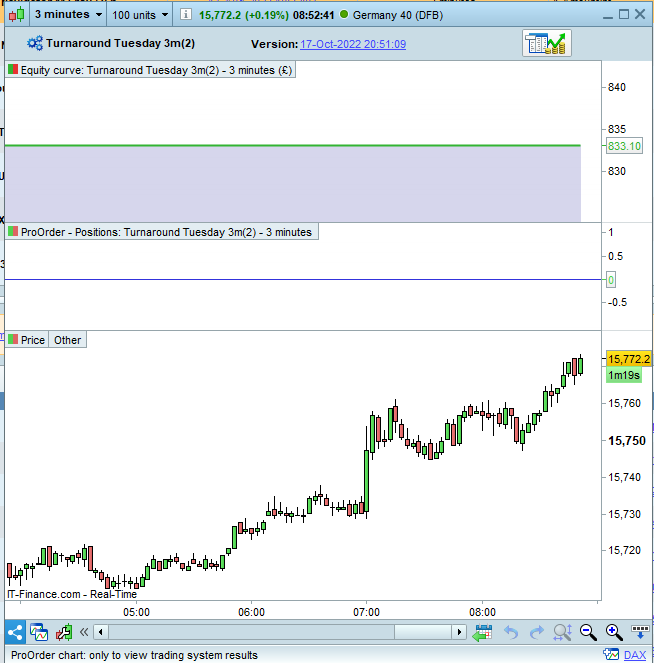
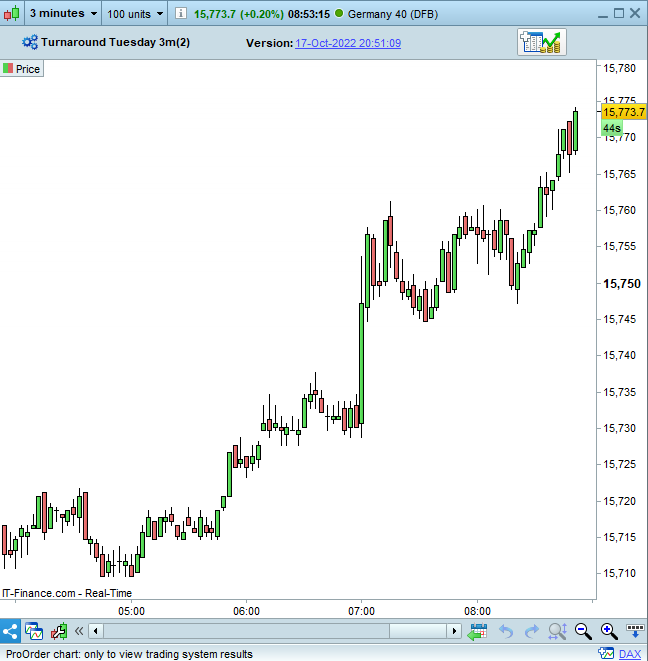
    The Icon (a minus sign or plus sign) is simply changing the screen to be either with equity or without.
    Double clicking does not make any difference

    It is a real trading account not demo

    with-equity.png with-equity.png without-equity.png without-equity.png
    #223780 quote
    GraHal
    Participant
    Master

    Try selecting 100k units on the equity curve then click the icon … let us know.

    #223781 quote
    jmf125
    Participant
    Senior

    I did this before. It makes no difference.
    What is really strange is that on the same IG account, but CFD instead of SB. It is working fine.
    I thought it could be a difference in PRT settings, but have not found out ???

    #223785 quote
    GraHal
    Participant
    Master

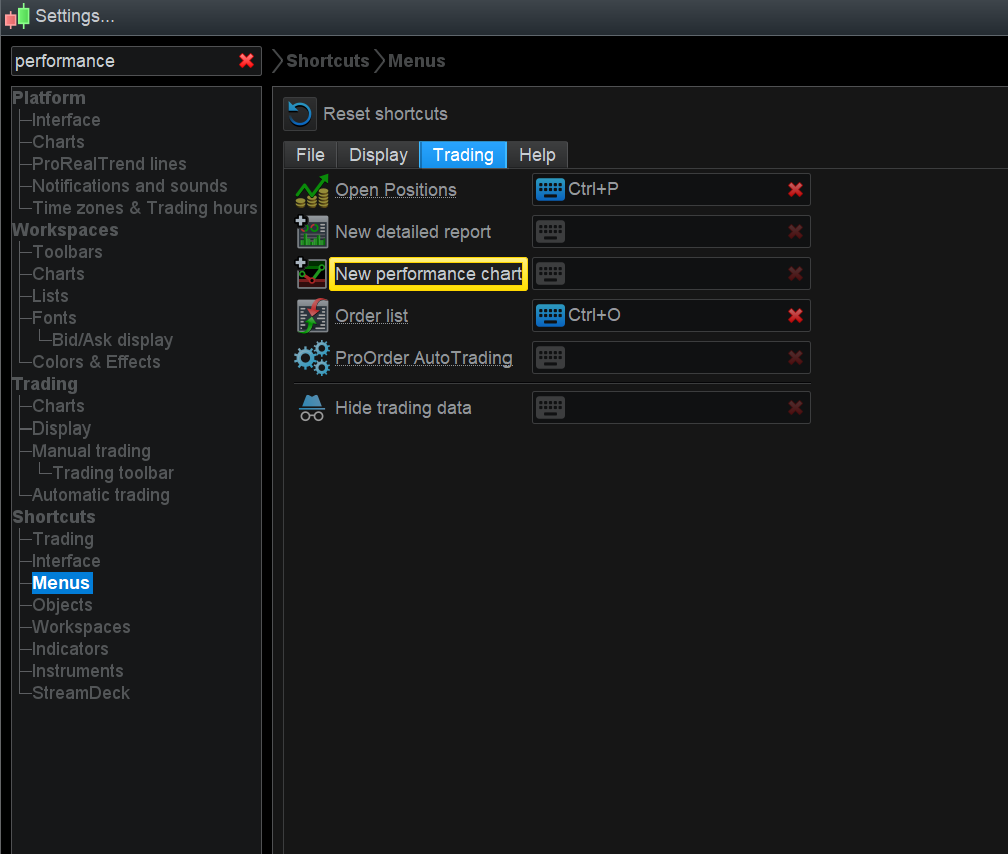
    Try setting up a shortcut and see if that works – see attached.

    Screenshot-2023-11-16-081435.png Screenshot-2023-11-16-081435.png
    #223787 quote
    GraHal
    Participant
    Master

    Set up shortcut for Detailed Report … 1 above what I show above (coffee not woke me up yet! 🙂 ).

    #223806 quote
    jmf125
    Participant
    Senior

    I can run a detailed report for all instruments and all trades. What I need is a detailed report for a specific strategy in order to see the real live results of that strategy.
    Setting up a shortcut is not going to help I think as it can´t be done for one strategy

    #223808 quote
    GraHal
    Participant
    Master

    Worth trying though, as it only takes 2 mins, and the Report you want is still headed ‘Detailed Report’ even for 1 System.

    Or going from your OP … are we talking something different when you state Performance Report??

    #223821 quote
    jmf125
    Participant
    Senior

    OK what I am talking about is the detailed report as per attached but for one single strategy.

    I tried the shortcut but it is as per attached all trades all instruments not for one single strategy, and you can´t isolate the strategy

    detailed-report.png detailed-report.png
    #223830 quote
    GraHal
    Participant
    Master

    So you are clicking on the icon in top right and Detailed Report icon for a System in the running / non-running AutoTrading ProOrder window, then the equity curve shows and you click click click click (click that damn thing! 🙂 ) on the icon in the top right and all that happens is that the equity curve appears and disappears but no Report shows?

    Is above the same for Systems with executed trades, no executed trades, running and not running??

    #223831 quote
    PeterSt
    Participant
    Master

    OK what I am talking about is the detailed report as per attached but for one single strategy.

    That would be this button/icon :

    image_2023-11-16_181055637.png image_2023-11-16_181055637.png
    #223833 quote
    GraHal
    Participant
    Master

    Yes but he clicks on that and then does not get the Detailed Report even after  double clicking on the same icon in the top right after the equity curve shows. (i.e. the work around we have been using for ages since that Report got buggy whether it shows or not sometimes?).

Viewing 15 posts - 1 through 15 (of 71 total)
  • You must be logged in to reply to this topic.

Proorder autotrading Performance report not opening


Platform Support: Charts, Data & Broker Setup

New Reply
Author
author-avatar
jmf125 @jmf125 Participant
Summary

This topic contains 70 replies,
has 4 voices, and was last updated by jmf125

2 years, 2 months ago.

Topic Details
Forum: Platform Support: Charts, Data & Broker Setup
Language: English
Started: 11/15/2023
Status: Active
Attachments: 24 files
Logo Logo
Loading...