Hello coders I’m wondering if anyone has written some code to automatically identify when a daylight saving time change is going to happen for example based on the last Sunday of the March?
I was looking at the documentation and I couldn’t think of anything quick to use to work out the last Sunday of March.
The initial ideas I have are:
- a bunch of IF statements or just enough for a 1 year period.
- loop counter to count the number of Sunday for the month of March but this might vary year to year so I have to look into it further
Any other suggestion or premade solutions would be highly appreciated.
Thanks for your suggestions and help.
I think I have a start of a solution but I know this isn’t correct yet because I need to account for the days after Sunday in March and days before the last Friday in October:
// UK summer time starts last sunday of march
summerTimeStart = ( currentMonth >= 3 AND currentDayOfWeek = 0 AND DAY[0] > 25) OR (currentMonth >3 or CurrentMonth <10)
summerTimeEnd = (currentMonth <= 10 AND currentDayOfWeek = 5 AND DAY[0] > 25)

// UK winter time starts last sunday of october

If summerTimeStart AND summerTimeEnd THEN
 summerTime = 1
ELSE
winterTime = 0
ENDIF
I will try to solve it over the weekend if nobody else has.
I use the following code snippet to close positions on friday nights. It also takes care of daylight saving. The attached snippet is for EUR/USD and has to be adapted to the underlying in question depending on where the asset trades.
//--------------- daylight-saving corrections ------------------
if currentmonth=3 and day>=15 then
  dlc=1
elsif currentmonth=11 and day<8 then
  dlc=1
else
  dlc=0
endif

fridaynight=currentdayofweek=5 and hour>=22-dlc

If fridaynight and onmarket Then
  Sell at market
  Exitshort at market
EndIf
Something like this?
Last Sunday of March, it’s DST:
if dayofweek = 1 and month=3 and 31-day<7 then
 dst = 1
else
 dst = 0
endif

return dst
Nicolas I have worked out the code for the last Friday of the Month (I think) but I’m not sure how to get the days before the last friday of the month = 10?
IF dayofweek >= 0 and month = 1 AND 31-day<7 OR dayofweek = 5 AND month = 10 AND day > 31-7 THEN
dst = 1
else
dst = 0
endif
You should parenthesis to separate your 2 conditions:
IF (dayofweek >= 0 and month = 1 AND 31-day<7) OR (dayofweek = 5 AND month = 10 AND day > 31-7) THEN
(code not tested).
Nicolas I still can’t solve this – I’ve tried many combinations but no solution 🙁
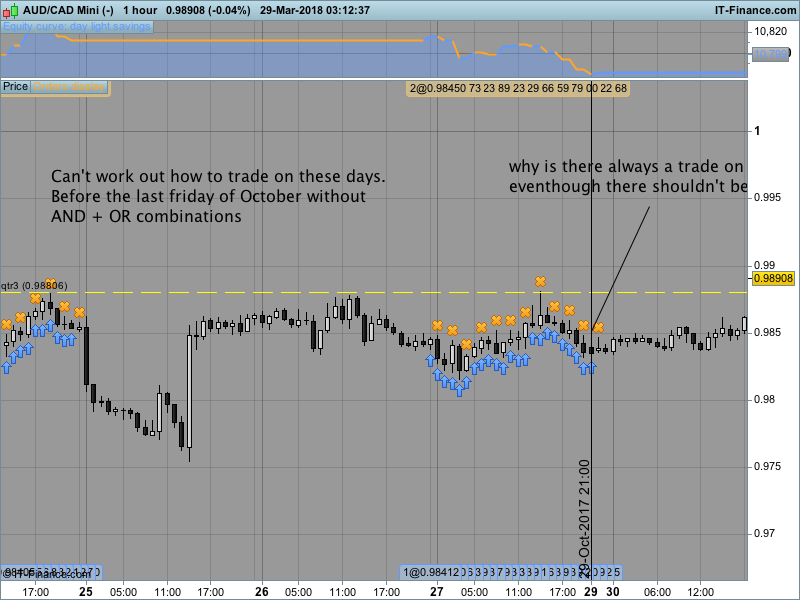
Well I can solve this but its not pretty I have to use AND + OR statements to trade on the last 6 days to the last Friday but there must be a better or more elegant way.
Also, if you use Result it the graph doesn’t show a trade on the Sunday but if you use BUY and SELL for some reason it will execute a trade on Sunday in October?
IF ( dayofweek >= 0 and month = 3 AND 31-day<7 ) OR (dayofweek = 5 AND month = 10 AND 31-day<7)  OR ( month = 10 AND 31-day > 6 ) THEN

dst = 1
else
dst = 0
endif

IF dst = 1 THEN
BUY 1 CONTRACT AT MARKET
ENDIF

IF ONMARKET THEN
SELL AT MARKET
ENDIF
I came up with a reasonable solution
IF ( dayofweek >= 0 and month = 3 AND 31-day<7 ) OR ( month = 10 AND 31-day > 6 ) OR (dayofweek = 4 AND month = 10 AND day<31) OR (dayofweek = 3 AND month = 10 AND day+1<31) OR (dayofweek = 2 AND month = 10 AND day+2<31) OR (dayofweek = 1 AND month = 10 AND day+3<31) OR (dayofweek = 0 AND month = 10 AND day+4<31) OR (dayofweek = 5 AND month = 10 AND 31-day<7) THEN
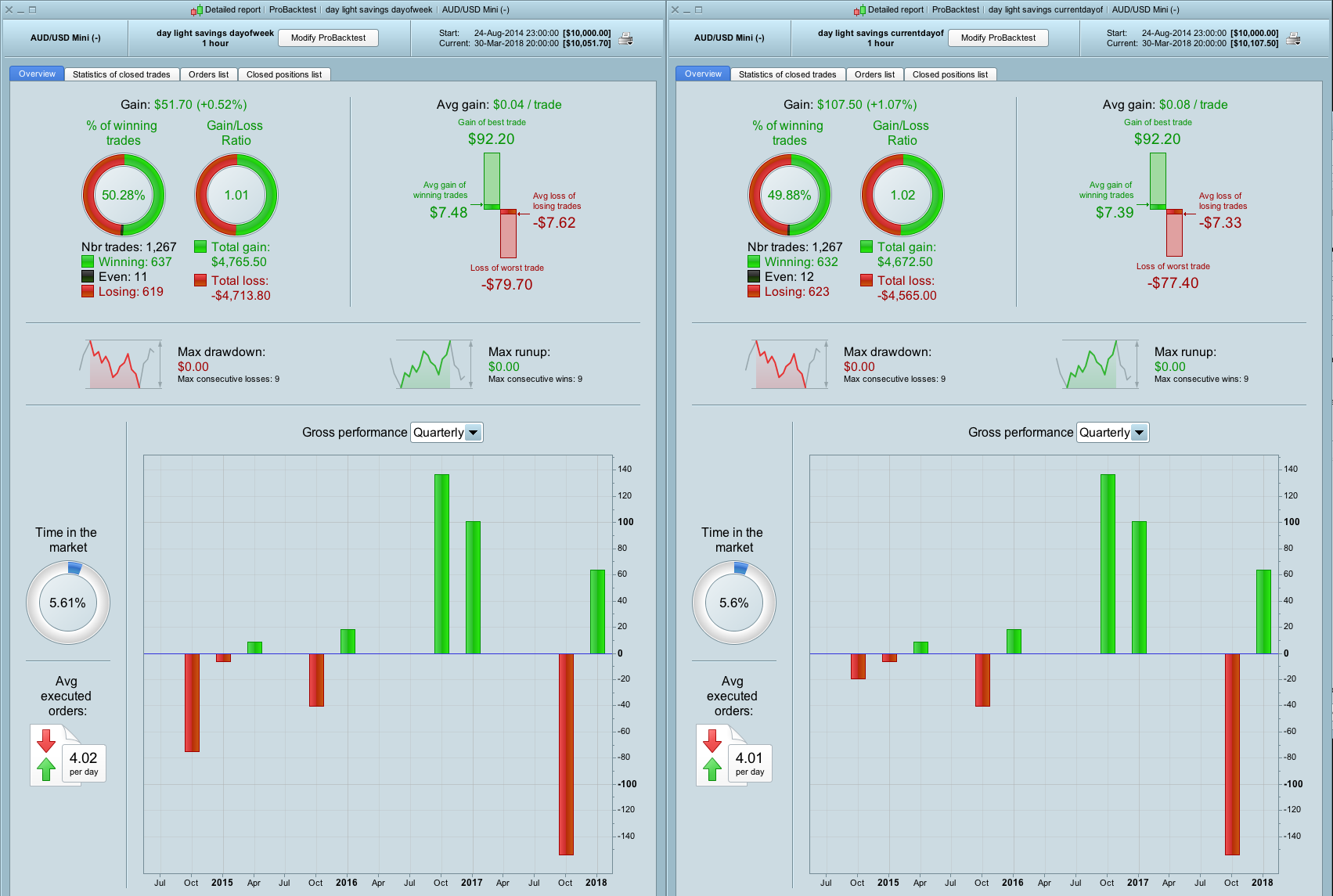
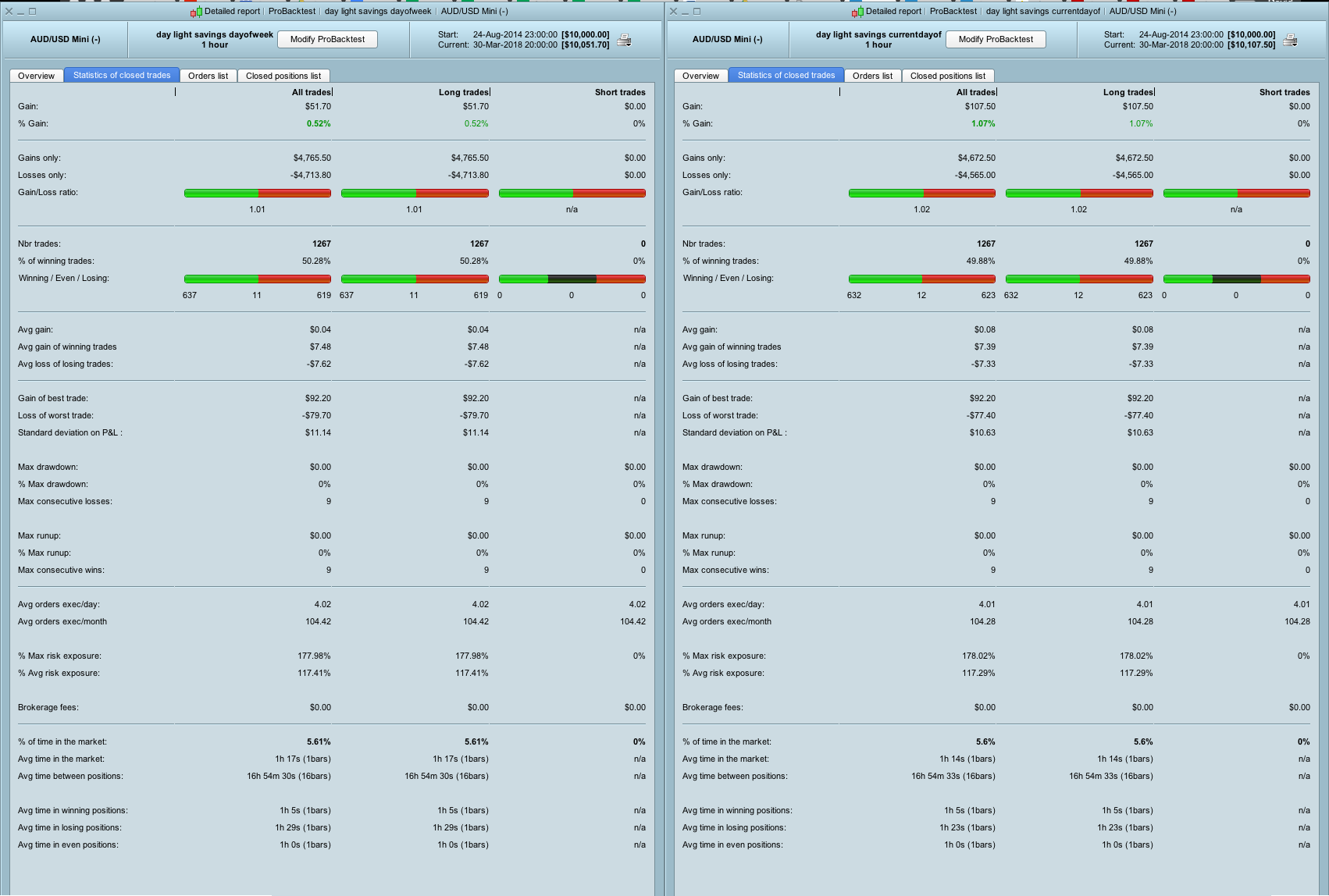
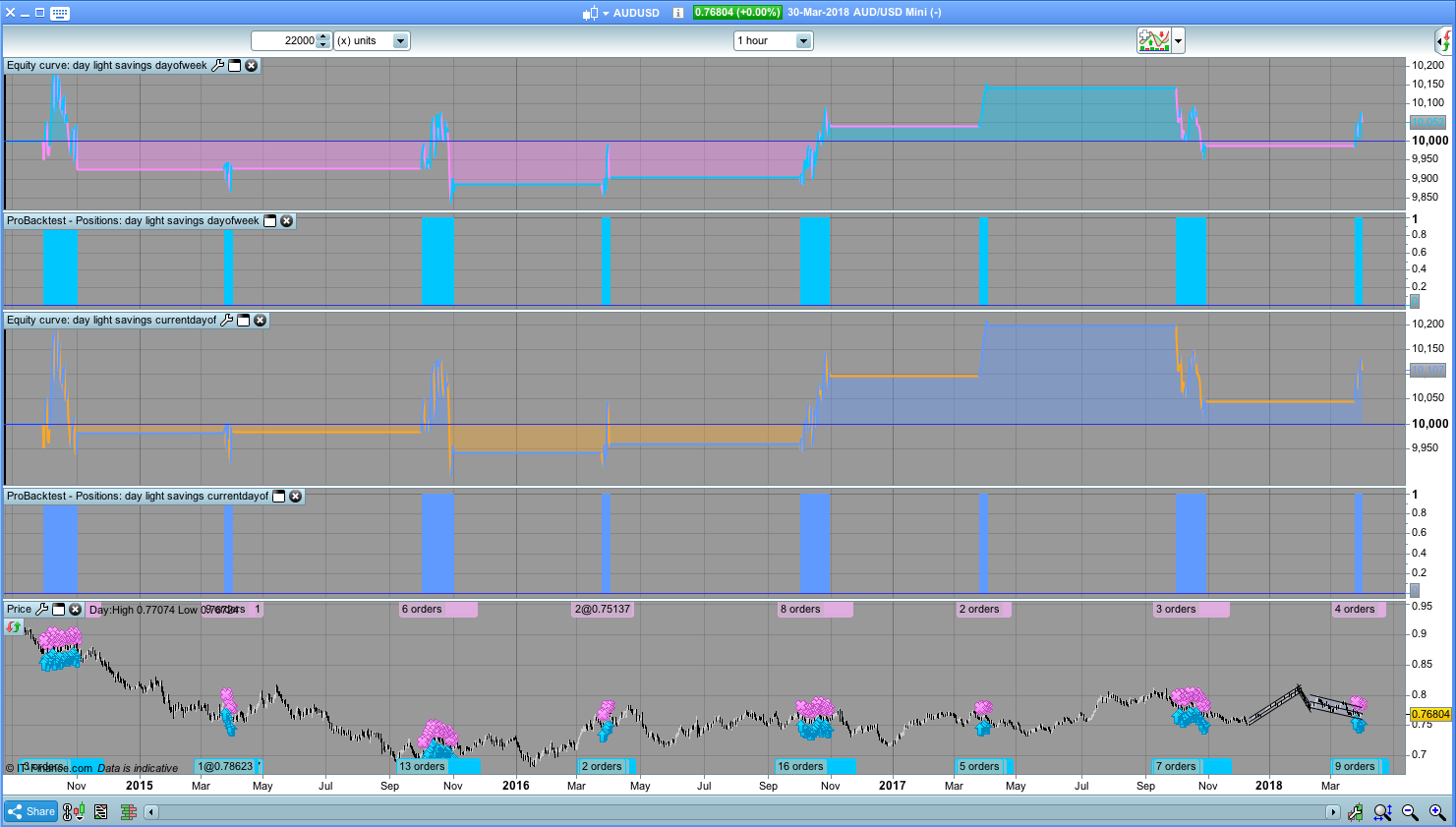
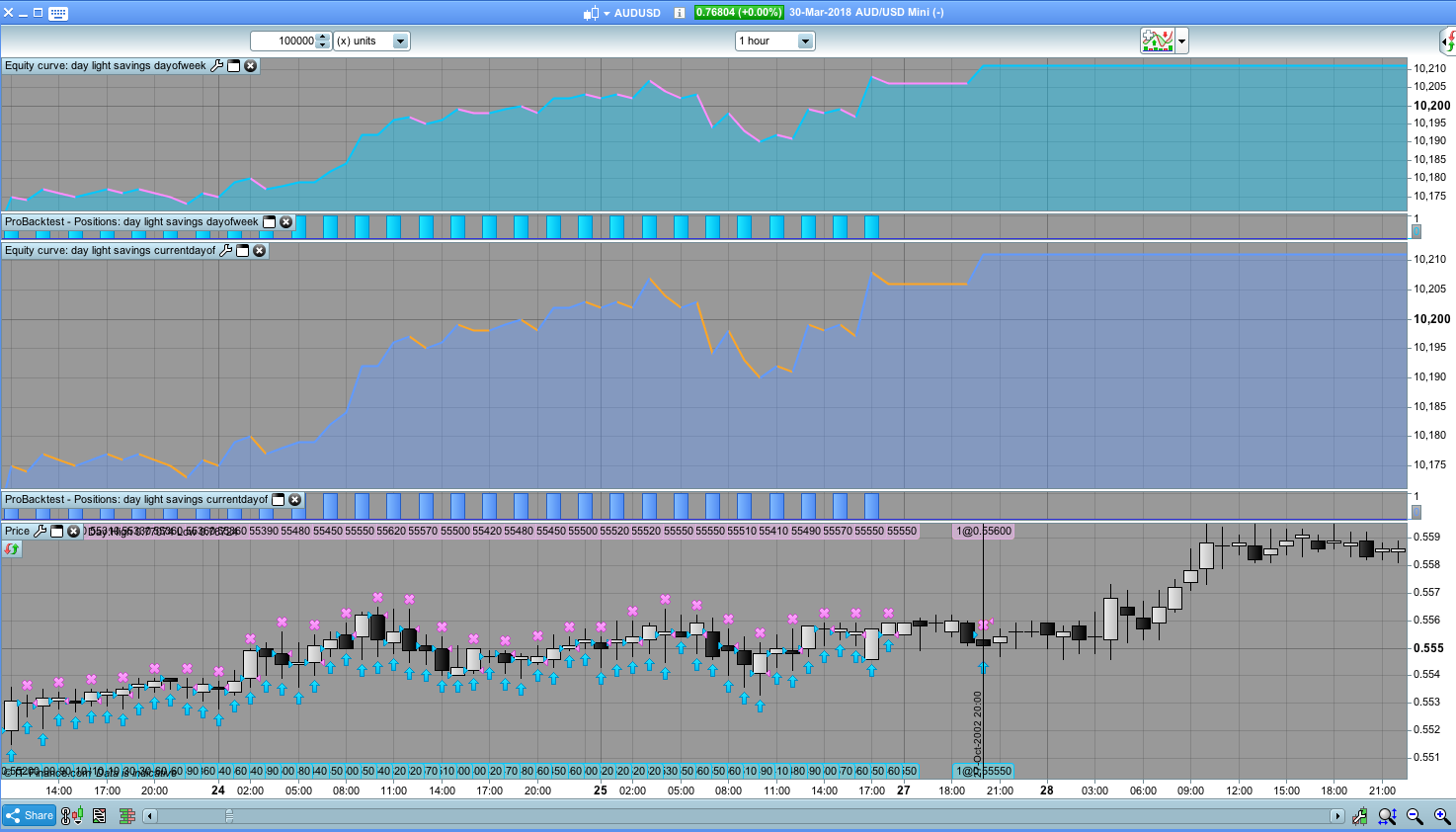
I also remembered it’s possible to use currentdayofweek which should produce the same results and it does for most parts. However when I run a backtest for AUDUSD h1 22K for some reason a comparison of the 2 reports shows there’s difference in results. I compare the list of trades in a spreadsheet (here as a web page and as spreadsheet) and all the trades are the same they match but the statistics are not the same?
Then I increase to 100K bars and scanning through the trades visually I find an erroneous trades on:
- Sunday 27 October 2002 at 20:00
- Sunday 1 November 2003 at 20:00
- etc…
- and the good thing about this error is that it doesn trade at the start of the Sunday when the market opens but I guess its delaying the trade.
Also, when you look at the candles and the spreadsheet sometimes trades close every hour but other times they do not and they close on the following hour with 2 units closing/exiting.
Is there an error with the backtest engine?
Then I increase to 100K bars and scanning through the trades visually I find an erroneous trades on:
- Sunday 27 October 2002 at 20:00
- Sunday 1 November 2003 at 20:00
- etc…
- and the good thing about this error is that it doesn trade at the start of the Sunday when the market opens but I guess its delaying the trade.
On 2nd inspection with fresh eyes the actual problem is there are extra bars starting from: Sunday 27 October 2002 at 15:00?
Nicolas I think there’s a bug with PRT – I know you’re very busy but last time I submitted my time code related issue to PRT, I received no response.
This is what happened. PRT Timezone set to UTC 0
// ---------   UK DAY LIGHT SAVINGS MONTHS      ---------------- //
mar = month = 3 // MONTH START
oct = month = 10 // MONTH END

IF ( dayofweek >= 0 and mar AND 31-day<7 ) OR ( month > mar AND month < oct ) OR ( oct AND 31-day > 6 )  OR  (dayofweek = 4 AND oct AND day<31) OR (dayofweek = 3 AND oct AND day+1<31) OR  (dayofweek = 2 AND oct AND day+2<31) OR (dayofweek = 1 AND oct AND day+3<31) OR (dayofweek = 0 AND oct AND day+4<31)  OR (dayofweek = 5 AND oct AND 31-day<7) THEN

// DAY LIGHT SAVINGS HOURS
weekDayStart = 0 // SUNDAY
weekTimeStart = 200000 + 30000 // FX opens 20:00 + add 3 hours to avoid poor spreads

weekDayEnd = 5 // FRIDAY
weekTimeEnd = 210000 // FX closes 20:59

else

// NON DAY LIGHT SAVINGS
weekDayStart = 0 // SUNDAY
weekTimeStart = 210000 + 30000 // FX opens 21:00 + add 3 hours to avoid poor spreads

weekDayEnd = 5 // FRIDAY
weekTimeEnd = 210000 // FX closes 20:59

endif


weekStart = (dayofweek = weekDayStart AND TIME <= weekTimeStart)
weekEnd = (dayofweek = weekDayEnd AND TIME  >= weekTimeEnd)

IF weekStart OR weekEnd THEN
tradingHours = OFF
ELSE
tradingHours = ON
ENDIF

// ---------   END KEY TIME INSTRUCTIONS      ---------------- //
The rest of my instructions a wrapped in the following condition if tradingHours = OFF then don’t open new positions or close positions.
So for some reason the system decided to edit the positions by removing the limit orders UTC 0, Thursday, at: 23:00, and then UTC 0, Friday 00:00 reinstate them.
I hope there’s an error somewhere in my code so that this can be resolved quickly but I’m struggling to see it.
Thanks for your help.
UPDATE: IG users if you trade FX and want to use TIME conditions please ensure you have the timezone settings set to the default local times zone setting for FX instruments.
If you don’t, then time settings will not work properly because even if you set the system to some other time zone and code for it eg. +10 it will still treat dayofweek/currentdayofweek as UTC: 0/+1
It would have been really good if someone at IG or someone from PRT could have provided this information to me/us but sadly no.
Bonjour,
Avez-vous trouvé une solution sans bug pour ce problème fuseau horaire ?
Merci d’avance !
Hello,
Did you find a bug free solution for this time zone problem?
Thanks in advance !
Only post in the language of the forum that you are posting in. For example English only in the English speaking forums and French only in the French speaking forums.
Thank you 🙂
I did write a lot of inefficient code to manage the daylight savings changes but it’s a long time ago now, and I’m not actively using PRT anymore.
Thanks for the information !
Claudio