Hello!
When building simple indicators from data that is not available in PRT I usually follow this procedure:
if date= 20161028 THEN
volch= -754940902
elsif date= 20161031 THEN
volch= -356964619
elsif date= 20161101 THEN
volch= 20145996
elsif date= 20161102 THEN
volch= -793765967
return volch
The market timeframe is set to standard with sundays showing.
Doing this I made the following observations and the question is: Is this a bug or something wrong with the code?
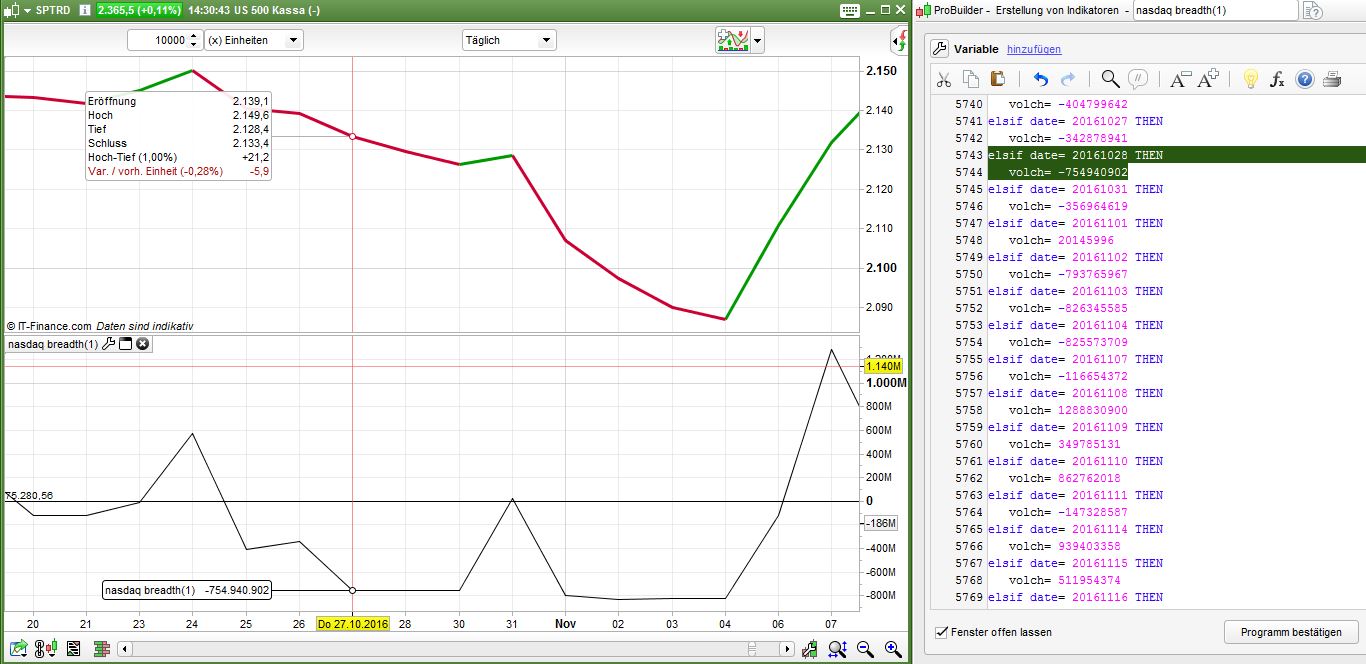
- All dates in the indicator are one day in the future, because PRT seems to move them one day back. You can see this in the file “Date_Bias.jpg” attached to this post. The value for the 28th October 2016 is displayed on the 27th October. As a consequence I moved all the dates in the indicator code by one day.
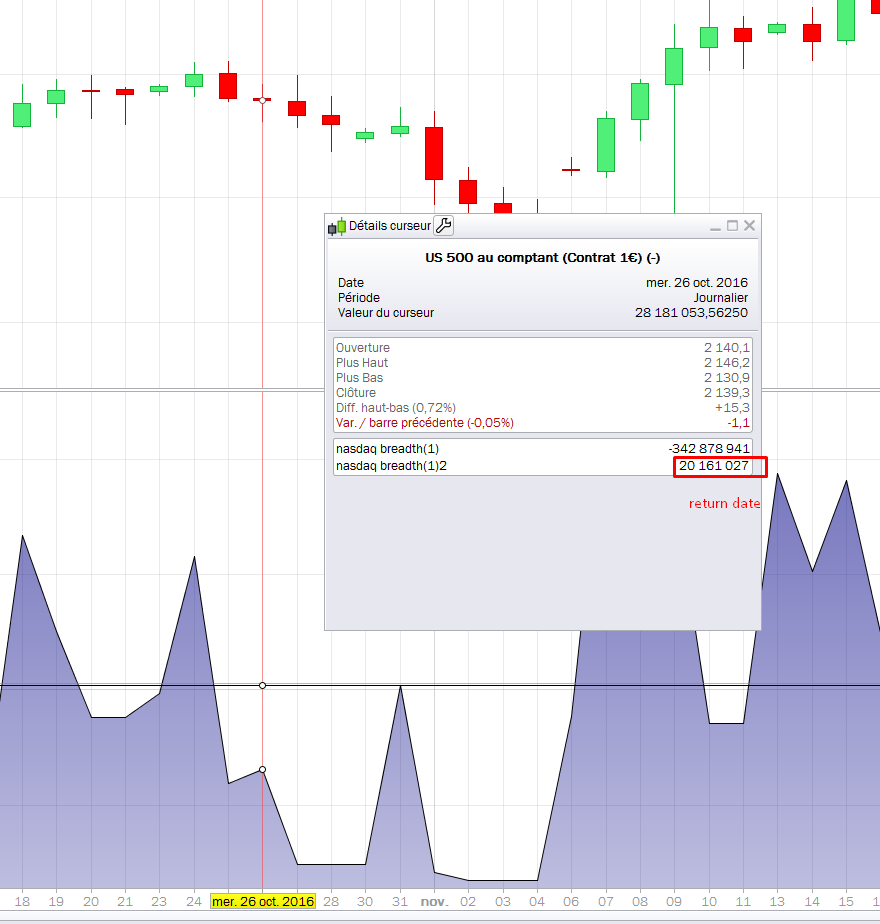
- Sometimes the indicator values are not displayed. In the attached screenshot the value for the 31st october (-356.964.619) is not displayed at all. It should appear on the 28th October.
- It is not possible to add standard indicators to the imported data with the sample code above. After changing the format like below at least simple moving averages can be applied but nothing more complicated. I do prefer the above version since it is saving code lines for import that are limited to 10.000. Is it possible to change this?
if date= 20050715 THEN
volch= 543194284
endif
if date= 20050718 THEN
volch= 170619781
endif
if date= 20050719 THEN
volch= -395613980
endif
The indicator is attached for testing purposes. Please be aware that this thing takes some time to load.
- You are right, the date displayed is 1 day before what the “date” instruction is returning (attached screenshot example). I think it’s because “time” is returning 0 which is the first hour of the next day, keep in mind that all test made in data history is made only one time at Close of the candle, it may explain this difference.
- There is no 20161031 date returned by the “date” instruction, same situation as above.
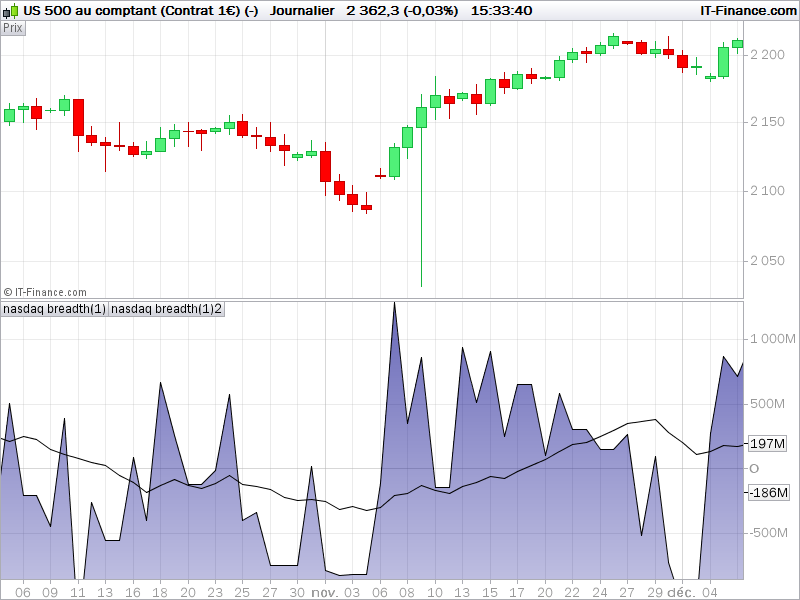
- It could be possible to calculate moving average over past ‘volch’ data of course, just add these lines at the end of your code:
ma = average[20](volch)
return volch, ma
Thank you Nicolas,
1+2) I have to diggest this first. This means that no data for fridays can be displayed using the date function.
3) You are right. I hit the wrong button.
If “date” is the day at the close of a 24h cfd candle and the cfd data flow pushes it overnight to next day (rather than remaining in the day during which “most of the candle” happens) and so always gives one extra day too much, then : replacing “date” with the instruction “opendate” in your importing procedure is likely to assign your imported data on the day you want, because it would be the correct day at the open of your daily candle (that’s a trick I often use in lower timeframes when I want to be sure my time data matches the candle I am considering, with openhour rather than hour, opentime rather than time, etc…). I hope it works for your 1)
Hello Noobywan,
thanks for the great advice. I also noted the exact same problem using the time function and your solution resolves this problem.
You should change your username though. It just doesn’t seem right 🙂
Just saw this weekend that this is actually explained in the manual. I guess rereading that thing once in a while stays very helpfull over time.