Hello guys,
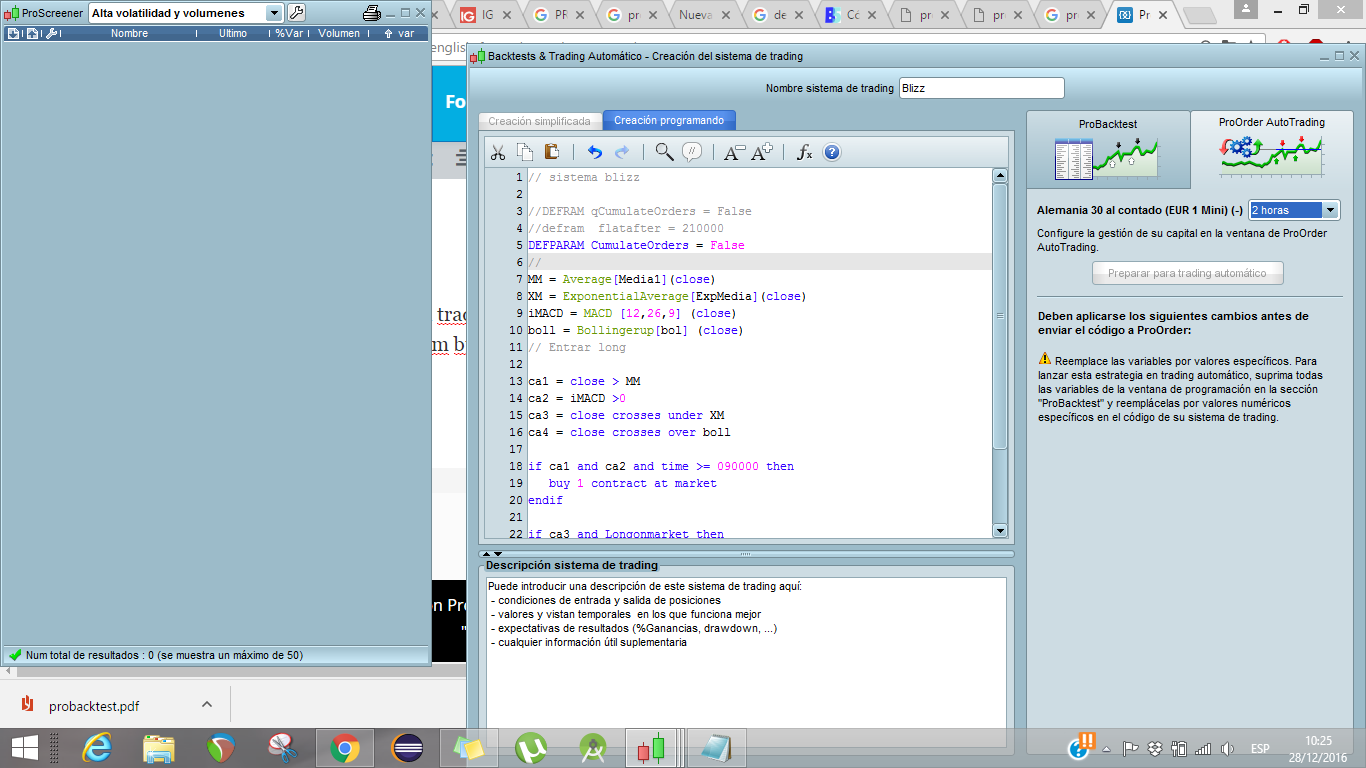
Well I make a simple code for automated trading and I defined some varibles with the botton add on the right of the compilator screen. I managed to run backtests with no problem but when I hit the botton Prepere for automatic trading there is an error message that comes up : ¨ Replace the variables with specific values in order to start the automatic system¨ Can someone help me with that? I cant figure out why the definition with the add botton of thevariables isn´t correct so to start the trading system?
Thank you
Hi Yan
Just a quick glance … you still show media1 as the period for the average. replace with Average[10](close) / your optimised value and you should be good to go?
Come back on here and let us know how you get on please?
Cheers
GraHal
ON 2nd look … same for bollingerup[bol] … you need a [value] in there in order to set the Strategy going on Automatic Trading.
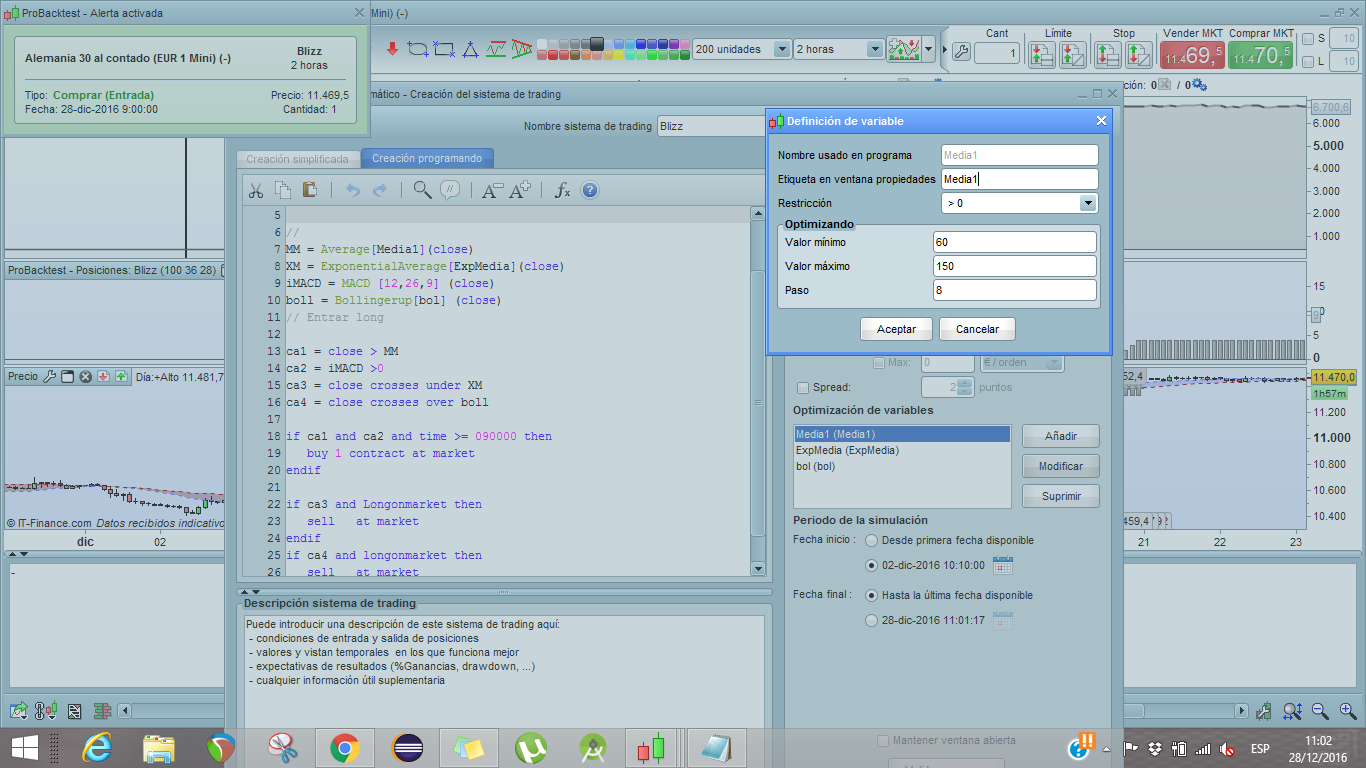
Thank you GraHal, but I dont think I got the idea. You are saying to modify the value in the variable definition or to change it on the fly in the code ? Im posting a screen of my variable definition, which for PRT seems to be incorrect due to the error thats giving me.
Hola,
No es posible para variables no definidas en el programa.
Después de la optimización, debe reemplazar el nombre de la variable con un número.
Vale vale, ya lo he entendido. Pero la cosa es que, las variables definidas aparte, no son un numero si no cada una define un minimo, un maximo y un paso. Por ejemplo de 20 a 60 con un paso de 8 en 8 .
Gracias!
Your screen shot shows the range of values over which you want to optimise. So click Accept, then Optimise (or whatever? I forget despite having done it 1000s of times :). When the Optimisation run completes it will show you the optimum value for Media1 (in brackets after the Bot name).
So input this optimum value in place of Media1 in your code. Same with the Bollinger variable.
Also – to consolidate the method in your mind – read the PRT manuals available under Help on yuor Platform.
Hope above makes sense? Let us know how you get on please.
Cheers
GraHal
Thank you GraHal! Well said ! Now I got the idea! The issue is solved !