 Alco
AlcoParticipant
Senior
Hi guys,
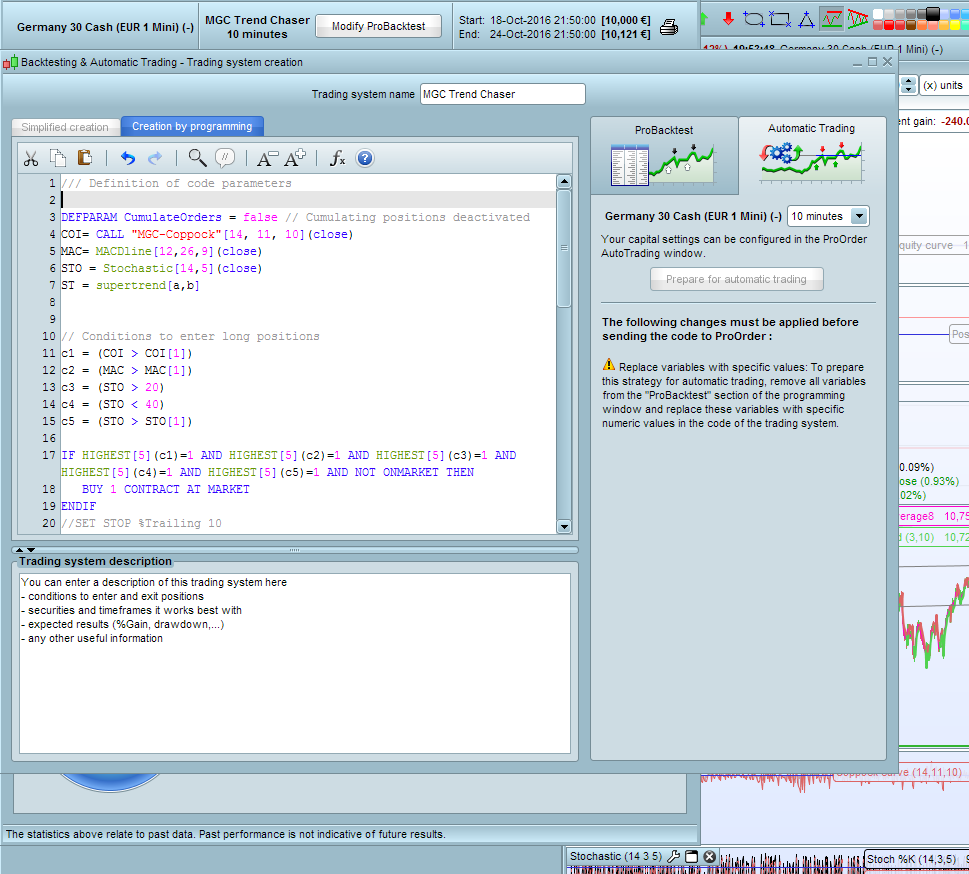
I’ve a problem with testing MGC Trend Chaser in demo. This is the code I am using:
/// Definition of code parameters

DEFPARAM CumulateOrders = false // Cumulating positions deactivated
COI= CALL "MGC-Coppock"[14, 11, 10](close)
MAC= MACDline[12,26,9](close)
STO = Stochastic[14,5](close)
ST = supertrend[a,b]


// Conditions to enter long positions
c1 = (COI > COI[1])
c2 = (MAC > MAC[1])
c3 = (STO > 20)
c4 = (STO < 40)
c5 = (STO > STO[1])

IF HIGHEST[5](c1)=1 AND HIGHEST[5](c2)=1 AND HIGHEST[5](c3)=1 AND HIGHEST[5](c4)=1 AND HIGHEST[5](c5)=1 AND NOT ONMARKET THEN
BUY 1 CONTRACT AT MARKET
ENDIF
//SET STOP %Trailing 10

// Conditions to exit long positions
//c6 = (COI< COI[1])
//c7 = (MAC< MAC[1])
//c8 = (STO < 80)
//c9 = (STO > 60)
//c10 = (STO < STO[1])

//IF HIGHEST[5](c6)=1 AND HIGHEST[5](c7)=1 AND HIGHEST[5](c8)=1 AND HIGHEST[5](c9)=1 AND HIGHEST[5](c10)=1 THEN
IF Close CROSSES UNDER ST THEN
SELL AT MARKET
ENDIF

// Conditions to enter short positions
c11 = (COI< COI[1])
c12 = (MAC< MAC[1])
c13 = (STO < 80)
c14 = (STO > 60)
c15 = (STO < STO[1])


IF HIGHEST[5](c11)=1 AND HIGHEST[5](c12)=1 AND HIGHEST[5](c13)=1 AND HIGHEST[5](c14)=1 AND HIGHEST[5](c15)=1 AND NOT ONMARKET THEN
SELLSHORT 1 CONTRACT AT MARKET
ENDIF
//SET STOP %Trailing 10

// Conditions to exit short positions
//c16 = (COI> COI[1])
//c17 = (MAC> MAC[1])
//c18 = (STO > 20)
//c19 = (STO < 40)
//c20 = (STO > STO[1])

//IF  HIGHEST[5](c16)=1 AND HIGHEST[5](c17)=1 AND HIGHEST[5](c18)=1 AND HIGHEST[5](c19)=1 AND HIGHEST[5](c20)=1 THEN
IF close CROSSES OVER ST THEN
EXITSHORT AT MARKET
ENDIF
I’m getting the following error (see yellow triangle in pdf).
I do not understand what to change in the code. Could someone help me?
Thanks,
Alco
You have not defined variables a and b.

ST = supertrend[a,b]
AlcoParticipant
Senior
@arcane,
I think I need probuilder for that, or I don’t understand how to define them. I can not change the code for some reason.
Is it maybe possible to give me the code where you define st?
Kind regards,
Alco
Good work! How is the code going inProOrder?
AlcoParticipant
Senior
Hi Mike,
I tested in backtest the PRT code written in my first post. I got great results each day. I only tested it day by day. I had the best results in 10 min charts. So I wanted to test it in demo and got the error. I noticed that I used the wrong code. The code without MM. So I replaced it with this code
/// Definition of code parameters
defparam preloadbars = 3000
DEFPARAM CumulateOrders = false // Cumulating positions deactivated
COI= WEIGHTEDAVERAGE[14](ROC[11] +ROC[10])
MAC= MACDline[12,26,9]
STO = Stochastic[14,5]
once RRreached = 0
accountbalance = 10000 //account balance in money at strategy start
riskpercent = 5 //whole account risk in percent%
amount = 1 //lot amount to open each trade
rr = rr //risk reward ratio (set to 0 disable this function)

//dynamic step grid
minSTEP = 5 //minimal step of the grid
maxSTEP = 20 //maximal step of the grid
ATRcurrentPeriod = 5 //recent volatility 'instant' period
ATRhistoPeriod = 100 //historical volatility period

ATR = averagetruerange[ATRcurrentPeriod]
histoATR= highest[ATRhistoPeriod](ATR)

resultMAX = MAX(minSTEP*pipsize,histoATR - ATR)
resultMIN = MIN(resultMAX,maxSTEP*pipsize)

gridstep = (resultMIN)

// Conditions to enter long positions
c1 = (COI > COI[1])
c2 = (MAC > MAC[1])
c3 = (STO > 20)
c4 = (STO < 40)
c5 = (STO > STO[1])

// Conditions to enter short positions
c11 = (COI< COI[1])
c12 = (MAC< MAC[1])
c13 = (STO < 80)
c14 = (STO > 60)
c15 = (STO < STO[1])

//first trade whatever condition
if NOT ONMARKET AND HIGHEST[5](c1)=1 AND HIGHEST[5](c2)=1 AND HIGHEST[5](c3)=1 AND HIGHEST[5](c4)=1 AND HIGHEST[5](c5)=1 then  //close>close[1]
BUY amount LOT AT MARKET
endif

if NOT ONMARKET AND HIGHEST[5](c11)=1 AND HIGHEST[5](c12)=1 AND HIGHEST[5](c13)=1 AND HIGHEST[5](c14)=1 AND HIGHEST[5](c15)=1 then  //close<close[1]
SELLSHORT amount LOT AT MARKET
endif

// case BUY - add orders on the same trend
if longonmarket and close-tradeprice(1)>=gridstep*pipsize then
BUY amount LOT AT MARKET
endif

// case SELL - add orders on the same trend
if shortonmarket and tradeprice(1)-close>=gridstep*pipsize then
SELLSHORT amount LOT AT MARKET
endif

//money management
liveaccountbalance = accountbalance+strategyprofit
moneyrisk = (liveaccountbalance*(riskpercent/100))
if onmarket then
onepointvaluebasket = pointvalue*countofposition
mindistancetoclose =(moneyrisk/onepointvaluebasket)*pipsize
endif

//floating profit
floatingprofit = (((close-positionprice)*pointvalue)*countofposition)/pipsize

//actual trade gains
MAfloatingprofit = average[20](floatingprofit)
BBfloatingprofit = MAfloatingprofit - std[20](MAfloatingprofit)*sd

//floating profit risk reward check
if rr>0 and floatingprofit>moneyrisk*rr then
RRreached=1
endif

//GRAPH floatingprofit as "float"
//GRAPH RRreached as "rr"
//GRAPH floatingprofit as "floating profit"
//GRAPH BBfloatingprofit as "BB Floating Profit"
//GRAPH positionprice-mindistancetoclose
//GRAPH moneyrisk
//GRAPH onepointvaluebasket
//GRAPH gridstep

//stoploss trigger when risk reward ratio is not met already
if onmarket and RRreached=0 then
SELL AT positionprice-mindistancetoclose STOP
EXITSHORT AT positionprice-mindistancetoclose STOP
endif

//stoploss trigger when risk reward ratio has been reached
if onmarket and RRreached=1 then
if floatingprofit crosses under BBfloatingprofit then
SELL AT MARKET
EXITSHORT AT MARKET
endif
endif

//resetting the risk reward reached variable
if not onmarket then
RRreached = 0
endif
But with the latest code, I don’t get the results like the old code in the backtests. I will try again tomorrow.
AlcoParticipant
Senior
Hi Mike,
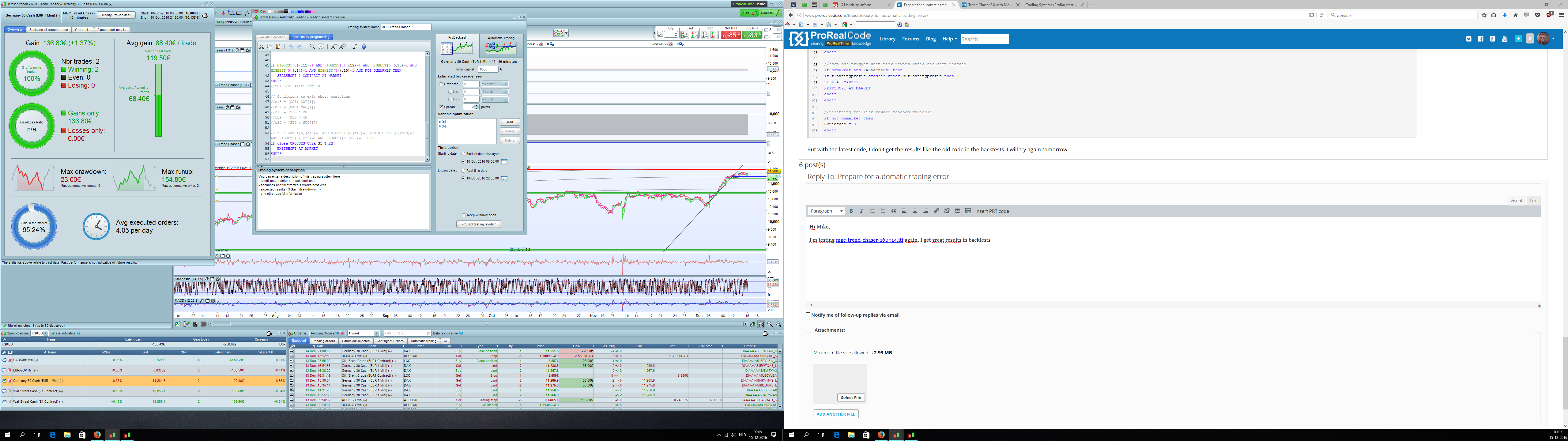
I’m testing mgc-trend-chaser-160914.itf again, I get great results in backtests for each day. But I know, before I can try it in demo, I need to optimize the supertrend variable a,b. But when I optimize the variable, like 1,4 or 2,8. Whatever I do, the results are not as good as before the optimizing. What configuration do I need, to get the same results if I optimize the supertrend for demo?
AlcoParticipant
Senior
I think the program uses the default setting before defining variable a,b. Please correct me if im wrong.
AlcoParticipant
Senior
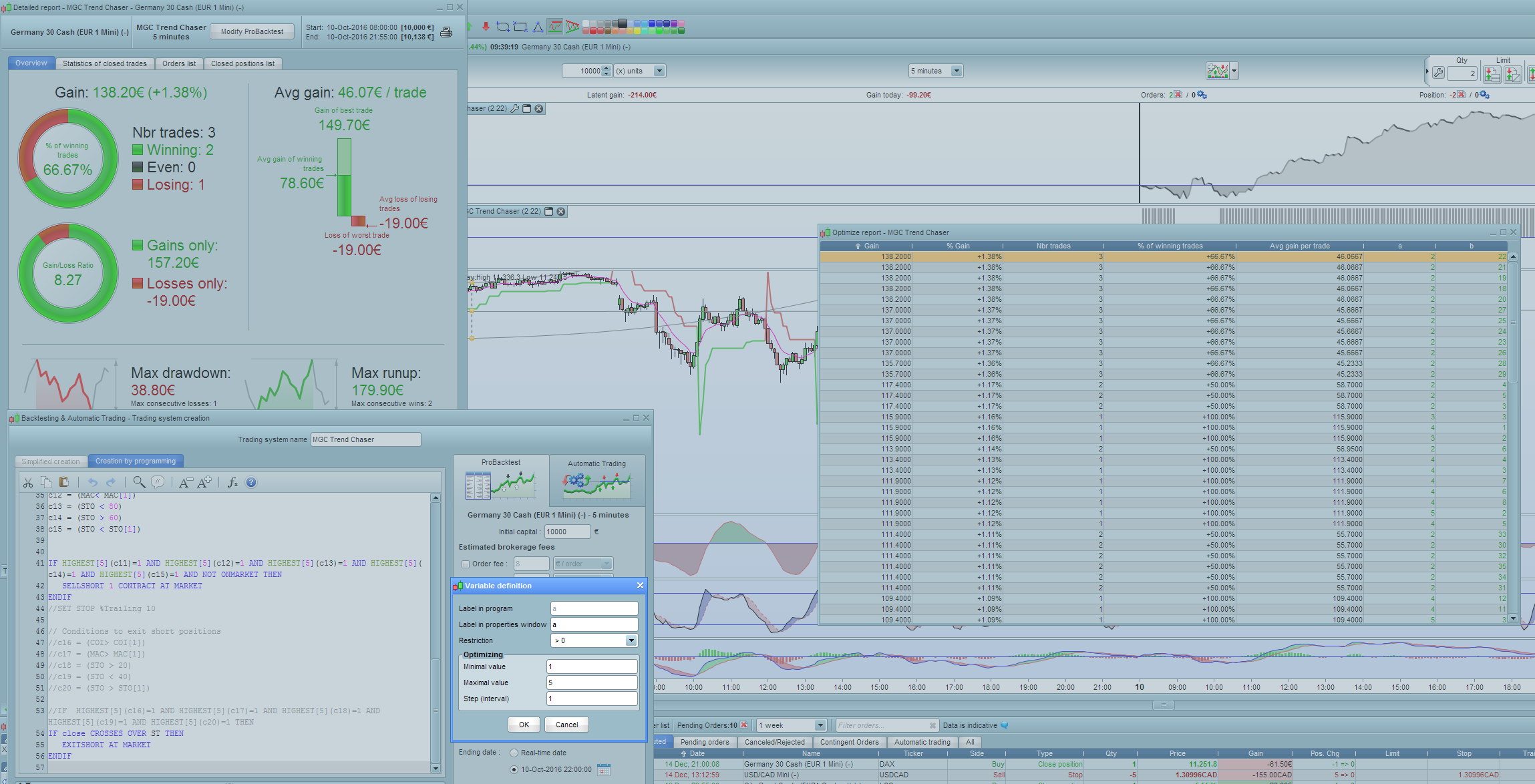
I see an optimize report to define a,b. minimal and maximal value for a = 1-5 and 1-40 for b. So it is never possible to replicate the backtests because you only could choose 1 minimal and 1 maximal value?
Sorry but I don’t understand your problem 🙂
Once you have found the optimised parameters that suit your needs (best results, low drawdown, etc.), you’ll have to write it directly into the code and delete the optimisation variables of the probacktest window.
In any case, the variables values that are set into the code are priority to the ones of the optimisation variables window.
AlcoParticipant
Senior
Ok I try to explain it again Nicolas,
The first thing I did was testing this code
/// Definition of code parameters

DEFPARAM CumulateOrders = false // Cumulating positions deactivated
COI= CALL "MGC-Coppock"[14, 11, 10](close)
MAC= MACDline[12,26,9](close)
STO = Stochastic[14,5](close)
ST = supertrend[a,b]


// Conditions to enter long positions
c1 = (COI > COI[1])
c2 = (MAC > MAC[1])
c3 = (STO > 20)
c4 = (STO < 40)
c5 = (STO > STO[1])

IF HIGHEST[5](c1)=1 AND HIGHEST[5](c2)=1 AND HIGHEST[5](c3)=1 AND HIGHEST[5](c4)=1 AND HIGHEST[5](c5)=1 AND NOT ONMARKET THEN
BUY 1 CONTRACT AT MARKET
ENDIF
//SET STOP %Trailing 10

// Conditions to exit long positions
//c6 = (COI< COI[1])
//c7 = (MAC< MAC[1])
//c8 = (STO < 80)
//c9 = (STO > 60)
//c10 = (STO < STO[1])

//IF HIGHEST[5](c6)=1 AND HIGHEST[5](c7)=1 AND HIGHEST[5](c8)=1 AND HIGHEST[5](c9)=1 AND HIGHEST[5](c10)=1 THEN
IF Close CROSSES UNDER ST THEN
SELL AT MARKET
ENDIF

// Conditions to enter short positions
c11 = (COI< COI[1])
c12 = (MAC< MAC[1])
c13 = (STO < 80)
c14 = (STO > 60)
c15 = (STO < STO[1])


IF HIGHEST[5](c11)=1 AND HIGHEST[5](c12)=1 AND HIGHEST[5](c13)=1 AND HIGHEST[5](c14)=1 AND HIGHEST[5](c15)=1 AND NOT ONMARKET THEN
SELLSHORT 1 CONTRACT AT MARKET
ENDIF
//SET STOP %Trailing 10

// Conditions to exit short positions
//c16 = (COI> COI[1])
//c17 = (MAC> MAC[1])
//c18 = (STO > 20)
//c19 = (STO < 40)
//c20 = (STO > STO[1])

//IF  HIGHEST[5](c16)=1 AND HIGHEST[5](c17)=1 AND HIGHEST[5](c18)=1 AND HIGHEST[5](c19)=1 AND HIGHEST[5](c20)=1 THEN
IF close CROSSES OVER ST THEN
EXITSHORT AT MARKET
ENDIF
Results where great in 5min and 10min time frames. But to use it in demo I got an error, because I didnt define: ST= supertrend [a,b]
After defining a and b, the results are bad. So I want to create the same results before the optimization.
Hi @Alco,
Sorry I have been off the air since early December.
The a and b variable are for optimising. I suggest you set ‘a’ at 1 to 10 with 2 step and ‘b’ at 5 to 40 with 5 step for faster optimisation. If the final results are close to either beginning or end, then adjust the variables until the result is somewhere in the middle of your beginning and end variables.
The next problem is that you have to have the MGC-Coppock defined in your platform so it can be called from your code. Better to substitute this for it “COI= WEIGHTEDAVERAGE[14](ROC[11] +ROC[10])”.
Now a word of warning, both codes with and without money management are quite complex with lots of variables. If you get a spectacular result in back-testing, it does not mean that you will get the same result in ProOrder. You need to forward test in ProOrder in demo mode for some time to be sure the code will produce a satisfactory result when run live.
If you read @cfta posts, you will find a good strategy for running ProOrder live.
Hi Alco
I note you say … I get great results in backtests for each day … and then you say you … results are not as good as before the optimizing? Also you provide a screen shot with good results for 1 day.
I’m confused, but would like to help, I hope I learn something while helping. I’m sure you know … if you optimise for 1 day then those optimised values will give highest profit that day or another day exactly the same (maybe never happen.).
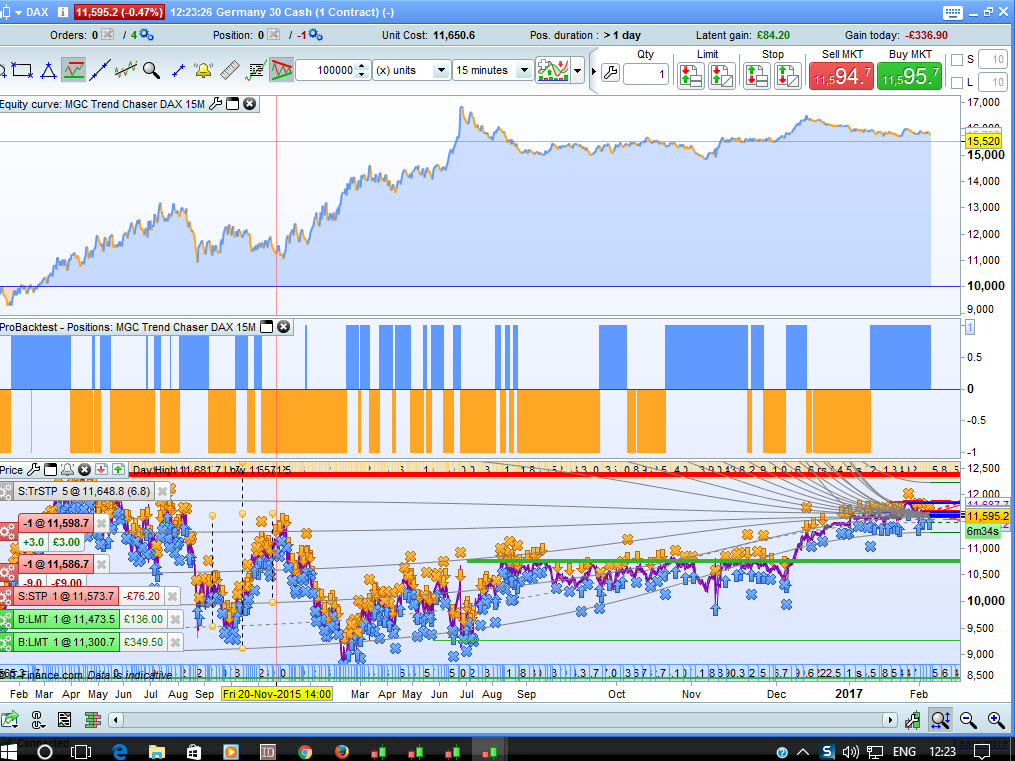
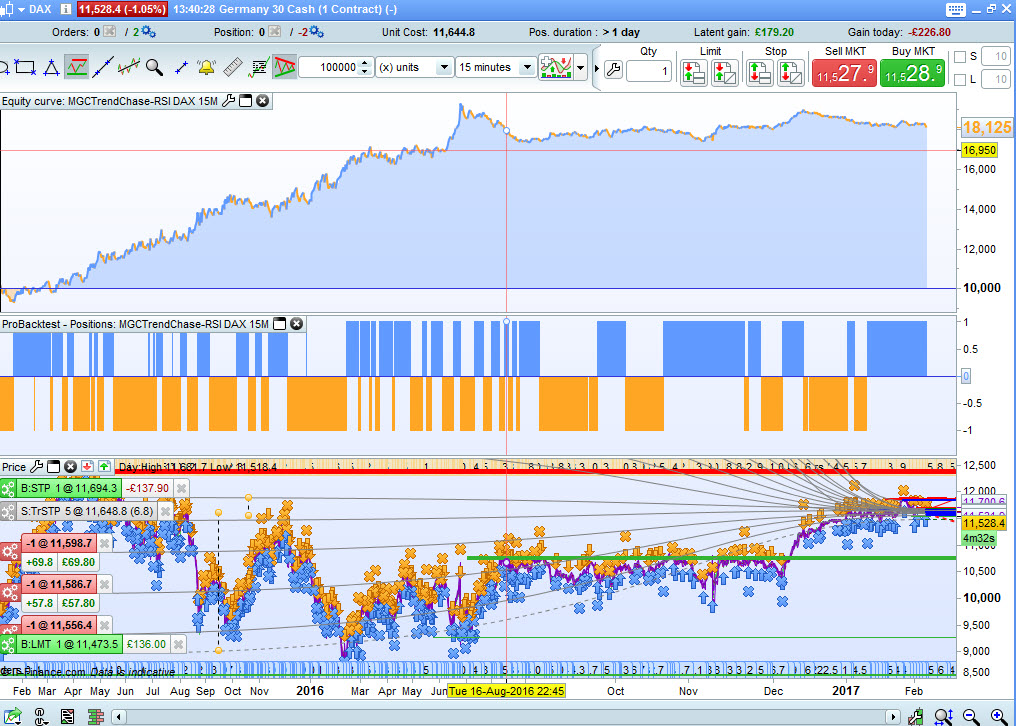
Anyway, I couldn’t resist so attached is 100000 x 15M @ spread 2 on DAX with values ST = supertrend[6,25]. I’m setting it going on Demo Forward test right now.
Cheers
GraHal
Edit: Attached MGC 2 with better curve / more profit using code with the following amendments
(Apologies Mods, Insert PRT Code button not visible)
IF Close CROSSES UNDER ST or RSI[14](close) < 22 THEN
SELL AT MARKET
ENDIF
IF close CROSSES OVER ST or RSI[14](close) > 74 THEN
EXITSHORT AT MARKET
ENDIF
@GraHal, what is your computer screen resolution please? the button is not available below a certain proportion to avoid problem with mobile/tablet…
Hi Nicolas
Due to not wanting to wear glasses and to give large font / text size … my screen resolution is 1024 x 768.
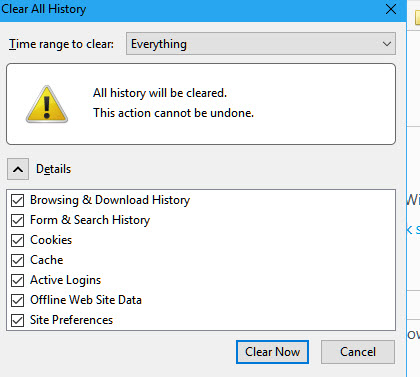
I can see the insert PRT button if I clear everything out as attached, but if I have loads of tabs open on other tasks then I not want to ‘clear all’ at that point.
I just deleted ‘all cookies associated with this PRC site’ (only) and I then had to log back in, but still the Inser PRT Code is not visible.
Cheers
GraHal