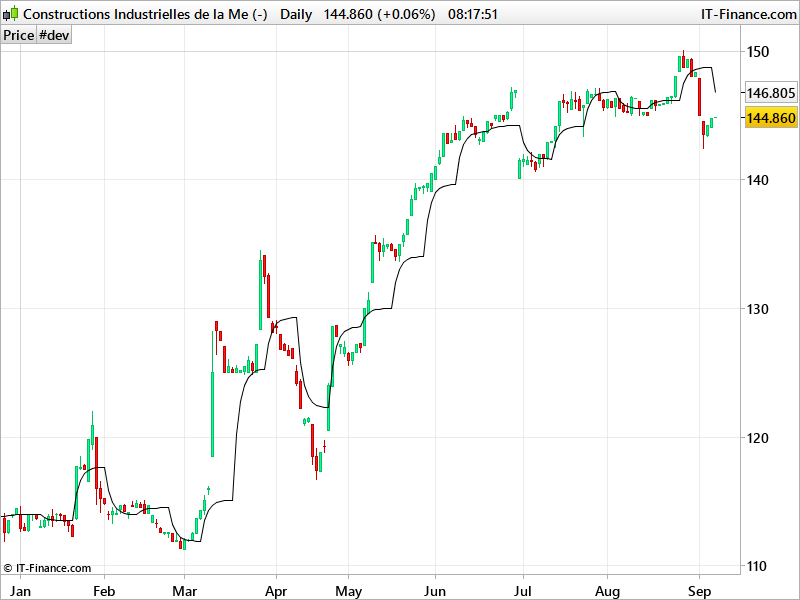
Plot 8 Day EMA(close, 3) on Daily chart

Viewing 9 posts - 1 through 9 (of 9 total)
  • Author
    Posts
  • #45302 quote
    kris00l
    Participant
    New

    Hello,

    I’m NEW to ProRealCode.

    How to plot – 8 Day EMA(close, 3) on a daily chart?

    Also, how to turn that into screener?

    Thanks

    #45322 quote
    robertogozzi
    Moderator
    Master

    What doeas parameter 3 mean (after close)?

    #45323 quote
    kris00l
    Participant
    New

    Sorry that’s Pine script code. Its 3 period plot on 8 day chart.

    thanks

    #45637 quote
    Nicolas
    Keymaster
    Master

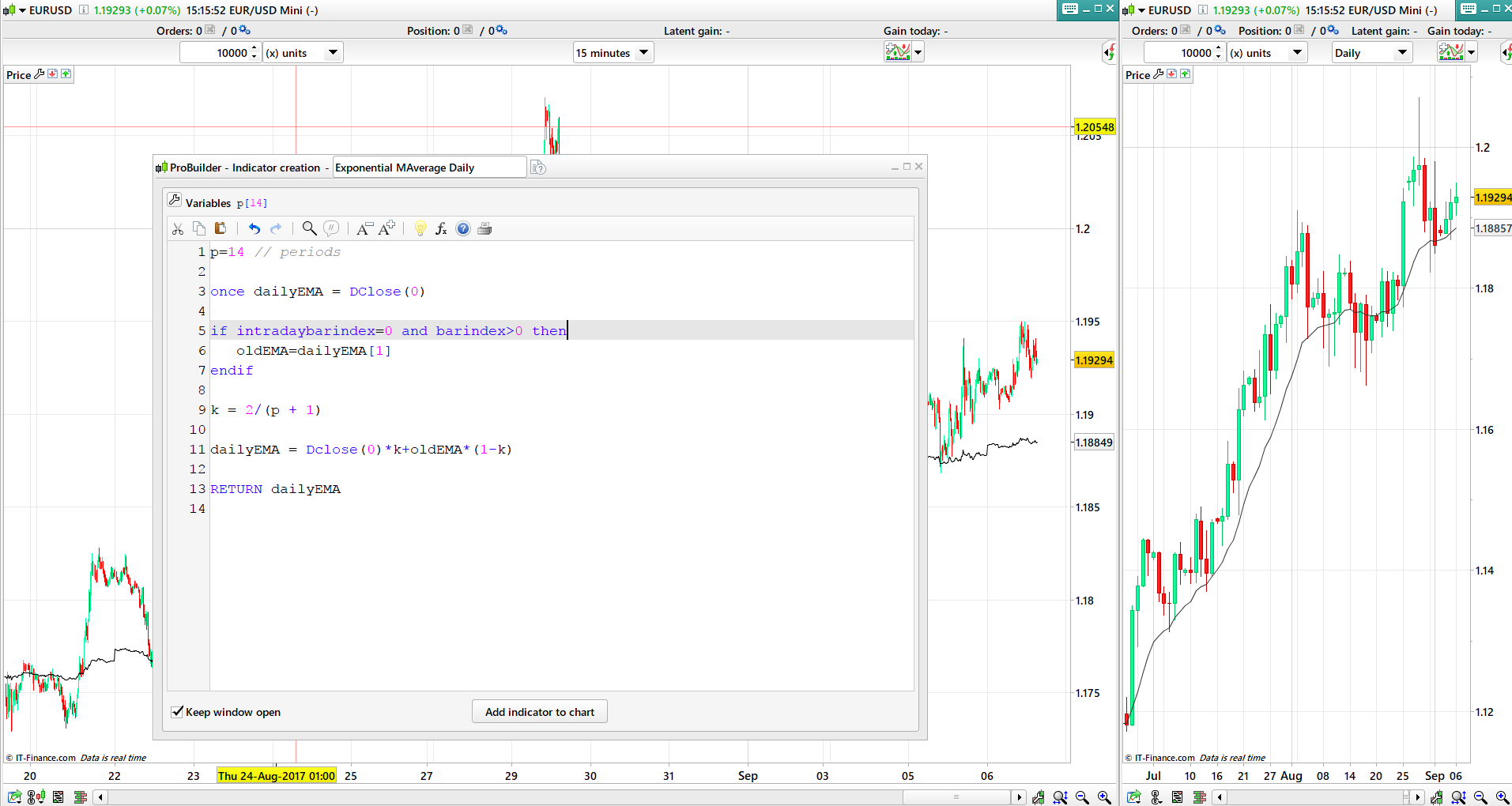
    This kind of code should be close enough to a real daily EMA, but in intraday timeframes:

    p=14 // periods
    
    once dailyEMA = DClose(0)
    
    if intradaybarindex=0 then
    oldEMA=dailyEMA
    endif
    
    k = 2/(p + 1)
    
    dailyEMA = Dclose(0)*k+oldEMA*(1-k)
    
    RETURN dailyEMA
    #45653 quote
    kris00l
    Participant
    New

    Thanks Nicolas. Based on EMA formula (http://stockcharts.com/school/doku.php?id=chart_school:technical_indicators:moving_averages) and my initial request:

    EMA(3) is what gets calculated. In you example code it is EMA(14). But what I need is to convert below pinescript:

    //@version=3
    study(“My Script”)
    m=security(tickerid, “8D”, ema(close,3))
    plot(m)

    also, once this is works I need to convert this as a screener. Currently Tradingview lacks in this. TOS doesn’t have 8D but they do have 1d, 2d, 3d and 4day period but NOT 8D :(.

    #45664 quote
    Nicolas
    Keymaster
    Master

    So to be clear, you want to get the EMA 3 periods of an 8 days timeframe?

    #45668 quote
    kris00l
    Participant
    New

    Yes, Nicolas but plot it on a Daily chart view.

    If you run that script I shared on Tradingview you will see what I mean.

    Finally, I need to convert it as sceener.

    Thanks

    #45693 quote
    Nicolas
    Keymaster
    Master

    Just a quick and rough code this morning (have to go), please have in mind that there is no multi timeframe support in ProBuilder.

    p=3 // periods
    
    once dailyEMA = DClose(0)
    
    if barindex<>oldBAR and barindex>0 then
    oldEMA=dailyEMA[1]
    oldBAR=barindex
    count=count+1
    if count=8 then 
    count=0
    price=Dclose(0)
    endif
    endif
    
    k = 2/(p + 1)
    
    dailyEMA = price*k+oldEMA*(1-k)
    
    RETURN dailyEMA

    About the screener, please give me at least one condition to fire alerts! Thank you.

    #45761 quote
    kris00l
    Participant
    New

    Thanks Nicolas ..this gave me the idea … here’s the code but i’m not getting the quite the value it should be for 8D ema(3).

    once count = 0
    
    if count = 7 then
    
    p=3 // periods
     
    once dailyEMA = DClose(7)
     
    if intradaybarindex=0 then
    oldEMA=dailyEMA
    endif
     
    k = 2/(p + 1)
     
    dailyEMA = (Dclose(7)-oldEMA)*k+oldEMA
    
    count = 0
    endif
    
    count = count + 1
    
    RETURN dailyEMA
    

    within “if count” structure and having dclose(0) will get EMA(3) so Dclose(7) will get me close of 8th day. Previous ema calculation is what i think needs to be fixed to get my code working 100% accurately.

Viewing 9 posts - 1 through 9 (of 9 total)

  • You must be logged in to reply to this topic.

Plot 8 Day EMA(close, 3) on Daily chart


ProBuilder: Indicators & Custom Tools

New Reply
Author
author-avatar
kris00l @kris00l Participant
Summary

This topic contains 8 replies,
has 3 voices, and was last updated by kris00l

8 years, 5 months ago.

Topic Details
Forum: ProBuilder: Indicators & Custom Tools
Language: English
Started: 09/03/2017
Status: Active
Attachments: 2 files
Logo Logo
Loading...