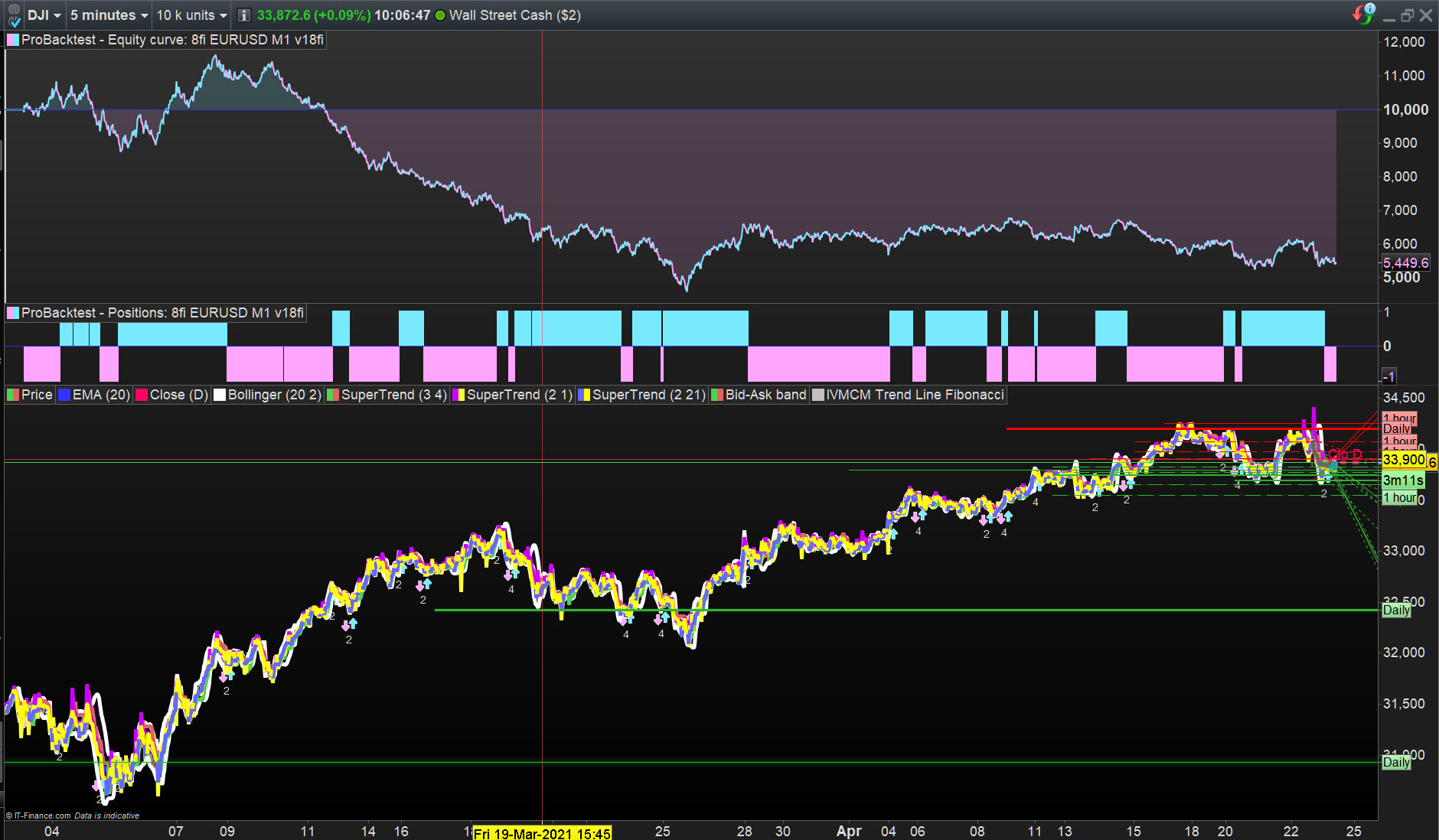
working in ProOrder due to GRAPH
Been working outside all day, think the sun has got to me … I haven’t put it in ProOrder yet! 🙂
I cobbled 8ficusst code together while eating my tea (sorry Vonasi, dinner!) and was surprised at the results … hence I posted it.
GraHa: Anyway, why can’t / don’t you trade your backtest version … it contains Buy and Sellshort and you say it is the same as the Auto version??
Hi again – thanks for all your efforts – they are much appreciated.
I really wish I knew more about how the AUTO software runs a code, but the manual does not reveal this in detail. I have tried ELSE and many other instructions in the conditions part of the code, but to no avail. The manual is far too sparse when it comes to describing crossover models designed for AUTO TRADING. Maybe someone in these ProRealCode forums has already solved a similar problem, but I don’t know how to search through all these thousands of posts — maybe there is a way to do this that you know about?
But just for clarity: As far as my understanding goes, BackTest codes with multiple variables and multiple conditions cannot be used exactly as they are for AUTO trading, as the variables and conditions must be detailed individually so that the AUTO software can choose which elements to match to the price action at any specific time.
Still trying!!
GraHal wrote:
Did you try below …
if not shortonmarket and AnyOfTheShorts and OpposingLongs then
sellshort at close stop
endif

//////// LONGS ///////////////////////

if not longonmarket and AnyOfTheLongs and OpposingShorts then
buy at close stop
endif
I did already try this combo, thanks.
MODERATORS COMMENT:
- Always use the ‘Insert PRT Code’ button when putting code in your posts to make it easier for others to read.
Your post has been edited.
BackTest codes with multiple variables and multiple conditions cannot be used exactly as they are for AUTO trading
Above is what we all do else what is the point in backtesting / optimising if not to refine a strategy so as to make profit running in Live.
Okay I know some use the backtest platform to watch forward running live then take manual trades when conditions are met etc.
My hunch on why your Auto-System code is taking trades at every bar is that the conditions are so loose that conditions are met for an opposing trade / reversal at every bar?
You could test my hunch by using below and you should get a trade every 10 bars?
You would need to add code to get the 1st trade open so as to
get the party started! 🙂
if barindex - tradeindex > 10 AND AnyOfTheShorts and OpposingLongs then
sellshort at close stop
endif

////////  LONGS   ///////////////////////

if barindex - tradeindex > 10 AND AnyOfTheLongs and OpposingShorts then
buy at close stop
endif
I have also tried this format, where ELSE is used. (In the conditions at the bottom of the page)
But that never worked either………
defparam cumulateorders = false
defparam preloadbars = 5000

//defparam flatbefore = 125000
//defparam flatafter =155800

//SET TARGET PPROFIT (80)
//SET STOP PLOSS (20)

a = S200 or S220 or S240 or S260 or S280 or S300 or S320 or S340 or S360 or S380 or S400 or S420 or S440 or S460 or S480 or S500 or S520 or S540 or S560 or S580 or S600 or S620 or S640 or S660 or S680

m200=momentum[200](close)
h1=HullAverage[110](momentum[200](close))
h2=HullAverage[120](momentum[200](close))
S200 = h1 < h2

m220=momentum[220](close)
h3=HullAverage[110](momentum[220](close))
h4=HullAverage[120](momentum[220](close))
S220 = h3 < h4

m240=momentum[240](close)
h5=HullAverage[110](momentum[240](close))
h6=HullAverage[120](momentum[240](close))
S240 = h5 < h6

m260=momentum[260](close)
h7=HullAverage[110](momentum[260](close))
h8=HullAverage[120](momentum[260](close))
S260 = h7 < h8

m280=momentum[280](close)
h9=HullAverage[110](momentum[280](close))
h10=HullAverage[120](momentum[280](close))
S280 = h9 < h10

m300=momentum[300](close)
h11=HullAverage[110](momentum[300](close))
h12=HullAverage[120](momentum[300](close))
S300 = h11 < h12

m320=momentum[320](close)
h13=HullAverage[110](momentum[320](close))
h14=HullAverage[120](momentum[320](close))
S320 = h13 < h14

m340=momentum[340](close)
h15=HullAverage[110](momentum[340](close))
h16=HullAverage[120](momentum[340](close))
S340 = h15 < h16

m360=momentum[360](close)
h17=HullAverage[110](momentum[360](close))
h18=HullAverage[120](momentum[360](close))
S360 = h17 < h18

m380=momentum[380](close)
h19=HullAverage[110](momentum[380](close))
h20=HullAverage[120](momentum[380](close))
S380 = h19 < h20

m400=momentum[400](close)
h21=HullAverage[110](momentum[400](close))
h22=HullAverage[120](momentum[400](close))
S400 = h21 < h22

m420=momentum[420](close)
h23=HullAverage[110](momentum[420](close))
h24=HullAverage[120](momentum[420](close))
S420 = h23 < h24

m440=momentum[440](close)
h25=HullAverage[110](momentum[440](close))
h26=HullAverage[120](momentum[440](close))
S440 = h25 < h26

m460=momentum[460](close)
h27=HullAverage[110](momentum[460](close))
h28=HullAverage[120](momentum[460](close))
S460 = h27 < h28

m480=momentum[480](close)
h29=HullAverage[110](momentum[480](close))
h30=HullAverage[120](momentum[480](close))
S480 = h29 < h30

m500=momentum[500](close)
h31=HullAverage[110](momentum[500](close))
h32=HullAverage[120](momentum[500](close))
S500 = h31 < h32

m520=momentum[520](close)
h33=HullAverage[110](momentum[520](close))
h34=HullAverage[120](momentum[520](close))
S520 = h33 < h34

m540=momentum[540](close)
h35=HullAverage[110](momentum[540](close))
h36=HullAverage[120](momentum[540](close))
S540 = h35 < h36

m560=momentum[560](close)
h37=HullAverage[110](momentum[560](close))
h38=HullAverage[120](momentum[560](close))
S560 = h37 < h38

m580=momentum[580](close)
h39=HullAverage[110](momentum[580](close))
h40=HullAverage[120](momentum[580](close))
S580 = h39 < h40

m600=momentum[600](close)
h41=HullAverage[110](momentum[600](close))
h42=HullAverage[120](momentum[600](close))
S600 = h41 < h42

m620=momentum[620](close)
h43=HullAverage[110](momentum[620](close))
h44=HullAverage[120](momentum[620](close))
S620 = h43 < h44

m640=momentum[640](close)
h45=HullAverage[110](momentum[640](close))
h46=HullAverage[120](momentum[640](close))
S640 = h45 < h46

m660=momentum[660](close)
h47=HullAverage[110](momentum[660](close))
h48=HullAverage[120](momentum[660](close))
S660 = h47 < h48

m680=momentum[680](close)
h49=HullAverage[110](momentum[680](close))
h50=HullAverage[120](momentum[680](close))
S680 = h49 < h50

//////////////////////////////////////////

b = l200 or l220 or l240 or l260 or l280 or l300 or l320 or l340 or l360 or l380 or l400 or l420 or l440 or l460 or l480 or l500 or l520 or l540 or l560 or l580 or l600 or l620 or l640 or l660 or l680

c200=momentum[200](close)
k1=HullAverage[110](momentum[200](close))
k2=HullAverage[120](momentum[200](close))
L200 = k1 > k2

c220=momentum[220](close)
k3=HullAverage[110](momentum[220](close))
k4=HullAverage[120](momentum[220](close))
L220 = k3 > k4

c240=momentum[240](close)
k5=HullAverage[110](momentum[240](close))
k6=HullAverage[120](momentum[240](close))
L240 = k5 > k6

c260=momentum[260](close)
k7=HullAverage[110](momentum[260](close))
k8=HullAverage[120](momentum[260](close))
L260 = k7 > k8

c280=momentum[280](close)
k9=HullAverage[110](momentum[280](close))
k10=HullAverage[120](momentum[280](close))
L280 = k9 > k10

c300=momentum[300](close)
k11=HullAverage[110](momentum[300](close))
k12=HullAverage[120](momentum[300](close))
L300 = k11 > k12

c320=momentum[320](close)
k13=HullAverage[110](momentum[320](close))
k14=HullAverage[120](momentum[320](close))
L320 = k13 > k14

c340=momentum[340](close)
k15=HullAverage[110](momentum[340](close))
k16=HullAverage[120](momentum[340](close))
L340 = k15 > k16

c360=momentum[360](close)
k17=HullAverage[110](momentum[360](close))
k18=HullAverage[120](momentum[360](close))
L360 = k17 > k18

c380=momentum[380](close)
k19=HullAverage[110](momentum[380](close))
k20=HullAverage[120](momentum[380](close))
L380 = k19 > k20

c400=momentum[400](close)
k21=HullAverage[110](momentum[400](close))
k22=HullAverage[120](momentum[400](close))
L400 = k21 > k22

c420=momentum[420](close)
k23=HullAverage[110](momentum[420](close))
k24=HullAverage[120](momentum[420](close))
L420 = k23 > k24

c440=momentum[440](close)
k25=HullAverage[110](momentum[440](close))
k26=HullAverage[120](momentum[440](close))
L440 = k25 > k26

c460=momentum[460](close)
k27=HullAverage[110](momentum[460](close))
k28=HullAverage[120](momentum[460](close))
L460 = k27 > k28

c480=momentum[480](close)
k29=HullAverage[110](momentum[480](close))
k30=HullAverage[120](momentum[480](close))
L480 = k29 > k30

c500=momentum[500](close)
k31=HullAverage[110](momentum[500](close))
k32=HullAverage[120](momentum[500](close))
L500 = k31 > k32

c520=momentum[520](close)
k33=HullAverage[110](momentum[520](close))
k34=HullAverage[120](momentum[520](close))
L520 = k33 > k34

c540=momentum[540](close)
k35=HullAverage[110](momentum[540](close))
k36=HullAverage[120](momentum[540](close))
L540 = k35 > k36

c560=momentum[560](close)
k37=HullAverage[110](momentum[560](close))
k38=HullAverage[120](momentum[560](close))
L560 = k37 > k38

c580=momentum[580](close)
k39=HullAverage[110](momentum[580](close))
k40=HullAverage[120](momentum[580](close))
L580 = k39 > k40

c600=momentum[600](close)
k41=HullAverage[110](momentum[600](close))
k42=HullAverage[120](momentum[600](close))
L600 = k41 > k42

c620=momentum[620](close)
k43=HullAverage[110](momentum[620](close))
k44=HullAverage[120](momentum[620](close))
L620 = k43 > k44

c640=momentum[640](close)
k45=HullAverage[110](momentum[640](close))
k46=HullAverage[120](momentum[640](close))
L640 = k45 > k46

c660=momentum[660](close)
k47=HullAverage[110](momentum[660](close))
k48=HullAverage[120](momentum[660](close))
L660 = k47 > k48

c680=momentum[680](close)
k49=HullAverage[110](momentum[680](close))
k50=HullAverage[120](momentum[680](close))
L680 = k49 > k50

if s200 and NOT b then
sellshort at close stop
else
if s220 and NOT b then
sellshort at close stop
else
if s240 and NOT b then
sellshort at close stop
else
if s260 and NOT b then
sellshort at close stop
else
if s280 and NOT b then
sellshort at close stop
else
if s300 and NOT b then
sellshort at close stop
else
if s320 and NOT b then
sellshort at close stop
else
if s340 and NOT b then
sellshort at close stop
else
if s360 and NOT b then
sellshort at close stop
else
if s380 and NOT b then
sellshort at close stop
else
if s400 and NOT b then
sellshort at close stop
else
if s420 and NOT b then
sellshort at close stop
else
if s440 and NOT b then
sellshort at close stop
else
if s460 and NOT b then
sellshort at close stop
else
if s480 and NOT b then
sellshort at close stop
else
if s500 and NOT b then
sellshort at close stop
else
if s520 and NOT b then
sellshort at close stop
else
if s540 and NOT b then
sellshort at close stop
else
if s560 and NOT b then
sellshort at close stop
else
if s580 and NOT b then
sellshort at close stop
else
if s600 and NOT b then
sellshort at close stop
else
if s620 and NOT b then
sellshort at close stop
else
if s640 and NOT b then
sellshort at close stop
else
if s660 and NOT b then
sellshort at close stop
else
if s680 and NOT b then
sellshort at close stop
endif
endif
endif
endif
endif
endif
endif
endif
endif
endif
endif
endif
endif
endif
endif
endif
endif
endif
endif
endif
endif
endif
endif
endif
endif

///////////////////////////////////////

if l200 and NOT a then
buy at close stop
else
if l220 and NOT a then
buy at close stop
else
if l240 and NOT a then
buy at close stop
else
if l260 and NOT a then
buy at close stop
else
if l280 and NOT a then
buy at close stop
else
if l300 and NOT a then
buy at close stop
else
if l320 and NOT a then
buy at close stop
else
if l340 and NOT a then
buy at close stop
else
if l360 and NOT a then
buy at close stop
else
if l380 and NOT a then
buy at close stop
else
if l400 and NOT a then
buy at close stop
else
if l420 and NOT a then
buy at close stop
else
if l440 and NOT a then
buy at close stop
else
if l460 and NOT a then
buy at close stop
else
if l480 and NOT a then
buy at close stop
else
if l500 and NOT a then
buy at close stop
else
if l520 and NOT a then
buy at close stop
else
if l540 and NOT a then
buy at close stop
else
if l560 and NOT a then
buy at close stop
else
if l580 and NOT a then
buy at close stop
else
if l600 and NOT a then
buy at close stop
else
if l620 and NOT a then
buy at close stop
else
if l640 and NOT a then
buy at close stop
else
if l660 and NOT a then
buy at close stop
else
if l680 and NOT a then
buy at close stop
endif
endif
endif
endif
endif
endif
endif
endif
endif
endif
endif
endif
endif
endif
endif
endif
endif
endif
endif
endif
endif
endif
endif
endif
endif
So your question is …
Why does the code in the post above take a trade at every bar?
In answer to the question above (which may be wrong?) …
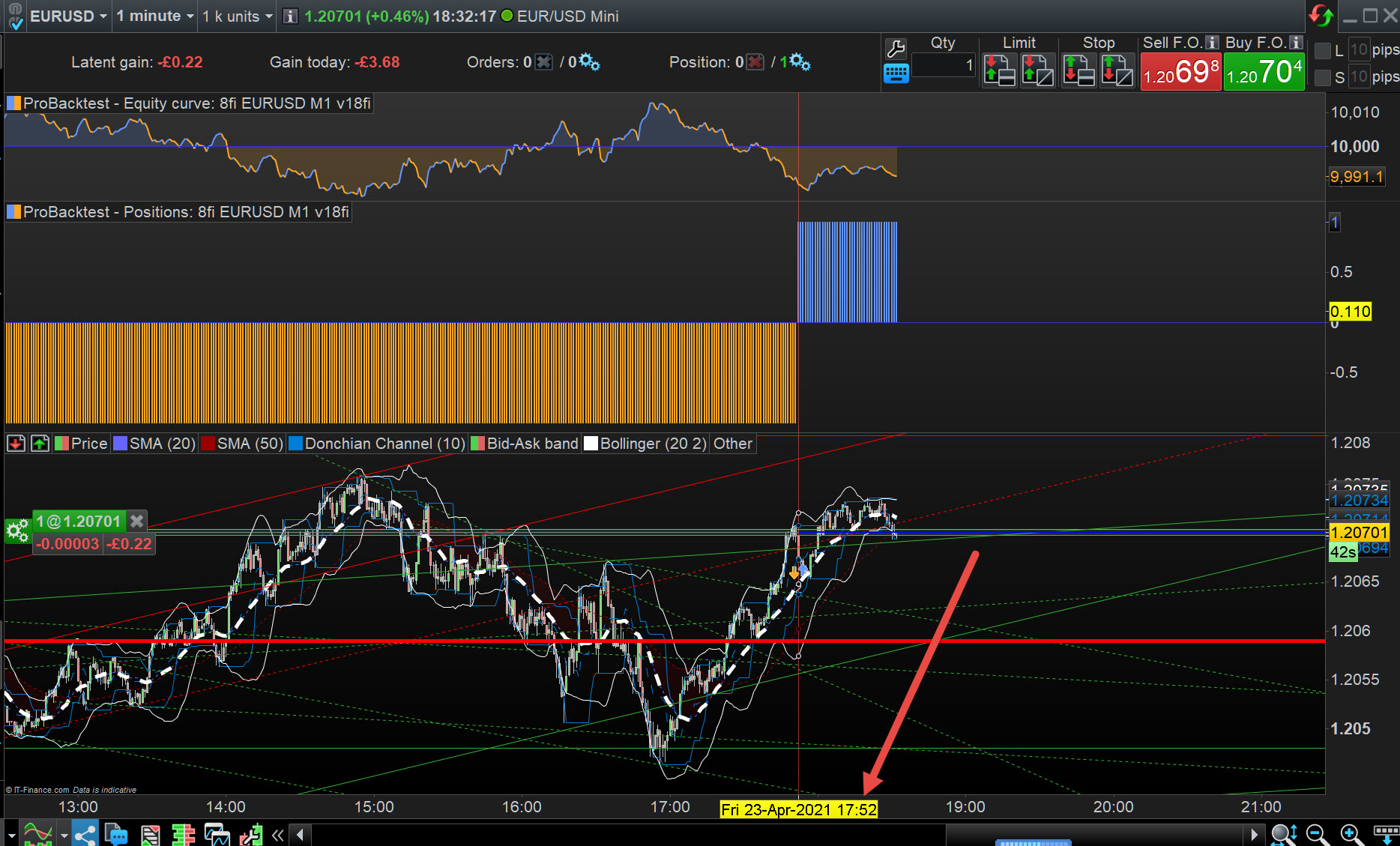
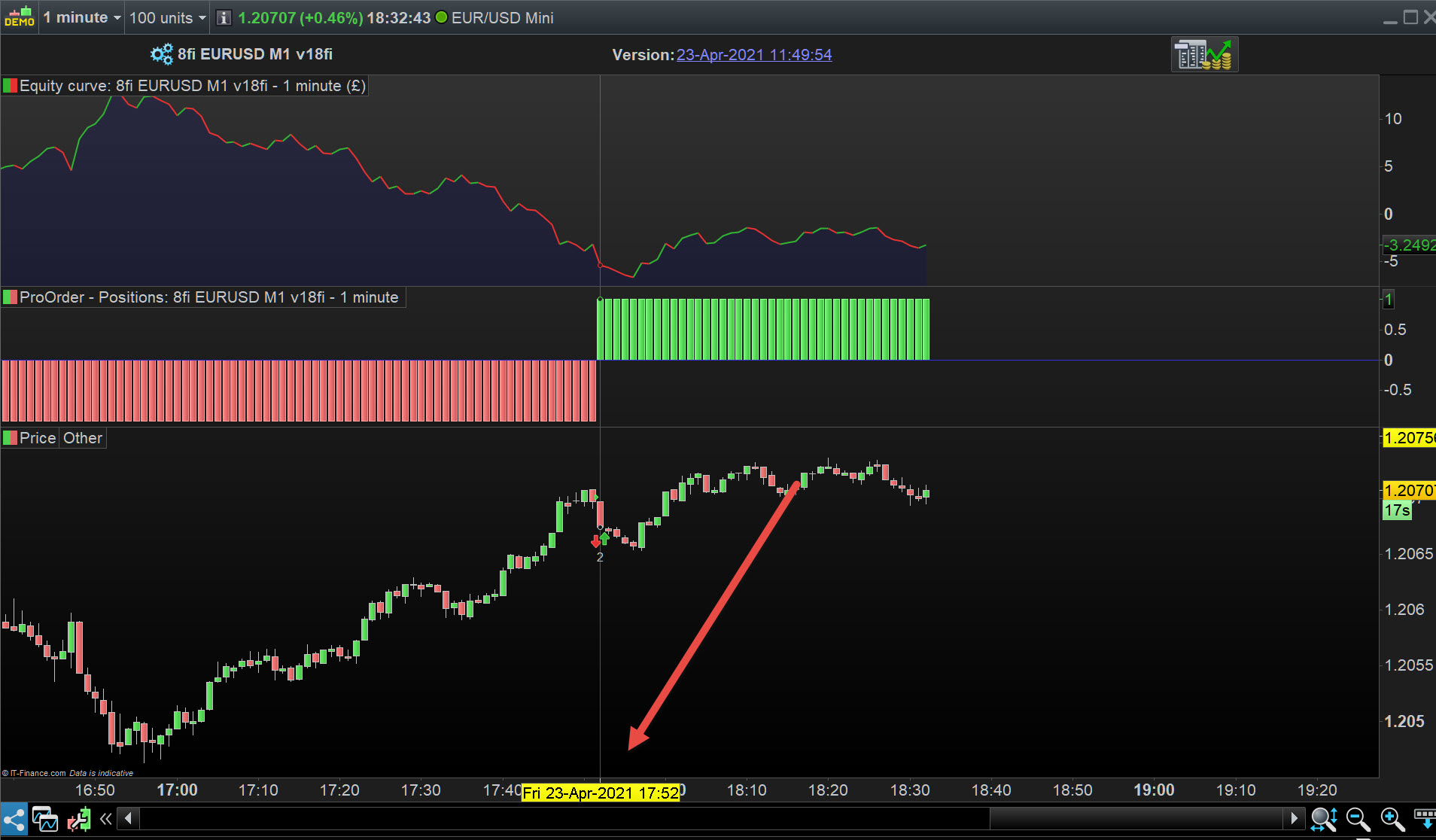
Your code does not take trades at every bar … see attached.
So what is the question / problem we are trying to find? 🙂
I will try your code suggestion and will report back, thanks Gra.
I understand that “looseness” could trigger too many trades, but the fact is this problem does not occur with BACKTEST using the exact same code.
So maybe the BACKTEST system needs different coding expressions than the AUTO system??
Gra, do you know if the AUTO system uses the same methodology as the BackTest system uses at each bar as it progresses?
It would help a lot if you could find out. I’m not asking for proprietary code/information or anything remotely like that, but it would be helpful to know how the AUTO system selects the options that I load into my codes. Otherwise we are battling in the dark here.
Leave it with me for the time being, so I can run one of the full codes on AUTO on my system and show you what I mean.
Speak soon.
Both Backtest and ProOrder are in sync … see attached for a Long opened at 17:52 on both.
That’s at UTC +2 so UK time = 16:52
Thanks for this GraHa.
Of course I will have to wait until the live market starts up again to continue testing these AUTO systems……….
Can you let me know which code you tested? — IE; was it the first (shortened code) I posted?
I have also tried this format,
I tested the version shown in the post above.
OK, I see the version shown now. I’ll test it again today and let you know my findings.