Minor settings like setting shortcut keys, bookmarking instruments and the likes are not being saved.
Code and workspaces seems to save as expected.
I have tested this a few times by pressing Ctrl+S AND Save when being prompted during shutdown.
Sometimes the settings are saved and sometimes not…
Edit: I’m on v11.1 -17.0.7
Try on v12 as I doubt PRT are going to make any changes to v11 now v12 is latest version etc.
V12 is even more Hell for that. I may have a special case for leaving on Notifications. I have switched them on 200+ times, and gave PRT 100+ emails with sample situations. You know what their last response was (7 months or so ago) ?
Peter, we must give up on this. We can’t find the culprit.
And so I keep on checking whether they are switched on each time I start the V12 platform. More than half of the time they are not.
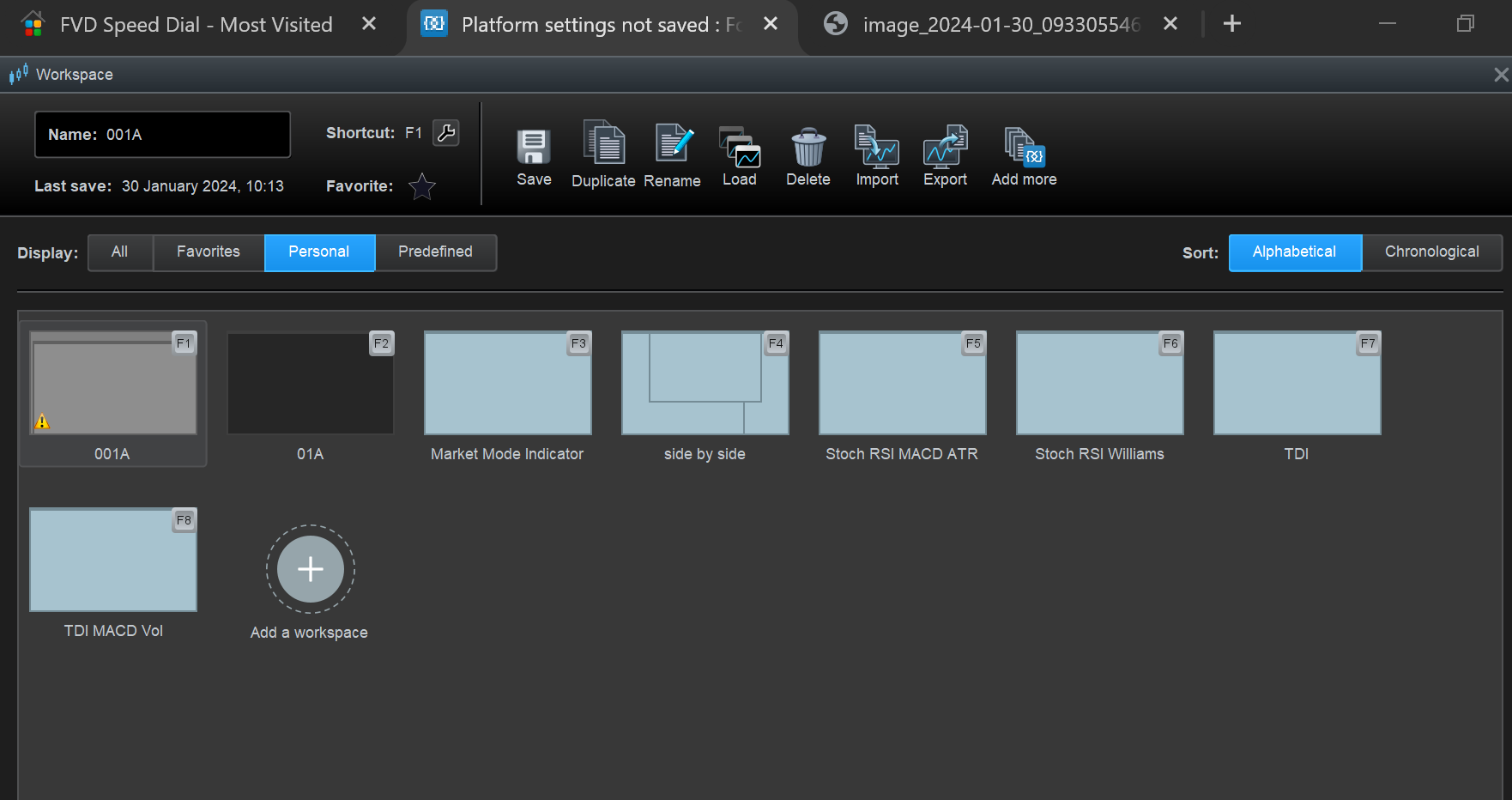
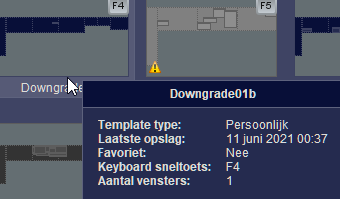
The removal of the self-appointed Shortcuts for Templates, I must have done 50 time by now. So let’s have a look … yep, there they are AGAIN. I regard that dangerous.
State what you think might be the worst or most annoying example of what you say above and I will try it out.
Which Notification keeps getting turned off after Quit Peter?
Try on v12 as I doubt PRT are going to make any changes to v11 now v12 is latest version etc.
I’m a bit apprehensive about switching to v12 after reading on this forum. Especially as a user of IG Markets + PRT.
V12 is even more Hell for that. I may have a special case for leaving on Notifications. I have switched them on 200+ times, and gave PRT 100+ emails with sample situations. You know what their last response was (7 months or so ago) ?
Peter, we must give up on this. We can’t find the culprit.
And so I keep on checking whether they are switched on each time I start the V12 platform. More than half of the time they are not.
The removal of the self-appointed Shortcuts for Templates, I must have done 50 time by now. So let’s have a look … yep, there they are AGAIN. I regard that dangerous.
Ouch, that’s discouraging 🙁
State what you think might be the worst or most annoying example of what you say above and I will try it out.
Which Notification keeps getting turned off after Quit Peter?
For me its mostly a nuisance. I use shortcuts for everything and from time to time I have to to go back and re-do them.
I was hoping someone had some workaround for this or know what the culprit was. It seems to happen more often when rebooting the computer compared to just restarting PRT.
It seems to happen more often when rebooting the computer compared to just restarting PRT.
Was the PC reboot needed to sort some Issue as opposed to switch on in morning etc?
If Yes, to above might you have forgotten to Quit > Save and exit (after making shortcut changes etc) on PRT before reboot?
It seems to happen more often when rebooting the computer compared to just restarting PRT.
Was the PC reboot needed to sort some Issue as opposed to switch on in morning etc?
If Yes, to above might you have forgotten to Quit > Save and exit (after making shortcut changes etc) on PRT before reboot?
Switching on in the morning as opposed to only shutting down PRT for testing if the settings are saved,
I can’t force this behaviour by restarting my computer for testing purposes though, so I don’t know what’s going on.
I’m positive that i always save on exit though and PRT never crashes so that should not be an issue.
removal of the self-appointed Shortcuts for Templates, I must have done 50 time by now
I am confused as to what you are saying above.
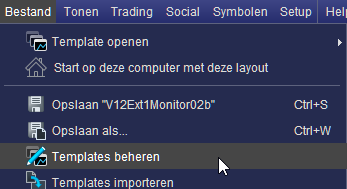
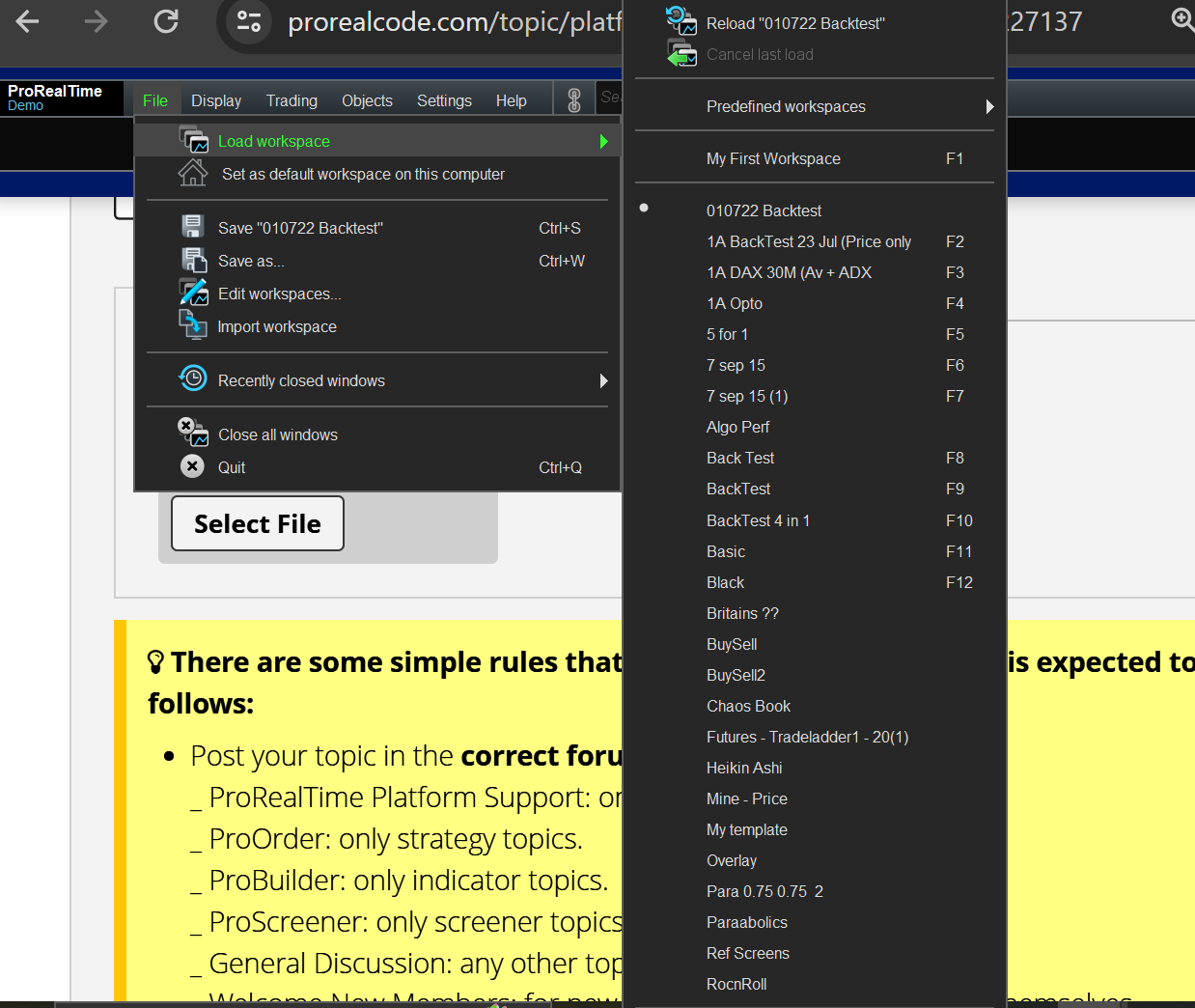
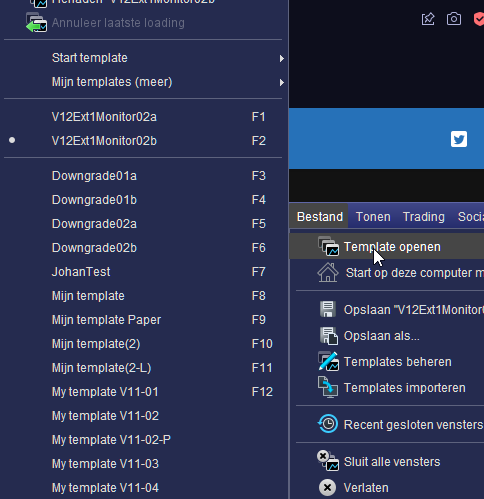
If you are showing these shortcuts by going File > Edit Workspace > Personal Tab … why would you expect them to not show (or dissappear forever as you seem to want? ) when they link to Workspaces that you have raised / made personal to you?
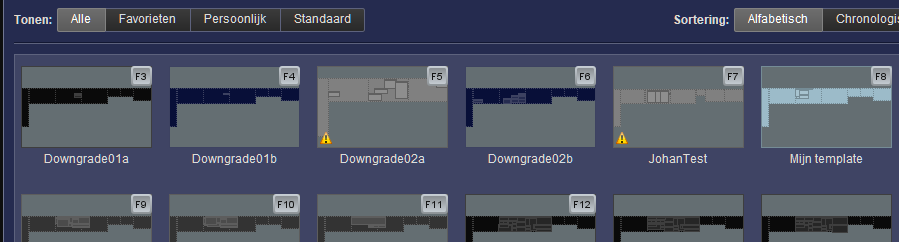
Attached are mine, and if I do not want them to show as shorcuts in this window then I need to delete that Workspace from my Platform (but no good me trying to delete a shortcut when shortcuts in the attached window (pane / Form) is a built in default behaviour??
It seems to happen more often when rebooting the computer
I can’t force this behaviour by restarting my computer for testing purposes
Above 2 statements read as contradictory, so I guess you are saying … the Issue is random and cannot be forced to happen after reboot of PC nor even restart of PRT?
Might it be that occasionally you do forget to go File > Quit > Save and Exit? I know I do and then it leaves me thinking … did I save before Exit?
It seems to happen more often when rebooting the computer
I can’t force this behaviour by restarting my computer for testing purposes
Above 2 statements read as contradictory, so I guess you are saying … the Issue is random and cannot be forced to happen after reboot of PC nor even restart of PRT?
Might it be that occasionally you do forget to go File > Quit > Save and Exit? I know I do and then it leaves me thinking … did I save before Exit?
Edit: (My message ended up in the quoted message)
That would be pretty much what I’m saying. I will see if I can start taking down when these things happen too see if there is a pattern.
It’s best to only ‘Quote’ that particular small part of a post / message that one is specifically answering / referring to … else each post gets bigger and bigger and other helpful folks might glance down and think … I’m not reading that lot, not got time! ;)
All we need do is select the particular small part then click on Quote.
Which Notification keeps getting turned off after Quit Peter?
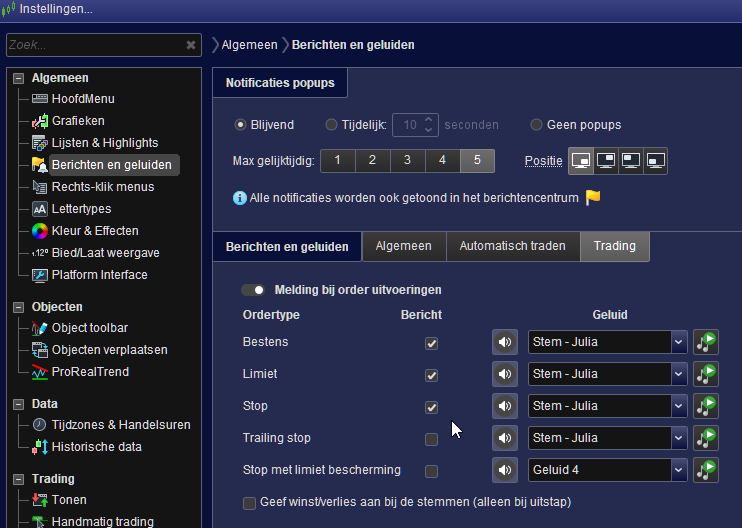
That would be these. I have tried soooo many combinations in this screen in order to find out which could be causing it. The last I tried was switching of the “Tell Profit/Loss by means of voices (only at exits)” (my translation). I think I did that a week ago and until now it still holds …
Testing this takes ages, and it can’t be enforced at will (I did not succeed). So you need to wait until the next day or so.
With this last one I switched off (and supposed it helps) one could think that the speaker system is or gets blocked at an Exit, and that than everything gets confused (and the checkboxes get unticked).
All you could do for testing is switch them all on, have many trades, and after a week observing that they are all still on. And then you proved nothing because with me they will be randomly turned off. The one, the other, all, and also not any (like today since yesterday, actually since a week now). Only when you’ll have it to we have a game. But then you will be looking at it for a year (really) like me. Or you are maybe smarter and see lights I don’t see. 🙂
If you are showing these shortcuts by going File > Edit Workspace > Personal Tab … why would you expect them to not show (or dissappear forever as you seem to want? ) when they link to Workspaces that you have raised / made personal to you?
Now I don’t understand your question. Haha. I don’t want these stupid shortcuts as I use these keys for various other applications while PRT accidentally gets the focus etc. Not going to explain this. Point is, PRT makes them up randomly.
Yesterday I removed them again (because I ran intro it because of this topic) so after I removed them I saved the platform, and later saved the platform before exiting. And today there they are again.
I never switch templates unless I create a new one for backup (that new one also gets an F key assigned by PRT (grrr). I DON’T ASK FOR THIS NONSENSE. This in itself (assign an F key to a new template) happens in V11 as well. But in V12 I can’t get rid of them.
Maybe I should add that the templates you see were used by me years ago. So it makes not even sense to have shortcuts for them. But PRT assigens them.
I never “made a work space personal to me”. Not in V12 and not in this particular account.
PeterSt, are you saying that you do not even have listed / stored the Templates / Workspaces that the shortcuts (you do not want showing) refer to?
Attached is where my Templates / Workspaces are listed / stored … I know you know this, but others reading may not know.
Be good if you show your listed / stored Templates / Workspaces … just so we have a baseline (I’m not spying on you! 🙂 ).
GraHal, I really can’t tell what you have in mind.
Maybe below helps you ?
I don’t want G-D shortcuts I did not apply and which I also can’t remove. The message can’t be simpler, or ?
Maybe you don’t recognize that you use F5 a million times a day on your browser ? Well, one of those million times PRT has the focus (which is another issue) and I lose all my just applied changes on forms etc. (which I need to do very regularly). And Yes, I know that since more recently you can restore the before-last loaded settings, but that is full with bugs and not usable.
🙂