Hi,
we are looking for the best option to send parameters when using indicators. We tried in different strategies and the performance was severely impacted. Sure that it has a reason and we wanna know what will be the best option to enhance performance.
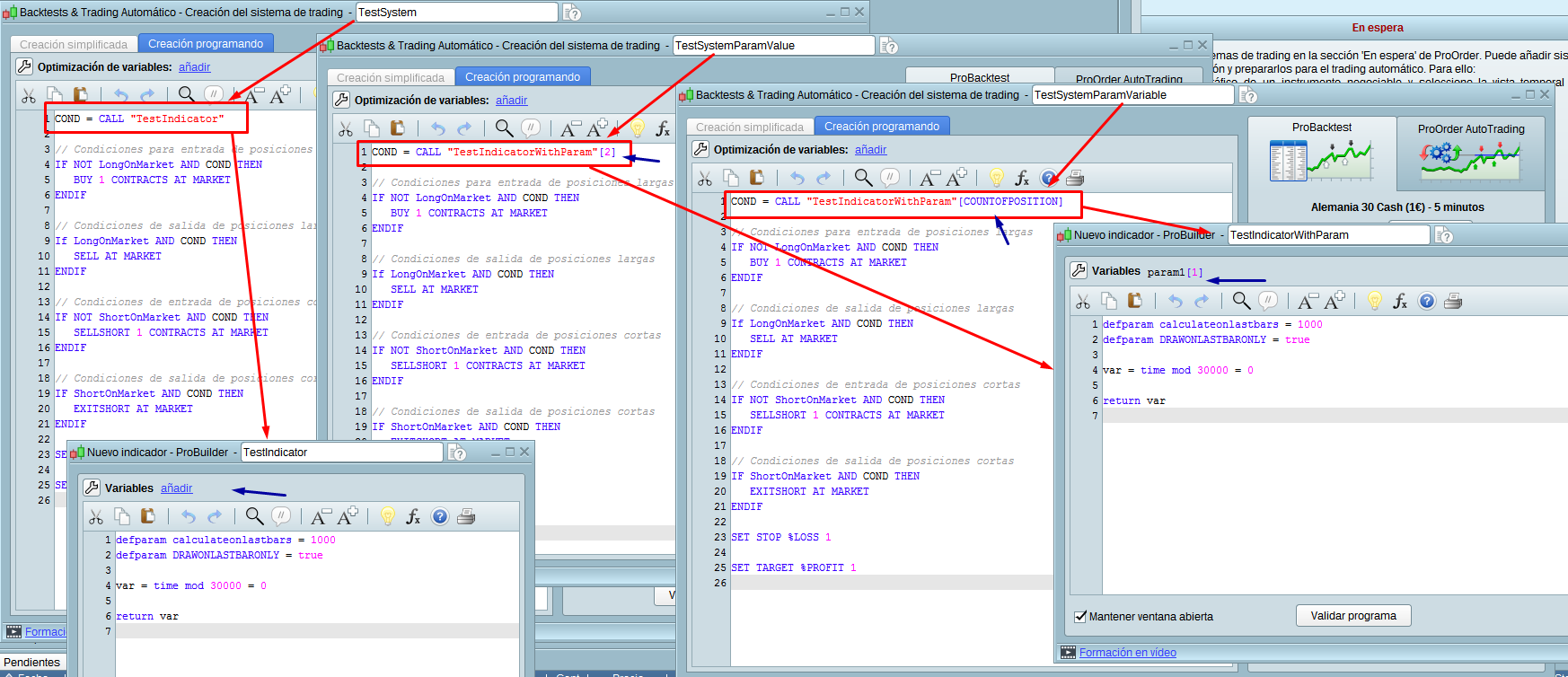
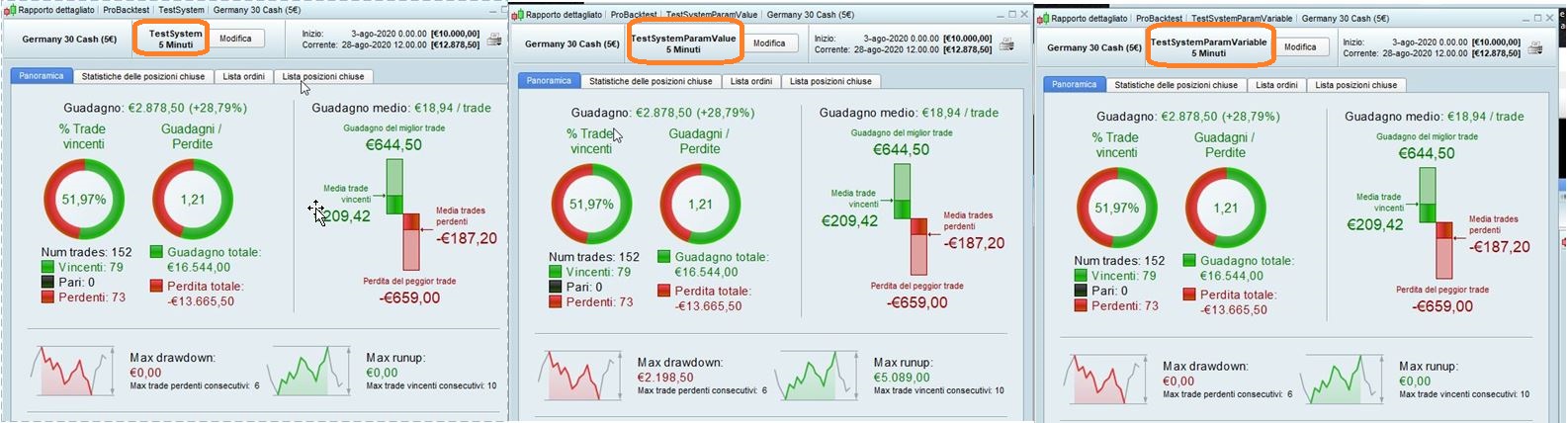
We attach 3 strategies (the most basic) as an example. Please see the attached image and use the ITF files in the attached ZIP.
- 1) “TestSystem” calls “TestIndicator” without params –> Performance OK
- 2) “TestSystemParamValue” calls “TestIndicatorWithParam” with 1 params (fixed value)–> Performance KO
- 3) “TestSystemParamVariable” calls “TestIndicatorWithParam” with 1 params (a variable)–> Performance KO
Both cases 2 and 3 have a really poor BT using only 1 parameter (and so much poor in other strategies or using more parameters). If you launch less than 5k candles seems all normal, but when launched with more candles is really annoying to wait (for 100k candles maybe spend around 3-5 minutes to end the BT of this simple strategy).
There is something that we can do? The goal is have complex strategies using the method 3.
Thanks in advance.
What do you mean by “poor performance” please? You mean that the backtest time is much longer?
I imported the files “as is”, without any modification and run them with 10K, 15K and 100K bars on Dax, 5-min TF.
Results were exactly the same for the 3 versions.
As Nicolas pointed out, if by performance you mean a slower backtest time, well… I found that on 100K bars (not 10K, nor 15K), the strategiy with a variable parameter (countofposition) was much slower, compared to the other two strategies.
Thanks Roberto, Nicolas,
no problem with the final results. We are talking about the performance and said “for 100k candles maybe spend around 3-5 minutes to end the BT of this simple strategy” (talking about the Backtest of strategies of cases 2 and 3).
Yes Roberto,
it happens using any variable, and increases exponentially whit more than one variable.
Then, do you know why this big difference in time? Any kind of solution or refactor possible? The problem is visible during BT, but seems that launching this kind of code in ProOrder (in demo or in real) still having problems. There is some limits or max execution time configured in demo / real servers, that can be reached when executing this kind of code, causing unexpected problems?
For me it was a matter of 10 to 20 seconds with the 3 strategies.
Only the strategy with a variable parameter, and only when using 100K bars, took about 5 minutes to complete the backtest.
So, in order to get everything clear for everyone 🙂 Backtests take longer time if you are using 1 (or more) external param with a CALL? Even if the parameter(s) are not used at all in the indicator’s code?
Is that problem constant all the day? and since X days at least? Backtests are made server side, if the servers are overloaded, it can happens to take longer than usual.
Yes, the problem is that backtests take longer time when use 1 or more external params with CALL function (even if the parameter(s) are not used, yes).
We had the problem always we tried, since months ago, too many times (hundreds). We need to understand the causes and limitations, to verify if can be a problem when running the strategies in ProOrder.
Hi,
there are any possible fix or workaround? In addition, when used in ProOrder, seems that strategy crashes. It’s normal?
I am in the process of seeing internally how and why this is happening, I will give you answers as soon as I know more, thank you for your patience.
Hello,
Is there an update on this subject?
When using call to functions it takes much more time. I use multiple variables and make 2 calls to 2 different functions this way :
a1, a2, a3, a4, a5, a6, a7, a8, a9, a10, a11, a12, a13, a14, a15, a16, a17, a18, a19, a20 = call “my function” [b1, b2, b3, b4]
Another point : I preload usually 10000 bars for my program but since few days I noticed than the performance of backtesting execution became worst than ever. It doesn’t even finish running..
If I change to preloadbars = 10 I get the backtest result. Does anything change on ProRealTime server side or ressources?
Thanks for your help,
Is there a place where we could see the status of ProRealTime servers ?
For instance if there is no cotation on DAX30 I can go to Euronext site and see if there is any incident reported at this moment.
Thanks again