Performance Considerations – Custom Indicators

Viewing 6 posts - 1 through 6 (of 6 total)

  • Author
    Posts
  • #219842 quote
    robocop
    Participant
    Average
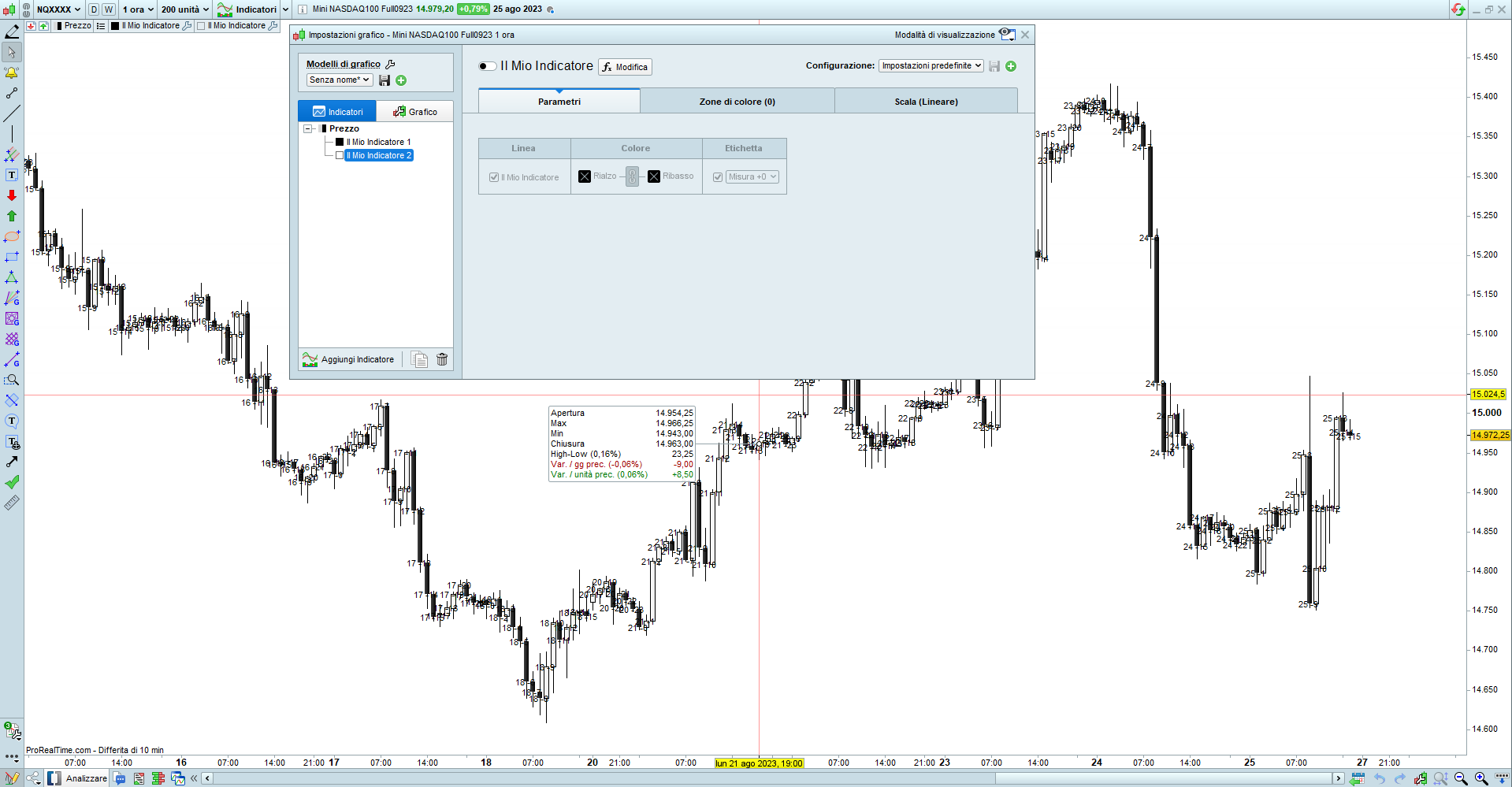
    Good morning When we disable a custom indicator as shown in the attached figure, does the platform still allocate resources (memory, CPU) for it?
    Immagine.png Immagine.png
    #219845 quote
    PeterSt
    Participant
    Master

    I recall it does, but not sure !
    Just cause one Indicator to be attached in the first place, switch it of and now change the number of units (like from 10K to 100K) after you tested how that looks like with the indicator active.

    #219855 quote
    robertogozzi
    Moderator
    Master

    Yes, it does, and it makes new calculations when something changes (instrument, timeframe or units).

    It simply stops plotting it on your chart, it’s invisible, not disabled!

    robocop thanked this post
    #219859 quote
    robocop
    Participant
    Average
    If the platform continues to run these indicators but does not draw, the consumption of cpu and memory remains.
    I should delete them, but doing so loses the parameters, which I would like to keep. Are there any ideas to ‘disable’ them and reduce cpu and memory allocation?
    Can i know from inside the code i the instance of indicator is ‘off’? i yes i can test condition in the code and exit immediately.
    #219861 quote
    robertogozzi
    Moderator
    Master

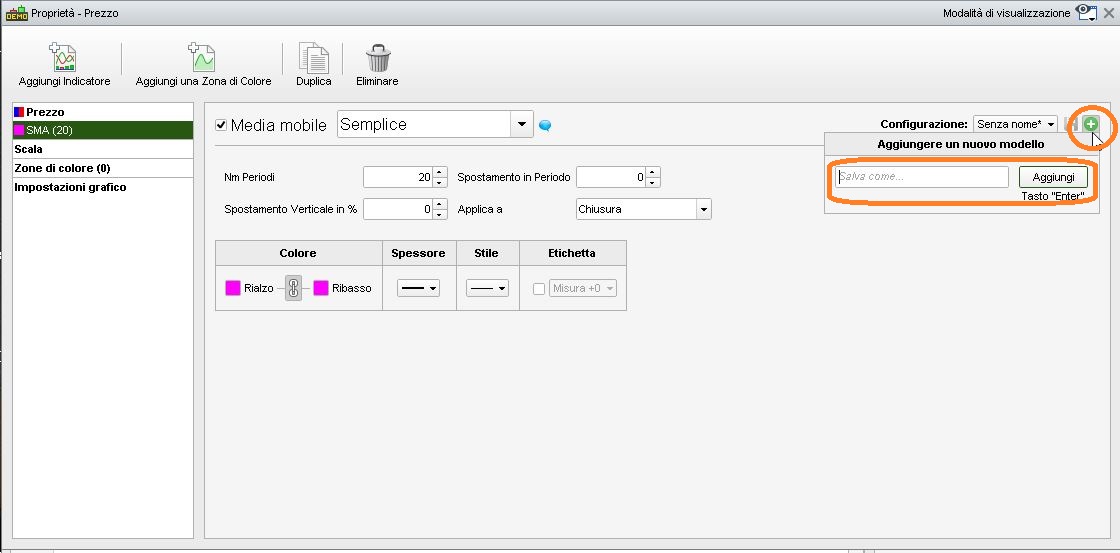
    You can save as many custom settings as you need  byt clickink “+”, then entering a name for each customization and saving it.

    Repeat the above steps with different parameters, always using a different name.

    x-9.jpg x-9.jpg
    #219876 quote
    PeterSt
    Participant
    Master

    Use CalculateOnLastbars = xxx

    You’d say that this influences the visual presentation only, but it doesn’t. Hence this really helps. Try it (and observe that it keeps on doing all the math).

    Notice that an indicator as how we use it mostly, is for graphical presentation only anyway; once it’s used (called) in the program code, you can just as well have the indicator code in the program itself and it is faster again.
    Exception are the internal indicators which work blastingly fast and which don’t require explicit calling.

    Having the parameters is a reason indeed, but that can be replaced by Optimization Parameters.

    I suppose areas exist which I did not cover and where it keeps on consuming time which can’t be avoided, but I personally did not run into those. OK, I know of one of them already : a commercial indicator (MarketPlace and such) of which you don’t know the code. You can’t a. have the code in your program code and b. set CalculateOnLastbars because that is set in the indicator itself and you can’t get in there.

Viewing 6 posts - 1 through 6 (of 6 total)
  • You must be logged in to reply to this topic.

Performance Considerations – Custom Indicators


Platform Support: Charts, Data & Broker Setup

New Reply
Author
author-avatar
robocop @robocop Participant
Summary

This topic contains 5 replies,
has 3 voices, and was last updated by PeterSt

2 years, 5 months ago.

Topic Details
Forum: Platform Support: Charts, Data & Broker Setup
Language: English
Started: 08/27/2023
Status: Active
Attachments: 2 files
Logo Logo
Loading...